www.it-connect.fr

Brave 1.94 Adds Email Aliases to Hide Your Real Address
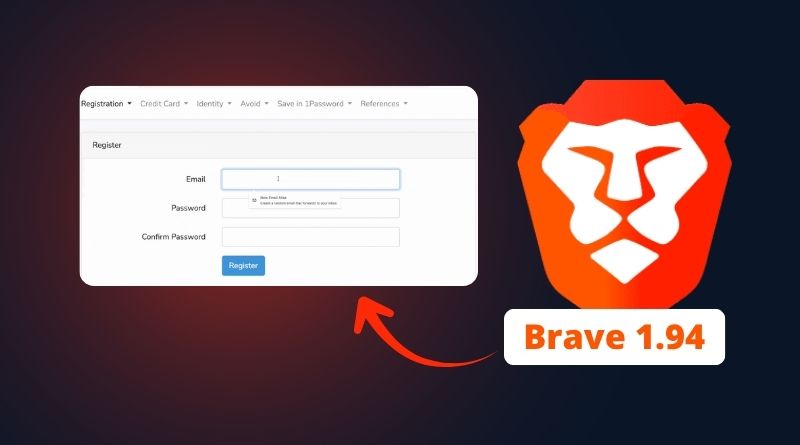
Brave version 1.94 introduces a privacy-focused new feature: email aliases, allowing users to create disposable email addresses directly from a website sign-up form. These aliases forward messages to the user’s primary inbox, which remains hidden from the site. Here’s what you need to know.
Email aliases in Brave
On Brave’s side, the Email Aliases feature was announced on August 27, 2026, in an article by Shivan Kaul Sahib, VP Privacy and Security at the company. With this new feature, the idea is simple: when you create an account on a website, the browser offers to generate a dedicated address that forwards messages to your real inbox. If that alias starts receiving spam, you can simply disable it. This well-known approach also keeps your main email address hidden from the site you are signing up for, which is a major advantage in the event of a data breach.
Brave already isolates cookies, caches, and network state on a per-site basis, preventing trackers from recognizing you across domains. The browser also went a step further this summer by natively integrating Containers in Brave 1.92. But that isolation stops at the browser level.
To go further, Brave decided to target email addresses as well. An email address is a durable and universal identifier. More importantly, an email can be linked to a user profile, which makes it possible to build connections. On this topic, Brave presents a common scenario:
- You buy a pair of shoes from an online store.
- You leave your address to receive your receipt, which is perfectly normal.
- The site sends that same address to Meta’s server-side audience tool.
- Meta already has that address, tied to the Facebook account created years ago.
- The two records match, and the purchase is associated with your name.
"When shared with websites, this information can be used to track your online activity. Advertising technology companies such as Google, Meta, and LinkedIn openly explain how businesses can import email addresses to match customer data with their own user profiles.", Brave explains.
In this case, blocking trackers on the page does not change anything. That is where email aliases come in: it is not possible to link toto-tata14@bravealias.com to your real address prenom.nom@hotmail.fr.
Five free aliases, but a Brave account is required
This new feature requires a Brave account, which must be created from brave://settings/email-aliases using an email address and password. Do not confuse it with a Brave Premium account, which is used to manage subscriptions to in-house services such as the VPN. When you sign up on the aliases page, keep one thing in mind: the email address associated with your account becomes the primary address for that account. All aliases will therefore forward to it.
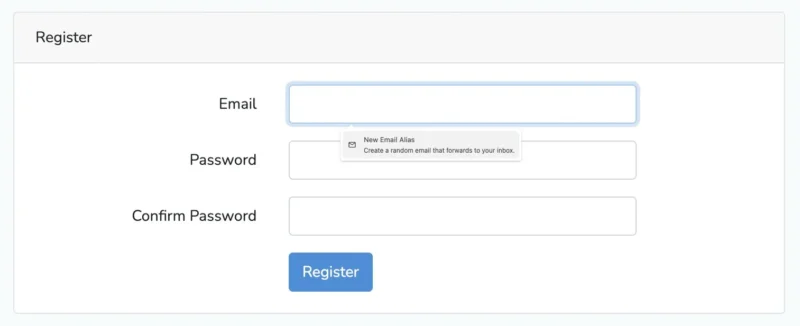
You can then create a new alias the next time you sign up for a service. This is done directly from the sign-up form (either it is suggested automatically, or you can right-click). On the data side, Brave stores the primary address and aliases encrypted at rest.
There are two limitations to keep in mind with this new feature:
- The feature is currently limited to Brave desktop (the mobile version is under development).
- The free plan is limited to 5 email aliases, with Brave mentioning a future paid version. In this area, the company is behind Proton, which made Hide-my-email alias creation in Proton Mail widely available after acquiring SimpleLogin.
Let’s finish with an important security note regarding Brave account management: "Brave Accounts uses OPAQUE, a recently standardized cryptographic protocol, which ensures that your password is never sent to Brave’s servers." - This protocol corresponds to RFC 9807, published in July 2025 by the IRTF. During sign-up and login, the client and server run a blind pseudorandom function (OPRF) that derives a secret based on both the password and a server-side key, without either side learning anything about the other. You can find more information on this page.
What do you think?