www.it-connect.fr


Nextcloud Servers Hacked Through Critical Collabora Built-in CODE Flaw
Are you using Nextcloud Office with the Collabora Online - Built-in CODE Server app? A critical flaw in this application has been exploited since September 10, 2026 to plant webshells on Nextcloud servers. And disabling it is not enough. Here’s how to protect yourself right now.
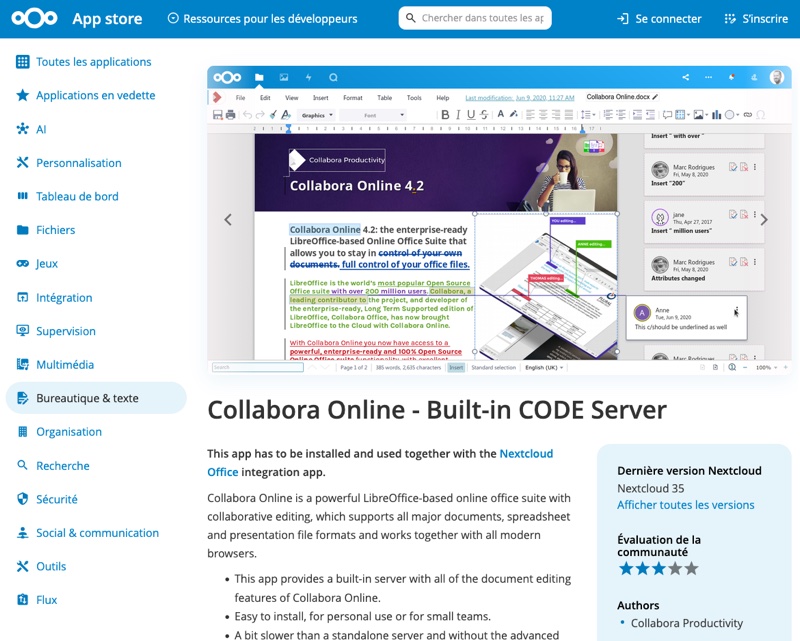
To edit documents, Nextcloud Office relies on a Collabora Online server. To avoid deploying one separately, Collabora offers the optional Collabora Online - Built-in CODE Server application (richdocumentscode). It downloads Collabora Online Development Edition (CODE) and runs it directly on the Nextcloud server. It is one of the options offered by Nextcloud, beyond work with Euro-Office.
Now that you know the potential link between Nextcloud and Collabora, let’s talk about the security advisory published on October 14, 2026 by Collabora. It describes the vulnerability tracked as CVE-2026-110447, a system command injection exploitable without authentication, with a CVSS v4 score of 9.2 out of 10. That’s nasty.
A flaw that can be exploited when the CODE server is stopped
The problem is in the proxy.php script. When a request arrives and no CODE server is listening, this script starts it. Up to version 26.4.302, it placed text from the request, including its path, into a Bash command wrapped in double quotes. Anything written in the form $(...) was therefore executed by the shell, with the privileges of the web server account.
This opens the door to code execution, but the exploitation window is only possible at a specific moment: a container restart, an update, or a CODE server crash. In addition, proxy.php is executed directly by the web server, without loading the Nextcloud code. That means disabling the app does not block access to the script, and therefore to the flaw.
"It is not enough to disable the application to avoid the problem; it must be updated to version 26.4.303 or later, or removed.", Collabora says. As a result, all richdocumentscode versions earlier than 26.4.303 are vulnerable.
By contrast, standalone Collabora Online servers (Docker, Linux package, hosted service) and Nextcloud Office instances without the Built-in CODE app are not affected.
Webshells planted a month before the official alert
This security flaw must be treated as an emergency, because it is already being exploited. In fact, a GitHub ticket posted by a Nextcloud server administrator describes the first attacks. The logs he shared show requests on September 10 at 19:51 and September 11 at 09:56 (UTC+2) to proxy.php?status. That request also contained a Base64-encoded command that wrote a one-line PHP webshell into the application folder, then tried to send the output of uname -a to the webhook.site service.
On one of the servers, the attacker then looked for password vaults and cryptocurrency wallets (files .kdbx, wallet.dat, traces of Bitwarden, 1Password, Bitcoin or Monero). Two other admins observed the same type of attacks, with the same actions, detected through Nextcloud integrity checks or emails about failed sudo attempts. Even so, no root access has been reported.
What is most worrying is the attackers’ responsiveness: it is as if they continuously analyze commits on open source applications to determine whether a change is a security fix or not. And in this game, AI can be very useful.
In this case, the fix is a few-line change in the proxy.php file titled "tidy up how the coolwsd launch command is built". It was merged into the repository on September 9. The first known attack took place the next day, and version 26.4.303 was released on September 11, 2026, without mentioning that it was related to security. The security advisory was published a month later... That is far too long, especially nowadays.
How do you check and protect your Nextcloud server?
The number of affected servers is unknown... Just like the number of active campaigns targeting CVE-2026-110447. But if you use Nextcloud, here is what you need to do right now:
- Update or remove the vulnerable package: upgrade richdocumentscode to version 26.4.303 or later, or remove the application.
- Look for webshells: search for
shx*.phpfiles, starting with theapps/richdocumentscodedirectory, and delete them. - Analyze web server logs: since September 10, look for requests to
proxy.php?statuscontaining%2e%2e,$(or${IFS}. The IP addresses currently known to be behind attacks are 139.28.18.122 and 89.38.98.50.
Be careful with version 26.4.402, released on September 24: on some installations, the CODE server no longer starts and some administrators rolled back to 26.4.303. According to one user, this would affect PHP-FPM configurations whose open_basedir setting does not allow /dev/null.