www.it-connect.fr

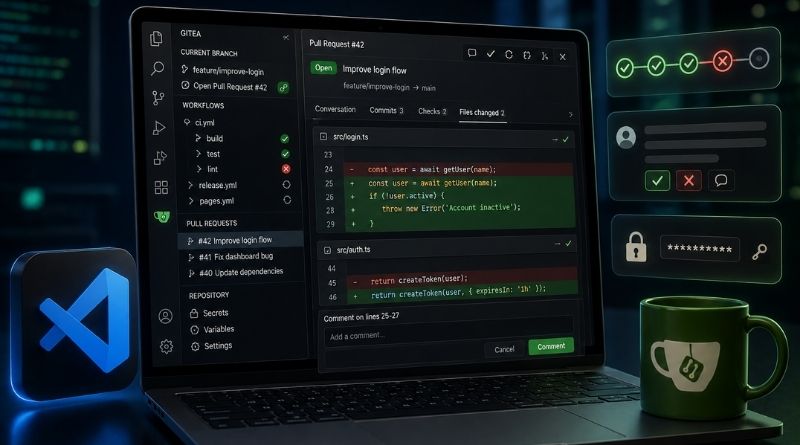
Gitea Finally Launches Its Official VS Code Extension
Gitea has released the first stable version of its extension for Visual Studio Code. Tracking Gitea Actions workflows, reviewing pull requests with native diffs, managing repository secrets — all of this is now possible without leaving your code editor.
Gitea Arrives in Visual Studio Code
If you use Gitea and are tired of switching between Visual Studio Code and your web browser, then the Gitea for VS Code extension should appeal to you. It brings Gitea integration directly into Microsoft’s code editor. As a reminder, Gitea is a Go-based forge and a self-hosted alternative to GitHub and GitLab.
Here is what this first version of the Gitea extension can do:
- Current Branch : displays the open pull request for your current working branch, above the workflow runs associated with that branch. Failed jobs and steps are automatically surfaced.
- Workflows : groups runs by workflow name, as reported by the Gitea server.
- Pull Requests : lists open PRs across all detected repositories. You can open a native diff, comment from the editor, submit a review (Approve, Request changes or Comment), fetch the source branch, merge, or close the request.
- Settings : configure authentication for each Gitea instance, the current repository variables, etc.
"You can also rerun a finished workflow, only the failed jobs or a single job, and download and open artifacts directly from the tree view.", we read on the Gitea blog.
Download the Gitea Extension for VS Code
As for requirements, the extension needs Visual Studio Code 1.105 or later. It also works in compatible editors, including Cursor, VSCodium (the open-source version of VS Code), and Windsurf. It is compatible with Gitea 27 and later.
To install it on your VS Code, you need to search for the extension in the extensions marketplace. If you use VSCodium, you will need to retrieve the extension’s .vsix file: it is also available for download via the repository releases. This is also a valid method for VS Code.
For now, I haven’t been able to find the official Gitea extension on the VS Code marketplace. I don’t know whether that’s the case on your side as well... However, many existing unofficial extensions are listed there. Once the extension is installed, you can access the settings to declare one or more instances. Each instance stores its credentials in VS Code’s SecretStorage.
What do you think?