www.it-connect.fr

Microsoft 365 Login Pages Will Lose Custom CSS Options on October 26, 2026
Customization options for Entra ID (Microsoft 365) sign-in pages will be reduced starting October 26, 2026. After an initial wave announced in July, Microsoft has decided to add 28 additional CSS properties to the removal list. Here’s what you should check in your tenant.
Microsoft is removing 49 CSS properties
For several weeks, Microsoft has been working on a new change for Microsoft 365 and Entra ID: the removal of CSS properties used to customize the layout and positioning of elements on the sign-in page. Two messages reflect this effort and reference Microsoft’s roadmap: MC1435782 and MC1458474.
On August 21, 2026, Microsoft published a new message (MC1458474) to outline the 28 CSS properties that will be removed:
- Offsets:
offset,offset-path,offset-distance - Margins:
margin-block,margin-block-start,margin-block-end,margin-inline,margin-inline-start,margin-inline-end - Order and grid:
order,grid-area,grid-column,grid-column-start,grid-column-end,grid-row,grid-row-start,grid-row-end - Overflow:
overflow-x,overflow-y,overflow-block,overflow-inline - Isolation and visibility:
isolation,content-visibility - Clipping and masking:
clip,mask,mask-image,-webkit-mask,-webkit-mask-image
Added to the first wave (position, margin, transform, display, visibility, overflow, etc.), the consolidated list published on Microsoft Learn now includes 49 entries.
But what will happen after the deadline set for October 26, 2026?
Your logos, text, and images will not disappear. However, as Microsoft explains, these elements will remain visible while reverting to their default placement. The page will therefore continue to work and display your company logo, but the layout will be broken.
To justify this decision as part of its Secure Future Initiative, Microsoft points to security. The properties being targeted are those that can move a field, overlay a block, or hide an element on top of a legitimate authentication page. This could help enable phishing pages.
How do you audit your tenant before October 26?
If your organization does not use any of the listed properties, no action is required. But you need to be sure. Also note that tenants created after January 5, 2026 no longer have access to custom CSS, and since July 21, 2026, older tenants that were not using it can no longer configure it.
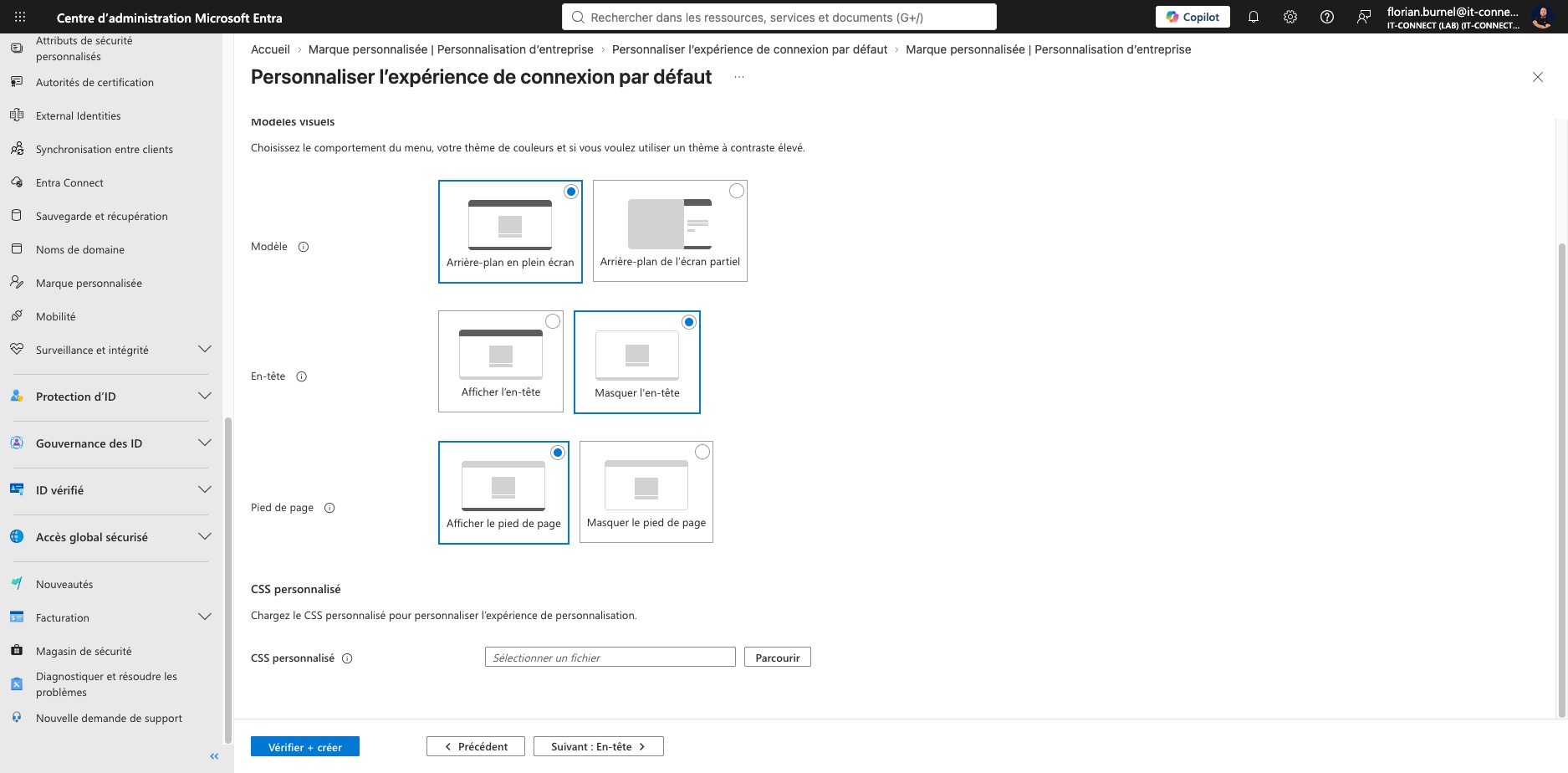
To review the configuration, follow this path in the Entra admin center: Custom branding > Company branding > Customize > Layout > Custom CSS. Here, you need to inspect your CSS file to see whether it contains any properties affected by the removal.
Looking even further ahead, Microsoft plans to fully retire custom CSS later in 2027. It will be replaced by advanced customization options, but we do not yet know what those will be. Organizations that invested time in a sign-in page perfectly aligned with their branding will have to adapt... Does that seem justified to you?