www.it-connect.fr

Web-Check: The All-in-One OSINT Tool for Website Analysis
In just a few seconds, and without installing anything, Web-Check lets you see what's hiding behind a website: its hosting provider, DNS records, TLS certificates, security headers or even the technologies it uses. It's a valuable toolbox for anyone interested in reconnaissance, monitoring, or the technical audit of a website. Let's discover this tool together!
There are many possible use cases that may lead us to analyze a domain with this tool. For example, you received a suspicious link by email and want to learn more about the domain before clicking. Another example? Here it is: you want to check the exposure surface of your own website. Rather than chaining together a dozen different online services, Web-Check centralizes all these checks on a single page.
As Web-Check puts it, you're going to put your website through an X-ray.
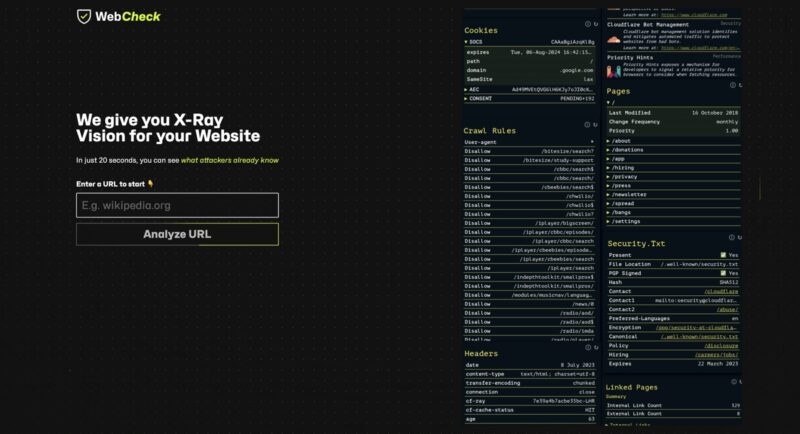
In this article, I invite you to discover Web-Check: what it is, what it can analyze, how to use it through its public instance, and then how to self-host it with Docker for your own needs.
What Is Web-Check?
Web-Check is an OSINT tool that collects and presents, on a single dashboard, a large amount of public technical information about a website or domain. From a simple URL, it queries DNS, the TLS certificate, HTTP headers, Whois databases, reputation lists, and other sources, then displays the results as easy-to-read cards. There are many tools available to analyze a website in detail, but the advantage of Web-Check is its aggregator approach: you get a lot of information grouped on the same page. You can then continue the analysis using a more specialized tool for the area you want to dig into.
What is OSINT? OSINT (Open Source Intelligence) refers to intelligence gathered from open and publicly accessible sources. To go deeper into this discipline, check out my article What Is OSINT?.
Web-Check is developed by Alicia Sykes (aka Lissy93 on GitHub), a developer known for several popular open source projects. This project is open source, released under the MIT license and completely free: you can use the public instance or self-host your own via Docker.
Here are the project's two official resources:
- Official site and public instance : web-check.xyz
- GitHub repository : github.com/lissy93/web-check
What Can Web-Check Analyze?
Web-Check's strength lies in its scope: more than thirty analysis modules are launched on the fly against the website being analyzed. To make things easier to follow, I've grouped the main checks by theme. Once the analysis is complete, a report is displayed with module-by-module results and recommendations at the top of the page. That means Web Check can also help you improve the security of your website and domain.
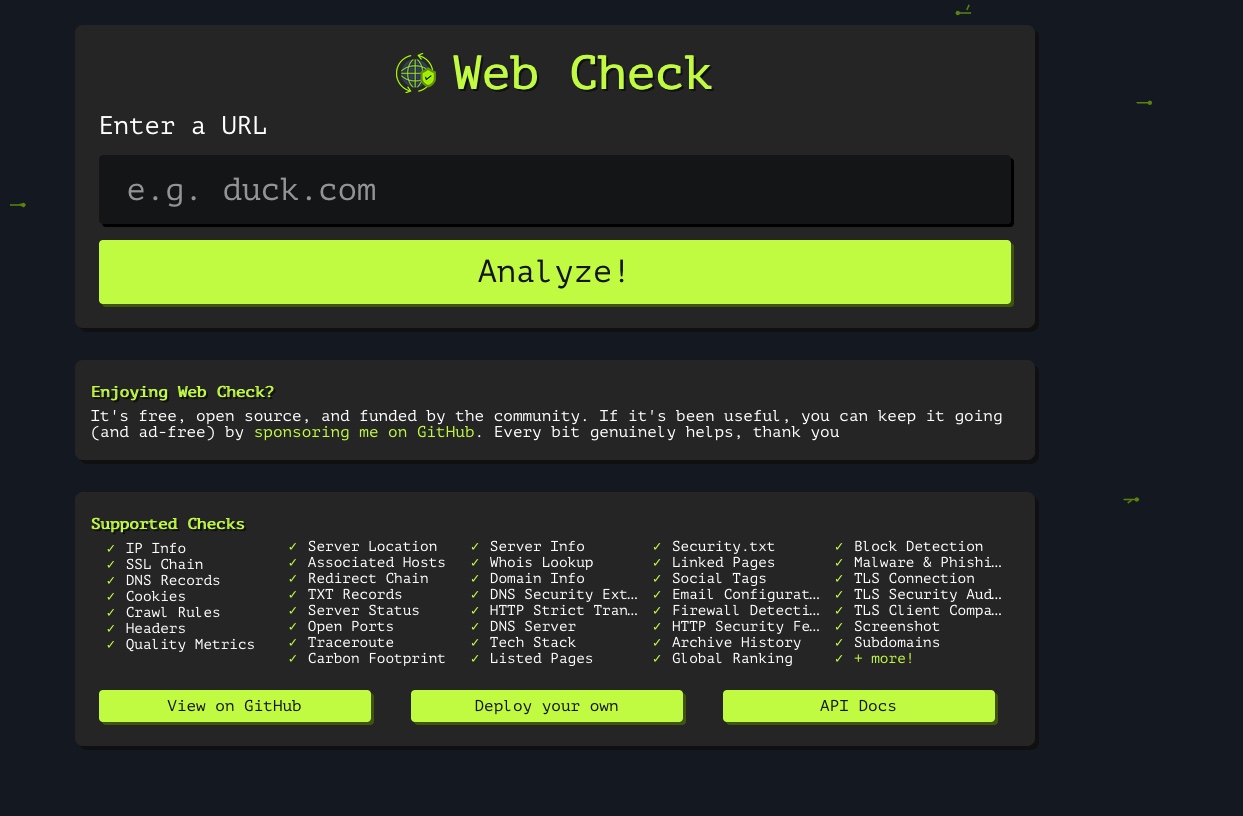
Below you'll find more information about what you can discover in this report, with an example.
- Domain Identity and DNS
This family covers WHOIS (creation date, registrar, expiration date, declared DNSSEC status), A records, name servers, TXT records, authoritative DNS server configuration, and effective DNSSEC validation through the presence of DNSKEY, DS, and RRSIG records.
Web-Check also checks the domain's mail configuration, which directly overlaps with the records you put in place when working on email security with SPF, DKIM, and DMARC.
- Encryption and Transport
Three separate cards deal with TLS: the certificate itself (issuer, subject, validity dates, fingerprint, extended key usage), the negotiated TLS connection, and a TLS security audit (with the SSL Labs score). This part also relies on the public SSL Labs API. It also includes HSTS verification, which indicates whether the site forces the browser to use HTTPS only.
- Exposure Surface
Here you'll find port scanning, traceroute, server geolocation, hostnames associated with the IP address, web application firewall (WAF) detection, and subdomain enumeration. In fact, the port scan is a special feature in this tool: it's no longer passive scanning, it really scans the target to test the ports (roughly thirty of them). In other words, it tests the ports most commonly used by web services: 80, 443, 8080 and even 3306 (in case you have a MySQL instance exposed to the web).
- Application Security and Reputation
This group of tests includes the analysis of security HTTP headers, cookies set by the site, the presence of a security.txt file (to report security issues), robots.txt rules (for indexing), domain verification against twelve filtered DNS resolvers (including AdGuard, CleanBrowsing Family, and OpenDNS Family), and queries against multiple threat intelligence databases.
- Context and Metadata
Finally, Web-Check retrieves the domain's global ranking, the detected technical stack (Apache2, Nginx... WordPress... WordPress plugins and themes, etc.), social media tags, linked pages, sitemap, redirects, estimated carbon footprint, and a screenshot of the home page.
Depending on the website being analyzed, the generated report will contain more or less information. Below is a test performed on expired.badssl.com, where there are deliberately flaws, including an expired TLS certificate. On real websites, the reporting is much more complete, but I'll let you try it on your blog or your company's website. You'll also notice links to other platforms: DNS Dumpster, Shodan, Wayback Machine, etc.... with preconfigured links to continue analyzing the domain with related tools.
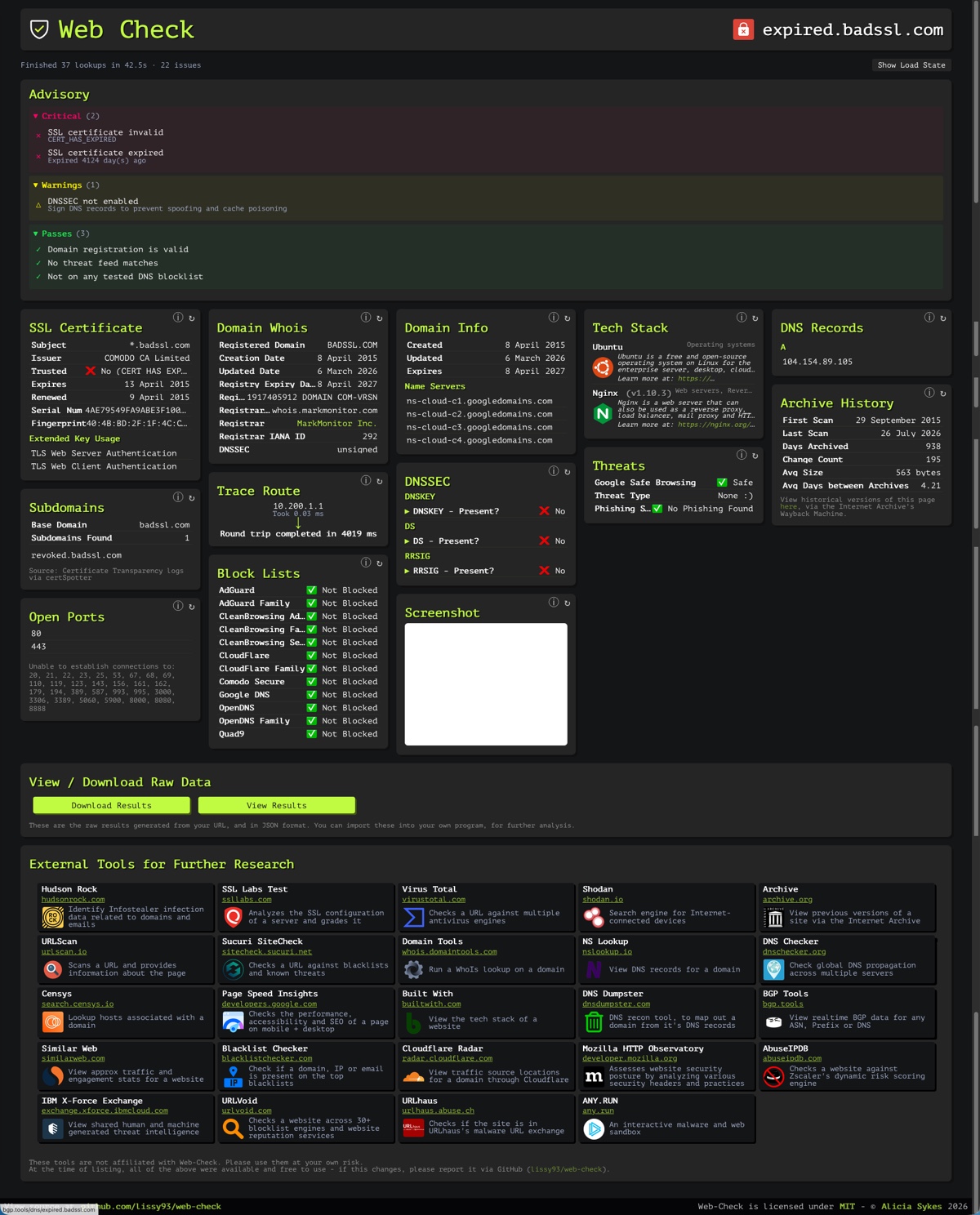
In the report above, the Advisory panel is the first thing that catches your eye. An analysis engine applies rules to the raw results to suggest items to fix, while classifying them by severity.
In our example, the panel reports:
- Critical (2) : the SSL certificate is invalid and has expired (and it tells us when).
- Warnings (1) : "DNSSEC not enabled", along with an explanation of the risk of spoofing and cache poisoning.
- Passes (3) : valid domain registration, no matches in threat feeds, and no presence of this domain in the DNS blocklists tested.
Even though you can review the entire report, it's this Advisory section that makes the analysis easier.
Test Web-Check Online
The fastest way to discover the tool is to use the public instance available at web-check.xyz. No installation or registration is required: you enter a domain name or URL, launch the analysis, and the dashboard fills in progressively as the different modules return their results.
This is ideal for a one-off check. On the other hand, for regular use and to keep it in your toolbox, I recommend self-hosting this tool with Docker.
Self-Hosting Web-Check with Docker
Self-hosting Web-Check offers several advantages: you're no longer subject to the limits of the public instance, you keep control over your requests (useful when analyzing sensitive sites), and you can provide your own API keys to unlock advanced checks.
Quick Deployment with Docker
For a quick start, the official image runs with a single command. The container exposes its interface on port 3000 :
docker run -p 3000:3000 lissy93/web-checkOnce the container is started, the interface is accessible at http://localhost:3000 (or http://<IP_du_serveur>:3000). The official image is published on Docker Hub (lissy93/web-check) and on GitHub Container Registry (GHCR).
Deployment with Docker Compose
To add Web Check to your toolbox, it's better to use a Docker Compose and a .env file to centralize the configuration. As you know, I'm used to storing my stacks in a dedicated subfolder, in this case: /opt/docker-compose/web-check.
Create the project structure:
sudo mkdir -p /opt/docker-compose/web-check
cd /opt/docker-compose/web-check
Create the docker-compose.yml file with this configuration:
services:
  web-check:
    image: lissy93/web-check:latest
    container_name: web-check
    env_file:
      - .env
    ports:
      - "3000:3000"
    security_opt:
      - no-new-privileges:true
    restart: unless-stopped
Then create the .env file next to the Compose file, which avoids editing docker-compose.yml every time you make an adjustment. Web Check supports several options. Here, I'm showing you the ones that let you specify API keys:
GOOGLE_CLOUD_API_KEY=
SHODAN_API_KEY=
CLOUDMERSIVE_API_KEY=
TRANCO_USERNAME=
TRANCO_API_KEY=
CERTSPOTTER_TOKEN=
Data collected through these third-party services will feed some of Web Check's cards. On that note, here are a few details:
Web-Check works without any API key, but some cards will remain empty. Here are the variables actually read by the code:
| Variable | Service |
|---|---|
GOOGLE_CLOUD_API_KEY | PageSpeed Insights and Safe Browsing |
SHODAN_API_KEY | Shodan |
TRANCO_USERNAME and TRANCO_API_KEY | Tranco |
CLOUDMERSIVE_API_KEY | Cloudmersive |
CERTSPOTTER_TOKEN | certSpotter |
Once everything is ready, save the files.
Then start the Docker Compose stack:
# Se placer dans le dossier du projet, puis démarrer en arrière-plan
cd /opt/docker-compose/web-check
docker compose up -d

# Vérifier l'état du conteneur
docker compose ps

# Suivre les journaux en cas de besoin
docker compose logs -f
As long as the tool stays on your local network, exposing it directly on port 3000 is enough. But if you want to access it remotely, never publish the container to the Internet as-is: place it behind a reverse proxy that handles HTTPS and, ideally, authentication. As for me, I use Traefik; you can follow my tutorial Getting Started with Traefik: A Modern Reverse Proxy for Your Docker Web Services.
Using Web-Check as an API
Beyond using Web-Check through the web interface, you can also query its native API from the command line. Each check performed by the tool corresponds to an independent HTTP endpoint. Below are a few examples.
- Retrieve SSL certificate information in JSON format
curl "http://localhost:3000/api/ssl?url=it-connect.fr"- Check DNSSEC status
curl "http://localhost:3000/api/dnssec?url=it-connect.fr"- List known subdomains
curl "http://localhost:3000/api/subdomains?url=it-connect.fr"- Display WHOIS information
curl "http://localhost:3000/api/whois?url=it-connect.fr"
{"domain":"it-connect.fr","registrar":"IONOS SE","registrarUrl":"https://ionos.com","created":"2013-06-13T19:58:12.000Z","updated":"2024-04-13T08:58:34.801Z","expires":"2029-06-13T19:58:12.000Z","nameservers":["dingo.ezoicns.com","hyena.ezoicns.com","tetra.ezoicns.com","zorse.ezoicns.com"],"status":["clientTransferProhibited"]}%   http://localhost:3000/
The endpoints are named after the check itself: ssl, dns, dnssec, whois, headers, http-security, hsts, ports, subdomains, mail-config, tech-stack, threats, block-lists, archives, redirects, robots-txt, security-txt, social-tags, sitemap, screenshot, and so on.
It's also possible to run the container in pure API mode, without a graphical interface, by setting DISABLE_GUI=true. This is the right mode if you want to connect Web-Check to a monitoring system or a script.
Limitations and Usage Scope
Web-Check is not a vulnerability scanner. It does not test for injections, does not detect any application CVEs, and does not replace an audit or penetration test. It maps an attack surface; it does not attack it.
Detection remains largely declarative. WAF, technical stack, CDN presence: everything depends on what the server is willing to announce in its headers. A properly configured server will deliberately reveal very little, and Web-Check will then show empty or incomplete cards. This is not a flaw in the tool; it's actually a sign of good hygiene on the target side. If the server is protected by a system like Cloudflare, it is also highly likely that the results will not reflect the server's real configuration.
Port scanning is an active module. This is the key point from a legal standpoint. Limit your analyses to your own domains, to those you are authorized to test, or to targets specifically intended for testing.
I think running your own domain through Web-Check is a great eye-opener; it enables a quick audit that can then lead you to dig deeper into specific points.
Conclusion
Web-Check is an excellent tool for what it claims to be: a fast, readable, fully open source reconnaissance aggregator. On top of that, it includes bonuses such as the Advisory section with actionable guidance and an API for querying the tool from scripts or third-party tools. For a first reconnaissance pass, for periodic checks of your own exposed surface, or to give a client an immediate view of what an attacker can learn about them, it provides real value!
The fact that it can be self-hosted and that you can access its source code are also strengths that make me want to use it. To go further, check the project documentation and GitHub repository to follow future updates.