www.it-connect.fr

Deepfakes, Voice Cloning and Vishing: How to Prove a User’s Identity
You receive a call. The voice is that of a colleague, the number appears internal, and the person knows their employee ID and their manager’s name. Everything checks out. Except it’s not them. With voice cloning, deepfakes, and vishing, the signals that identity verification used to rely on — voice, face, personal details — can now be forged in minutes. The real challenge is no longer recognizing a person, but proving their identity at the moment you create or restore access.
Article produced in partnership with Specops Software.
AI and data breaches: a combination that changes the game
For years, we protected information systems with firewalls, network segmentation, security patches on workstations and servers, and so on. All of that remains essential today. But attackers have shifted their target. They are no longer looking only for a technical flaw; they are also targeting people, and more specifically, a decision: whether to trust someone.
In access management, that decision is made at clearly identified moments:
- When an employee joins the company.
- When they need to regain access they lost, such as a forgotten password
- When someone contacts us claiming to be IT support.
The problem is that recent years have seen a huge number of data breaches. That has created enormous databases of exploitable personal information. In other words, knowing things about someone no longer proves that you are that person. Classic phone verification questions — employee ID, hire date, manager’s name — rely exactly on this kind of information.
Three real-world attack scenarios
A hiring process tricked by a deepfake
Imagine a video interview. The candidate is on screen, answering your questions, and everything seems normal. Except that face does not exist. It is being applied in real time over the attacker’s own face. That is what we call a deepfake.
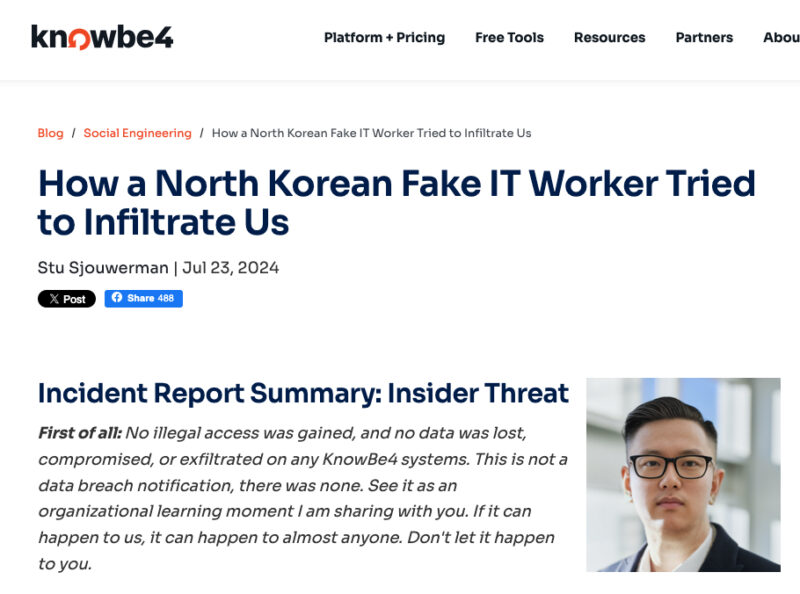
This scenario is not theoretical. Vendor KnowBe4 unknowingly hired a fake IT worker using a stolen identity and an AI-edited photo. As soon as the company laptop was delivered, the individual attempted to install malware. The company published the detailed account of the incident itself, making this a well-documented case.
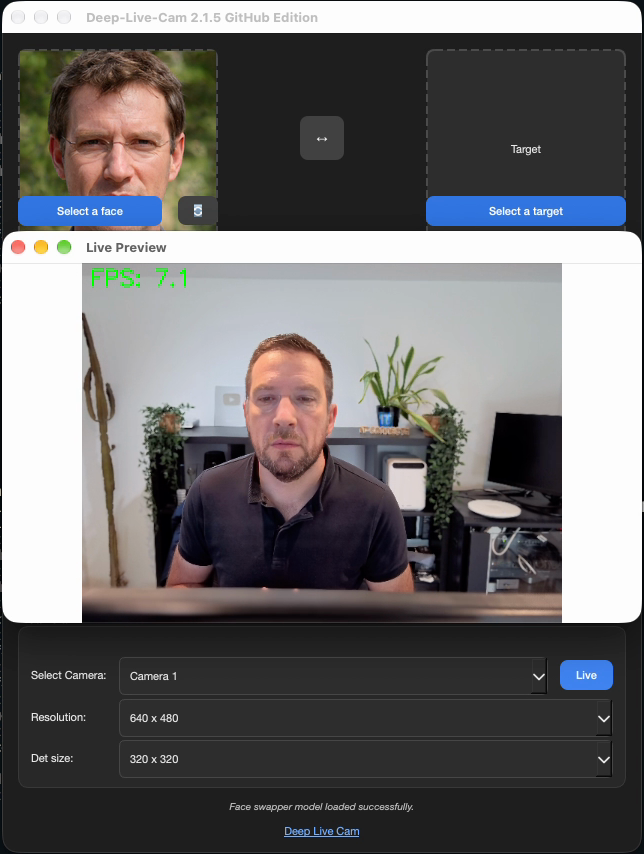
A deepfake applied in real time to your webcam image is entirely possible. Here is a quick example below with Deep Live Cam, a tool available in both community and professional versions. With a good GPU and a few adjustments, results can be extremely convincing, even to the point of matching the lip movements of the impersonated face.
Access restoration and voice cloning
The second scenario involves access restoration, for example when a user has lost their password. Cloning a voice is now within everyone’s reach. Just a few seconds of audio are enough, through online services such as ElevenLabs or open-source solutions based on local AI: VoiceStudio is a good example.
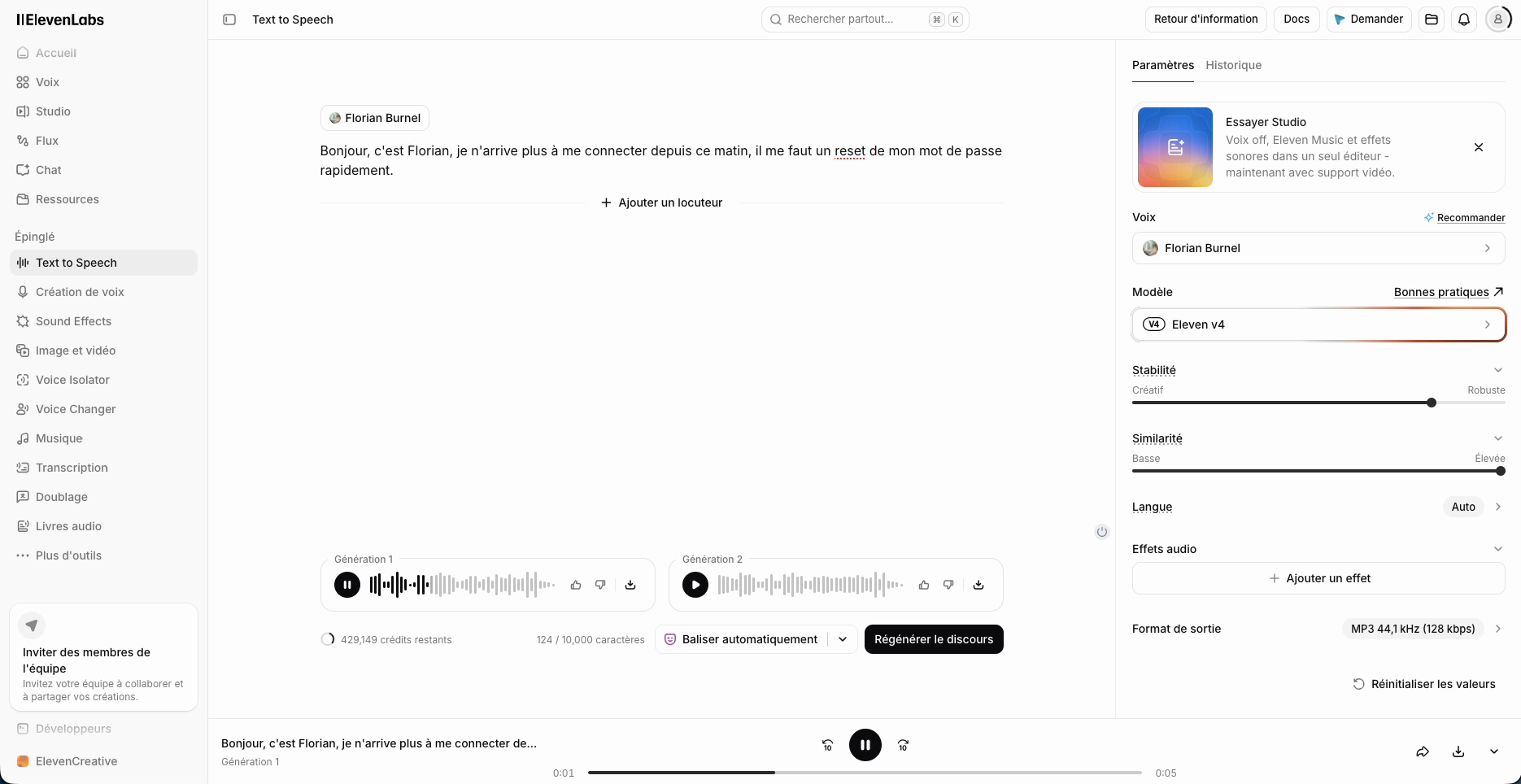
ElevenLabs integrates many audio manipulation tools, including instant voice cloning. Of course, these tools were not designed to make cyberattacks easier. But like any tool, they can be misused.
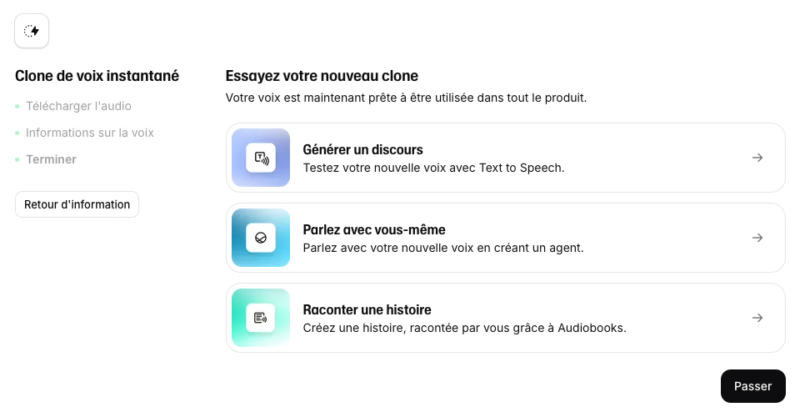
The attack flow is simple. The attacker calls the service desk and requests a password reset for a targeted user account. The technician asks the usual questions to verify identity (or does so, supposedly). But this method is fragile, because for cybercriminals, most of those answers are available online (needless to say, data breaches are plentiful).
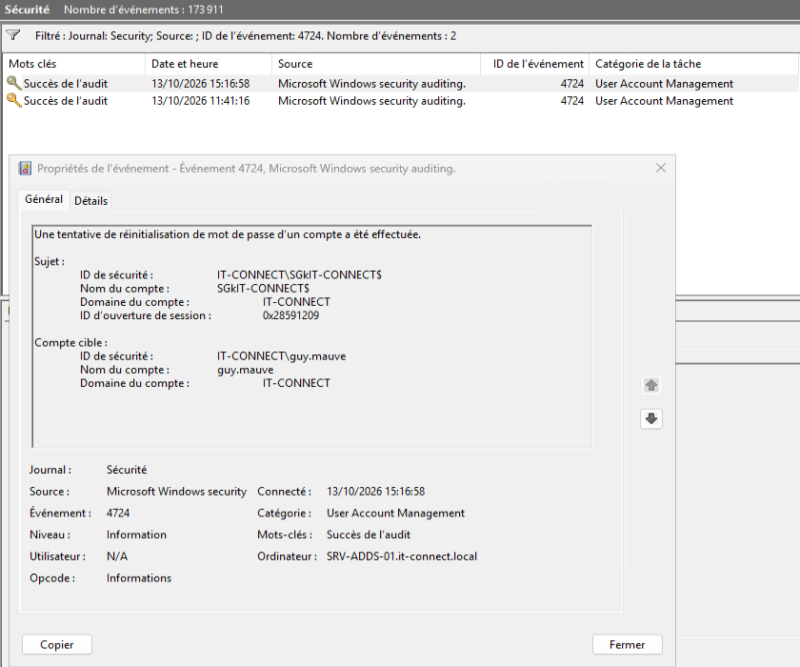
The password reset is then approved. And if you check your Active Directory logs, it is the technician, using their legitimate account, who performed the operation. The attacker, meanwhile, appears nowhere.
This type of attack cost the MGM Resorts group more than $100 million, a figure the company itself disclosed in a SEC filing. According to incident analysis, initial access was likely obtained through the service desk using information collected beforehand. These social engineering techniques against help desks are described in a CISA advisory and are far from fictional.
Impersonating IT support
For the third scenario, the roles are reversed. This time, the attacker no longer pretends to be an employee, but rather IT support, and contacts an employee. The message may arrive through Microsoft Teams external access, now accompanied by a warning indicating the external participant.
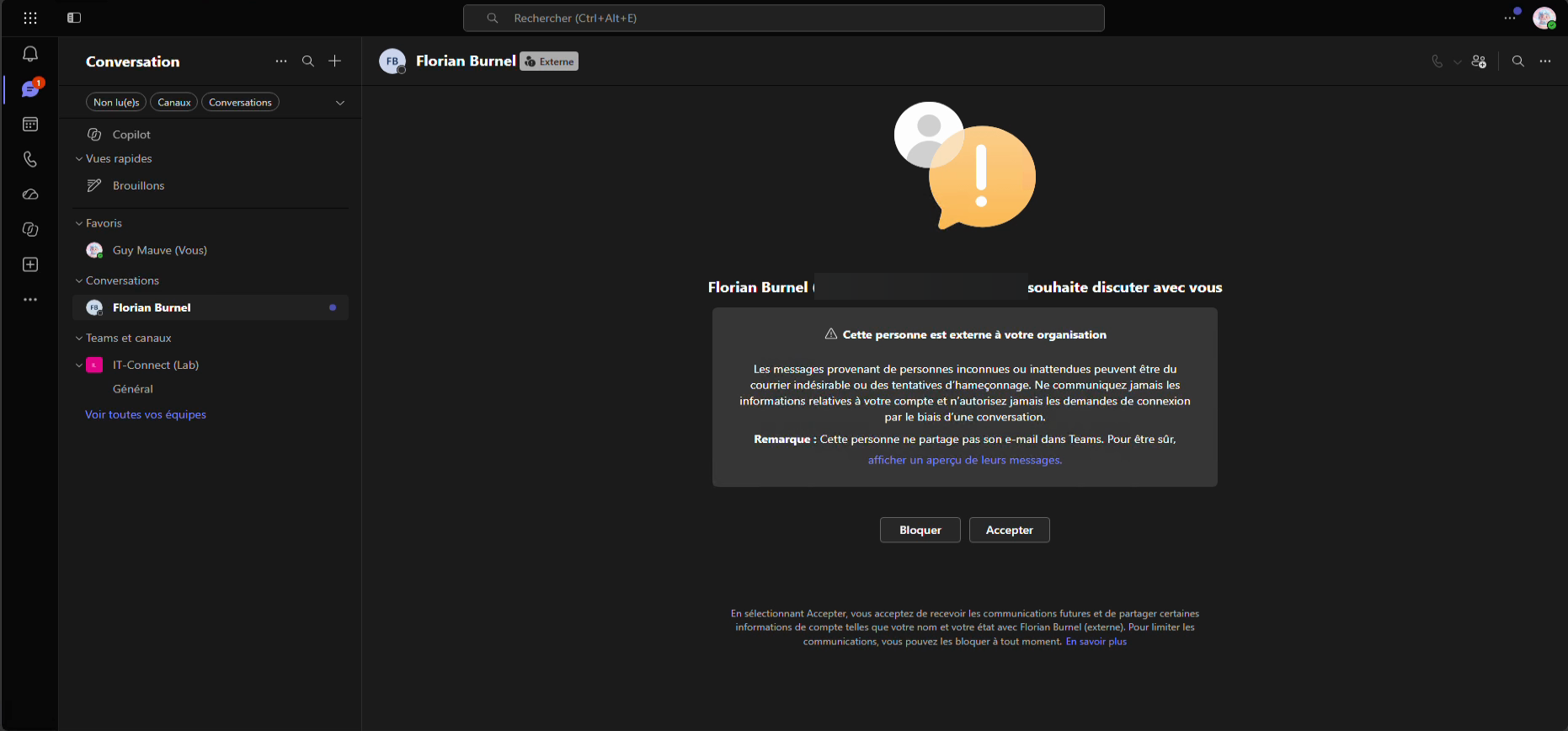
Once the conversation is underway, the attacker asks the employee to launch a remote support tool, such as Windows Quick Assist. The most exposed users are often new hires, because they do not yet know the procedures or the faces of the support team. In 2026, several major investment funds were targeted by this type of call using AI-generated voices.
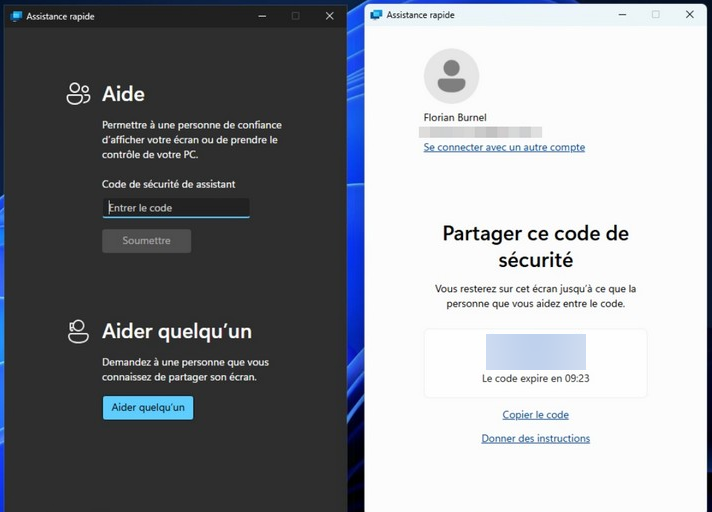
These three attacks are different, but they share one thing in common: they all strike at the moment an access is created, restored, or verified. The good news is that there are suitable technical responses.
Securing every critical moment
To illustrate these responses, I’ll use Specops solutions, which address these three issues directly.
During hiring: verify the identity, not the face
The core problem is asking a human to judge whether a face is real. With Specops Verified ID, that is no longer their job. The tool relies on an official identity document and liveness detection to bind a real, physically present person to the targeted account. I covered this solution in more detail in a dedicated IT-Connect article.
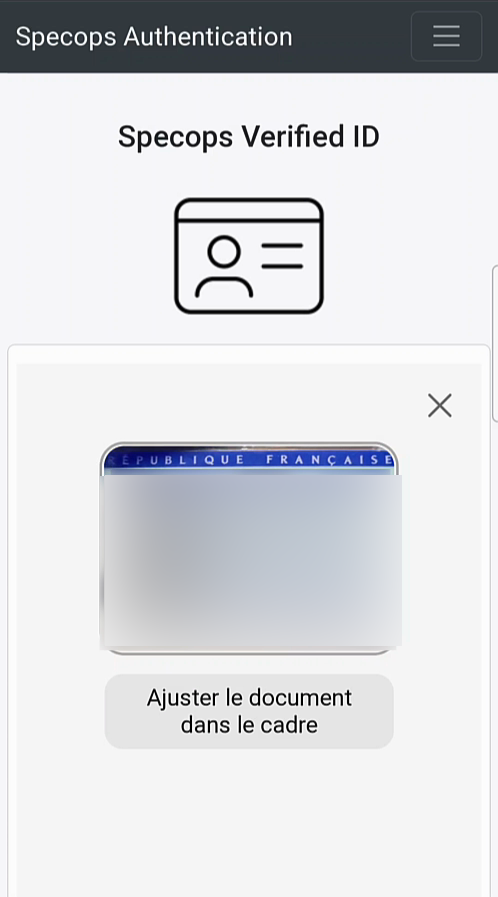
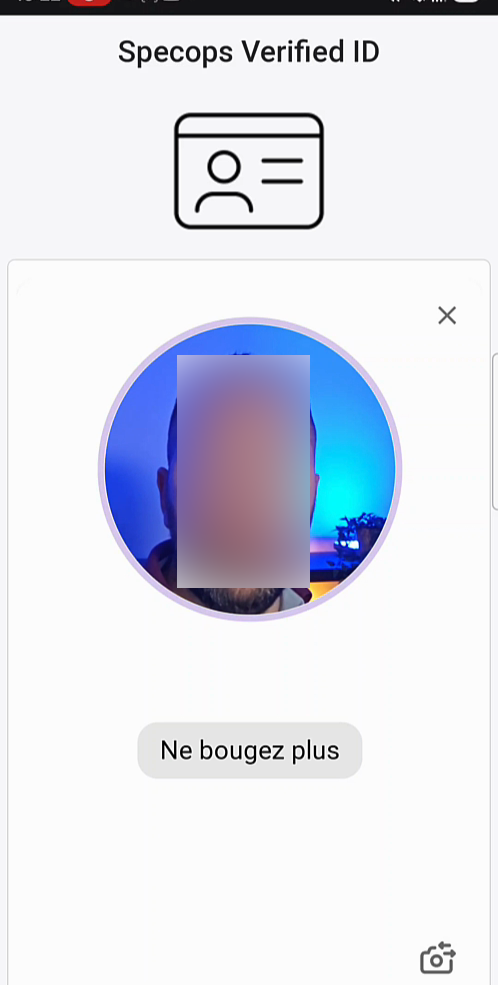
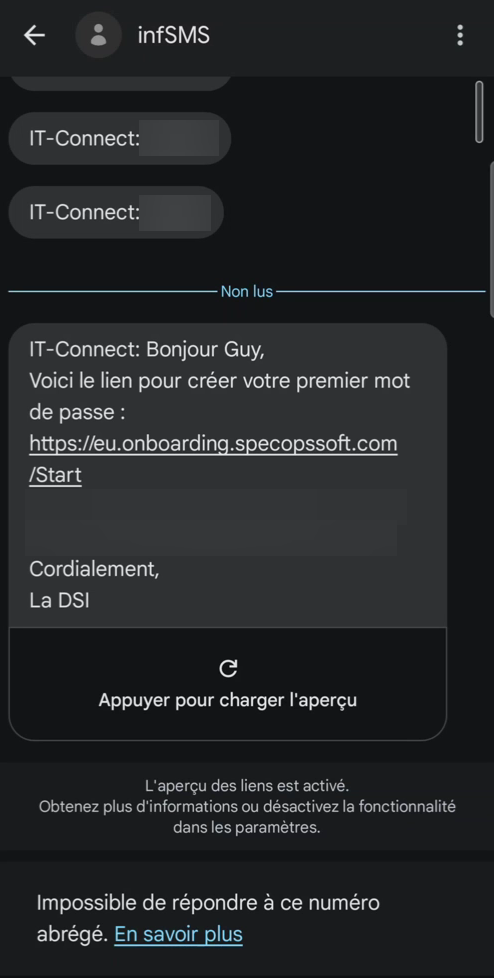
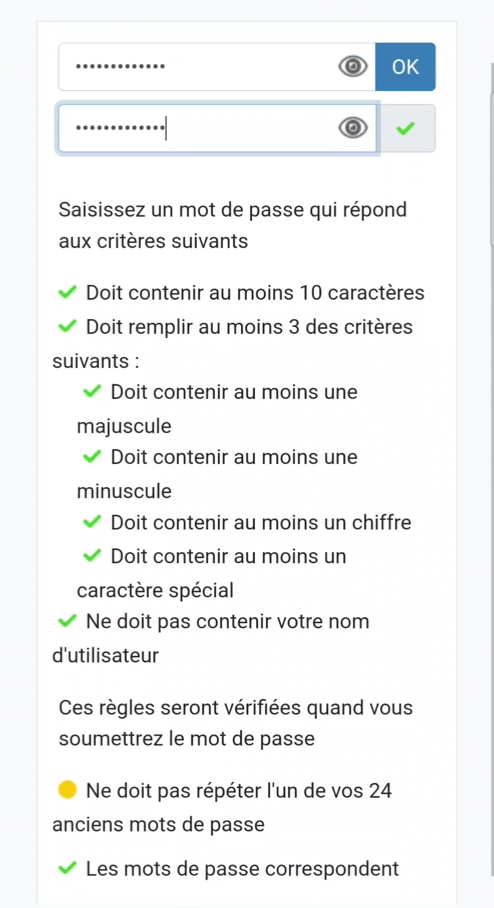
Once identity is confirmed, access must be created. And here we run into another classic weakness: the first-day password, sent by email or SMS, which can be intercepted. With First Day Password, the newly hired user — already verified — sets their own initial password. IT never knows it. No temporary password ever circulates.
When restoring access: enforce a strong factor
Against calls to the service desk and cloned voices, the answer is Secure Service Desk. The technician does nothing until the user validates a strong factor, for example a notification on their phone or verification through Verified ID. Voice alone is no longer enough; the user must prove who they are.
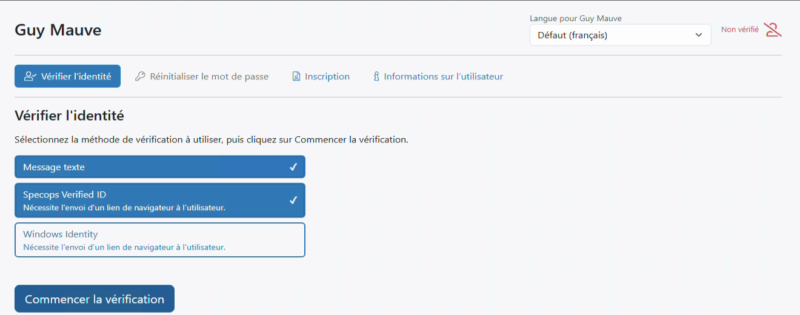
Most importantly, verification is no longer a matter of judgment; it is enforced by the tool. Even on a Friday evening at the end of the day, when you are exhausted, the process applied by the software solution remains the same and remains effective.
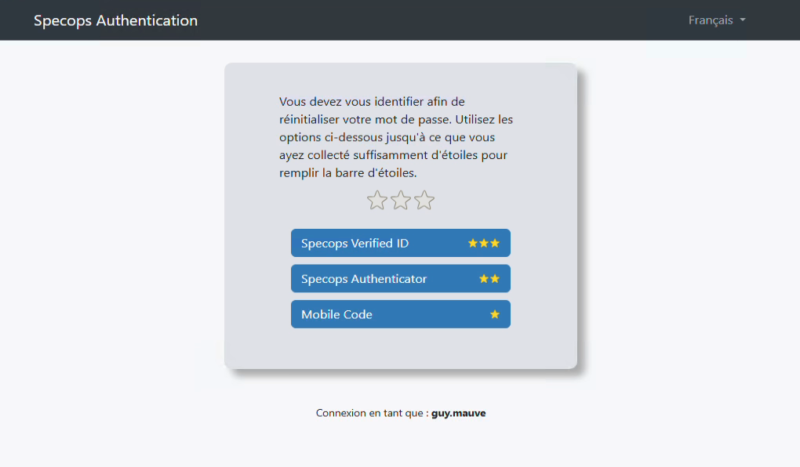
And what about employees who have nobody to call, working remotely or outside office hours? The solution is Specops uReset. It lets users reset their Active Directory password themselves from the Windows sign-in screen, after multi-factor verification. Humans are not involved; they are replaced by the solution’s verification mechanisms.
Against fake support: mutual verification
In the last scenario, the problem is that verification only works one way. IT verifies the employee, but the employee has no way to verify that the person on the other end really is IT. The answer is to make verification mutual, by giving the employee a way to confirm, through a trusted channel, that the person contacting them is legitimate.
Taken together, these responses form a continuous chain of trust: at onboarding, when restoring access, and at the moment of contact.
Strengthening the basics with native tools
Dedicated solutions do not replace a solid hygiene baseline. Here are the native settings you should apply. Even if they do not go as far as specialized tools, they are part of the foundation.
On the Active Directory side
- Create a fine-grained password policy tailored to different profiles, and configure account lockout against basic brute-force attacks. For example, lock an account for 15 minutes after 10 failed attempts within 15 minutes.
- Enable Active Directory auditing policies to log account activity. You will get useful events in the security log on domain controllers, including event 4724, triggered during a password reset attempt. These logs can then be collected in a SIEM to generate alerts.
- Complement this with Windows LAPS for local administrator passwords and group Managed Service Accounts (gMSA) for services.
- Be careful with permission delegation, especially the right to reset passwords and create accounts, so that each operator has permissions limited to their scope.
Native account lockout remains very basic and has not evolved for a long time. To go further, Specops Password Policy adds features such as breached password detection, continuously.
On the Microsoft Teams side
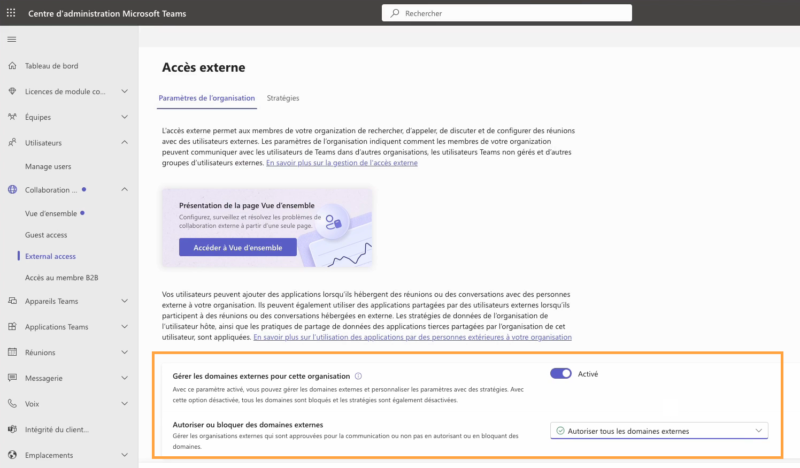
In the Teams admin center, under Collaboration, the External Access entry manages external access for your organization. This is where you can block the fake-support technique used to contact your users from outside. You can block all external domains, or allow only specific domains that correspond to your partners and vendors.
On the Microsoft Entra ID side
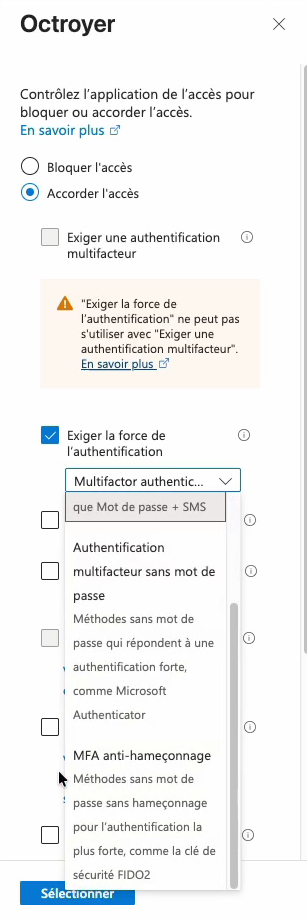
Implement Conditional Access policies to protect access to cloud apps and federated applications. In grant controls, the authentication strength option lets you require phishing-resistant MFA, using the so-called phishing-resistant methods.
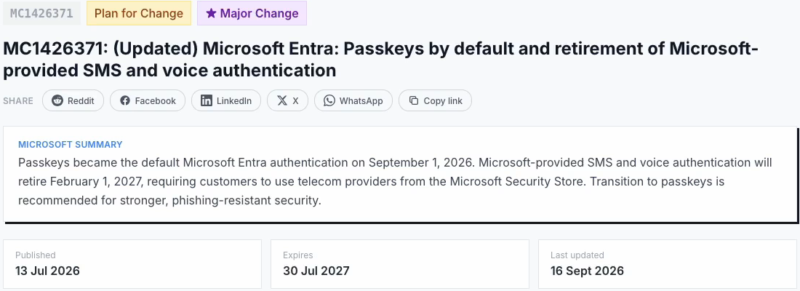
As a reminder, Microsoft plans to make passkeys the default method and remove native SMS and voice-call MFA. This timeline was adjusted in mid-September, so you should follow the official communications (Microsoft reference MC1426371). These changes go in the direction of fighting phishing and AI-assisted impersonation.
Conclusion
Data breaches and AI have formed a cocktail that has rapidly strengthened attackers’ ability to fool users and IT service desks. The examples in this article show it, and you do not need to be an expert to get convincing results.
Three principles should guide your approach:
- Assume that anything known about you can be stolen or reconstructed.
- Apply the strongest verification at the moment an access is created, changed, or restored.
- Make that verification mandatory and, if possible, valid in both directions.
In an age where anyone can impersonate your face and your voice, identity must no longer be guessed. It must be proven.