 www.it-connect.fr


Windows 11: OneDrive Photos Installs Itself Without Asking
You never asked for it, and yet there it is in your Start menu: OneDrive Photos. It seems to be arriving quietly on Windows, alongside the OneDrive sync client, even without a Microsoft account. Here’s what we know about it.
An app grafted onto the existing OneDrive client
Has Microsoft quietly installed OneDrive Photos on Windows computers? That is what a report from Windows Latest suggests. The OneDrive Photos app appears in the Start menu, alongside OneDrive. Microsoft is not talking about it, yet this new addition would apparently be tied to a Windows update or a OneDrive client update.
In reality, OneDrive Photos is not a standalone application. I also identified it on one of my machines, and the "OneDrive Photos" entry points to the OneDrive.App.exe executable, located in the OneDrive installation directory. For its part, the sync client is associated with OneDrive.exe.
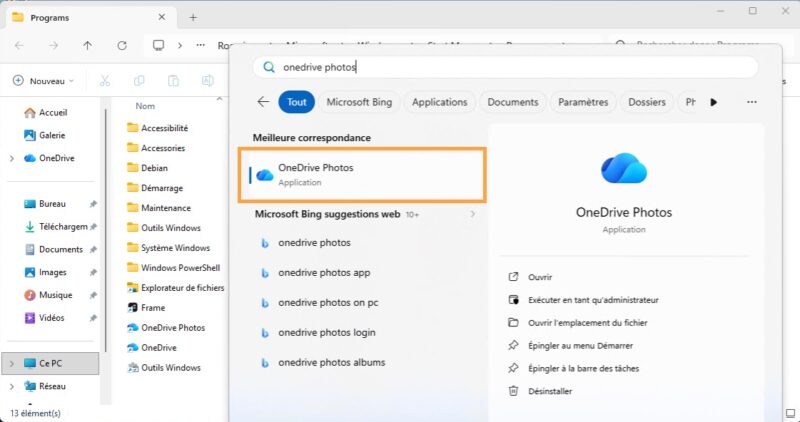
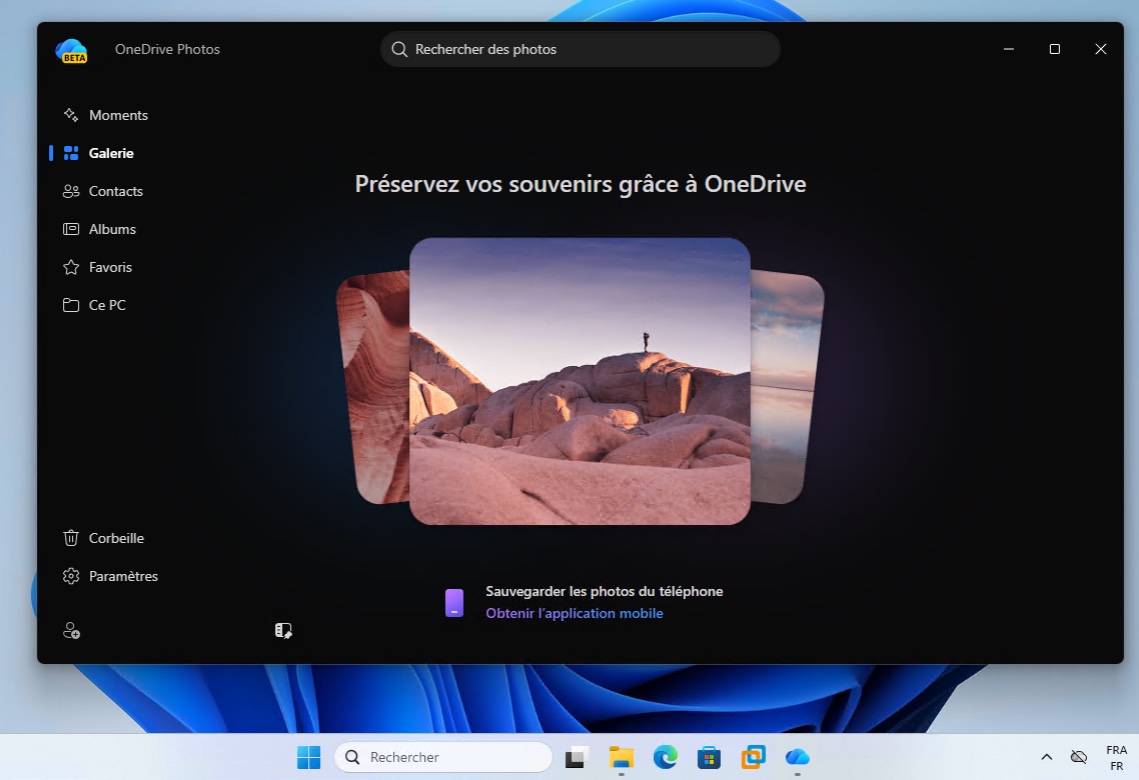
When you open the OneDrive Photos app, you can see that it follows the visual style of Windows 11 and, above all, that it uses a web-derived interface:
- Moments, Gallery, Contacts, Albums and Favorites, just like the OneDrive web app.
- A "This PC" section, specific to the Windows version.
- Two display layouts, with a choice of density and adjustable thumbnail size.
- Classic image actions: edit, share, copy, delete, print, open in File Explorer, set as desktop background or lock screen.
The app directly accesses images stored locally on the machine’s drives. If the user signs in with a Microsoft account, OneDrive Photos can also display the full cloud gallery, while providing access to AI-assisted search.
Handling biometric data
The Contacts section of the app deserves special attention. It automatically groups similar faces detected in photos. And that is where things become intrusive and problematic from a privacy standpoint: Microsoft asks for permission before enabling the feature, because your photos must be analyzed.
In its official documentation, Microsoft states that it "collects, uses, and stores facial scans and biometric information" from photos, via the OneDrive app, to power face recognition. It also specifies that this data is not used to train Microsoft’s AI models. In itself, this is not new, because it already existed before integration into the OneDrive Photos app.
How do you get rid of OneDrive Photos?
Do you want to remove OneDrive Photos and keep only OneDrive? The problem is that the two are linked. Even though it is a different executable (which you can block), uninstalling OneDrive Photos also takes OneDrive down with it. I have already covered how to proceed with permanently removing OneDrive from Windows 11.
If you want an open-source, self-hosted solution to store and manage your photos, I encourage you to try immich. This solution also offers face recognition, but everything happens locally. If you have a Synology NAS, you can also rely on Synology Photos.











In this post you claim:
“the two are linked. Even though it is a different executable (which you can block), uninstalling OneDrive Photos also takes OneDrive down with it.”
Have you got a source for this or is it purely the behavior you saw when uninstalling OneDrive itself?
Is there an official uninstall process for just OneDrive photos?