www.it-connect.fr

TryCloudflare Quick Tunnels Are Being Indexed on Google
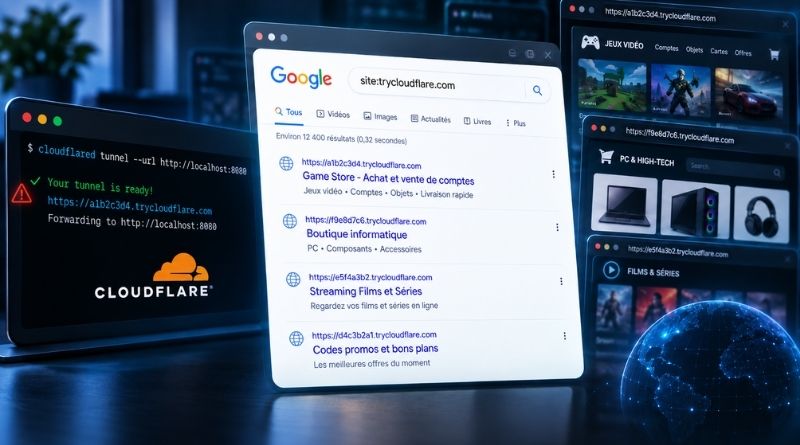
Have you ever shared a local service with a single command using TryCloudflare? Bad news: it may now be indexed on Google. A simple search brings up tunnels created by users, and some of them clearly look like more than just test projects.
As a reminder, TryCloudflare, also known as Quick Tunnels, is a free Cloudflare service. All you need to do is run a command to get a random subdomain under trycloudflare.com, which forwards traffic to a web server running locally. Here is the example provided by Cloudflare itself: cloudflared tunnel --url http://localhost:8080. Of course, you still need to install cloudflared first, but anyone can do it.
No account, no DNS registration, no port to open on the firewall. There are many use cases: showing a demo to a client, testing a webhook, or accessing an application from your smartphone. Handy, right? And yet, not everything is as rosy as it seems.
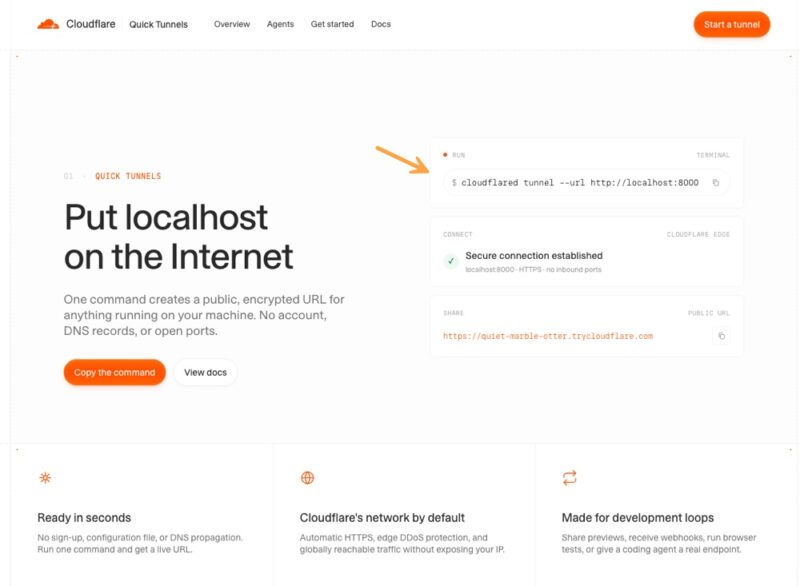
Cloudflare offers this service. Cloudflare also states that these tunnels are meant for testing and development. That is precisely why there is a limit of 200 simultaneous requests: these tunnels are not designed for production. And yet, users seem to be creating Cloudflare tunnels left and right without worrying about what that means from a security standpoint.
Even worse, these services exposed with a trycloudflare.com address are being indexed on Google...
Tunnels That Show Up Clearly in Google
I tested this on Monday morning, and you can too. Just open Google and run the following query: site:trycloudflare.com. Google does return pages hosted behind Quick Tunnels. It is amusing to take a look at what some people are building locally... Except that it also means these Google results allow direct interaction with an application located on a third party's network. And that third party probably has no idea. Worse still, by definition, an application under development is not finished, and therefore not necessarily secure, just like the underlying platform.
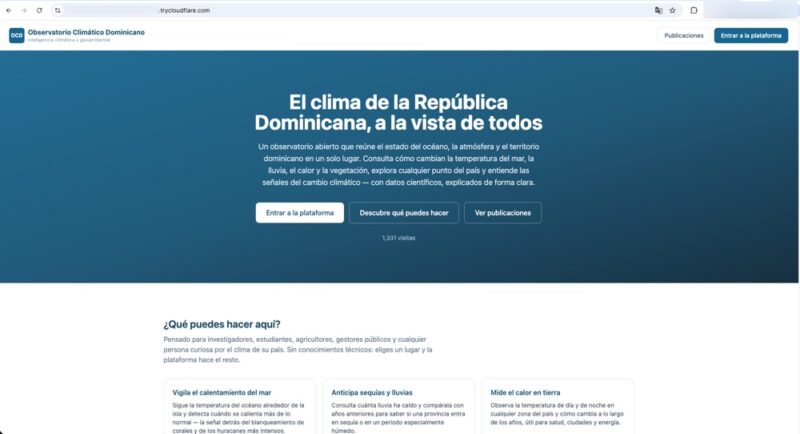
There is really a bit of everything here, from a Turkish marketplace dedicated to gaming accounts and items, to a Peruvian computer hardware store, a movie and TV streaming site, a French site for sharing promo codes, and more... I even came across a page titled: "Meat Ice Cream and Nutella: The Dessert That Changes the Rules." - I'll pass.
It is a real catalog, with dozens of pages of results. Not to mention that in the past, cybercriminals have already used this type of tunnel to distribute malware, including the Xworm Trojan. I did not verify the legitimacy of each site: some could therefore be clones of real pages or phishing pages.
Isn't It Supposed to Be Temporary?
During my tests, I observed two behaviors with these links indexed by Google: some still respond, others do not, and they no longer even resolve in DNS. This difference is not insignificant, because a Quick Tunnel generates a new random subdomain every time cloudflared starts. So you can expose the same service 10 times and the address will change just as many times, with each launch. Above all, a tunnel started with the command mentioned at the beginning of the article is destroyed as soon as the user stops it (Ctrl + C may be enough in the Terminal).
My conclusion is that if an indexed URL still responds, then the same process has been running continuously since Googlebot visited it, which can mean several weeks for the oldest results. Conversely, a stopped URL is gone for good: the tunnel will never come back at that address.
There are therefore two separate issues behind these search results. Active tunnels remain accessible to anyone who stumbles across the link. Stopped tunnels, on the other hand, leave a trace: their URL, title, and description remain visible in the index long after the service has gone offline. This makes it possible to see what you exposed and when, even if this remains limited without historical archiving on the Wayback Machine.
With a Quick Tunnel, the random URL is the only protection masking your service, but that protection falls apart if Google's crawler comes along. In fact, there is no authentication by default. Cloudflare also notes this in its documentation on sharing a local development server: anyone who has the URL can access the service, including unprotected administration pages. Once the URL is indexed, it is no longer secret, especially if its title matches a search intent.
If you use this kind of service, at the very least make sure search engines are prevented from indexing the page (X-Robots-Tag: noindex header or a robots.txt file). And for longer-term use, link the tunnel to your Cloudflare account so you can add an authentication page.
How Do You Delete a Cloudflare Tunnel?
As I mentioned earlier for Quick Tunnels, there is nothing to delete. The tunnel lives and dies with the cloudflared process. A Ctrl+C in the terminal, or stopping the container, is enough to shut it down, and the subdomain stops working immediately. Since no account is associated with it, there is nothing to clean up in a dashboard.
Using this service occasionally and temporarily, for the duration of a short test, is useful. The trap is leaving it running too long and having it indexed on Google: stopping the tunnel will not make it disappear from Google. You may want to ask for the page to be deindexed from Google, but that is not so simple. Indeed, you do not own the trycloudflare.com domain: the Search Console removal tool is unavailable to you for this domain. One possible path remains through the public outdated content removal tool, which works precisely because the page no longer responds.
For a named tunnel, the logic is reversed: it is tied to your account and persists until you explicitly delete it.
cloudflared tunnel list
cloudflared tunnel delete <name-or-uuid>
Be careful: a tunnel cannot be deleted while it has active connections. Stop the service first, or force the operation with the -f option. Also remember to delete the CNAME DNS record created by cloudflared.
TryCloudflare is great, but only if you use it exactly for the purpose it was designed and created for. The problem is that many users do not read the documentation... I hope this article helps some of you avoid an unpleasant surprise.