www.it-connect.fr

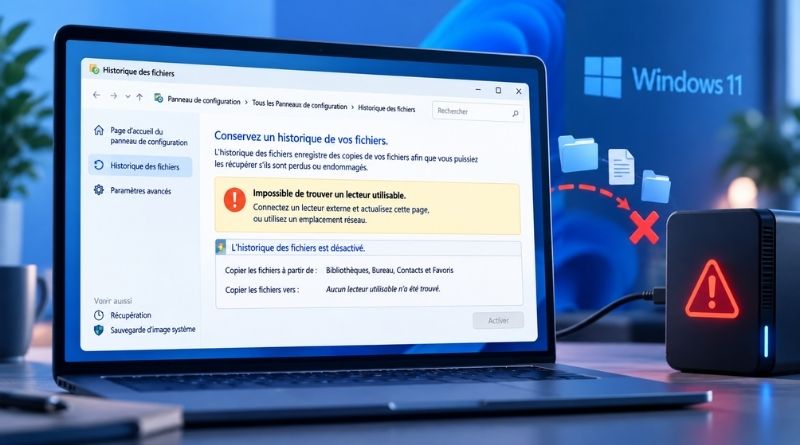
Windows September 2026 Updates Break File History Backups
Do you rely on File History to protect data on your Windows machine? Since installing the September 2026 updates, your backups may no longer be running. Microsoft has confirmed the bug, but no fix is available yet.
As a reminder, File History is a built-in backup feature in Windows since Windows 8. It periodically copies user profile folders (Documents, Pictures, Music, Videos, and Desktop) to an external drive, a USB flash drive, or a network location such as a NAS. Its purpose is to restore an earlier version of a file that was accidentally deleted or damaged. This feature is disabled by default, and Microsoft puts more emphasis on the Windows Backup app, which is tied to OneDrive. However, File History is still available through Control Panel.
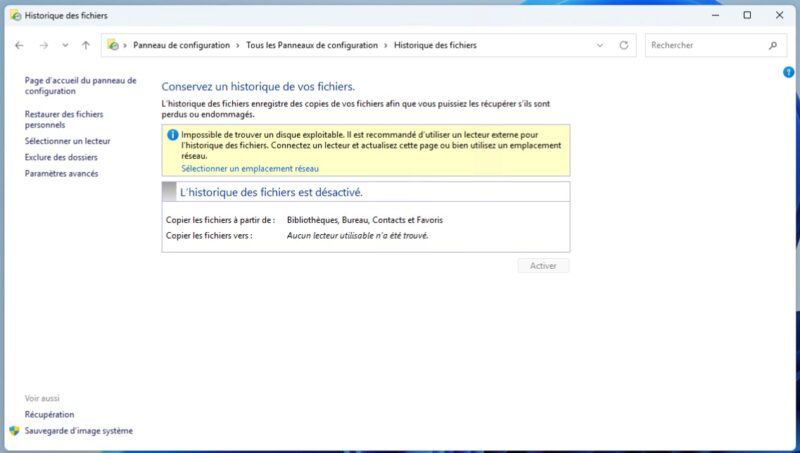
On September 19, 2026, Microsoft added a new known issue to the official KB5124008 update page. "After installing the September 2026 Windows security update, some customers using File History may be unable to create or update backups," Microsoft acknowledged.
September has been quite a difficult month. A few days ago, I published an article about KB5124008 breaking the trust relationship between Windows 11 endpoints and Active Directory. Before that, Microsoft had to release out-of-band updates to fix the RDS bug, Plan9 folder sharing, and some USB audio issues. And let’s not forget the copy-and-paste bugs with Excel (now patched). File History now adds to the list.
What are the symptoms?
According to Microsoft, the issue can appear in several ways:
- Blocked backups: it is no longer possible to create a new backup or update an existing one.
- False disconnection message: Windows displays a prompt to reconnect the drive even though the backup disk is properly connected and working.
- Frozen timestamp: the last backup date is no longer updated.
- Missing versions: already backed up files show information suggesting that no previous version is available.
- Events in logs: Event Viewer may record application crashes referencing FileHistory.exe and KERNELBASE.dll.
With this kind of bug, the risk is not noticing it until you actually need to recover a previous version of a file... and by then, it hurts.
Which Windows versions are affected?
The bug affects both Windows 11 and Windows 10, including LTSC editions. Here are the updates behind the issue, depending on the OS version:
- Windows 11 26H1: KB5124012
- Windows 11 25H2 and 24H2: KB5124008
- Windows 11 23H2: KB5122880
- Windows 10 22H2 and 21H2: KB5122878
- Windows 10 Enterprise LTSC 2019: KB5122876
- Windows 10 Enterprise LTSC 2016: KB5123099
For now, Microsoft offers no workaround. "Microsoft is working on a resolution to this issue in a future Windows update and will provide more information when it becomes available," the company says. The next Patch Tuesday is scheduled for October 13, 2026: a fix could arrive then, or earlier via a new out-of-band update.
Personally, I’m not sure how widely this feature is used by Windows users. I’m curious to hear your feedback on the matter. In any case, the issue has reached Microsoft’s ears...