www.it-connect.fr

Windows 11 26H2: How to Download the Evaluation ISO Image
Microsoft has published an evaluation ISO image for Windows 11 26H2, the upcoming release expected by the end of 2026. Here’s how to get Windows 11 Enterprise based on this future version, available for 90 days without a product key.
The general availability of Windows 11 26H2 is getting closer. I don’t know the exact date, but the vendor has published the Windows 11 Enterprise evaluation ISO image: that’s a sign. Officially, Windows 11 26H2 has been available in the Release Preview channel of the Windows Insider program since August 27, 2026 (build 26300.9278). The arrival of this evaluation ISO suggests that the final release is not far off.
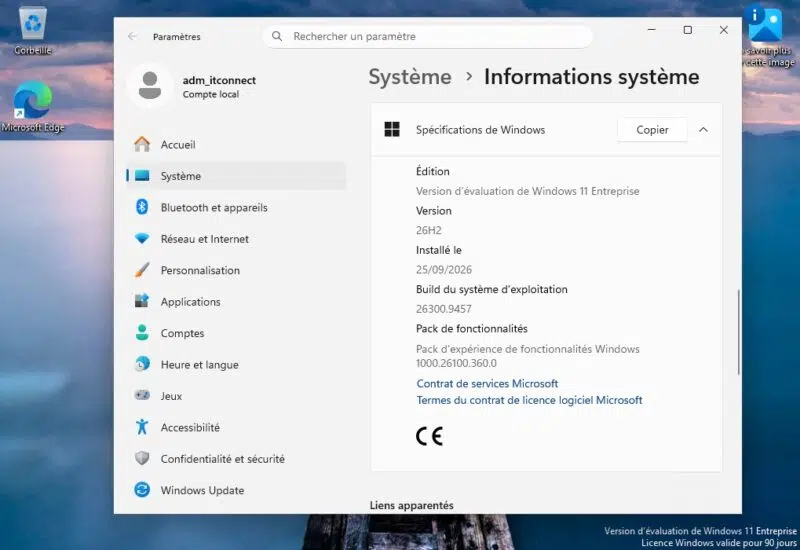
This ISO image is based on build 26300.9457, which corresponds to the version that includes the out-of-band update KB5129195 released on September 14, 2026.
As a reminder, this fix was pushed urgently to resolve Remote Desktop Services (RDS) stability issues introduced by the September security update. I published an article about these September 2026 out-of-band updates for Windows 11 and Windows Server if you missed it.
Download the Windows 11 26H2 ISO image
The Windows 11 26H2 Evaluation ISO image is available through the Microsoft Evaluation Center. Several languages are available for the x64 image, including French and English. Here are the direct links to download the ISO image:
"This evaluation software is designed for IT professionals who want to try Windows 11 Enterprise on behalf of their organization," Microsoft explains. The main goal is to prepare for the arrival of Windows 11 26H2 in the enterprise, not to install it on your personal PC (even though nothing stops you from doing so). This version is preactivated (so no license key is required) and is limited to 90 days anyway.
What admins will be able to test
As a reminder, Windows 11 26H2 is not a revolutionary release. Microsoft is reusing the same method already used for 25H2: versions 24H2, 25H2, and 26H2 share the same servicing branch, meaning they have the same features.
The upgrade from 25H2 to 26H2 will work just like the move from 24H2 to 25H2: through an enablement package (KB5121794). This small package activates features that have already been delivered through monthly cumulative updates. As I wrote last June, Windows 11 26H2 brings few new features, but resets the support timeline. And that is its main benefit.
However, Windows 11 26H2 should enable by default on business PCs features introduced in earlier versions but previously left disabled:
- Windows settings backup: settings backup will be enabled by default on enterprise PCs, except for devices located in the European Union.
- Taskbar: app-specific actions become accessible from the taskbar.
- File Explorer: several improvements, with no further details from Microsoft.
The alternative: the enablement package
If your goal is to test 26H2 on an existing machine running Windows 11 24H2 or 25H2, there is a simpler solution. Microsoft provides the KB5121794 enablement package as a few-hundred-KB MSU file, in both x64 and ARM64 versions. Download it, install it, reboot, and you’re done.
Here are the links:
Note: the machine must have, at minimum, the late-August 2026 update (KB5120998).