www.it-connect.fr

Deep-Live-Cam: The Open-Source Deepfake Tool That Replaces Your Face from a Photo
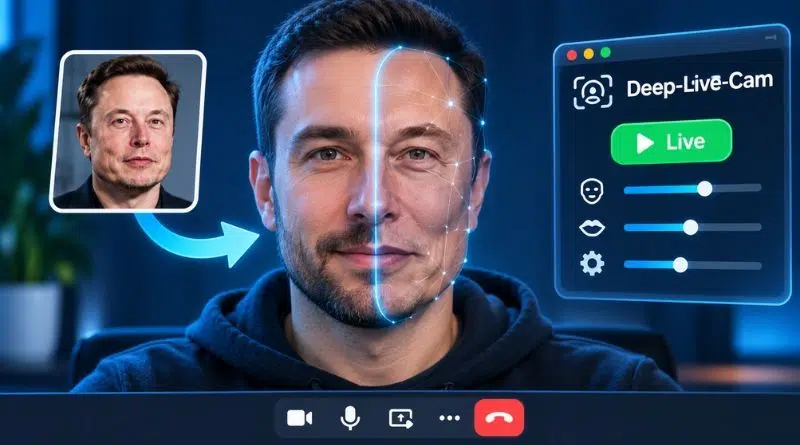
One photo, a webcam, and a few clicks: that’s all Deep-Live-Cam needs to replace your face with someone else’s in real time during a video call. This open source project is now closing in on 100,000 stars on GitHub, and IT teams have good reason to pay attention.
The principle behind Deep-Live-Cam is simple: "Real-time face swap and one-click video deepfake with a single image." That makes it possible to set up a video deepfake in just a few minutes, with no special technical skills required. You select the face photo you want to borrow, choose the camera, then click "Live." The stream can then be sent through OBS Studio, and therefore into any video conferencing application by creating a virtual webcam that can then be connected to Teams, Zoom, or Google Meet. A mouth mask even lets you keep your own lips for a more natural motion.
I recently tested it while creating my video "Vishing, deepfake, cloned voice: is your IT service ready?". I thought you might be interested to know that this kind of tool exists today. And above all, you can get a genuinely effective result if you take the time to play with the options.
You should know that there are two versions of Deep-Live-Cam: the free version available on GitHub, which is still maintained, and the so-called Ultimate version, sold exclusively on deeplivecam.net, which claims more than 30 exclusive features.
Under the hood, Deep-Live-Cam relies entirely on AI models, more specifically neural networks. InsightFace models first detect faces, place landmarks, and calculate a kind of identity fingerprint from the source photo. The inswapper model then takes over to generate the new face while preserving the expression, orientation, and lighting of the original scene. Finally, models such as GFPGAN or GPEN can refine the output. Everything runs locally on your machine, without going through the cloud. That’s why a dedicated GPU or an Apple Silicon chip makes all the difference.
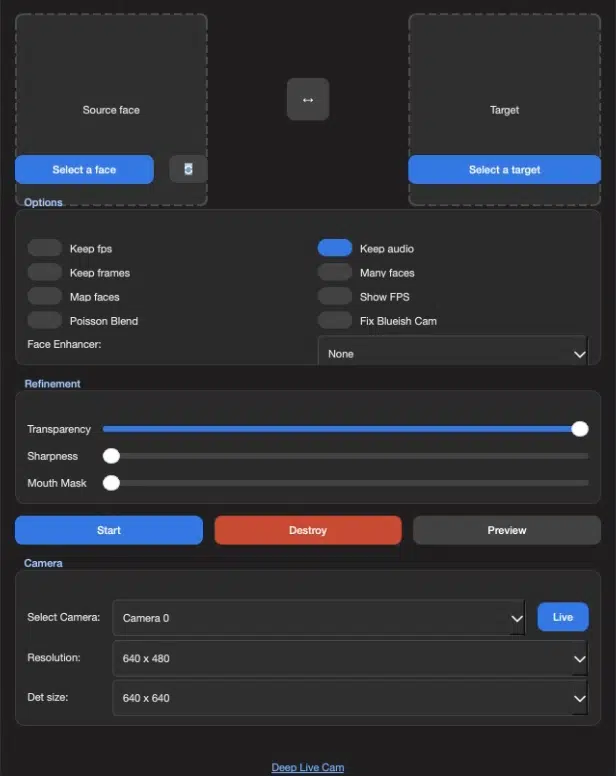
Installing the application and its dependencies is done through the command line. Once launched, Deep-Live-Cam displays a minimalist interface that nevertheless includes options capable of customizing the deepface:
- Source face : the photo of the face to borrow (the 🔄 button next to it fetches a randomly generated face from thispersondoesnotexist.com).
- Keep fps : the generated video keeps the original frame rate.
- Many faces : all detected faces are replaced, not just the main one (this depends on whether there is one person or several people in the frame).
- Poisson Blend : smooths the edges of the inserted face using the "Poisson blending" technique for a more natural transition.
- Show FPS : displays the number of frames per second during the live preview (you still need a good GPU for it to be smooth).
- Face Enhancer : sharpens the face with a model of your choice (GFPGAN, GPEN-512, or GPEN-256), at the cost of lower performance.
- Transparency : adjusts the blend between the original face (0%) and the inserted face (100%).
- Mouth Mask : from 0 (inserted face mouth) to 100 (original mouth and chin preserved), for more credible lip movements.
- Select Camera et Live : choose the webcam and launch the real-time deepfake.
- Resolution : sets the webcam capture resolution.
- Det size : adjusts the face detection size (160, 320, or 640). A lower value is faster but less accurate (sometimes you need to get close to the webcam for the initial detection).
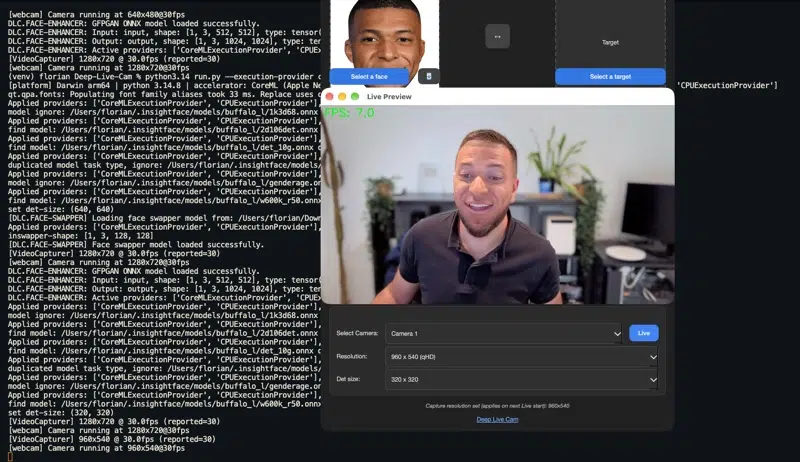
As soon as everything is in place, the live preview starts and is displayed on screen. In its current state, the image is streamed through the Live Preview window without being attached to an external application outside the tool.
Why This Matters for Businesses
In April 2025, a researcher from Palo Alto Networks' Unit 42 demonstrated that it took him about 70 minutes, with no prior experience, to create a real-time deepfake usable in a job interview. He did it with a five-year-old computer and a GPU bought in late 2020. The study does not name the software used, but mentions free tools.
This type of tool dramatically lowers the barrier to entry by making it easy for anyone to create a video deepfake. It is quick to install and easy to learn. And most importantly, you can go beyond the Live Preview highlighted earlier.
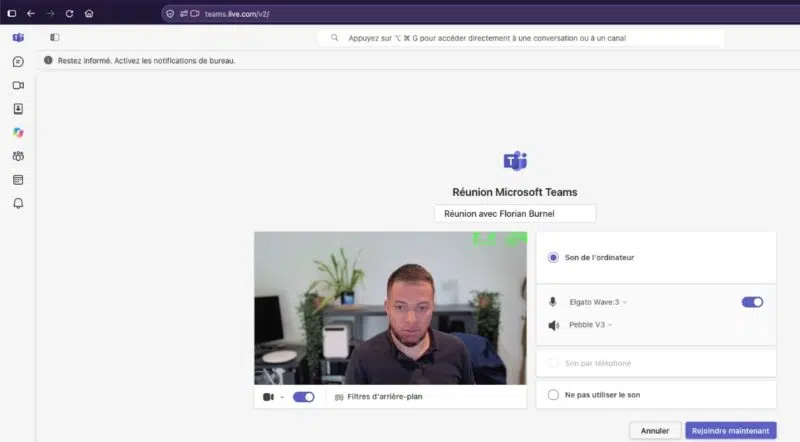
If you want to take it as far as using it with Microsoft Teams or another application, you need to take the time to install OBS Studio to inject the image into a virtual webcam. Once that is set up, you could absolutely use Deep-Live-Cam to assess your users' vigilance.
I don’t know whether there are tools more powerful than Deep-Live-Cam, but this one is already promising (to say the least, worrying) in its free version. That said, with a few basic tests, it is possible to detect this kind of deepfake. I’m thinking in particular of the hand test: moving a hand in front of the face disrupts facial landmark tracking. Rapid head movements also create visible artifacts.
Proof that this kind of threat is real and current: vendors are starting to add deepfake detection capabilities. In Microsoft Teams, Microsoft will also allow the use of third-party deepfake detection tools capable of displaying alerts during meetings (starting in November 2026).
The question is no longer whether a real-time deepfake will show up in one of your video calls, but whether your teams will know how to spot it.
What do you think?