www.it-connect.fr

Microsoft Unveils the New Copilot with Home, Code, and Autopilot
Home, Code, Autopilot: the Copilot app is being reorganized around three workspaces, and Microsoft is also changing how it charges for AI. Agents that do the work for you will be billed on usage. Copilot is being reinvented, so this is a good time to take a closer look.
On Friday, September 25, 2026, Microsoft introduced its new Copilot in an article signed by Jared Spataro, Microsoft’s marketing director for enterprise AI. The Redmond company’s ambition is clear: "Just as Office defined productivity in the PC era, Copilot is redefining work in the AI era", the company says.
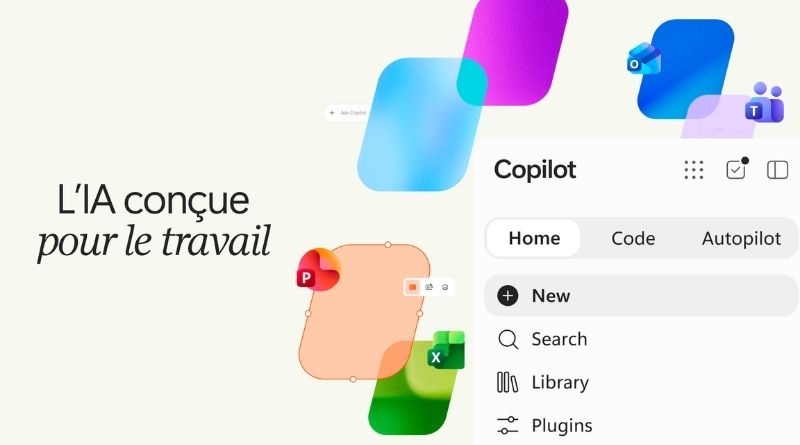
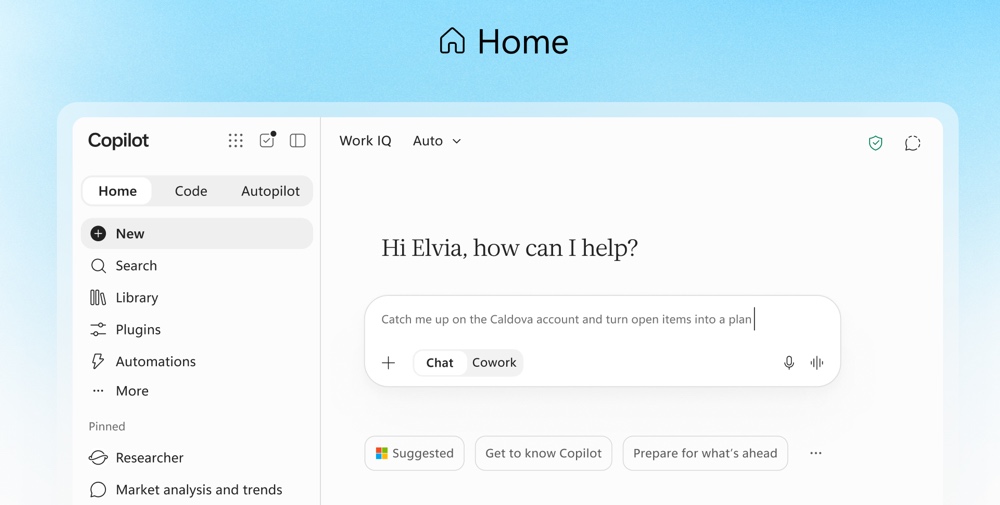
The Copilot app is being reorganized around three tabs: Home, Code, and Autopilot. Home becomes the main entry point and provides access to two other tools: Chat for quick exchanges, and Cowork for delegating more complex tasks. As a reminder, Cowork has been available since June 2026.
With Office inside Copilot, Word, Excel, and PowerPoint are also integrated into the app: you can request a document, a budget, or a presentation from Home without switching tools. And you will be able to choose which model you want to use, because although there is an automatic mode, Copilot also provides access to GPT models (OpenAI) and Claude (Anthropic).
Code and Autopilot: Copilot starts creating and acting on its own
Beyond the Home section, Copilot has two other tabs, which I’ll present below.
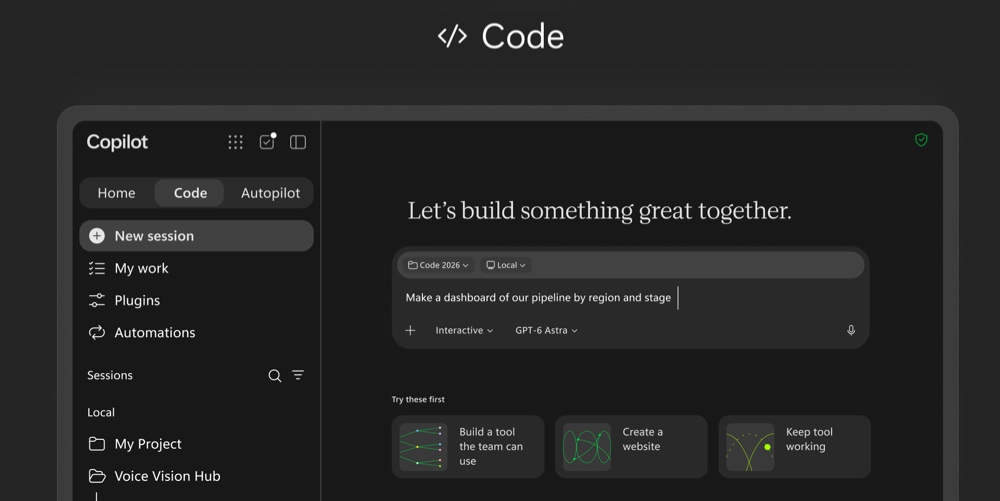
- Code
This space makes it possible to create small applications that meet a specific need simply by describing them in natural language (dashboard, tool shared with the team, etc.). On the technical side, the Code tool is built on the same technology as GitHub Copilot and runs in an isolated environment (sandbox).
It will be rolled out to members of the Frontier program at the end of the month, then offered in preview to Microsoft 365 Premium and Pro subscribers later this year.
At the same time, Microsoft is launching Copilot Managed Runtime in public preview. This is a hosting infrastructure that runs applications created with Code, Cowork, and Copilot Studio directly in the company’s Microsoft 365 environment, under the governance of the IT team. Microsoft is also opening it to third-party developers.
- Autopilot
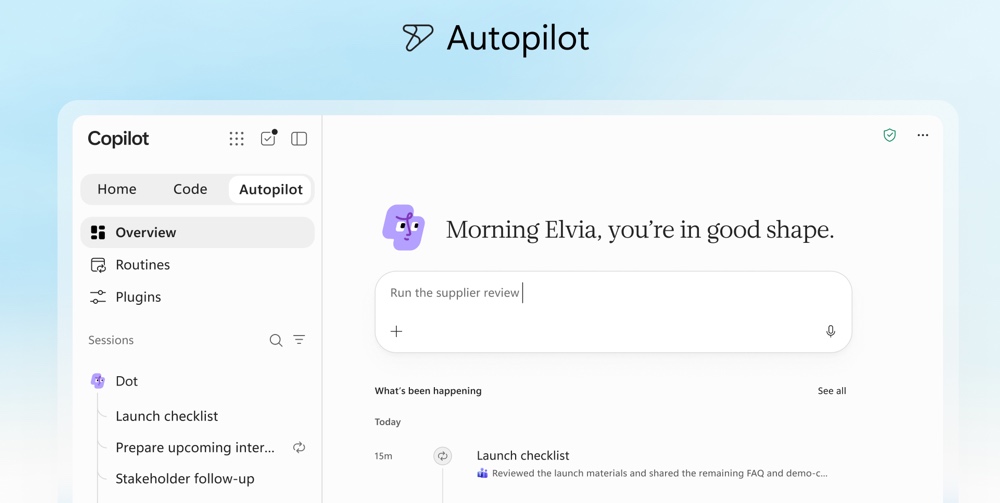
Remember Scout? Well, it is being renamed Autopilot. That said, Copilot’s Autopilot has nothing to do with Windows Autopilot. Are you still with me? I hope so. Last June, during Build 2026, Scout was introduced as the always-on AI agent. "
"Give it a name, a role, and a goal, and it gets to work", Microsoft sums it up. The AI agent follows channels and discussion threads, performs recurring tasks, and can resume a project after several days without new instructions. Hosted in the cloud, it "lives in your tenant with its own identity, its own memory, its own execution environment, and its own workspace", the vendor explains. So for IT teams, that means one more identity to keep track of.
In addition to Home, Code, and Autopilot, there are also Today and @Copilot.
- Today
Today is designed to help you prepare for your day. It brings together emails, calendar items, meetings, and tasks to highlight what needs your attention for the day ahead. This new feature will arrive in private preview in Copilot in October, then in Outlook and Teams.
It does more than just list priorities: "A reply you needed to send and had forgotten about is ready to go, with all the context you need to catch up quickly", Microsoft explains. In Microsoft’s demo video, Today summarizes the morning like this: a case waiting for your approval, to be unblocked before 10 a.m., along with a suggested reply to review and a meeting to schedule.
- @Copilot
As for @Copilot, it can be called in a channel, a group conversation, or a Teams meeting. You mention it the same way you would mention one of your colleagues.
It then works for the whole team, using the shared context and permissions tied to that space. For example, you can ask it why a decision was made: it retrieves the relevant details from the various conversations. It can also suggest preparing a cross-team meeting, including dependencies, owners, open questions, and decisions already made. It will be in private preview in Teams before the end of the month.
Two licenses for two AI usage models
The way Microsoft will bill Copilot is also changing, with two approaches:
- User subscription license : a fixed cost for everyday use, meaning Copilot in Chat, Word, Excel, PowerPoint, Outlook, and Teams, with a choice between multiple models. The Auto mode selects the most suitable model for each request based on accuracy, speed, and cost.
- Usage-based billing : this applies to Cowork, Code, and Autopilot, long-running agentic tasks, and when you use the Astra and Fable models. As a reminder, Astra is OpenAI’s latest release (it appears as GPT-6 Astra in the Code interface), while Fable works alongside Opus at Anthropic.
To keep spending under control, cost management in Agent 365 extends to Code and Copilot Managed Runtime (Copilot Studio agents will follow in October). "Through API access, your administrators can manage spending policies at scale, integrate user credit requests into your existing approval and automation workflows, and define which model families are available to different user groups," Microsoft explains. These settings also limit the models that Auto mode can choose from.
Microsoft seems to be taking the following approach: the license covers the assistant, while AI agents consume credits (= usage-based billing). For IT departments, this will therefore turn into a variable bill, directly depending on the use of Autopilot and Cowork. A small piece of advice: define your spending policies before opening the floodgates.
As for what comes next, the Redmond company is inviting us to Ignite, taking place from November 17 to 20, 2026, in San Francisco. In the meantime, watch the presentation video for the new Copilot.