www.it-connect.fr

Windows Forensics Part 10: Analyzing the NTFS USN Journal
The USN journal keeps track of files created, modified, renamed, moved, or deleted on an NTFS volume, even when those files no longer exist on disk. In this tenth part of our Windows forensics series, we will see how to leverage this artifact with MFTECmd to rebuild the timeline of actions performed on a volume.
During a digital investigation, it is common for the files of interest to have already been deleted: a PowerShell script executed and then removed, an archive dropped into a temporary folder, a malicious shortcut deleted after use. The USN journal makes it possible to recover the existence of these files and the operations that affected them.
Understanding the NTFS File System
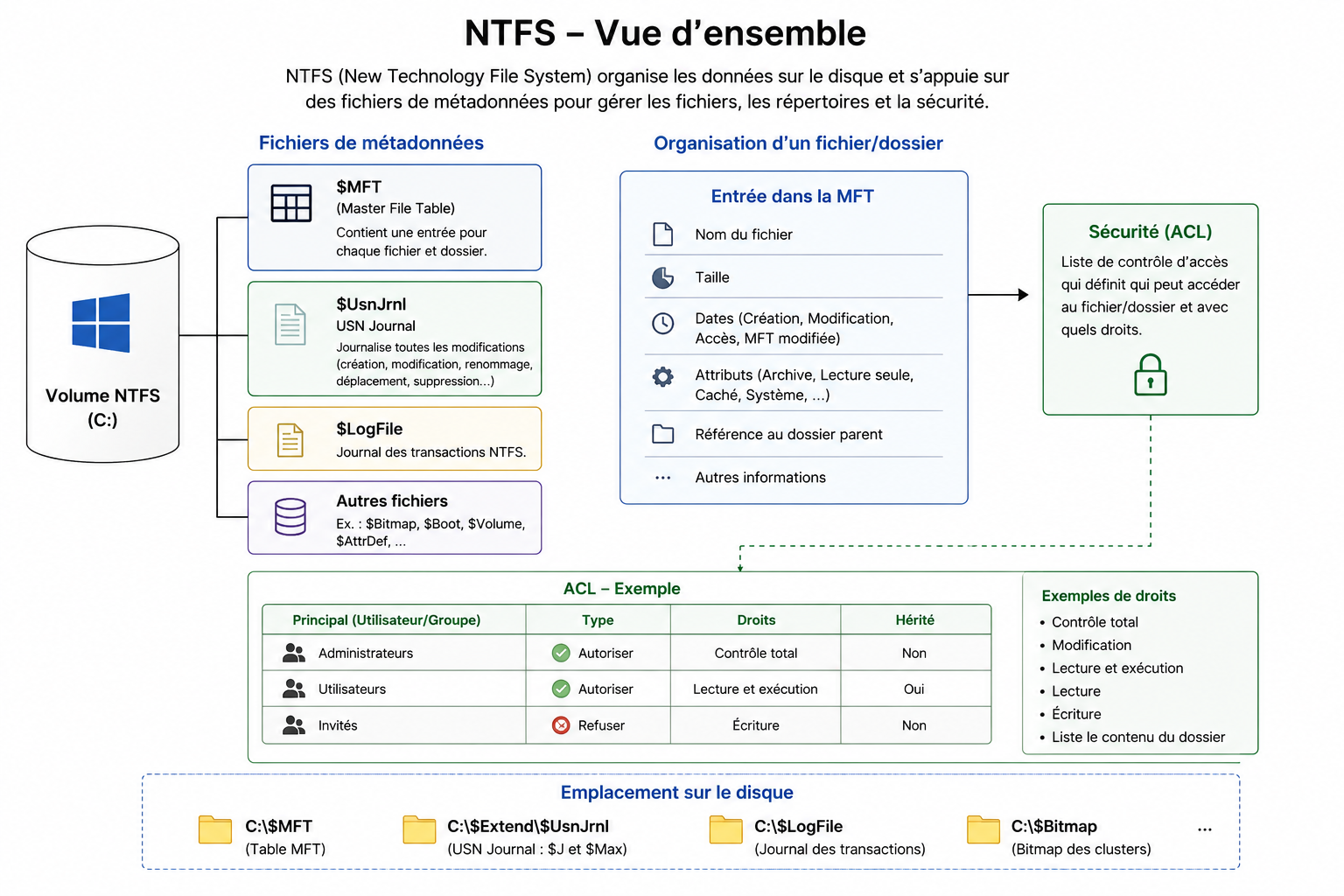
The NTFS (New Technology File System) file system is used by default on modern Windows systems. It relies on several invisible metadata files, two of which are particularly important in digital investigations:
$MFT(Master File Table), which references the files and folders present or previously present on the volume.$UsnJrnl, which keeps a history of changes made to those items.
These two artifacts are complementary.
- The MFT contains metadata associated with files and folders: their name, size, timestamps, attributes, and logical location.
- The USN Journal, on the other hand, records the events that affected those items, such as creation, modification, renaming, moving, or deletion.
We can represent their complementarity as follows:
What Is the USN Journal?
The USN Journal (Update Sequence Number Journal), also called the Change Journal, is a journal maintained by NTFS to record changes made to files and folders on a volume. It is stored in the system file $Extend\$UsnJrnl at the root of the volume, and its records are found in the alternate data stream $J.
When an operation occurs, NTFS adds a record indicating the object involved and the nature of the change. The main recorded operations include:
- Creation of a file or folder
- Modification of its content
- Renaming
- Moving
- Deletion
- Modification of its attributes or permissions.
Each record receives a USN number, which makes it possible to place it within the sequence of volume changes.
When a rename or move occurs, NTFS generates two records: the first contains the old name or old parent directory, while the second contains the new name or new location. These events are represented by the reasons RenameOldName and RenameNewName in MFTECmd output (USN_REASON_RENAME_OLD_NAME and USN_REASON_RENAME_NEW_NAME in Microsoft documentation).
This information is especially valuable in a digital investigation, because it helps reconstruct part of the event timeline, even when a file is no longer present on disk.
The USN journal is also used by various Windows components and by certain applications, such as backup software, antivirus tools, the indexing service, or DFS Replication. It allows them to quickly identify modified files without having to scan the entire volume.
Analyzing the USN Journal with MFTECmd
To analyze the USN journal, we will use MFTECmd, a command-line tool developed by Eric Zimmerman. It can analyze several NTFS artifacts, including $MFT, the $J journal, the $LogFile file, the $Boot sector, and the $SDS stream.
- GitHub repository: EricZimmerman/MFTECmd
- Download: Eric Zimmerman’s tools page
Download the latest version of MFTECmd, then extract all of its contents into a folder.

Generate Test Traces
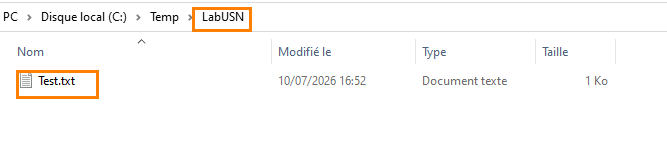
Before starting the analysis, we will perform a simple test in order to observe the traces generated in the USN journal. I created a folder named LabUSN, in which I added a file named Test.txt containing some data.
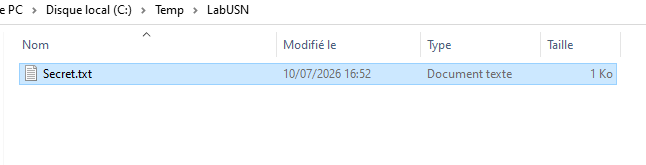
I then renamed the file to Secret.txt, moved it to another directory, and deleted it.
Export the Journal to CSV
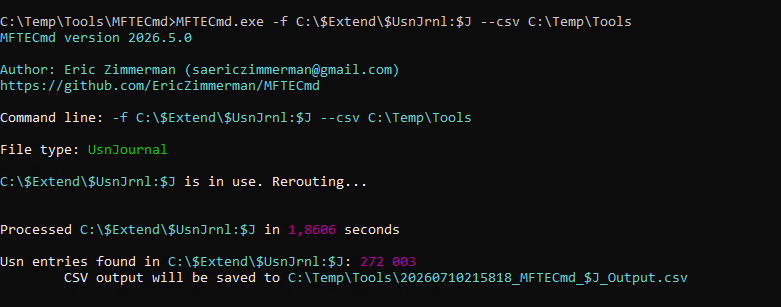
We will now analyze the journal for volume C: using the following command:
MFTECmd.exe -f "C:\$Extend\$UsnJrnl:$J" --csv "C:\Sortie"Command Prompt must be run with administrative privileges in order to access this system artifact. Here is an example:

I also owe you a few details about this command:
-fspecifies the file to process, here the$Jstream of the USN journal for volumeC:.--csvindicates the folder where the CSV file will be generated.
The command generates a CSV file in the specified output directory. We can then open it with a spreadsheet or CSV editor, such as Timeline Explorer, also developed by Eric Zimmerman.
Reading the Results
In the generated report, we find the different actions performed on our file:
- Its creation under the name
Test.txt; - Its renaming to
Secret.txt; - Its move to another directory;
- Its deletion.

The UpdateReasons column helps identify the nature of each event. MFTECmd displays the reasons in abbreviated form, corresponding to the USN_REASON_* constants documented by Microsoft. The following values may be encountered in particular:
FILE_CREATE: creation of a file or folder;DATA_OVERWRITE: modification of existing data;DATA_EXTEND: data added;RENAME_OLD_NAME: old name or old location;RENAME_NEW_NAME: new name or new location;FILE_DELETE: deletion of the file or folder;BASIC_INFO_CHANGE: modification of attributes or timestamps;SECURITY_CHANGE: modification of permissions
Searching for Suspicious Files
Using a spreadsheet or CSV editor, it is possible to filter the many events generated by the system so that only those relevant to the investigation remain.
Searches can focus on extensions such as .exe, .dll, .ps1, .bat, .cmd, .vbs, or .lnk, as well as on file names, paths, or specific time periods.
In my example, I found records associated with PowerShell scripts in .ps1 format and Windows shortcuts in .lnk format. Their presence in the USN Journal shows that these files existed and underwent certain operations, including deletion.
However, this trace does not prove that the files were executed. To establish execution, these results must be correlated with other artifacts, such as Prefetch, Amcache, or, for shortcuts, LNK file analysis.

Conclusion
The USN journal is a key artifact for analyzing changes made to files and folders on an NTFS volume. It makes it possible to recover traces of creation, modification, renaming, moving, or deletion, even when the item is no longer present on disk. It therefore usefully complements the Recycle Bin analysis covered in the previous part, which only applies to deletions handled through File Explorer.
However, its analysis does not make it possible to determine the exact content of a file, nor to prove execution, and its history is limited by the size of the journal. The results should therefore be correlated with other artifacts, starting with the MFT, which we will study in the next article in this series. For more information about file journal changes, see this Microsoft Learn page.