www.it-connect.fr

Microsoft Teams Will Hide QR Codes Sent by External Users
A QR code in a Teams message sent by a stranger, and your gullible colleague (we won't name names) pulls out their smartphone to scan it. That's a problem, and more importantly, a well-known phishing technique: quishing. Microsoft has decided to tackle it with a new protection.
QR code phishing, sometimes nicknamed quishing, is nothing new. The principle is simple: instead of a clickable link, the attacker inserts a QR code image into their message. The victim scans the code with their phone, often from a personal device that is less protected than their work computer, and lands on a phishing page without ever seeing the URL. In other words, instead of clicking a malicious link, you scan it. Security solutions, meanwhile, can miss it more often: some only see an image.
This technique first spread through email. In November 2024, Microsoft said on its security blog that Defender for Office 365 had blocked 200,000 quishing attempts per day by extracting URLs from images. That same year, I also covered a QR code phishing campaign that relied on Microsoft Sway to steal Microsoft 365 credentials.
In short, the technique is not new, and Microsoft Teams is regularly targeted by cybercriminals. The combination of those two factors pushed Microsoft to react.
A blurred image that must be revealed manually
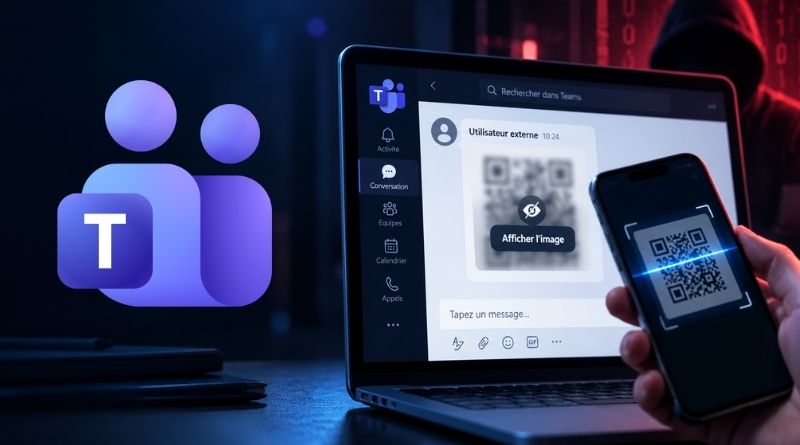
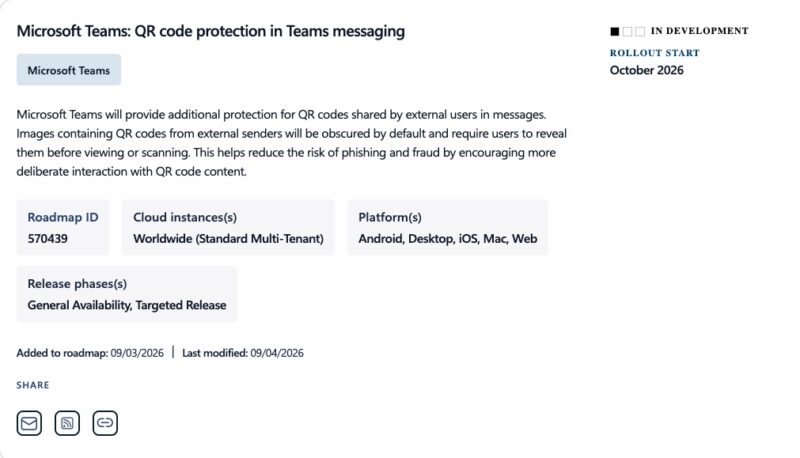
At the beginning of September, Microsoft added a new entry to its Microsoft 365 roadmap (570439). Here is what it says: "Microsoft Teams will provide additional protection for QR codes shared by external users in messages. Images containing QR codes from external senders will be hidden by default and users will need to reveal them before they can view or scan them", it reads.
The goal is mainly to prompt the user and force them to think twice. "This helps reduce the risk of phishing and fraud by encouraging more deliberate interaction with QR code content", Microsoft explains. In other words, Teams does not block anything and does not verify the destination of the code. Too bad. However, it does require the user to take a conscious action before scanning.
What you need to understand is that a QR code shared by a colleague will display normally. One sent by an external user in your organization will not. Microsoft plans to roll out this new feature starting in October 2026, so it should be coming soon.
What we still do not know
The roadmap entry says nothing about how much control Microsoft 365 tenant admins will have. Will it be possible to enforce this feature, and why not extend it to internal senders as well? We do not know. Some organizations may also want to disable the protection for certain scenarios, especially when a partner account is involved.