www.it-connect.fr

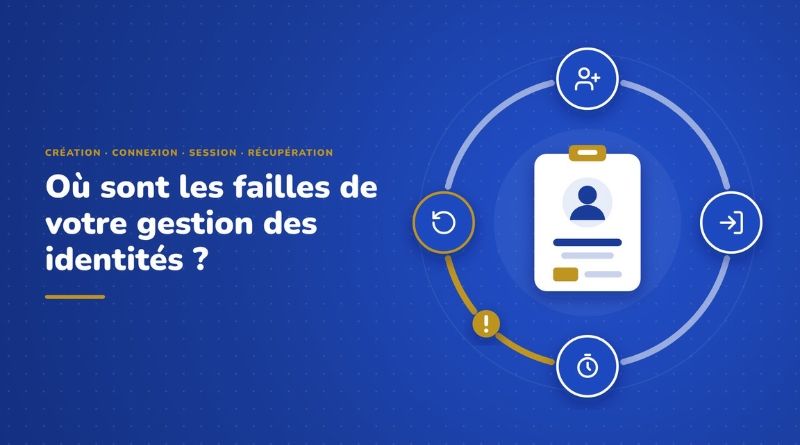
Identity Lifecycle Gaps: Creation, Login, Session, Recovery
An identity is not necessarily compromised at the login screen. It can be compromised on the day it is created, during an already open session, or when a simple call to the IT help desk is made. These are the transition points attackers look for, because they are often less protected than the rest.
Most organizations have strengthened part of their access chain: MFA on Microsoft 365, password policy in Active Directory, conditional access in Entra ID. But a forgotten test account without MFA, a password found in a data breach, or a help desk agent who resets an account without verifying the caller’s identity can be enough to bypass all of that.
In this article, I offer a way to read identity and access management through 4 reference moments, with the usual weak points for each one, a real-world case, and Specops Software’s responses. For the details of each solution, I will point you to the articles already published on IT-Connect.
This article includes sponsored content for Specops Software.
The four high-risk moments in identity management
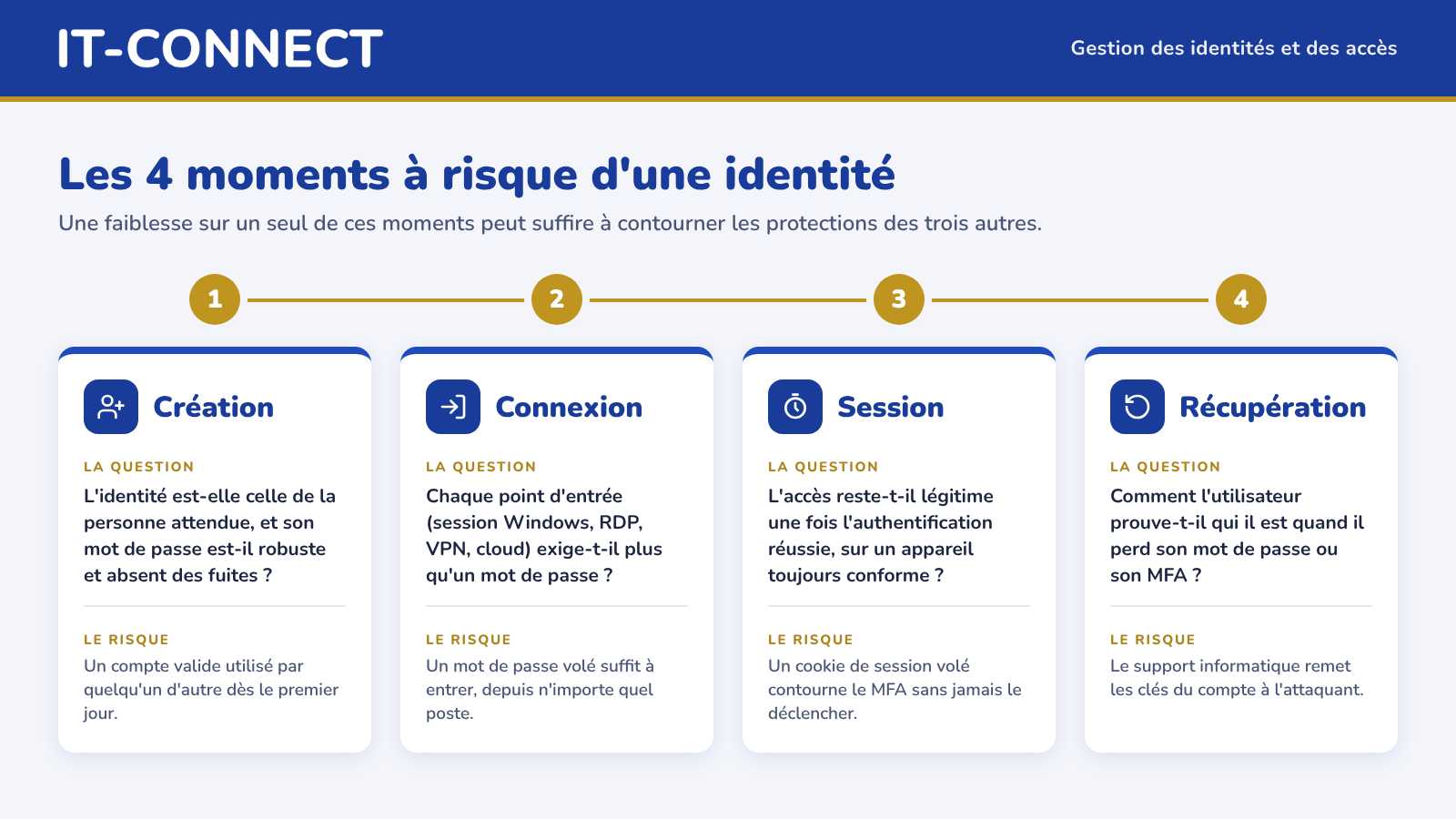
Identity security plays out at four distinct moments:
- Creation: is the identity really the one expected, and is its password strong and absent from breach lists?
- Login: does every entry point (Windows session, RDP, VPN, cloud apps) require more than a password, and from which device?
- Session: once authentication succeeds, does access remain legitimate, or can a stolen token simply be reused?
- Recovery: when a user loses their password, how can they reset it? And how do they prove who they are?
A weakness at just one of these moments, even once, can be enough to bypass the protections of the other three.
A strong control does not make up for a weak link
Let’s take a company that enforces MFA on Microsoft 365, but that, on the other hand:
- Allows Windows sign-in and RDP connections only with a password,
- Has no clear process for securing password resets for an account via the help desk.
On paper, it “has MFA.” In practice, an attacker has two ways around it. Thinking in terms of moments rather than tools changes the question: we no longer ask “do we have MFA?”, but “at what point can an identity be used or restored without sufficient proof?”.
What AI changes for attackers
AI does not create new flaws in these four moments identified above. However, it lowers the cost for attackers, and a few recent figures help measure that shift:
- Deepfakes: according to a Gartner survey conducted from March to May 2025 among 302 cybersecurity leaders, 62% of organizations experienced a deepfake attack, whether through social engineering or by exploiting automated processes.
- Attacker activity: the CrowdStrike 2026 Global Threat Report states that attacker activity using AI increased by 89% in one year, and that the average lateral movement time for cybercriminal groups fell to 29 minutes in 2025.
- Phishing: according to the Microsoft Digital Defense Report 2025, AI-generated phishing emails achieved a click rate of 54%, compared with 12% for standard emails, or 4.5 times higher. It must be said that phishing emails have become ultra-clean, while also containing information that is as precise as it is correct.
Personalizing an email, cloning a voice, or testing stolen credentials takes less effort than before. Processes that rely on a person’s judgment are therefore even more exposed.
At creation: can you trust the identity?
The weak points
The first risky moment happens even before the first login. Three situations come up often:
- The temporary password: sent by email, SMS, or to the manager, this secret circulates, is sometimes (or even often) reused from one new hire to another, and can be intercepted.
- Passwords already compromised: a password can meet complexity requirements while still appearing in a data breach. Native Active Directory policy does not perform that check.
- The fake identity: with remote hiring, the company may create an account for a fake candidate using a stolen identity and AI-retouched visuals (deep fake).
What the Snowflake case shows
In 2024, many Snowflake customers saw their data stolen before being subjected to extortion attempts. In its report on the UNC5537 group, Mandiant states that around 165 potentially exposed organizations were notified. Snowflake’s own environment was not compromised: every incident studied by Mandiant traces back to compromised customer credentials.
Those credentials came from infostealers (Vidar, RedLine, Lumma, etc.), and some had been stolen as early as 2020. At least 79.7% of the accounts used by the attackers had already been exposed before. Mandiant highlights three factors: the accounts had no MFA, the credentials had not been changed since being stolen, sometimes for several years, and no network allow list limited the connections.
The accounts in question were not Active Directory accounts, but the lesson still applies: a leaked password remains a valid identity until someone detects it and changes it. I detailed this risk in the article about the dangers of compromised passwords in Active Directory.
What Specops предлагает
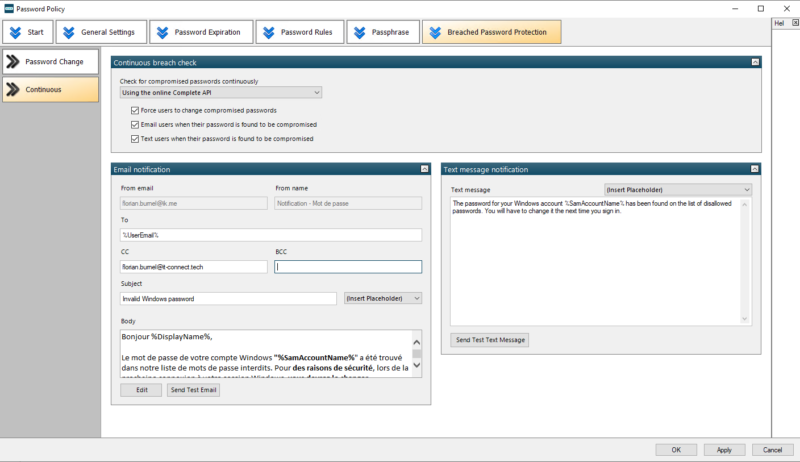
Here, Specops offers two technical solutions for protection. Specops Password Policy blocks weak or compromised passwords at the time they are created, using a database of more than 6 billion compromised passwords. Thanks to continuous protection, the solution analyzes existing passwords every day (via the hash). Even though the database is huge, there is a limit: a stolen password that does not yet appear in this database will not be detected.
Specops Secure Onboarding handles the arrival of new employees: the new hire sets their own first password (First Day Password), their identity can be verified with an official ID document and liveness detection. In addition, the help desk cannot act on the account without prior verification (Secure Service Desk). I presented this approach in the article Fake candidates, deepfakes, and remote work: should IT onboarding be reconsidered?.
At login: Windows, RDP, and VPN, the forgotten MFA doors
The weak points
MFA is often first deployed on cloud applications, where activation is easiest. These are also the most exposed access points, because the login interface is public. Meanwhile, Windows sign-in, RDP connections, and VPN remain protected only by a password. Two other weaknesses are added on top of that:
- The device is not taken into account: a connection from the attacker’s workstation is treated like a connection from the user’s workstation as long as the credentials are valid.
- Exceptions: contractors, personal devices, service accounts, test accounts. Every exception granted “temporarily” ends up becoming a permanent access path that no one monitors anymore.
What the Midnight Blizzard case shows
In January 2024, Microsoft revealed that the Midnight Blizzard group (APT29) had accessed a very small percentage of its mailboxes, including those belonging to members of its leadership, cybersecurity, and legal teams. According to the security report published by Microsoft, the entry point was nothing sophisticated: a password-spraying attack compromised an old account in a non-production test tenant, where MFA was not enabled. The attackers then hijacked an old test OAuth application that had elevated privileges.
What matters here: even at a vendor like Microsoft, which provides its own MFA tools, a single forgotten account was enough. The issue is not enabling MFA, but having complete coverage and knowing your exceptions. That was precisely the topic of one of my previous articles: 97% of ransomware victims had MFA: where are the blind spots?.
What Specops offers
Specops Secure Access adds a second factor to Windows sign-in and unlock, RDP connections, and VPN connections via RADIUS integration with the NPS server. Offline authentication (OTP, YubiKey) covers roaming laptops that do not have a network connection at sign-in time. I detailed how it works in the article MFA for Windows, RDP, and VPN: discover Specops Secure Access, where you will get a good overview of how this solution works.
For the device question, Specops Device Trust makes it possible to bind a user to their authorized devices: valid credentials used from an unknown machine do not grant access to protected applications. We will see that this is especially valuable during the session.
During the session: when MFA has already been validated
Token theft, or how to bypass MFA without breaking it
Once authentication succeeds, the application relies on a token or session cookie. If this cookie is stolen, the attacker can replay it from their own machine without going through authentication again. MFA did its job, but it is no longer involved. This is a well-known technique, especially among attackers.
Two methods dominate:
- AiTM phishing (Adversary-in-the-Middle): a proxy server sits between the user and the real login page, then captures the password and session cookie once MFA is validated. There are ready-to-use kits for doing this...
- Infostealers: malware exfiltrates cookies stored in the browser of the infected device, whether corporate or personal.
Added to this is a less visible risk: a device that is compliant at login time may no longer be compliant an hour later (antivirus disabled, firewall turned off, critical update missing).
A real-world example: AiTM campaigns against Microsoft 365
In July 2022, Microsoft described an AiTM phishing campaign that had targeted more than 10,000 organizations since September 2021. The attackers stole the password and session cookie, then accessed mailboxes to carry out BEC (business email compromise) fraud. Microsoft notes that this is not a flaw in MFA itself.
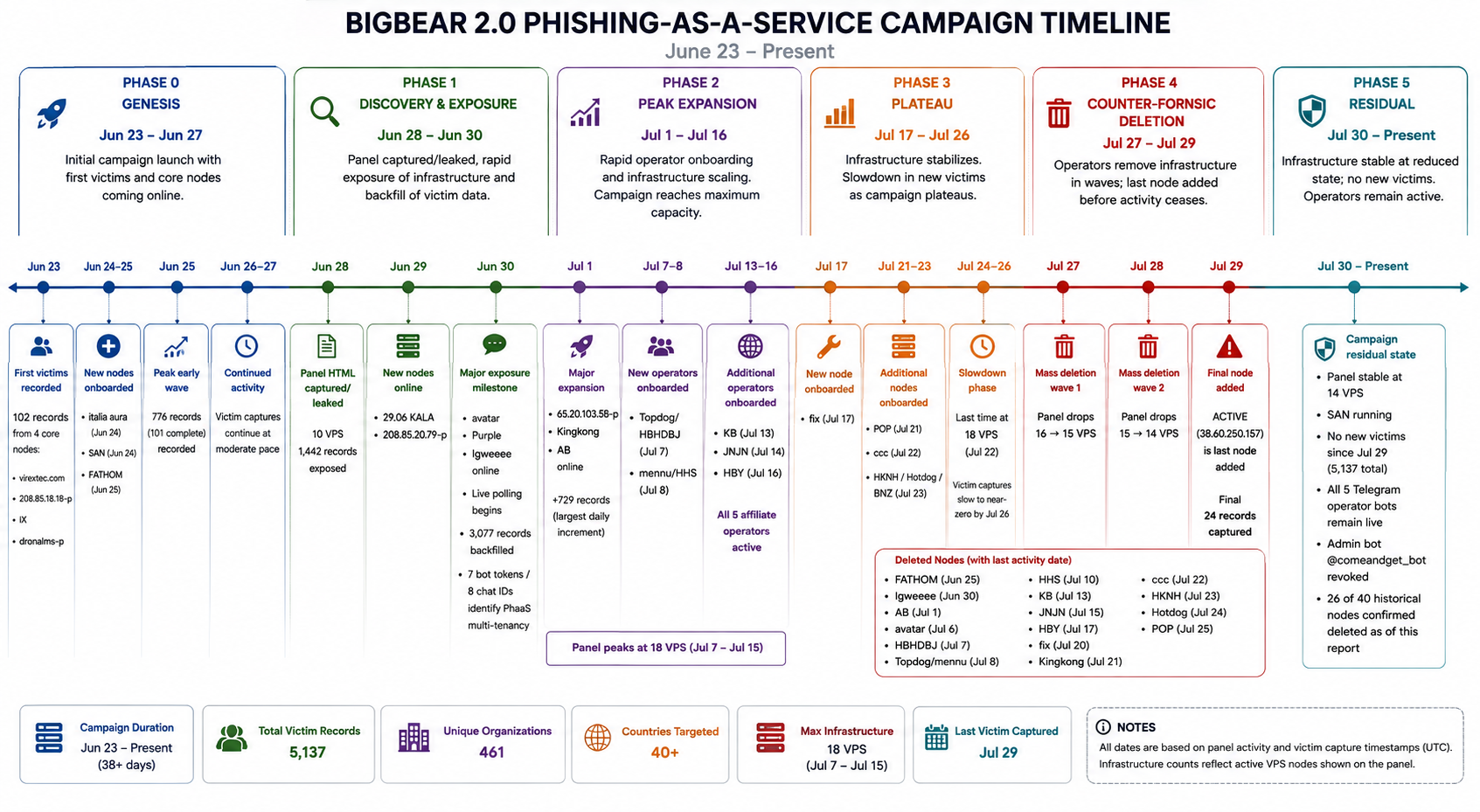
The technique is still relevant today. In September 2026, we discussed the BigBear 2.0 phishing service, which bypassed MFA for 258 companies and stole 5,137 Microsoft 365 credentials, with France being the second most affected country.
What Specops offers
In its 2022 report, Microsoft also recommends conditioning access on compliant devices. This is the principle behind Specops Device Trust: the device is bound to the user, which makes a stolen cookie unusable from the attacker’s machine. Device posture (updates, encryption, antivirus, firewall) is checked at login and then re-evaluated during the session, and the user can fix a mismatch themselves. The solution covers Windows, macOS, Linux, iOS, and Android, including personal devices and contractor devices.
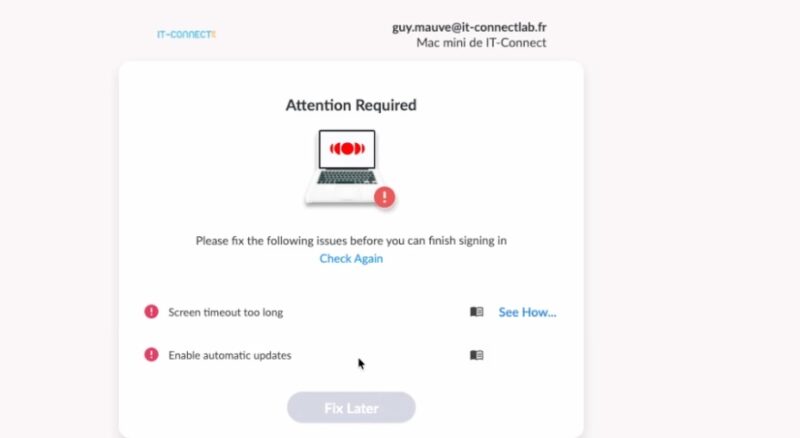
Two limitations are worth knowing: full posture verification requires an agent installed on the device, and only applications whose authentication goes through the integrated identity provider are protected. I covered these points in the presentation of Specops Device Trust against session theft and in the article BYOD, contractors: how can you trust a device you do not manage?.
The weak points
Access recovery is often treated as a support task handled by an IT technician. Yet it is a privileged operation: resetting a password or re-enrolling a second authentication factor is essentially handing the keys to an account to whoever asks for them. Three situations weaken this moment:
- The user no longer has access to MFA: lost or changed phone. This is exactly the situation an attacker will invoke to indirectly bypass MFA.
- Requests outside business hours: a remote worker has no one to call in the evening, which leads organizations to plan degraded procedures.
- The decision left to the agent: common verification questions (employee ID, hiring date, manager’s name) rely on information found in data breaches or on LinkedIn. And sometimes there is no verification at all, beyond the feeling of recognizing the user by voice. With voice cloning, voice no longer proves anything either.
Marks & Spencer and Clorox: two cases, one same playbook
On April 17, 2025, attackers broke into the Marks & Spencer information system. Speaking before a UK parliamentary committee, group chairman Archie Norman described the initial access as a “sophisticated impersonation” that involved a third party in part. He estimated the loss of profit at around £300 million before insurance compensation. The British press pointed to the outsourced service desk operated by TCS, which denies any responsibility and says it found no indicators of compromise in its network.
The Clorox case, attacked in August 2023, is more detailed because it is the subject of legal action. In its complaint against Cognizant, Clorox says Cognizant service desk agents reset passwords and MFA (Okta and Microsoft) at the attackers’ request, by phone, without verifying their identity. Clorox is seeking $380 million, including $49 million in remediation costs. Cognizant rejects these accusations and says it fulfilled a properly scoped support mission.
In both cases, the attackers did not need to exploit a technical vulnerability. They obtained legitimate access through the channel intended to restore access, by applying pressure where it hurts: the human.
What Specops offers
Specops addresses this moment with three complementary solutions:
- Specops uReset lets the user reset their own Active Directory password, including from the Windows login screen, after multifactor verification. There is no more call to the help desk, so there is no agent to convince.
- Specops Secure Service Desk enforces verification before any agent action: the caller must validate an authentication factor (a notification on their phone, for example). Verification no longer depends on the agent’s judgment; it is enforced by the tool.
- Specops Verified ID covers the case where the user no longer has any available factor: verification relies on scanning an official ID document and liveness detection.
For the detailed attack scenarios (cloned voice, fake IT support), I invite you to read the article Deepfake, voice cloning, and vishing: how can you be sure of a user’s identity?, as well as the presentation of Specops Verified ID.
Where to start?
Assess each moment in your environment
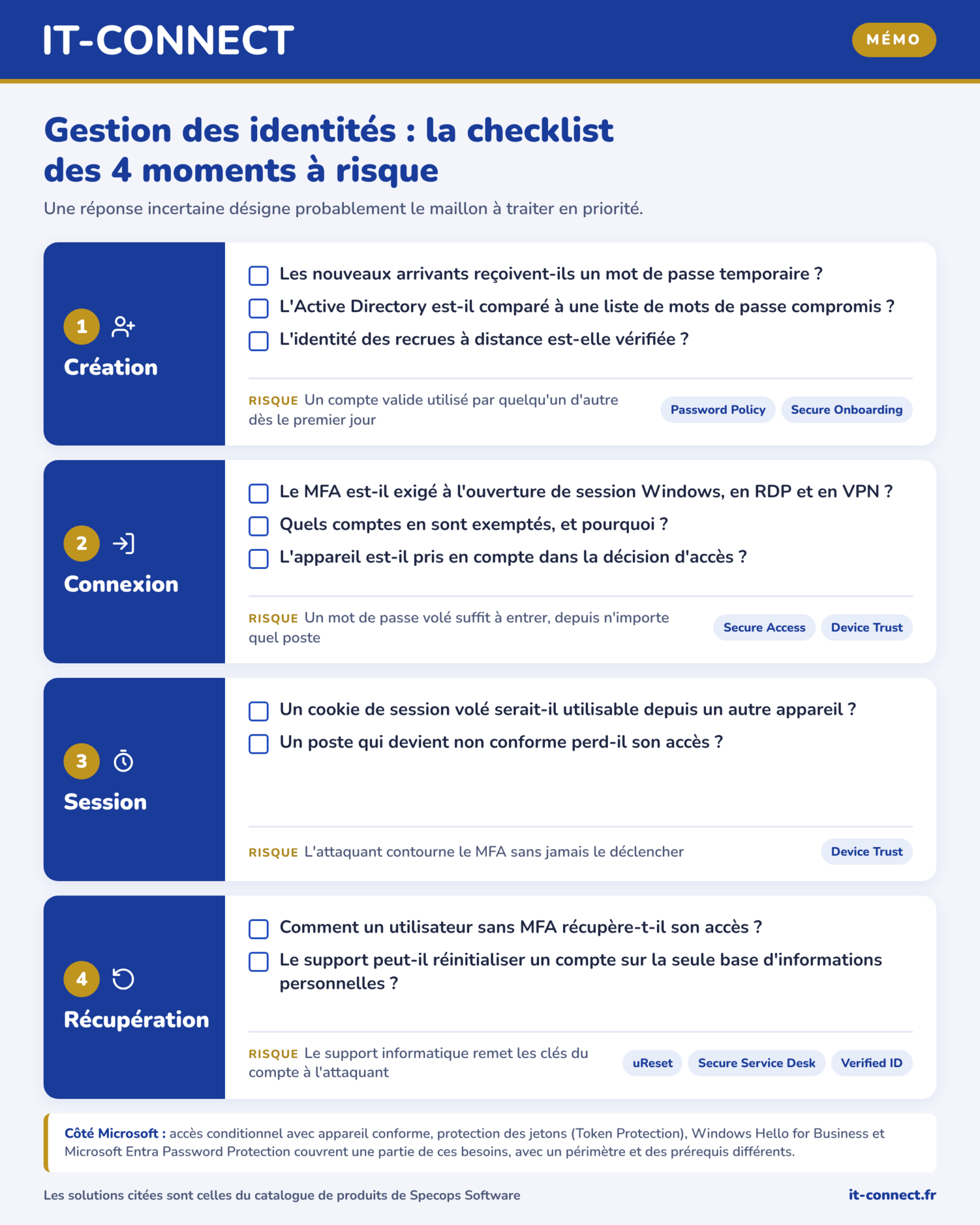
The table below summarizes the questions to ask for each moment. An uncertain answer probably points to the link that should be addressed first.
| Moment | Questions to ask | Risk if the answer is no | Specops solutions |
|---|---|---|---|
| Creation | Do new hires receive a temporary password? Is AD checked against a compromised password list? Is the identity of remote hires verified? | A valid account is used by someone else from day one | Password Policy, Secure Onboarding |
| Login | Is MFA required for Windows sign-in, RDP, and VPN? Which accounts are exempt, and why? Is the device taken into account? | A stolen password is enough to get in, from any workstation | Secure Access, Device Trust |
| Session | Would a stolen session cookie be usable from another device? Does a device that becomes non-compliant lose access? | The attacker bypasses MFA without ever triggering it | Device Trust |
| Recovery | How does a user without MFA regain access? Can support reset an account based only on personal information? | The help desk hands the account keys to the attacker | uReset, Secure Service Desk, Verified ID |
Some of these protections also exist in the Microsoft ecosystem: conditional access with a compliant device requirement, token protection, Windows Hello for Business, and Microsoft Entra Password Protection. Their scope and prerequisites differ, and I compared them with Specops solutions in the article Identity and password security: Specops Software vs Microsoft comparison.
Here is a downloadable version for those who want to see where they stand.
Measure before you invest
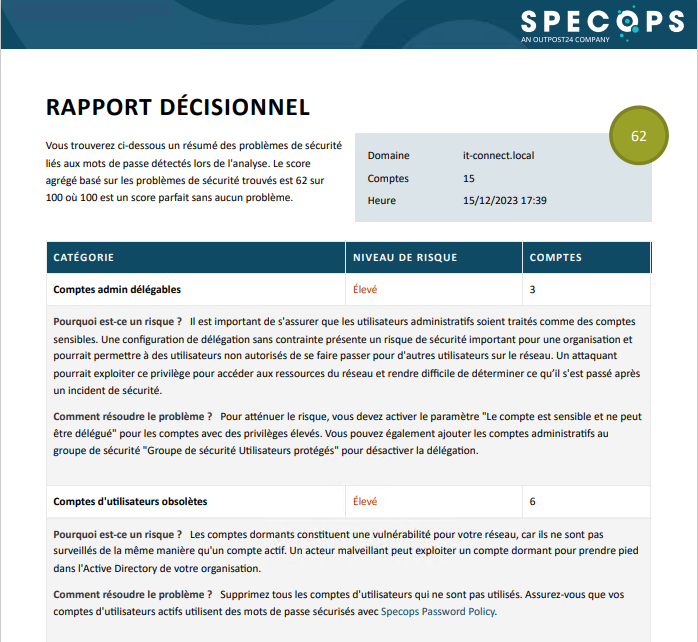
If you do not know where to start, the simplest step is to measure the current exposure of your directory. Specops Password Auditor is a free tool that analyzes Active Directory in read-only mode. It compares password hashes against a list of more than one billion compromised passwords, and also detects identical passwords across multiple accounts, inactive accounts, including administrator accounts. You will find other tools of this kind in our selection of 4 free tools to audit Active Directory passwords.
Conclusion
Securing identity and access management is not about piling protections in one place, but about requiring sufficient proof at every moment: at creation, at login, during the session, and during recovery. In each of the cases mentioned, only one of these moments was poorly protected, and that was enough. Specops solutions cover these four moments with independent, suitable tools that can work together.
If you have a question, feel free to comment on this article.