www.it-connect.fr

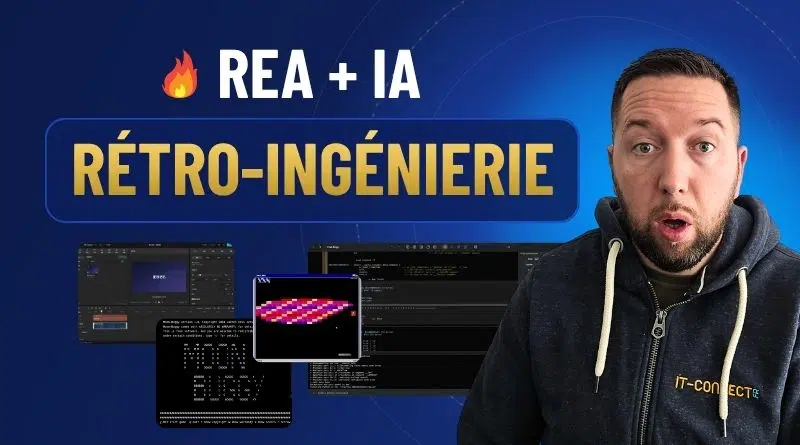
REA and Claude Code: I Tested AI-Powered Reverse Engineering
Understanding how a program works when you only have the executable or binary, simply by asking an AI agent in French: that is the promise of REA, the project that has been taking GitHub by storm for the past few weeks. If it is attracting so much attention, it is also because it can recreate — I would even say clone — almost any piece of software.
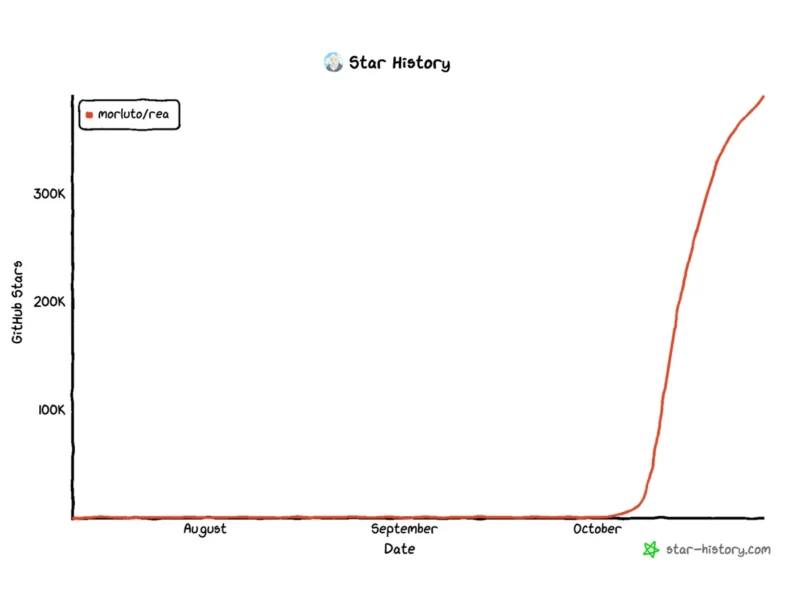
REA, short for Reverse Engineer Anything, is an AI-driven reverse engineering tool: it lets an agent such as Claude Code or Codex control real binary analysis tools, starting with Ghidra. The project had nearly 395,000 stars on GitHub at the end of October 2026 (and by the time this article is published, it will most likely have passed the 400,000-star mark), making it one of the most-followed repositories right now.
So, is this just a trend, or a real breakthrough for reverse engineering? Let’s talk about it. In this article, I’ll first revisit what reverse engineering is, then introduce REA and how it works as a MCP server. After that, we’ll look at what the community is doing with it, what French law says about decompilation, how to install REA on Linux with Ghidra, and finally the result of a full demo on the Moon-Buggy game, all the way to a web recreation.
In a nutshell: REA (Reverse Engineer Anything) is an open source MCP server under the MIT license that lets an AI agent (Claude Code, Codex, Cursor, Gemini CLI, etc.) control reverse engineering tools such as Ghidra, IDA, or Hopper. The agent analyzes a program without its source code and backs every conclusion with evidence: an address, an instruction, or a constant read from the binary.
What Is Reverse Engineering?
From source code to binary, then the reverse path
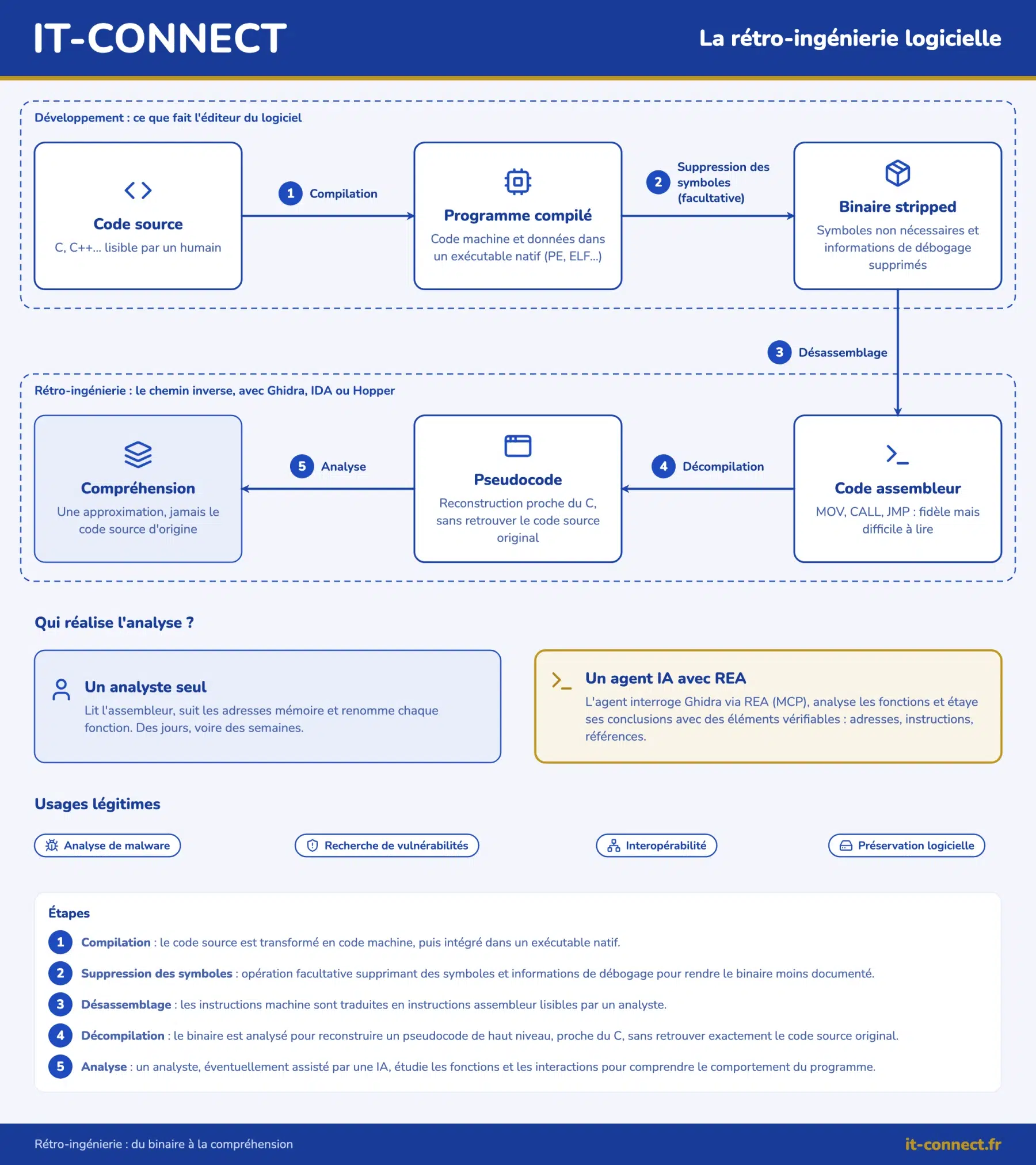
When a developer creates software, they write source code: human-readable text in a language such as C, C++, or C#. That code is then passed through a compiler, which translates it into instructions the processor can understand. That result — the binary — is what you get as the user: a .exe file on Windows, an ELF executable on Linux, and so on.
Reverse engineering consists of doing the opposite. You start with the compiled program and try to understand what it does and how it does it. One thing must be kept in mind, however: you never get back the original source code. Function and variable names are often gone, and so are comments. What you get is an approximation that still needs to be interpreted.
Two operations are common in this field:
- Disassembly: translating machine code into assembly instructions (
MOV,CALL,JMP, etc.), a faithful but hard-to-read representation. - Decompilation: rebuilding pseudocode close to a high-level language such as C, which is easier to read but remains an interpretation of the binary.
A long and meticulous job
This is where things get difficult: you have to read assembly code (enough to make many people shudder, believe me), follow memory addresses, guess the role of each function, and rename elements as you go. It is a real profession, especially in cybersecurity, whether to analyze malware, look for a vulnerability, or verify the behavior of third-party software. And it can take days, or even weeks, for a single program.
That is exactly what REA aims to accelerate and make accessible to as many people as possible.
REA: an MCP Server for Driving Reverse Engineering with AI
What REA does
Contrary to what one might think, REA is not a new decompiler. REA is an MCP server: a bridge that lets an AI agent control existing reverse engineering tools and combine them depending on the target being analyzed.
What is an MCP server? The Model Context Protocol (MCP) is an open protocol that standardizes how an AI agent accesses external tools and data. An MCP server exposes “tools” that the agent can call: here, functions to open a binary, list its strings, decompile a function, follow references, and more.
What you need to understand about REA is who does the work. Before, you spent hours inside Ghidra. Now, you ask your question in French to your AI agent, and it is the agent that queries Ghidra, follows function calls, and reads values in memory before answering you.
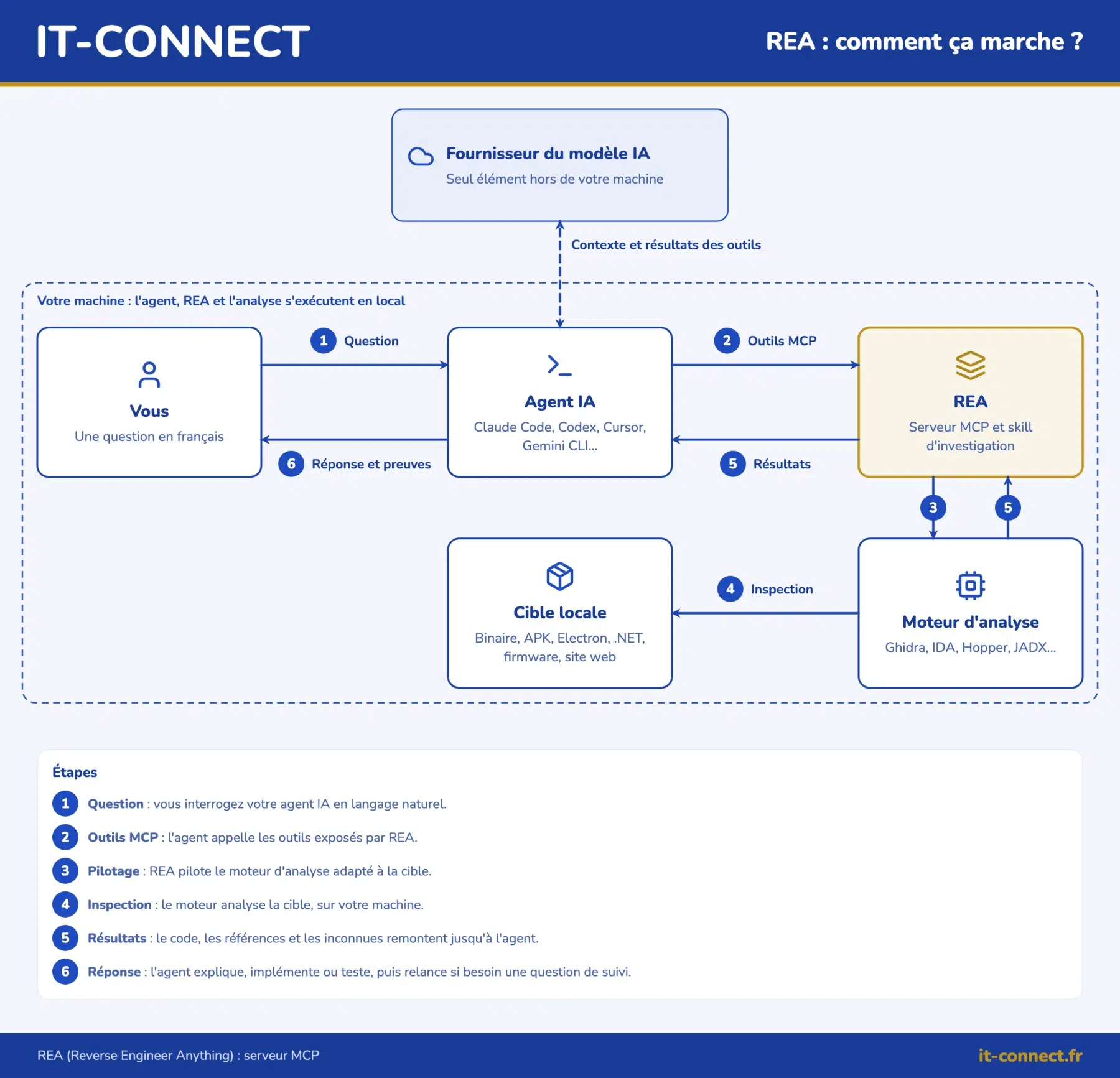
REA is used directly from the command line through your favorite AI agent, and analyses run locally. However, it is important to understand that the results from the tools are sent to your agent, and therefore to the AI model provider (Anthropic, OpenAI, etc.), which applies its own data handling policy.
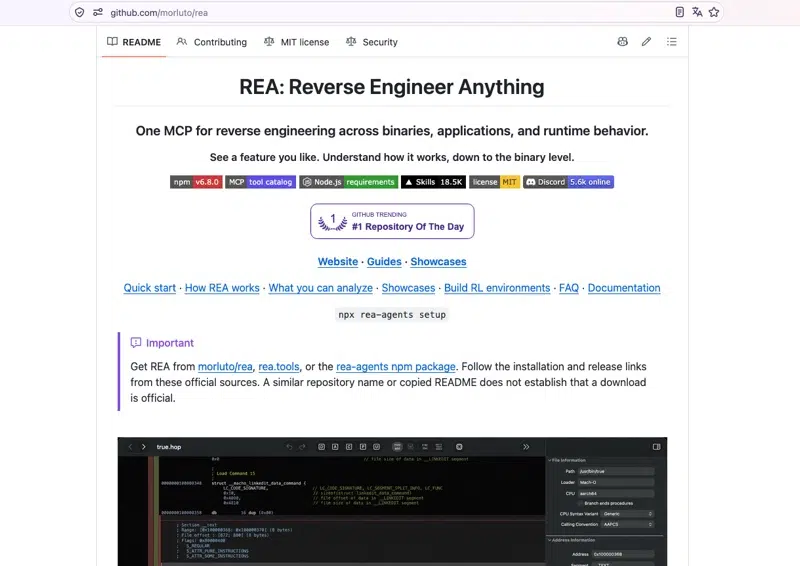
Here are the links to the official resources:
- Official website: rea.tools
- GitHub repository: github.com/morluto/rea
- npm package: rea-agents
Ghidra, IDA, and Hopper: the analysis engines
For native binary analysis, REA relies on an analysis engine already installed on your machine. Many tools are supported, and REA will call on them depending on the type of application or resource being examined. Here are a few examples for the executable side:
| Tool | Model | Specificity |
|---|---|---|
| Ghidra | Open source, Apache 2.0 license | Full disassembler and decompiler, developed by the NSA and then released as open source |
| IDA | Commercial (Hex-Rays) | Longstanding reference in enterprise reverse engineering |
| Hopper | Commercial, with a demo version | Mainly used on macOS |
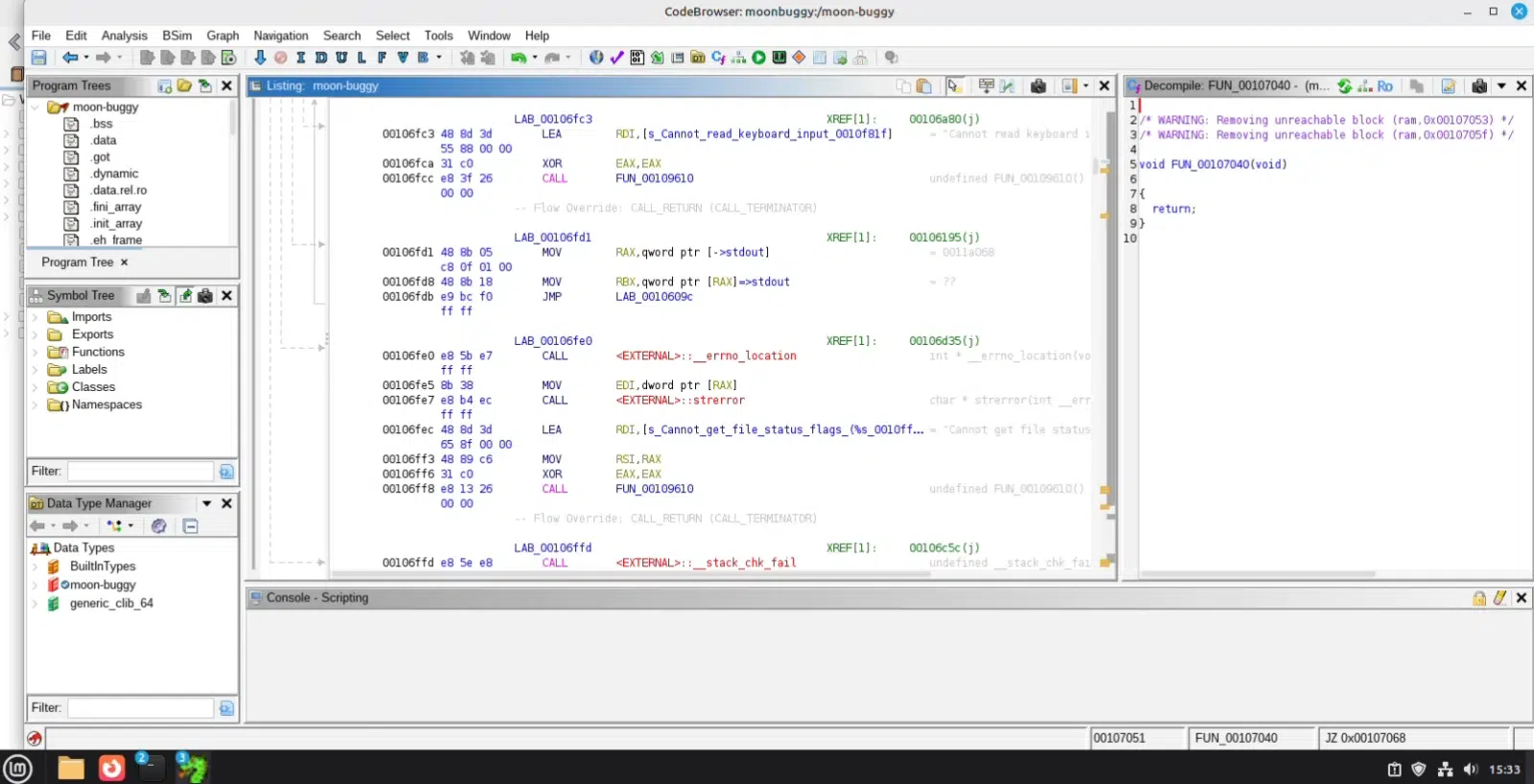
In this article, we will use Ghidra, which has the advantage of being free and open source. In practice, Ghidra disassembles a program and translates it into pseudocode close to C inside its CodeBrowser interface.
Note: REA does not provide any license for commercial tools. If you use IDA or Hopper, you must have a valid license.
Answers backed by evidence
The most interesting thing about REA is that every answer is backed by evidence: an address, an instruction, a constant, or a string read from the program. The AI does not guess how the software works; it reads the binary and shows you where it found the information. REA also highlights areas of uncertainty, which is useful for judging how reliable a conclusion is.
The investigation cycle can be summarized like this: you ask a question about a local target, REA inspects it with analysis tools, returns code, references, and unknowns, and then the agent uses that to explain, implement, or test. If needed, it asks a follow-up question.
Compatible agents and targets
At the time of writing, REA’s installation assistant knows how to configure 25 agents, including Claude Code, Claude Desktop, Codex, Cursor, Gemini CLI, and GitHub Copilot CLI. Other MCP-compatible clients can be configured manually.
REA is not limited to native executables. Among the supported targets are:
- Native binaries (ELF, PE, Mach-O) via Ghidra, IDA, or Hopper: pseudocode, assembly, strings, symbols, calls, and references.
- JavaScript and Electron applications: modules, imports, source maps, IPC exchanges.
- .NET assemblies: metadata and CIL instructions, with no additional analysis engine required.
- Android applications (APK) via JADX.
- Firmware via Binwalk or Unblob on Linux.
- Websites via a Chrome-family browser.
- Network captures (HAR, pcap) and other more specific formats.
What the Community Is Doing with REA
Since its release, the community has embraced REA. This project is literally taking the web by storm... Just look at social media — a lot of people are talking about it! There are therefore many examples of what can be done with it... Here are three that illustrate the variety of use cases very well.
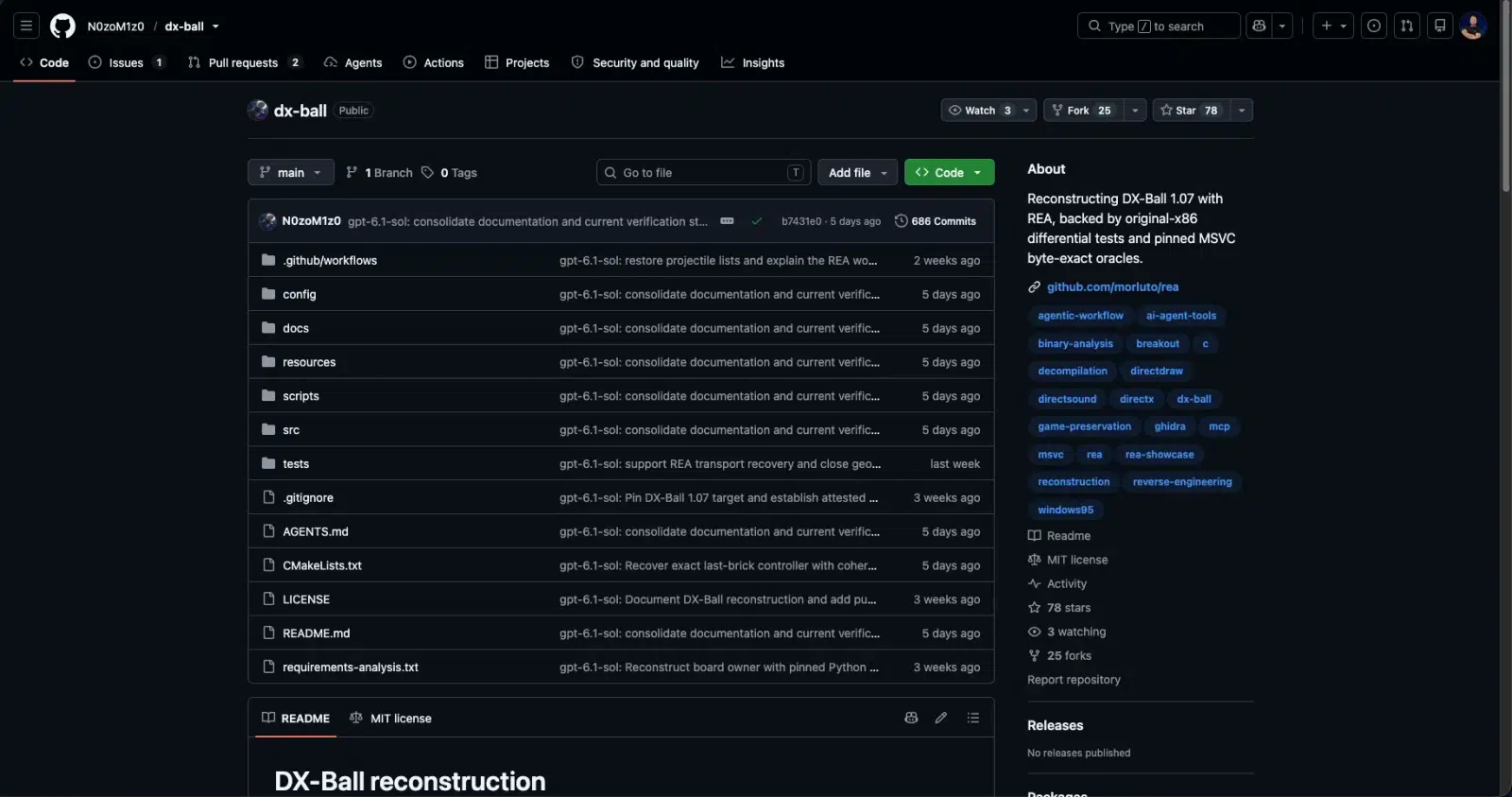
DX-Ball: rebuilding a 1996 brick-breaker in C
DX-Ball is a brick-breaker game released on Windows in 1996. The dx-ball project aims to rebuild it in readable C/C++, function by function, from the original executable. Its author uses the Codex agent with REA, which queries Ghidra to retrieve each function. The reconstructed code is then recompiled with the original compiler, compared with the original, and refined until the same machine code is obtained.
At present, the 270 reconstructed functions produce machine code identical to the original, and the recompiled executable runs under Wine, with a few validations still in progress. This use case is also part of the official REA case studies.
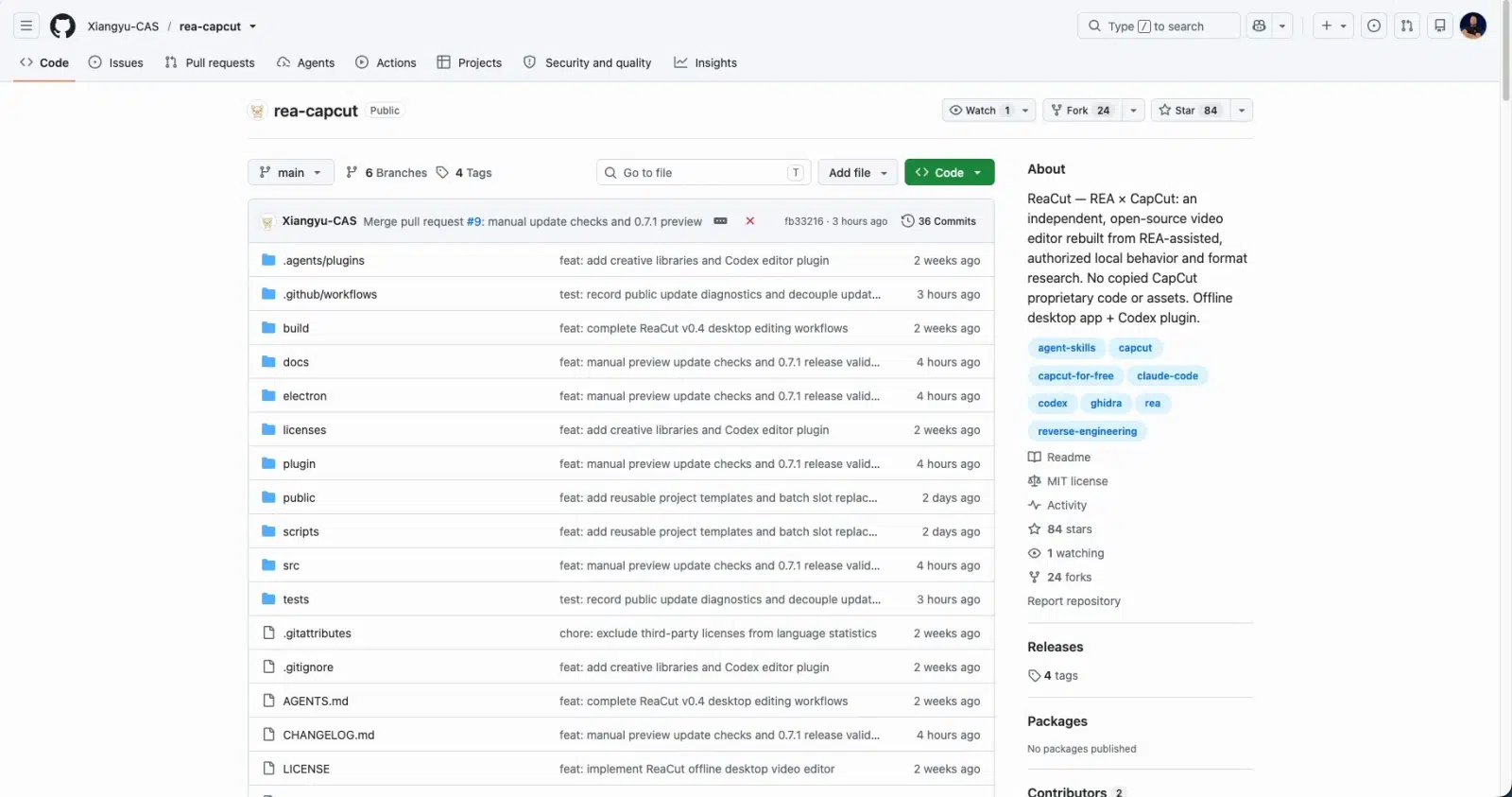
ReaCut: borrowing from CapCut to build an open source video editor
The ReaCut project is an open source video editor. Its author used REA to study the interface and project format of Jianying, the Chinese version of CapCut. Based on that analysis, they developed their own editor, implemented independently.
I should also point out an important nuance: ReaCut does not copy CapCut’s code. In other words, the project draws inspiration from the application’s behavior in order to reproduce it.
VSL-DSP: bringing old sound cards back to life on Linux
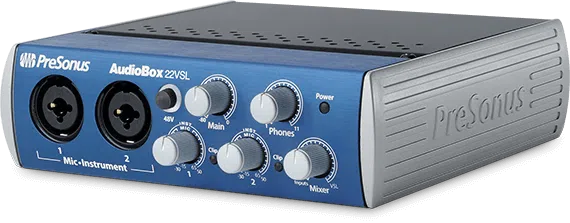
REA can also help you resurrect old hardware, and this is a particularly interesting use case. Take the PreSonus AudioBox VSL sound cards: on Linux, audio works through the generic USB audio driver, but it is impossible to adjust the built-in DSP on the card.
The VSL-DSP project tackles that problem and presents itself as the only free driver for these cards. To decode part of the vendor protocol, its author relied on REA and Ghidra to analyze the libraries of the official control application.
What I say about old devices also applies to unsupported software. Imagine an old program that only runs on Windows XP and whose publisher has gone out of business: REA offers the opportunity to recreate it and make it compatible with a newer version.
AwesomeREA: a directory to go further
There are many other examples. Also note that it is possible to do reverse engineering with an agent like Claude without REA, that is, without dedicated tooling.
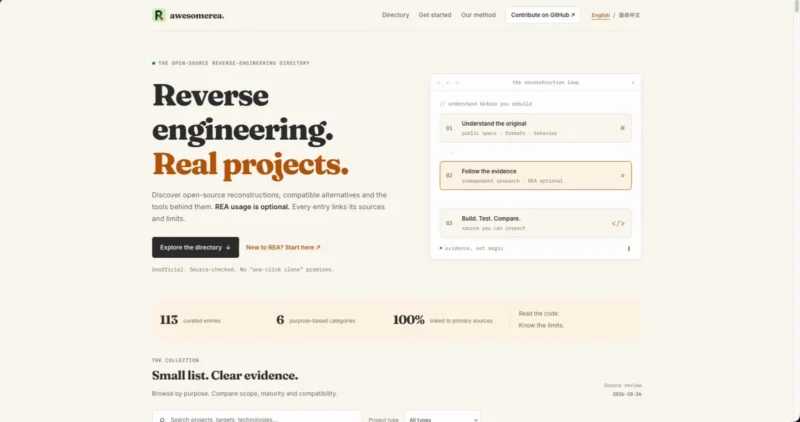
If you want to discover other projects, you can consult the AwesomeREA directory. It lists more than a hundred projects, organized by category. For each project, it indicates whether REA was actually used or not. Because in reverse engineering, that is not always the case: some projects were done manually over many years, such as OpenLara, an open source engine for the first Tomb Raider games.
Reverse Engineering and the Legal Framework in France
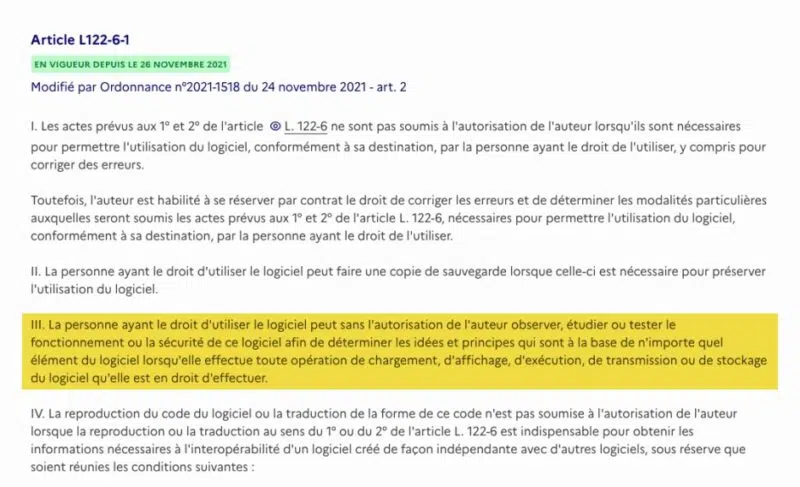
All these possibilities raise a legitimate question: is this allowed? I am not a lawyer, but in France, the answer can be found in Article L122-6-1 of the Intellectual Property Code, which is quite clear on two points.
- Observe, study, and test: a person who has the right to use software may, without the author’s authorization, observe, study, or test its operation or security in order to determine the ideas and principles underlying its elements (point III of the article).
- Decompile: reproduction or translation of the code is authorized only if it is indispensable to obtain the information necessary for the interoperability of independently created software, that is, to make it work with other software (point IV). And this is subject to conditions: the information must not already be readily available, and the acts must be limited to the parts of the software necessary for that interoperability.
Above all, the text states that the information obtained may not be used to develop, produce, or market software whose expression is substantially similar, nor may it be shared with third parties outside that framework.
In short: you have the right to try to understand how software you legitimately use works. On the other hand, decompiling it to clone it and resell it is not allowed. The REA project follows this direction. The DISCLAIMER page mentions responsible use and lists what it does not support: DRM bypassing, license or anti-cheat checks, cheat development, copying proprietary software or protected code, and more. It also reminds users that they remain responsible for what they ask the agent to execute.

Let’s be honest: by making reverse engineering more accessible, REA indirectly makes software copying easier. But there are many legitimate uses: understanding the behavior of a suspicious file, getting old hardware working on Linux, or recovering the logic of an old tool whose publisher disappeared long ago.
This debate about AI-driven “software cloning” is not unique to REA, as shown by the projects that rewrite Adobe suites and Microsoft Office in Rust with Claude agents. One thing is certain: tools like REA greatly simplify the task thanks to AI.
Installing REA on Linux with Ghidra
Note: to stay within a legal framework, I chose open source software for the demonstration below. Since its source code is public, there is no secret to protect, and that does not prevent me from working only on the binary to see what REA can extract from it.
Prerequisites
For this demo, I am using a Linux Mint virtual machine with Claude Code already installed. If that is not your case, first follow our tutorial installation and use of Claude Code.
Here is what REA needs to analyze native binaries with Ghidra:
- Node.js and npm: REA requires Node.js 22.x (minimum 22.23.4), 24.x (minimum 24.22.1), or 26.12.1 and later.
- Ghidra 12.1 or later, with a full 64-bit JDK. The combination used here is Ghidra 12.1.4 with JDK 21.
- A
pscommand compatible with procps inPATH(this is the default on Debian, Ubuntu, and their derivatives). - A compatible AI agent, here Claude Code.
Watch Ghidra’s version: if you want to use a newer version, first check support in the REA installation documentation.
Install Node.js 24 with NodeSource
The first step is to install Node.js. We will use the NodeSource repository directly, which provides recent Node.js releases.
# Add the NodeSource repository for the Node.js 24.x branch
curl -fsSL https://deb.nodesource.com/setup_24.x | sudo -E bash -

# Install Node.js (npm is included in the package)
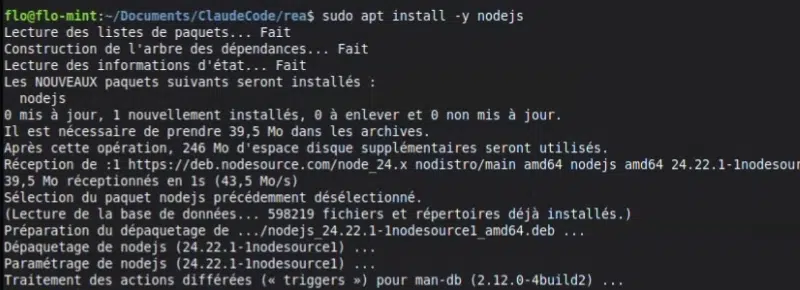
sudo apt install -y nodejs

# Check the installed version (24.22.1 or higher)
node -v
In my case, Node.js version 24.22.1 was installed.
Install Ghidra 12.1.4 and Java 21
The second step is installing Ghidra and Java. We install JDK 21 from the distribution repositories, then download the Ghidra 12.1.4 archive from the official Ghidra GitHub repository.
# Install JDK 21 and the unzip utility
sudo apt install -y openjdk-21-jdk unzip

# Download Ghidra 12.1.4 from the official repository
cd /tmp
wget https://github.com/NationalSecurityAgency/ghidra/releases/download/Ghidra_12.1.4_build/ghidra_12.1.4_PUBLIC_20260921.zip

# Extract Ghidra into /opt
sudo unzip -q ghidra_12.1.4_PUBLIC_20260921.zip -d /opt
Next, we declare two environment variables to tell REA where Ghidra and Java are located:
# Ghidra installation path
echo 'export GHIDRA_INSTALL_DIR=/opt/ghidra_12.1.4_PUBLIC' >> ~/.bashrc

# JDK 21 path
echo 'export JAVA_HOME=/usr/lib/jvm/java-21-openjdk-amd64' >> ~/.bashrc

# Reload shell configuration
source ~/.bashrcGHIDRA_INSTALL_DIR: points to Ghidra’s root directory. This variable takes priority over any other detection method.JAVA_HOME: points to the JDK to use. It is optional ifjavaandjavacare inPATH, but it removes ambiguity when multiple JDKs are installed.
Check the configuration with rea doctor
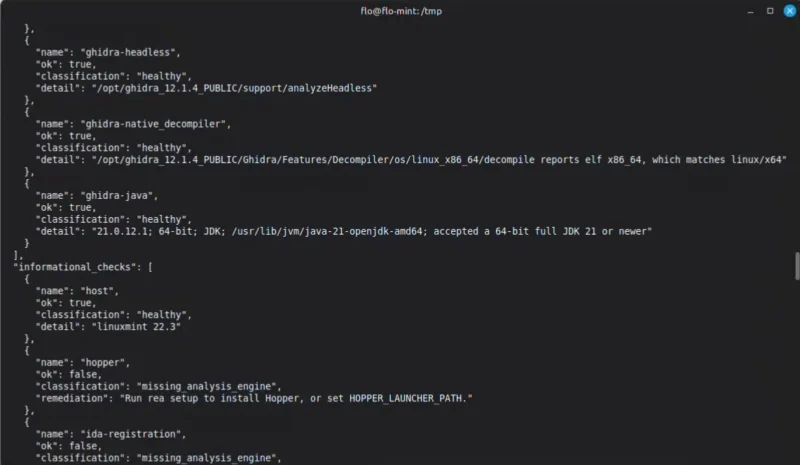
To verify that everything is in order, REA provides a diagnostic command: doctor. The --provider ghidra option limits the check to the Ghidra engine, and --json produces a detailed report.
npx rea-agents@latest doctor --provider ghidra --jsonIn the report, every check should be classified as healthy. Here is an excerpt from the output I got on my machine:
{
  "name": "ghidra-native_decompiler",
  "ok": true,
  "classification": "healthy",
  "detail": "/opt/ghidra_12.1.4_PUBLIC/Ghidra/Features/Decompiler/os/linux_x86_64/decompile reports elf x86_64, which matches linux/x64"
},
{
  "name": "ghidra-java",
  "ok": true,
  "classification": "healthy",
  "detail": "21.0.12.1; 64-bit; JDK; /usr/lib/jvm/java-21-openjdk-amd64; accepted a 64-bit full JDK 21 or newer"
}
Ghidra is correctly detected, along with its native decompiler and JDK 21. Entries for Hopper or IDA appear as missing_analysis_engine, which is normal since we are not using them.
Install the REA MCP server for Claude Code
The third step is installing REA itself, meaning registering the MCP server with your agent. This command must be run in a regular terminal, not inside Claude Code:
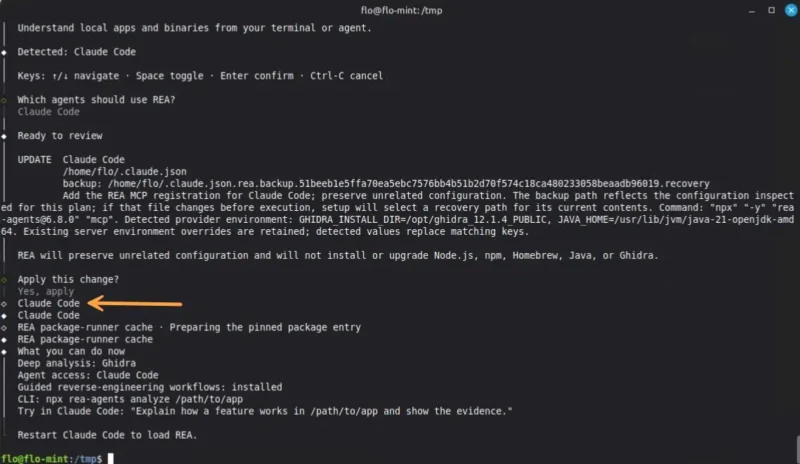
npx rea-agents@latest setupThe assistant detects the agents installed on the machine (here, Claude Code), asks which ones should use REA, and then shows the planned changes before applying them. For Claude Code, it:
- Updates the
~/.claude.jsonfile to add the REA MCP server, after backing it up. - Installs a
reverse-engineer-anythingskill in~/.claude/skills/, which gives the agent its investigation method. - Reuses the detected variables (
GHIDRA_INSTALL_DIRandJAVA_HOME) in the MCP server configuration.
The assistant also makes clear that it does not install or update Node.js, npm, Java, or Ghidra: that part is up to you. Fair enough.
Once the operation is complete, restart Claude Code so it loads REA, then verify that the MCP server is listed:
claude mcp listThe following line should appear with the Connected status:
rea: npx -y rea-agents@6.8.0 mcp - ✓ Connected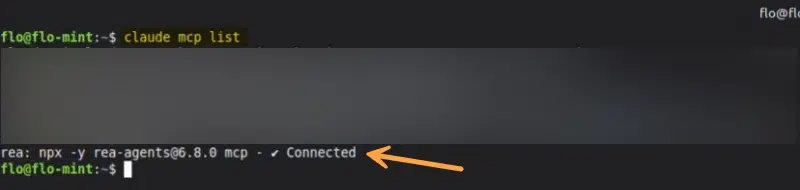
To update REA later, simply run npx rea-agents@latest setup again, then restart the agent (for example, relaunch Claude Code).
Demo: Reverse Engineering Moon-Buggy with Claude Code and REA
Moon-Buggy, a binary as a playground
For this test, I chose Moon-Buggy, a small Linux game created in 1998 by Jochen Voss. It is an ASCII game with a very simple premise: you drive a jeep on the Moon, jump over craters, and destroy obstacles with your laser.
I installed it with APT, which gives me only the compiled program, not the source code:
sudo apt install -y moon-buggy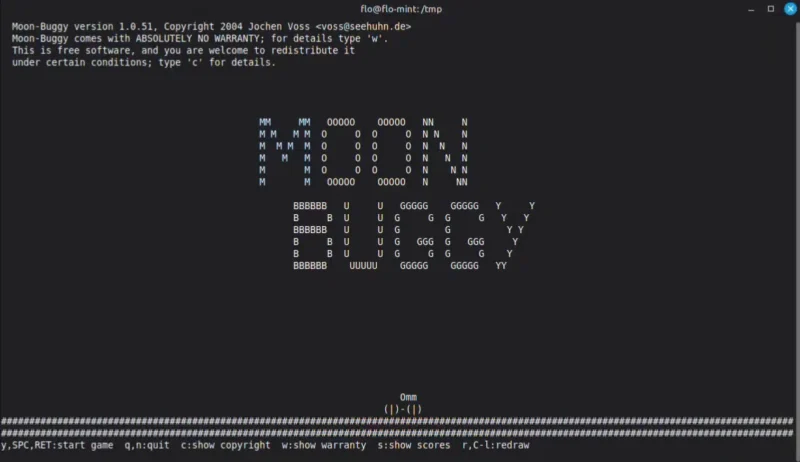
If we inspect this file with the file command, one word stands out: stripped.
file /usr/games/moon-buggy

/usr/games/moon-buggy: setgid ELF 64-bit LSB pie executable, x86-64, version 1 (SYSV), dynamically linked, interpreter /lib64/ld-linux-x86-64.so.2, BuildID[sha1]=..., for GNU/Linux 3.2.0, stripped
What is a stripped binary? A “stripped” binary has been cleaned of its debugging symbols during compilation or packaging. The names of internal functions and variables are gone, which makes analysis harder.

The prompt sent to Claude Code
Here is the request I sent to Claude Code. It has two parts: recover the game rules, with evidence for each rule, then recreate the game in a web page.
Contexte : démonstration pour un tutoriel IT-Connect sur REA. moon-buggy est un jeu
open source (GPL) installé via apt. Je n'utilise que le binaire, sans le code source,
pour montrer ce que la rétro-ingénierie assistée par IA permet de comprendre.

Utilise REA pour analyser /usr/games/moon-buggy. Retrouve les règles du jeu à partir
de l'analyse : vitesse de défilement, saut (durée, hauteur), types d'obstacles,
calcul du score et détection des collisions. Pour chaque règle, montre la preuve
(fonction, adresse, instructions ou constantes). Indique clairement ce qui reste
incertain.

Ensuite, recrée le jeu dans un fichier index.html autonome, jouable au clavier,
en appliquant les règles retrouvées.
A few remarks about this prompt, because its wording directly affects the quality of the result:
- The context tells the agent why the analysis is being done and in what setting.
- The list of expected rules frames the investigation and prevents the agent from wandering off.
- The evidence requirement forces the agent to rely on what REA reads in the binary.
- The request for uncertainties encourages it to distinguish what is proven from what is assumed.
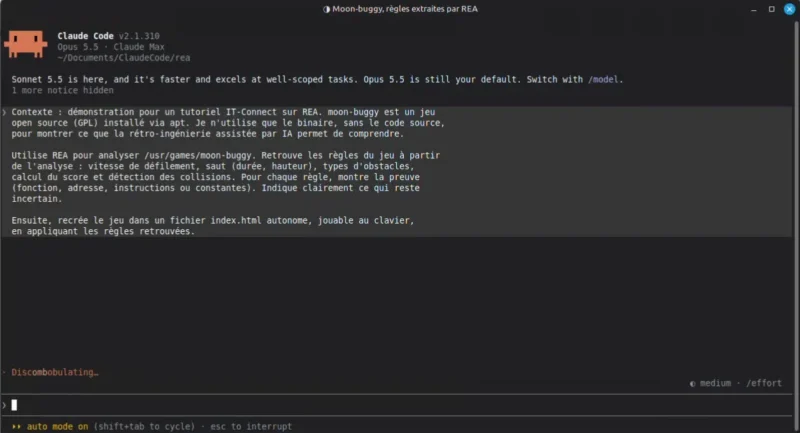
In other tests I ran, Anthropic’s safeguards blocked the request, especially for analyses leaning a bit too much toward cybersecurity. Context matters, and it is not impossible that Claude Opus 5.5 will not always be allowed depending on what you are trying to do with REA.
The agent at work: strings, functions, and Ghidra
The agent starts by loading the reverse-engineer-anything skill installed by REA, then gets to work. It opens the binary, notices that it is stripped (97 unnamed functions), and starts from the strings to locate the game logic: score_crater, level_start, lives: %d, and so on. It then traces back to the functions using those strings, launches Ghidra through REA to decompile them, and analyzes their instructions.
As the analysis progresses, it reports its findings: the main scrolling loop, a table of 13 buggy sprites, a table of 8 levels, the jump state machine, the function handling the laser, and so on. Each element is tied to an address or a function (FUN_0010bc60, 0x116e60, etc.).
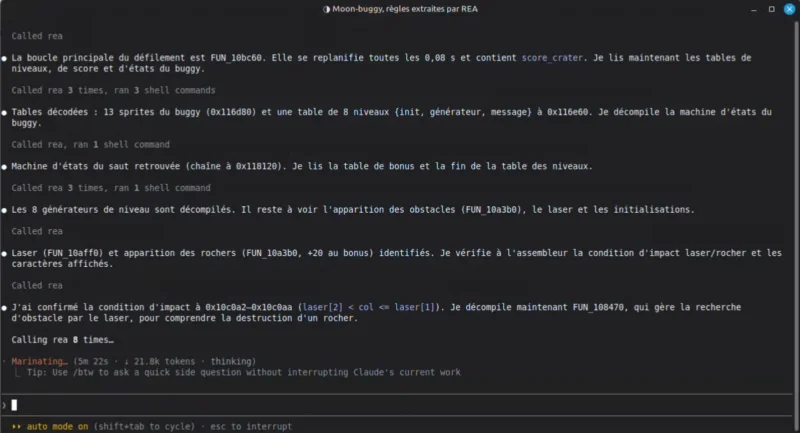
In total, this reverse engineering work carried out by Claude Code (with the Opus 5.5 model) and REA, from analysis to the creation of the web version, took 12 minutes and 29 seconds.
The recovered rules and their evidence
Here are the rules identified by the agent, as it presented them in the web version of the game (the detailed evidence, address by address, is recorded in a separate report: ANALYSE.md):
| Rule | What the agent found |
|---|---|
| Scrolling | The ground advances by one column every 0.08 s |
| Jump | 5 states, 1.08 s total, including 0.88 s without ground contact, and a maximum height of 2 rows |
| Obstacles | Craters 1 to 6 tiles wide, and “rocks” that must be hit 3 times with the laser to be destroyed |
| Score | Bonus based on crater width, combo bonus, +20 for clearing an obstacle, +13 for destroying an obstacle, -1 per shot |
| Collisions | The buggy is lost if one wheel goes over a hole, or if it hits an obstacle at ground level. 3 lives and 8 levels |
The AI agent also listed what remained uncertain, with a proposed summary at the time of delivery.
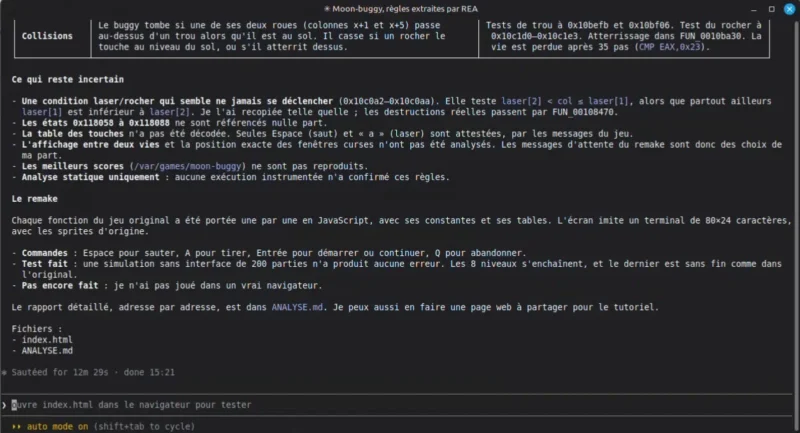
What is interesting is that every rule identified by the AI is correct, right down to the jump timings. The only small detail: what the AI calls “rocks” are actually meteorites in the source code. A vocabulary mistake, which is not surprising since the original names had vanished from the binary.
Moon-Buggy recreated as a web version
All that remains is to open the index.html file generated by the agent in a browser. The game is playable with the keyboard (Space to jump, A to shoot, Enter to start or continue, Q to quit), and the page displays the list of applied rules at the bottom, with links back to the evidence.
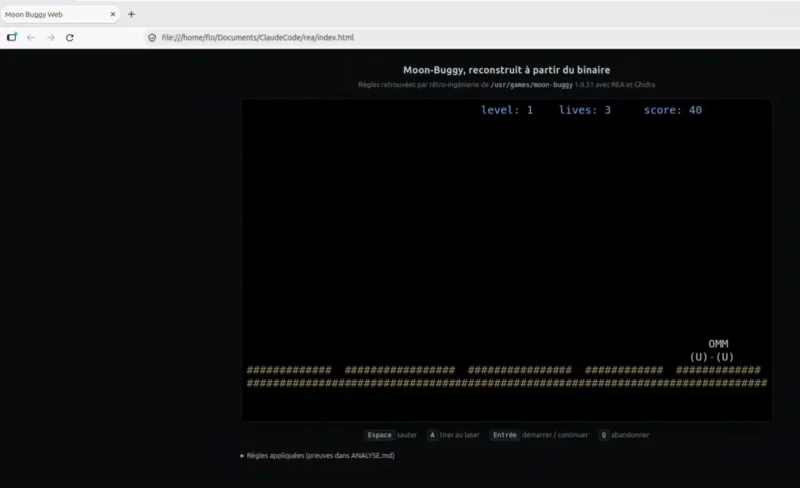
The web version and the console version offer the same gameplay experience, one in the browser, the other in the terminal!
Claude With or Without REA
REA is full of promise, but we should keep a cool head: an agent like Claude, without REA, can do similar work. It already has standard Linux tools and can read assembly. It will simply take longer to reach the same result because it is not connected to Ghidra or another analysis engine through REA’s MCP server.
In other words, REA is tooling for reverse engineering, nothing more and nothing less. It provides:
- Structured access to analysis engines (Ghidra, IDA, Hopper, JADX...) without having to handle them manually.
- An investigation method through the skill installed in the agent.
- Traceable results, with explicit evidence and uncertainty zones.
If REA is such a success today, it is no accident: it makes reverse engineering accessible, and that attracts a lot of curious people who want to see how to reproduce this or that application. Whatever you do with REA, remember the legal framework: it does not change.
Conclusion
REA does not reinvent reverse engineering: it makes it controllable by an AI agent, relying on proven tools such as Ghidra. REA brings a working methodology and makes it easier to access specialized tools, unlike Claude alone, which you must guide entirely.
I sincerely believe that this kind of tooling will change the way we approach binary analysis, whether for vulnerability research, malware analysis, software preservation, or hardware interoperability on Linux.
To go further:
- Official REA website
- REA GitHub repository
- Ghidra on GitHub and its official website
- Installing and using Claude Code: first steps
- All our articles on artificial intelligence