www.it-connect.fr

C3RB3R Ransomware Is Hitting Synology NAS Devices: How to Protect Yours
Files renamed to .L0CK3D and a read-me3.txt note in every folder: over the past few days, many Synology NAS owners have discovered their data encrypted by the C3RB3R ransomware. Synology has issued a new warning today. Here is what we know.
Over the past few days, reports have multiplied about attempted compromises of Synology NAS devices, mainly on Chinese forums, before being confirmed the next day by a Chinese vendor. Let’s start with the bulletin published by 360 on October 29, 2026: this organization has been receiving help requests related to Synology NAS devices since early October. The Chinese vendor attributes these attacks to C3RB3R, a variant of Cerber, a ransomware family that has generally targeted NAS devices for several years.
When a NAS is encrypted by this ransomware, here is what happens: the malware encrypts files with ChaCha8, protects the keys with RSA-2048, appends the .L0CK3D extension (or .LOCK3D according to reports), and drops a ransom note named read-me3.txt, which points to a Tor site.
2026 vulnerabilities... and maybe one from 2024
According to 360, the entry point used to compromise DSM is the CVE-2026-13639 and CVE-2026-13684 vulnerabilities, two critical flaws (CVSS score of 9.8) patched by Synology on September 18, 2026 (see the Synology-SA-26:13 advisory). Remotely exploitable and unauthenticated, they allow arbitrary file read and write. Synology does not provide any mitigation: only updating protects you. It turns out that one month later, many devices are still not patched and are therefore vulnerable.
NAS devices still running an older version of DSM are also exposed to a much older flaw: CVE-2024-10441, detailed in this Synology advisory. Discovered during Pwn2Own 2024 and patched at the end of 2024, it allows remote code execution without authentication (CVSS 9.8). If I am mentioning it today, it is because Synology sent an email alert this morning pointing to that advisory.
"Synology has identified malicious actors exploiting a vulnerability patched in December 2024 to target devices running outdated versions of DSM. These attacks aim to encrypt data and extort a ransom.", we can read.
There still appears to be some activity around this vulnerability, as shown by this PoC published a few days ago on GitHub. This page provides technical details, including an explanation of how the "username" field on the DSM login page can be used to inject environment variables into a daemon running as root.
Synology NAS: how can you protect yourself from these attacks?
Here are the steps to apply right away:
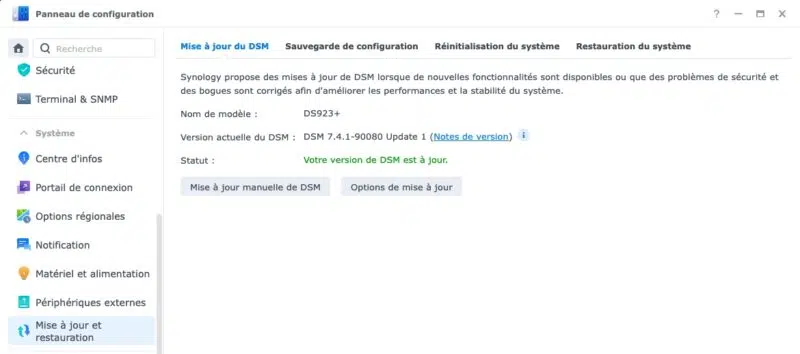
- Update DSM: install at least DSM 7.4-90075, 7.3.2-86009-4, 7.2.2-72806-9, or 7.2.1-69057-12, depending on your main DSM version. Updating is the top priority.
- Cut off direct exposure to the Internet (unless you know exactly what you are doing!): remove port forwards to the DSM interface and use a VPN for remote access, for example by connecting your Synology NAS to a Headscale network with the Tailscale client.
- Update packages: PHP, Mail Station, Synology Calendar, etc. Remove anything you no longer use.
- Harden accounts: disable the default admin account, enable two-factor authentication, and turn on automatic IP address blocking.
- Protect your data: enable snapshots with write protection on shared folders and keep at least one offline backup. A NAS, even with RAID storage, is not a backup.
I also want to note that Synology has taken the necessary steps regarding the PHP2Shell flaws, with several packages updated. The details are available on this page.