www.it-connect.fr

Fake Candidates, Deepfakes and Remote Work: Is It Time to Rethink IT Onboarding?
You’ve deployed MFA, segmented access, hardened your password policies, and equipped your endpoints with an EDR, but do you really know who is behind the account you create for a new employee? While IT teams and CISOs focus their efforts on protecting existing accounts, one step is still too often treated as a mere administrative formality: creating identities and granting first access. With the widespread adoption of remote hiring and the rise of deepfakes, this step has nevertheless become a security focus in its own right.
In this article, we’ll look at why IT onboarding is becoming a security blind spot, why traditional processes are no longer enough, and how Specops Secure Onboarding can verify a new starter’s identity before granting access.
Should IT onboarding be rethought? Let’s answer the main question right now: yes. With remote work, the rise of deepfakes, and the growing number of identity theft cases, creating an account and handing over access has become a sensitive step. A modern onboarding workflow must make it possible to truly verify the new hire’s identity, notably through what is known as liveness detection. We’ll cover that in the rest of this article.
This article contains sponsored content for Specops Software.
Onboarding, a blind spot in otherwise well-protected information systems
Identity security has come a long way. Multifactor authentication has become widespread, privileged account access management has become mainstream, and new building blocks are emerging to go beyond MFA by validating the device used to sign in. By comparison, the system’s front door remains surprisingly under monitored.
My reasoning is as follows: if a person has been hired, it means they have already been verified by HR. IT then simply provisions an Active Directory account, generates a temporary password, and shares the access. However, this relies on a fragile assumption: that the person hired is indeed who they claim to be. In person, that assumption holds up, but with remote hiring, it deserves to be revisited. Above all, identity theft risks are real and more numerous.
Fake candidates, deepfakes, and remote work: a real threat
Remote work has normalized a fully digital journey: online application, video interviews, electronic contract signing, and then equipment delivery by courier. At no point does the new hire meet a company representative in person. This seamless flow, convenient in everyday life, opens the door to malicious acts that were rare not long ago.
When the candidate is not who they claim to be...
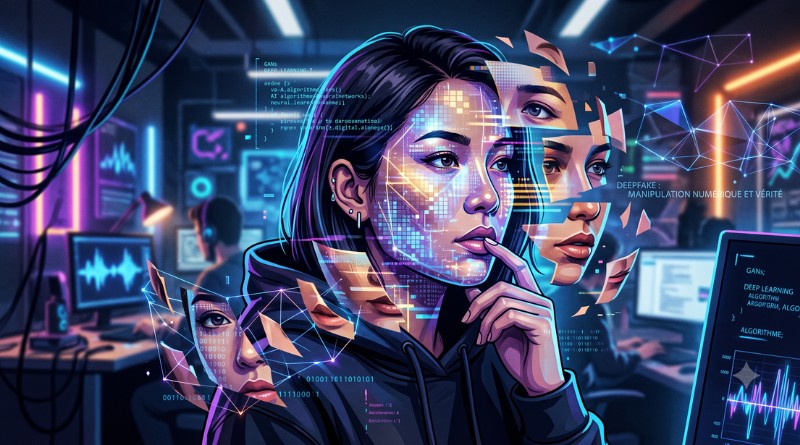
Generative AI tools now make it possible to create a convincing identity at low cost: synthetic professional profiles, polished résumés, and especially video deepfakes capable of deceiving a video interview. There are plenty of examples of this on the web. Voice cloning rounds out the toolkit, using only a few seconds of recording.
The Gartner firm estimates that by 2028, one in four candidate profiles worldwide could be fake. In a survey of 3,000 candidates, the same source reports that 6% admitted to some form of interview fraud, by posing as someone else or having a third party take the interview for them.
Motivations vary. Some simply want to land a job they are not qualified for. Others take a more offensive route: gaining legitimate access to steal data, deploy ransomware, or divert funds. A fake employee who gets through hiring starts with valid credentials, making them a hard-to-detect insider threat: their activity is legitimate (at least at first).
The KnowBe4 case, a textbook example
Do you know the vendor KnowBe4? Its story and what it experienced perfectly illustrate the risks discussed in this article. The facts date back to July 2024, when KnowBe4 revealed that it had unknowingly hired a fake IT worker operating on behalf of North Korea. The candidate had used the stolen identity of a U.S. citizen, backed by a photo altered with AI. He successfully passed four video interviews and all standard checks. His background was not suspicious either, since the borrowed identity was genuine.
The scheme was only discovered after the workstation was shipped: the machine began loading malware as soon as it was received. Even though no system was compromised, notably because the new starter initially had only limited rights, it is a real case. This incident reminds CISOs of two things:
- A serious hiring process does not, by itself, guarantee the true identity of a candidate,
- Limiting a new account to minimal rights until identity has been confirmed remains a wise decision.
Why traditional onboarding processes are no longer enough
The classic onboarding journey was designed for a world where you knew the person sitting across from you and where AI was not what it is today. Now, three of those historical reflexes have become weaknesses.
- The temporary password
The most common practice is to generate a temporary password, then send it by email, SMS, or phone. That secret travels over insecure channels, can be intercepted, reused, or passed to the wrong person, and often follows a predictable pattern. I’ve already published a full article on how to onboard a new user without creating a temporary password, because this point is such a recurring weak link in onboarding procedures.
A temporary password that must be changed at first login is the bare minimum one can hope for. But it is not enough. And unfortunately, it is still the same in many companies.
- Assumed identity rather than verified identity
In traditional onboarding, IT does not verify identity; it assumes it. Manual validation relies at best on a visual check during a call, yet that is exactly what a video deepfake can bypass. Without a reliable mechanism to confirm that an identity document is authentic and that the person presenting it is physically present, access is granted based on trust that is never truly verified.
You see someone on a video call, so it feels reassuring. You assume it must be the right person. But that was before video deepfakes existed.
- IT support as a prime target
The onboarding journey for a new employee can multiply requests to IT support: an account to unlock, a password to reset, access to grant on day one. An attacker impersonating a new hire can use this confusion to manipulate one of their new colleagues, especially since that colleague does not yet know the person (and don’t get me started when a third party manages the access). This risk is not unique to onboarding, but it is amplified there. I covered it in a dedicated article on how to secure the help desk against social engineering attacks.
Specops Secure Onboarding: verified identity before access
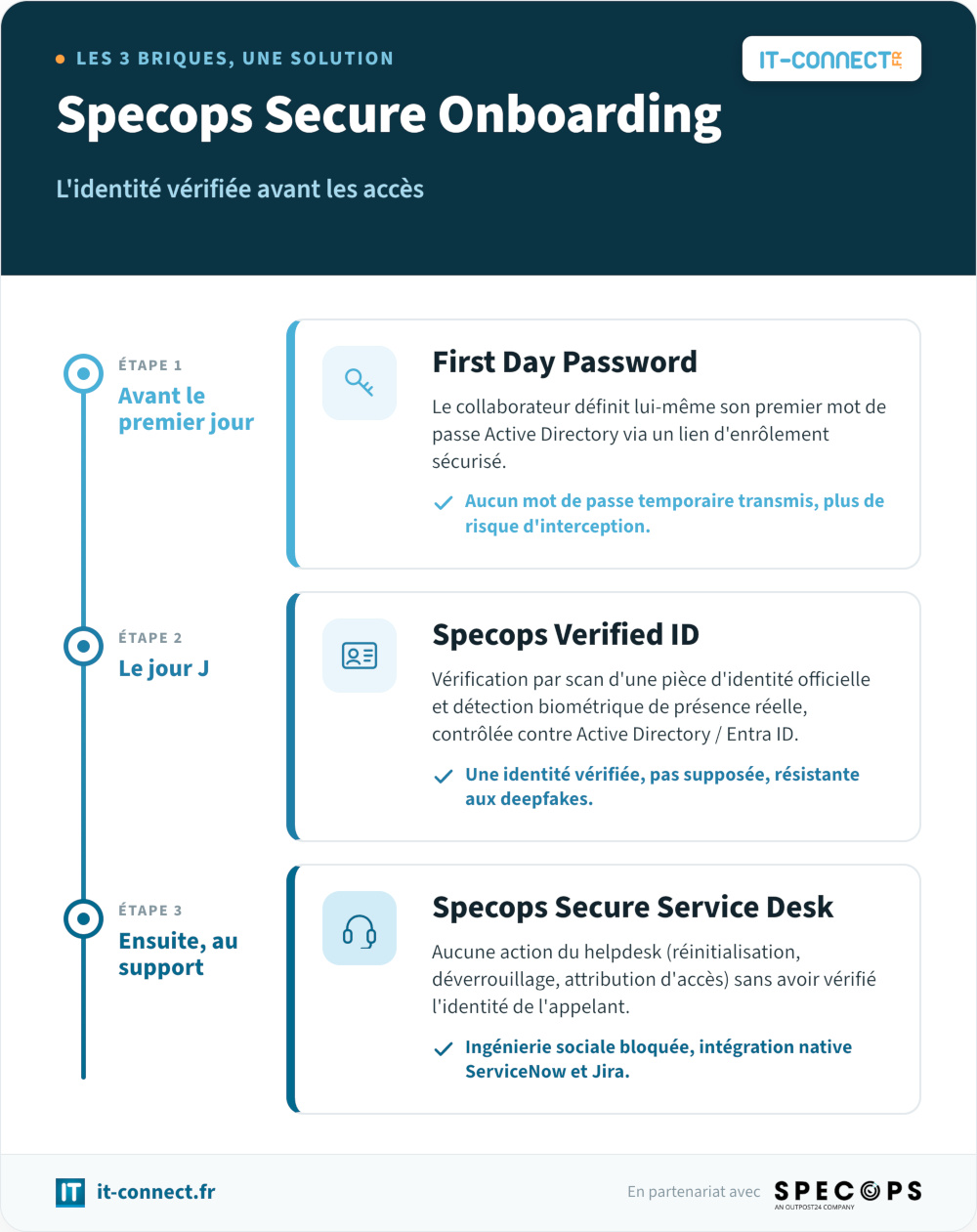
To address this issue and the new risks it creates, Specops Software offers a software solution called Specops Secure Onboarding. In practice, this is not a brand-new standalone product, but a set combining three complementary existing components: First Day Password, Specops Verified ID, and Specops Secure Service Desk. Each plays a role in securing key moments in the onboarding journey.
The idea is to require a verified identity before any access is created, activated, or modified. The whole solution is built on Active Directory and Microsoft Entra ID.
Note: Specops Secure Onboarding is a commercial solution. It addresses the identity and access layer of onboarding, it does not replace the verification work performed upstream by HR during recruitment, but it complements it once IT takes over.
Before day one, a password defined by the employee
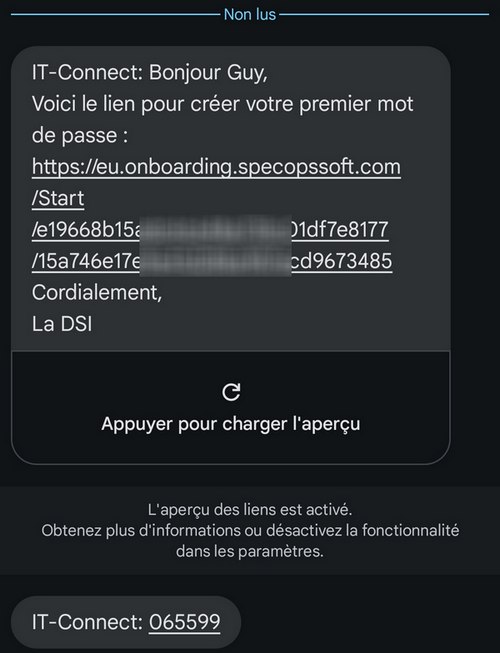
The first component, First Day Password, simply eliminates the transmission of a temporary password. IT sends a secure enrollment link to the new hire, who defines their first Active Directory password before arriving. The IT team never creates or shares credentials, which removes the interception risk associated with email and SMS. This modern approach to first-day password management has already been covered in a dedicated tutorial on First Day Password, for those who want to see how it works in detail.
On day one, identity confirmed by biometrics
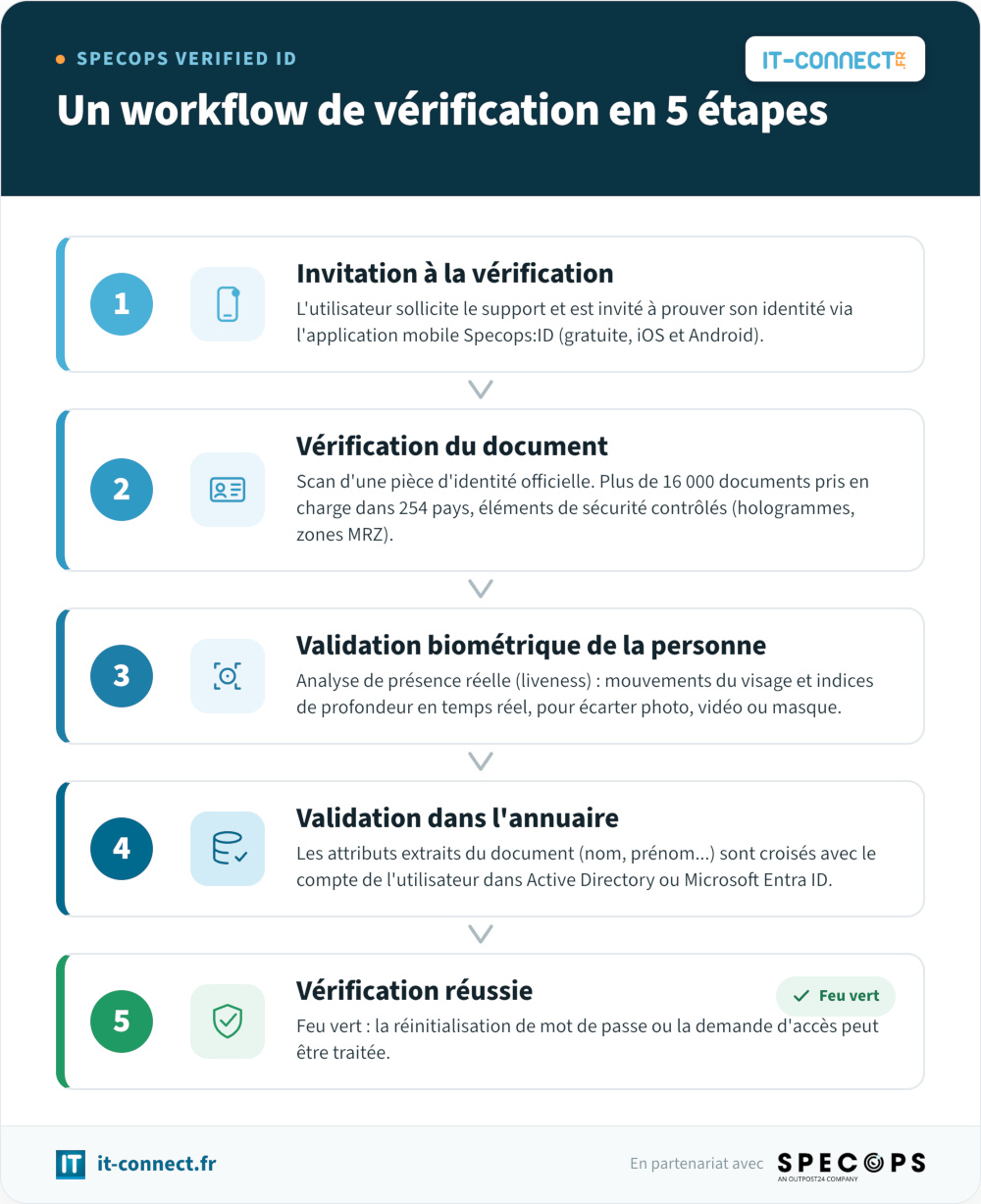
The second component, Specops Verified ID, adds identity verification to the process. The employee scans an official document (passport, driver’s license, or national identity card) using the free Specops:ID mobile app on iOS and Android. The solution supports more than 16,000 official documents across 254 countries and territories, and analyzes machine-readable zones and security features to detect tampering. It is therefore compatible with French documents, among others.
This verification is supplemented by liveness detection. The app analyzes facial movements and depth cues in real time to confirm that the person is physically present, and not represented by a photo, a video, or a mask. This is precisely the kind of check that defeats a deepfake. The attributes extracted from the document are then compared with the user’s record in Active Directory or Microsoft Entra ID to ensure that the person is the legitimate owner of the account. Specops also states that its algorithms are pre-trained and do not use customer data for training purposes, a point I felt necessary to mention regarding data protection.
This verification technology can also be used beyond onboarding, to verify a user’s identity with certainty before acting on their account, when resetting a password or recovering an account.
At the service desk, no action without verification
The third component, Specops Secure Service Desk, secures interactions between the user and IT support. It prevents a technician from carrying out any sensitive action whatsoever (password reset, account unlock, access assignment) until the caller’s identity has been confirmed. Verification integrates natively with market-leading ITSM tools such as ServiceNow and Jira, which avoids creating a parallel process.
The logic remains the same throughout the entire journey: never act on an account without confirming who is on the other end.
What Secure Onboarding changes for CISOs
For a CISO, the value of this approach is not limited to having an anti-deepfake gadget. It matters at the architecture and access-matrix level: making verified identity a prerequisite for opening access, rather than an after-the-fact check. This shift reduces exposure from day one, at the moment when the new account is hardest to correlate with a baseline behavior.
The second benefit is consistency. Rather than stacking isolated checks, Secure Onboarding applies the same verification requirement at three critical moments: password creation, identity confirmation, and interactions with support.
That said, it is important to keep a balanced view. Identity verification strengthens security for certain very specific actions, but it does not replace other best practices: least privilege and team awareness.
Conclusion
Onboarding has long been protected by the comforting assumption that the person hired was automatically the right one. Remote hiring and the normalization of deepfakes (which is directly linked to the rise of AI) have weakened that certainty. Rethinking IT onboarding does not mean distrusting every new starter (no one said to buy a lie detector), but recognizing that handing over access deserves a higher standard.
By verifying identity through an official document and a liveness detection check, and by removing the temporary password, a solution like Specops Secure Onboarding places trust where it belongs: on real verification, not on an assumption.
To go further: discover the solution on the official Specops Secure Onboarding website
And you—how do you verify the identity of new employees before granting access? Share your practices and feedback in the comments.