www.it-connect.fr

Windows 11 KB5121003 Is Breaking Games, Microsoft Investigates a Fix
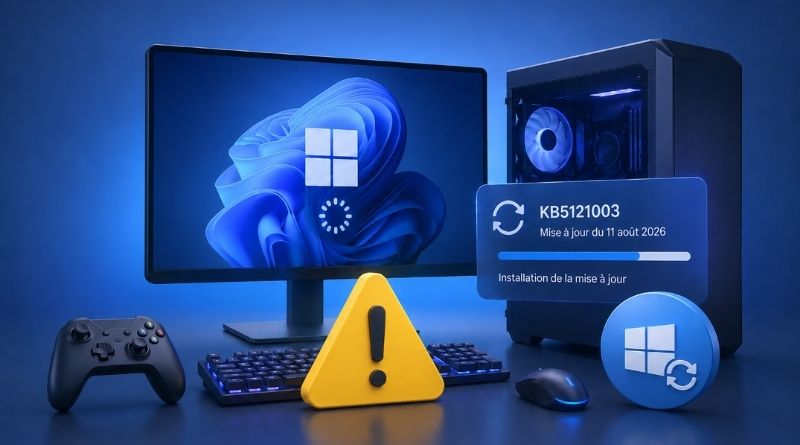
Games freezing or suddenly closing, PCs restarting without warning: since the installation of the KB5121003 update released on August 11, 2026, some Windows 11 24H2 and 25H2 machines have not been reacting well... enough to bring back bad memories. Microsoft says it is investigating the issue and is working on a fix. Here’s what we know.
Microsoft is investigating...
On Wednesday, August 19, 2026, Microsoft added a new entry to its Windows dashboard: "Microsoft has received reports that some games stop responding", with the status indicating that Microsoft is investigating the issue. Since the update was released on August 11, this is the first time Microsoft has acknowledged the existence of the problem.
"After the release of the Windows updates on August 11, 2026 (KB5121003) and later, Microsoft received reports of issues where some games fail to run as expected.", the Redmond company states. Specific game names are even listed directly:
- ARC Raiders
- MARVEL Tōkon: Fighting Souls
- The Finals
Along with four specific symptoms:
- The game stops responding
- The game closes without notification
- The
EXCEPTION_ACCESS_VIOLATIONerror appears - The Windows machine restarts without warning
That’s a lot, especially since this bug can be encountered on Windows 11 25H2 and Windows 11 24H2.
What if a driver is to blame?
Microsoft is trying to determine whether the problem comes directly from its update or whether it is related to a third-party component. For now, no lead has been provided on that front. For some early clues, we need to turn to the Swedish studio Embark, which develops both ARC Raiders and The Finals. Suffice it to say they are well positioned to comment, since those are their games causing problems (even if others may also be affected).
In a message relayed by Windows Latest, the source of the information, the gaming studio reportedly said: "This is a crash related to the inpoutx64.sys file, which changed with the Windows update."
This file has nothing to do with the games themselves. It is a third-party kernel-mode driver dedicated to direct access to hardware ports. It is provided neither by Microsoft nor by Embark: it reaches the machine through third-party hardware utilities. For example, software from Razer, whose hardware is highly appreciated by gamers.
Users experiencing this bug must therefore meet a set of conditions: it would not be the game triggering the crash, but the presence of the driver. Microsoft is undoubtedly exploring this inpoutx64.sys-related lead right now, but nothing about it is mentioned in its message.
Uninstalling the update: the wrong fix
Embark even goes further by suggesting a workaround. I have not tested it, but I’m sharing it in case it helps you... It involves three commands to run in a Command Prompt launched as administrator:
- Stop the service with:
sc stop inpoutx64 - Delete the service with:
sc delete inpoutx64 - Delete the
inpoutx64.sysfile located inC:\Windows\System32\drivers
Even if the game works after this manipulation, be careful about the impact on support for your hardware... The other option is the same old one: uninstall the problematic update. That may be true on paper, but it is still a bad idea in practice: removing the update means giving up more than 400 security fixes.
Have you noticed any crashes on your machines since installing the August 2026 update?