www.it-connect.fr

Sync-in 2.3 Brings a Full Markdown Editor and Smarter Retention
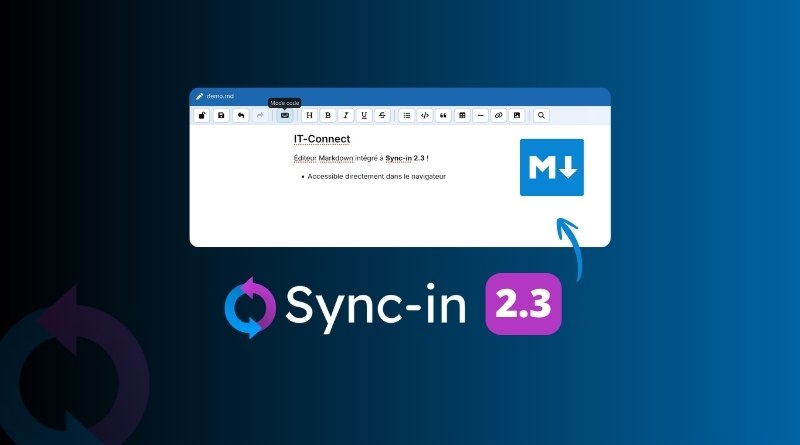
Sync-in 2.3 is now available! The headline feature is the integration of a full Markdown editor directly into the Web interface. But that's not all: this release also introduces finer-grained retention and quota policies. Here's what you need to know.
- Discover Sync-in: an open source, French alternative to nextCloud
- How do you install Sync-in on a Synology NAS?
A full Markdown editor
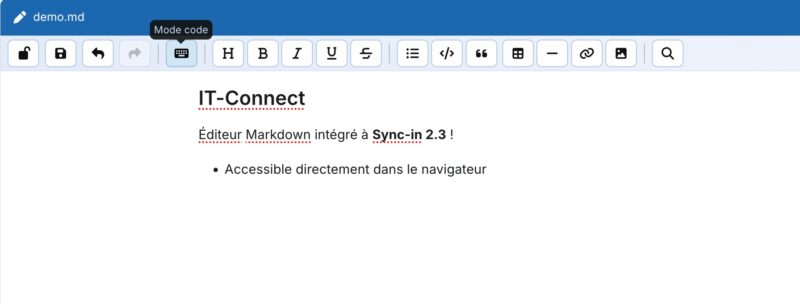
This update introduces a Markdown editor natively integrated directly into the Sync-in interface. Users can now open their .md files in an editor that offers two viewing modes: visual and source.
It supports the main Markdown formatting elements you're used to: headings, lists and task lists, links, images, tables, code blocks, and quotes. What makes it a full editor is everything it does beyond display, such as undo/redo, file locking during editing, and protection against closing the window if the latest changes have not been saved.
Until now, it was possible to edit text files directly online (without using OnlyOffice or Collabora Online), but Markdown was not "interpreted". With this enhancement, the size limit for editing text and Markdown files increases from 10 MB to 25 MB. A detail that matters when supporting Markdown files containing images encoded in base64.
New customization options
The overall experience around document management and editing is also becoming more mature thanks to several improvements:
- Document template management
The "New document" window is now customizable. Although text and Markdown formats are still always available, you can adjust the configuration (via Docker Compose) to show or hide OpenDocument and Microsoft Office document templates.
- Trash retention
Sync-in now allows you to schedule automatic cleanup of files stored in the trash after a configured number of days. For example, Sync-in can automatically delete a file from the trash after 30 days.
By editing the configuration file (the default behavior is unchanged), you can set a retention period globally for users' personal spaces and collaborative spaces.
Still on the trash topic, it's worth noting that files stored in the trash are now read-only. In other words, it is no longer possible to modify a file stored in the trash, which is more consistent.
- Optimized full-text indexing
Already highly optimized, the indexing engine becomes even more memory-efficient and more effective on instances with a very large number of files.
This is made possible by batch metadata processing and deferred indexing queries. In addition, two new states have been added: pending (pending) and disabled (disabled).
Security and integration with your information system
Sync-in is a mature solution (more than 10 years of development) and suitable for enterprise use. This commitment to meeting professional needs is once again confirmed by some of the new features added in Sync-in 2.3.
- Advanced text file detection
Sync-in 2.3 now analyzes the content of files without an extension or with a generic MIME type to make sure they are really text files and not disguised binary files. When an incompatible file is detected, you can download it instead of opening it in the editor.
- LDAP and OIDC synchronization
User storage quotas can now be synchronized via an LDAP attribute or an OIDC claim. Avatars can also be synchronized from the picture field in OIDC. During synchronization, the file corresponding to the avatar will automatically be converted to PNG format.
- Locking improvements
Locks on editable files are released more responsively when the browser or editor is closed. In addition, Sync-in 2.3 adds a browser-level confirmation dialog when editing a document to reduce accidental closures. This change improves the user experience while also fixing a bug that caused persistent locking of text files without an extension.
- User visibility control
A new option (showUngroupedUsers, enabled by default) makes it possible to hide users who do not belong to any group by setting it to false. This change does not affect Sync-in's default behavior; it is up to you to adjust your configuration.
Finally, note that this new version fixes a security flaw (CVE-2026-47684) that provides better protection against SSRF attacks. To learn more about this release, check the official announcement on the Sync-in website.
What do you think of the new features introduced in Sync-in 2.3?