www.it-connect.fr

PowerToys 0.101 Introduces Window Hopper for Faster App Switching
The new version of the PowerToys suite, PowerToys 0.101, was unveiled on August 25, 2026. This time, the headline feature is called Window Hopper: a kind of Alt + Tab shortcut that no longer scans the entire desktop, but only the windows of the application you are working in. Here is the key information you need to know about this new release.
Window Hopper: an Alt + Tab that stays within the app
To switch from one application to another on Windows, Alt + Tab is used frequently. It is the ideal way to keep track of the many applications open on a PC, even if sometimes you end up cycling through every app without finding the one you were looking for. In short.
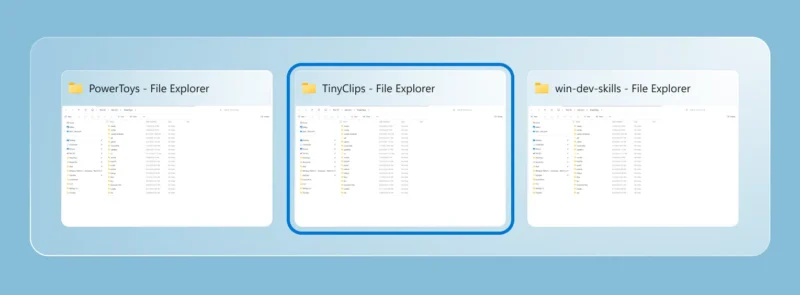
Let’s get to the new tool built into PowerToys 0.101: Window Hopper. In its official announcement, Microsoft presents this new tool: "Window Hopper works like Alt + Tab, but stays within the application you are currently using." In other words, once the utility is enabled, pressing Alt + backtick (the backtick key) cycles through the windows of the active application.
For example, if you are in File Explorer and want to switch to another File Explorer window, use this shortcut. It will show only the other File Explorer windows, not all open apps.
The default shortcut can be customized in the PowerToys settings. That is good news, because on an AZERTY keyboard, the backtick key is a little far away when you want to press Alt at the same time.
Command Palette, Advanced Paste, ZoomIt: the rest of the release
As with almost every release, the Command Palette continues to evolve. This time, it gets a compact mode: it opens like a simple search bar, positioned at the height you choose, and expands only once the results are displayed. It also includes other small improvements, including in the Dock, such as two new commands that appear when Windows is waiting for a restart.
As for the other tools:
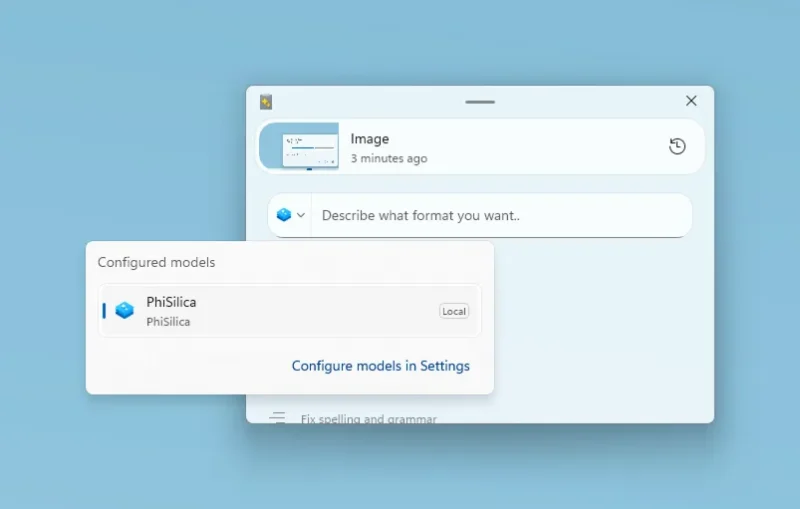
- Advanced Paste can now rely on local Phi Silica on compatible Windows machines. This is great, because AI transformations now use local resources instead of the Cloud (which was criticized when this tool was released).
- PowerDisplay, introduced in version 0.99, now includes a command-line interface for inspecting displays and applying profiles from a script.
- ZoomIt now includes a DemoMirror mode, which mirrors the entire screen, a selected area, or the hovered window to a second display. Useful for presentations or training sessions.
Finally, it is now easier to choose between the Stable or Insider channel for the PowerToys release. This option is set directly in the settings (Settings > General > Update Channel), with Stable still being the default value. Full details are available in the Microsoft article.
What do you think about the new tool added to the PowerToys suite?