www.it-connect.fr

Windows 11 Search Is Evolving Into an Action Center
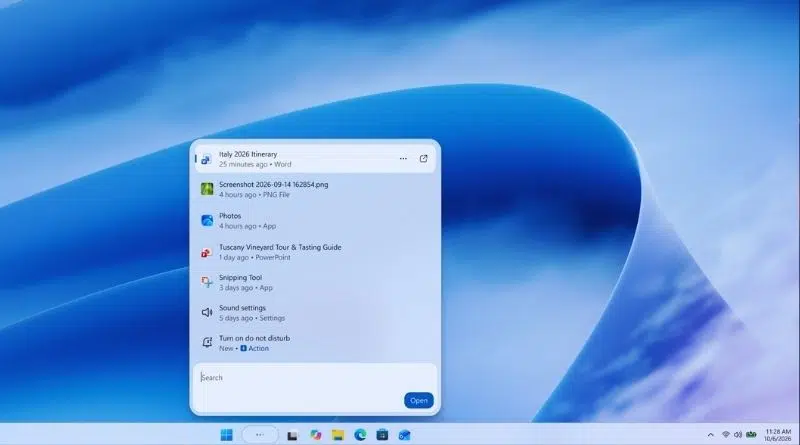
Microsoft would like to make the Windows search box smarter, so users can perform actions by typing a simple sentence: turn on Bluetooth, switch to dark mode, and more. Microsoft is currently testing this new feature.
Windows Search never stops evolving. Last July, Microsoft had already cleaned up the Windows 11 search box: a more minimalist home screen, removal of promotional content from web results, and the option to show or hide web and Microsoft Store suggestions. Search was also among the new features listed in my article about the availability of Windows 11 26H2, its new features, and its installation.
Following its Windows + Surface event, the Redmond company unveiled a brand-new search experience, rebuilt on WinUI 3. This component has also been used by Microsoft to modernize other parts of the system, such as the Run dialog box. This new search experience is currently being rolled out to members of the Windows Insider program.
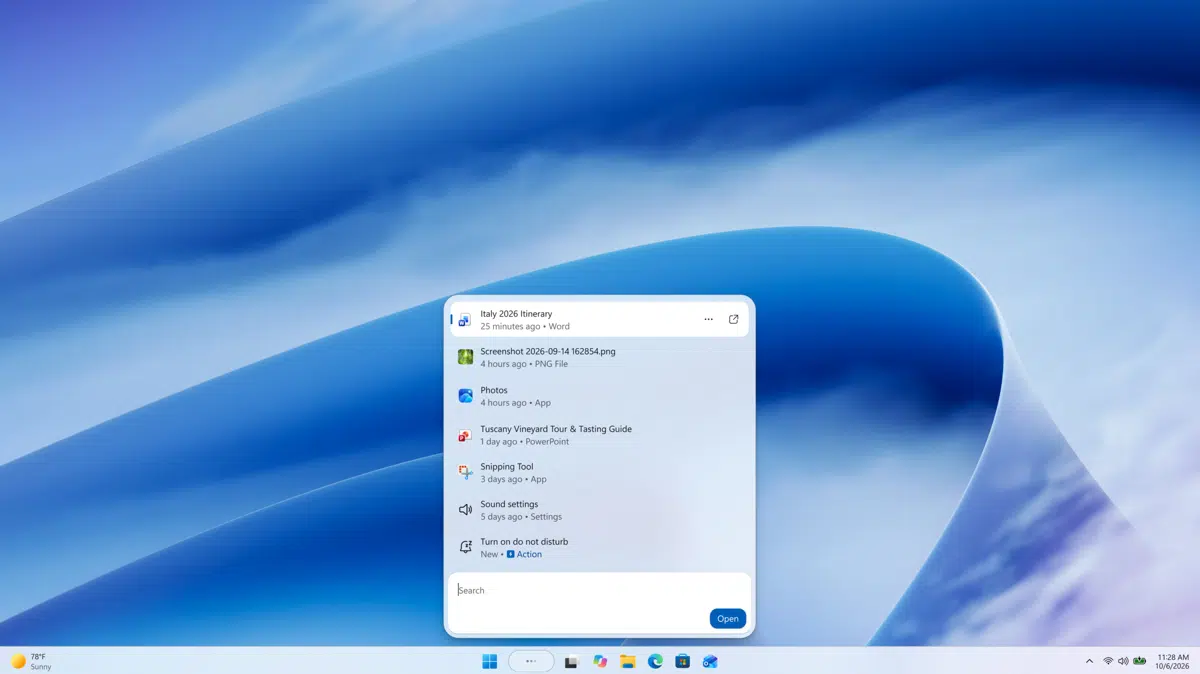
A single results list, and more speed
Microsoft's first argument is speed. According to early tests, there are significant gains in performance and memory usage. However, no figures have been shared for now.
Beyond that, the search interface itself is changing. The large preview pane on the right is gone, replaced by a single results list. This choice is driven by telemetry: "Data shows that nearly all clicks in the current interface come from the results list on the left, rather than from the large preview pane on the right", Microsoft explains. In other words, that pane took up a lot of space for very little benefit.
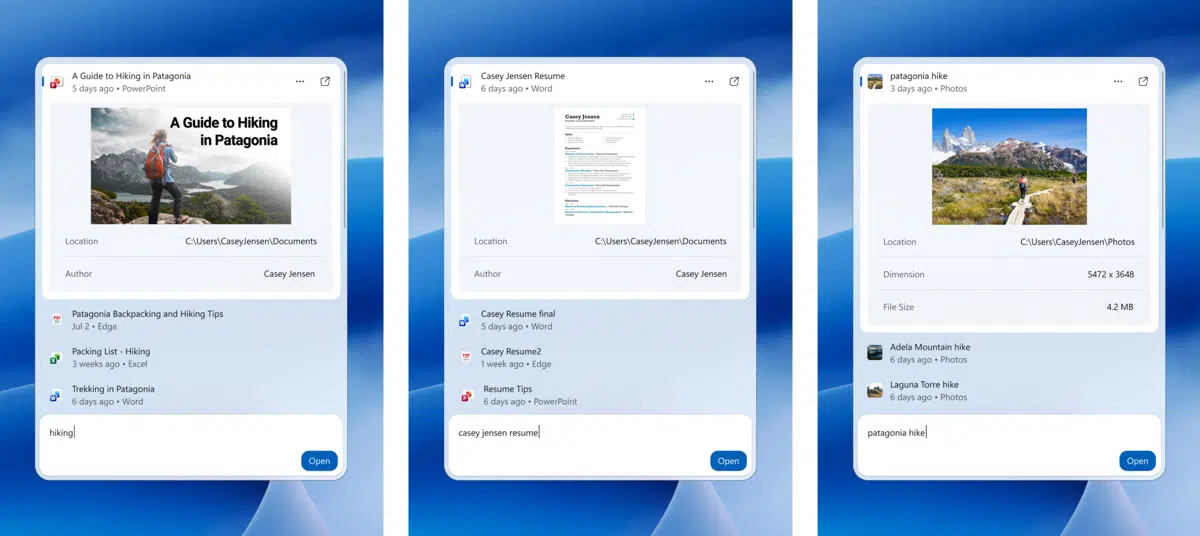
Query understanding (typos, synonyms, and so on) is also an area Microsoft says it has been working on in recent weeks. More new features are planned before the end of the year:
- Integrated previews: richer previews and details for files (PowerPoint presentation, Word document, photo) to distinguish similar results before opening them.
- Web answers: answers shown directly in Search, for queries such as a city’s weather.
- Filters: the ability to narrow down results when browsing a category, such as files.
Windows Search is becoming action-oriented
The main new feature coming to this search box is inline actions. The idea is to complete a task directly from Search, without opening Settings or another app. Microsoft gives several example queries for:
- Turning a feature on or off
- Making a quick adjustment
- Managing your workspace
Soon, actions linked to the smartphone connected through Phone Link will also appear, such as sending an SMS. As you can see, Microsoft wants Search to become a starting point for taking action, not just for finding things. At the same time, the search bar has huge potential and could even make the Start menu unnecessary altogether... What I still do not understand is why Microsoft is doing this. The solution already exists: the PowerToys Command Palette. It would be enough to integrate it into Windows...
In any case, in 2027, this new search experience is expected to arrive in the Start menu on Windows 11 PCs.
How can you test the new Windows Search?
For those of you who cannot wait, deployment began on October 7, 2026, in the Experimental channel of the Windows Insider program. To get it, you need build 26340.9616 or build 28120.3181. Once the update has been installed, the New Windows Search Experience option will become visible under Settings > Windows Update > Windows Insider Program > Feature flags.