www.it-connect.fr

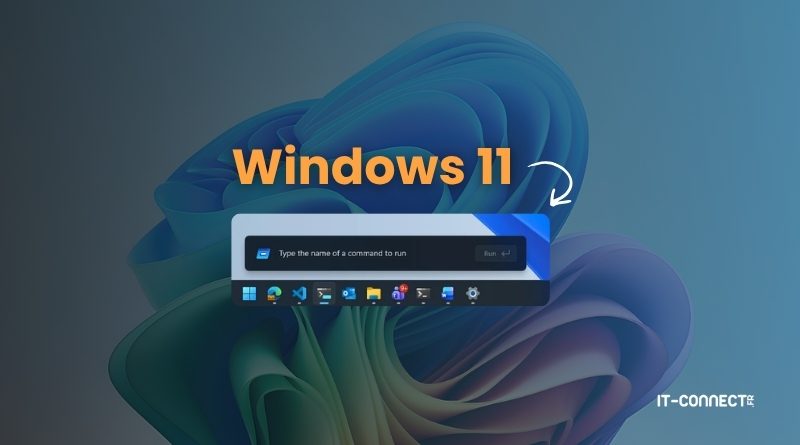
Microsoft Is Modernizing the Windows 11 Run Dialog
Microsoft has just announced a complete redesign of the Windows "Run" dialog. On the agenda: a modernized design, better performance, and new features for Windows 11. Here's what you need to know.
Modernizing a 30-year-old component
The "Run" dialog, also known as Windows Run and accessible with the Win+R keyboard shortcut, has been part of Windows for 30 years. It has remained present from one Windows release to the next, and Microsoft now seems to have decided to modernize it. To carry out this work, Microsoft relied on the team behind Windows Terminal and PowerToys, which is rather good news.
To determine this redesign and what this new dialog should be, the Microsoft team relied on data collected through Windows telemetry. They note, for example, that the "Browse" button was used in only 0.0038% of cases (based on a sample of 35 million requests) and that the dialog was often used to paste and copy text in order to clean up formatting. This button has therefore been removed from the new version.
The new version has been rebuilt in C# and WinUI 3, which made it possible to move to Windows 11's Fluent Design and improve display latency. In fact, the blog post states that the average display time is 94 ms, compared with 103 ms for the old version. Dark mode is also supported in this new release.
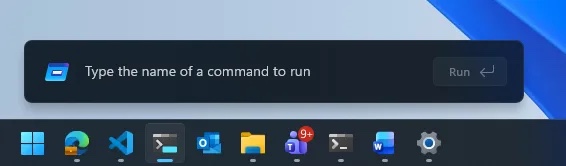
Microsoft also explains that the code for this new "Run" dialog is actually part of the Command Palette available through the PowerToys suite. "Everyone who contributed to CmdPal helped build part of Windows. Our team strongly believes in the power of open source.", the company says.
But what exactly is new with this dialog? As Microsoft humorously reminds us: « But it's much more than a sImPlE tExT bOx ThAt RuNs ThInGs. ».
Handy shortcuts and how to try it
Microsoft explains that this new dialog provides quick access to the user folder. You can now type ~\ to access your home directory and navigate there just as you would from a command-line terminal. In fact, a similar shortcut already existed: . . It also appears that it may be possible to launch PowerShell commands directly by entering the _ prefix in the input field.

For now, this redesign seems to be more visual than anything else. But we'll have to wait and see whether it becomes more closely tied to the Command Palette in the future.
Note that this new dialog is currently an optional feature reserved for Windows Insider program members. To enable it, simply go to Settings > System > Advanced and turn on the « Run Dialog » option. This change was first spotted in December 2025 by Phantomofearth.