www.it-connect.fr

Microsoft Rolls Out Entra Passkey Support on Windows
Microsoft has decided to speed up the end of traditional passwords for authentication on Windows by announcing support for Entra passkeys on Windows devices. Rollout of this new feature will begin at the end of April 2026. Here’s what it means for businesses.
Entra passkey support on Windows
Microsoft has decided to expand passkey support for authentication on Windows. This major new feature applies to corporate-managed devices, as well as personal or shared devices, even if they are not registered with or joined to Microsoft Entra. In a business context, this concerns organizations that use Microsoft Entra ID with passkeys enabled in the "Authentication methods" policy. It can also be controlled through Conditional Access policies.
In practice, with this feature now generally available, Windows will support a new passwordless sign-in method. Most importantly, it is phishing-resistant compared with traditional passwords. The Redmond company will begin rolling out this new capability soon, with the end of April 2026 mentioned. The rollout is expected to be completed by mid-June 2026 across all environments, according to Microsoft.
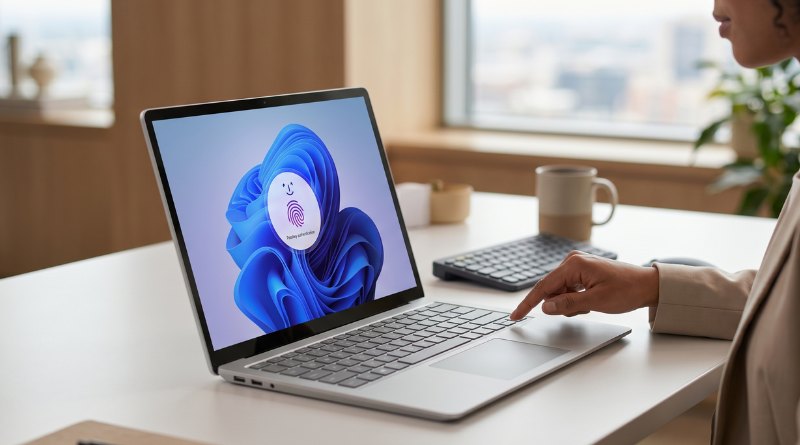
In the Microsoft 365 message center (MC1282568), the following is stated: "Users can create device-bound passkeys stored in the Windows Hello container, then authenticate using Windows Hello methods (face, fingerprint, or PIN)."
How do these new Entra passkeys work?
This new feature is based on the FIDO2 standard, developed by the FIDO Alliance, whose members include major companies such as Microsoft, Apple, Google, Samsung, and Amazon. The generated passkeys are stored locally and securely. This method has the advantage of being phishing-resistant, because a passkey is cryptographically bound to the device.
The Microsoft documentation offers an interesting comparison between Microsoft Entra passkeys for signing in to Windows and Windows Hello Enterprise itself. Here is the table you can find there:
| Feature | Microsoft Entra passkey on Windows | Windows Hello Enterprise |
|---|---|---|
| Standard base | FIDO2 | FIDO2 for authentication, 1P (first-party) protocol for device sign-in |
| Enrollment | User-initiated, does not require device join or registration | Automatically provisioned on some Microsoft Entra joined or enrolled devices during device enrollment |
| Device sign-in and single sign-on (SSO) | N/A | Enables device sign-in and single sign-on to Microsoft Entra-integrated resources after device sign-in |
| Passkey type | Device-bound | Device-bound |
| Credential binding | Device-bound and stored in the local Windows Hello container. Users can enroll multiple passkeys for multiple work or school accounts on the same device. | Primarily a device-bound sign-in method based on device trust. Credentials are bound only to the work or school account used to enroll the device. |
| Management | Microsoft Entra ID authentication methods policy | Microsoft Intune Group Policy |
The Redmond company also says its documentation will be updated soon to reflect the rollout of this feature.
"Microsoft Entra passkeys on Windows will no longer require explicit authorization by adding Windows Hello AAGUIDs to the allowlist in a passkey (FIDO2) profile. This marks a change from public preview behavior, where administrators had to explicitly allow Windows Hello AAGUIDs in a passkey profile for Microsoft Entra passkeys on Windows to work.", Microsoft explains.