www.it-connect.fr

FortiBleed Leak Exposes VPN Credentials for 73,000 Fortinet Firewalls
FortiBleed is the name given to a data leak containing a large volume of Fortinet and FortiGate VPN credentials, tied to 73,932 firewall addresses. Where did this data come from? Is it valid? Here’s what we know.
FortiBleed: 73,000 Fortinet Firewalls Exposed Worldwide
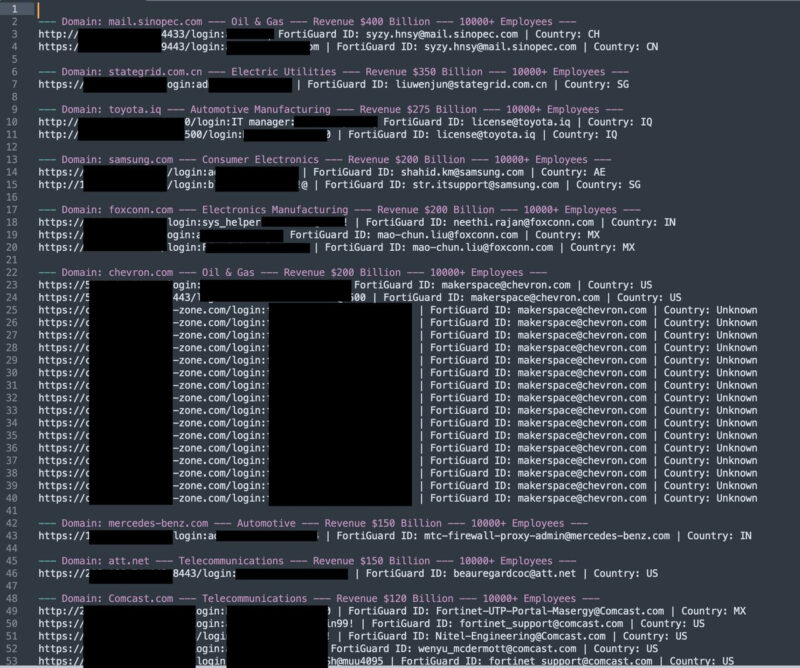
At the origin of this discovery is security researcher Bob Diachenko. He says he came across a server hosting a set of files, one of which particularly caught his attention because it contained Fortinet VPN credentials: username/password pairs, with passwords stored in clear text. In some cases, these are long and complex passwords that would be difficult to crack in theory.
Some of the entries in this database even reference major companies: AT&T, Mercedes-Benz, Toyota, Chevron, as well as Samsung and Foxconn. Beyond the credentials, the database includes comments detailing, for each organization, its industry, revenue, and number of employees.
Following the publication of this information on LinkedIn by Bob Diachenko, Hudson Rock’s teams carried out a full analysis of the dataset. Here’s what they found:
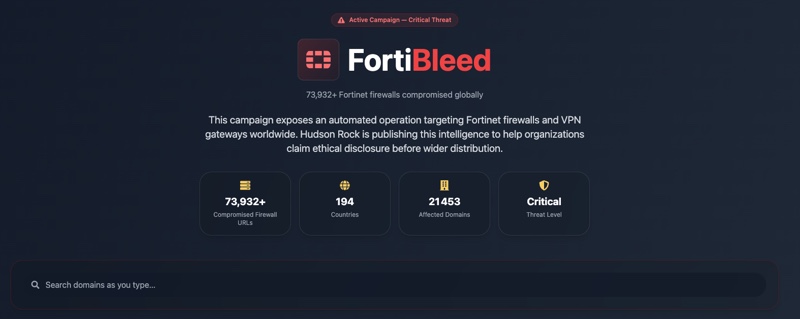
- 73,932 unique firewall addresses spread across 194 countries
- 21,632 unique domains impacted
- The most affected countries are India, the United States, Taiwan, Mexico, Turkey, Thailand, Colombia, Malaysia, Chile, and the United Arab Emirates
- The most represented sectors: telecommunications, IT services, finance, government organizations, healthcare, education, and industry
This is far from trivial and, according to Hudson Rock, it would represent nearly 50% of Fortinet firewalls exposed on the Internet. If these credentials are valid, this is really serious. But are they valid?
Data From Exported Fortinet Configurations
The authenticity of this leak was independently corroborated by researcher Kevin Beaumont, who always produces excellent analysis! He also told BleepingComputer: "I was able to confirm the authenticity of some administrator credentials and passwords: this looks like a real dump."
He also estimates that the dataset concerns around 75,000 Fortinet devices, the vast majority of which are still online. According to him, this information comes directly from exported Fortinet configurations and, more importantly, it is recent.
"This data appears to come from exported device configuration files, as it contains elements that are only visible from the device itself.", he explains. The remaining question is how the attackers were able to export these configurations. No one knows for sure. Naturally, this points to the exploitation of a security flaw, without knowing whether it is already known or not.
For its part, Fortinet told BleepingComputer "that the data in question comes from a redistribution of data from earlier incidents, as well as brute-force attacks targeting credentials, and is not linked to any recent incident or security advisory." - Let’s hope that is the case.
A Russian-Speaking Group Behind the Operation
Bob Diachenko was also able to analyze other files present on the same server, alongside the Fortinet credentials database. This operation is believed to be the work of a Russian-speaking threat group specializing in collecting FortiGate SSL VPN device credentials.
"They accidentally left an open directory online containing artifacts, connection strings, tools, scripts, and data. The analyses were obtained via their cron jobs, bash history, logs, etc.", explains Bob Diachenko.
According to his investigation, the attackers carried out:
- About 1.16 billion identification attempts against 320,777 FortiGate targets
- Nearly 2.1 billion additional attempts against 163,650 Microsoft SQL Server hosts
According to him, the attackers intercepted SSL VPN authentication hashes, then cracked them using a 45-GPU cluster powered by Hashtopolis.
FortiBleed: Are You Affected by This Data Leak?C
Hudson Rock made a smart move by publishing a free verification tool that allows organizations to check whether they appear in the FortiBleed dataset. You can find it on this page.
For affected companies, do not stand still:
- Change the passwords for VPN access and Fortinet administration interfaces,
- If you have not already done so, enable multi-factor authentication (MFA),
- Review gateway logs for suspicious activity.