www.it-connect.fr

LG Monitor Plugged In, and Windows Installs a McAfee Ad: Microsoft Steps In
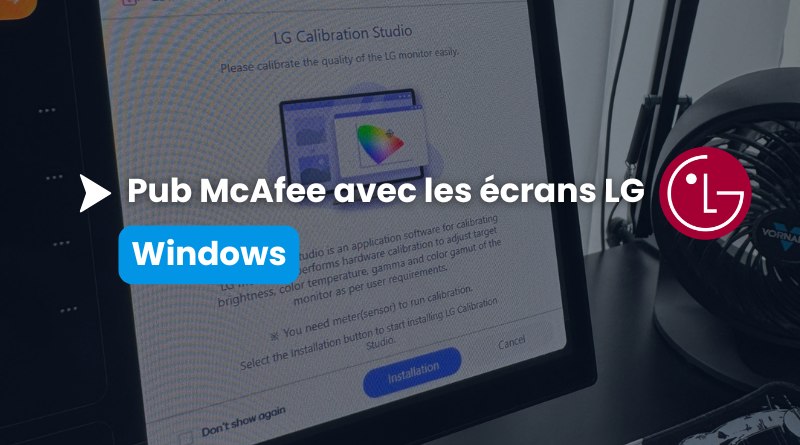
31 McAfee pop-ups out of 32 boots. That’s the result achieved by YouTuber Gamers Nexus after simply plugging a brand-new LG display into a Windows 11 PC. An ad pushed by LG without asking users first. Here’s what we know about the case, and above all about the Windows mechanism that made it possible.
From Reddit to Windows leadership in just a few days
Here’s the pattern reported by many users: you plug an LG monitor into a Windows PC, Windows Update fetches the drivers, and shortly after that, an application called LG Monitor App Installer appears without the slightest confirmation prompt. That’s not the worst part: a few moments later, a pop-up appears in turn offering you a 30-day free trial of McAfee.
The story gained traction in mid-July, starting with a post on the r/pcmasterrace Reddit community by a user who owned three LG UltraGear monitors. To identify the origin of the installation, he opened Windows Reliability Monitor using the command perfmon /rel and found a successful update entry for the package 9PM9N6F47JB8-LGElectronics.LGMonitorApp.
Gamers Nexus then reproduced the behavior on an LG UltraGear 34GX900A-B, a monitor sold for around $1,200. According to him, the app installed itself after the drivers, then the McAfee pop-up appeared on 31 of the 32 subsequent boots, including on LG displays that were three years old. In practice, you have no say: the application installs and runs without user consent.
The rest of the story unfolded on X. On July 19, Tim Sweeney, CEO of Epic Games, called out Pavan Davuluri (Microsoft’s Executive Vice President, Windows + Devices) about this issue encountered with LG monitors. Following that message, Microsoft contacted LG’s teams and, Pavan Davuluri states: "They agreed to disable the McAfee pop-up in their application", at least initially.
For its part, LG shared information with several media outlets, including TechRadar and PCGamesN. The hardware vendor claims that McAfee is never installed without the user’s explicit consent, that LG Monitor App Installer is distributed through the official Windows distribution process, and that the application neither collects nor transmits personal data. That response misses the point somewhat, because the complaint is not about the silent installation of the antivirus, but about the LG application itself and the advertising it then displays.
Device metadata: the Windows mechanism that allows silent installation
As an admin, this is the point that should especially interest you. To install this application, LG did not exploit any vulnerability: the vendor used a documented Windows feature called device metadata, which has existed since Windows 8. Microsoft’s documentation on automatic installation of UWP device apps describes a four-step process:
- The device is connected, and Windows queries the WMIS (Windows Metadata and Internet Services) service.
- The device metadata is downloaded, then analyzed to identify the associated application.
- The drivers are downloaded from Windows Update if needed.
- The application is downloaded and installed for the signed-in user.
No consent screen appears in this process, which makes it possible to install applications quietly. Microsoft even states it plainly in its own documentation: the automatic installation feature shows no notification when the application is installed, which some users may find confusing and frustrating. The only prerequisites on the workstation side are having accepted the recommended settings during Windows setup, being signed in to the Microsoft Store, and having internet access.
This issue has taken on a new dimension in recent days, but what LG is doing is nothing new. Older reports about the LG app date back to July 2025 on the Microsoft Tech Community forum, with no response from the vendor at the time.
One last detail, and it matters for what comes next: Microsoft’s documentation says device metadata is deprecated and will be removed in a future version of Windows, in favor of the Driver Package Container Metadata mechanism. If Microsoft changes the plumbing, it would be a good opportunity to give control back to the user.
How can these automatic installations be blocked?
In the enterprise, this goes far beyond an antivirus ad. This is third-party software, uncontrolled, with automatic startup and elevated permissions (the Microsoft Store listing mentions system access), arriving on managed endpoints without IT approval, simply by plugging in a monitor. It makes me think of a scenario: one of your users goes to a customer or partner site, connects to a display, and if it’s an LG model, that famous application gets installed along the way.
Two actions are possible.
- Prevent automatic download:
In the Group Policy Editor (gpedit.msc locally, or a domain GPO), go to: Computer Configuration, Administrative Templates, System, Device Installation, then enable the following setting: Prevent automatic download of applications associated with device metadata.

Note that this setting was called Prevent device metadata retrieval from the Internet up to the Windows 11 25H2 administrative templates, where it was renamed (I do not have the exact French wording, but you will need to find it if this affects you). In all cases, this setting writes the value PreventDeviceMetadataFromNetwork to the HKLM\SOFTWARE\Policies\Microsoft\Windows\Device Metadata registry key.
This locking and cleanup logic matches the approach we described in our tutorial on removing default Windows 11 25H2 applications with a GPO or Intune, a setting that Microsoft has since evolved into a dynamic list of apps to remove. On the hardware side, our tutorial on using GPOs to manage which devices are allowed to install on Windows complements this approach.