www.it-connect.fr

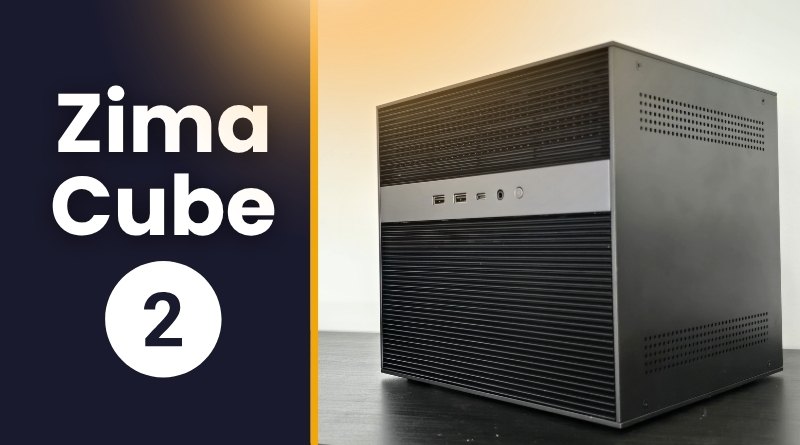
ZimaCube 2 Review: An All-in-One NAS for Your Personal Cloud
With the launch of the ZimaCube 2, Icewhale is offering a highly ambitious all-in-one cube-form-factor enclosure. Designed for self-hosting enthusiasts and users looking to build a personal Cloud, this server stands out thanks to a highly compelling spec sheet.
Find my full ZimaCube 2 review on YouTube (see at the end of the article).
The ZimaCube 2 keeps the aluminum alloy cubic design of the first generation, but the real changes are under the hood. Icewhale is offering this new model in three distinct configurations:
- Standard version (685,90 euros): equipped with a Core i3 processor, 8 GB of RAM, and a 256 GB NVMe SSD for the system. Its price shows a $150 increase compared with the first ZimaCube.
- Pro version (1 115,12 euros): comes with a Core i5 processor, 16 GB of RAM, and the same 256 GB system storage.
- Creator Pack version (2 145,25 euros): the ultimate version of the device, featuring a Core i5, 64 GB of DDR5 RAM, 1 TB of SSD storage and, above all, a dedicated Nvidia RTX Pro 2000 GPU (with 16 GB of VRAM and worth more than 1000 euros on its own).
All versions share the same scalable chassis. The RAM can be expanded up to 64 GB across all models, and the presence of PCIe slots makes it possible to add your own expansions (such as a 10 Gb Ethernet card or a suitable GPU on the standard version). On the connectivity side, the front panel offers USB and USB-C ports, while the rear panel is packed with options: Thunderbolt 4 (ideal for a high-speed direct link with a Mac), DisplayPort, HDMI, as well as two 2.5 Gb Ethernet interfaces. The Pro and Creator versions add an additional 10 Gb Ethernet port, bringing the total to three network interfaces.
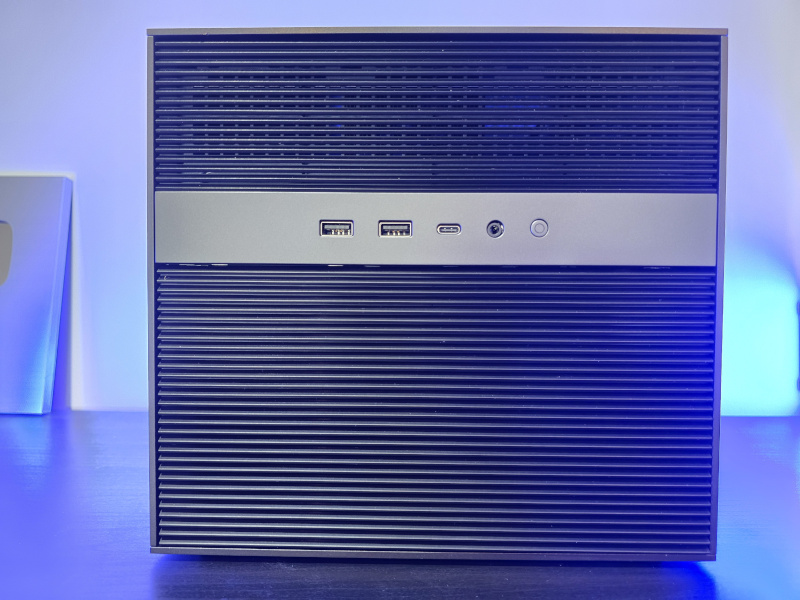
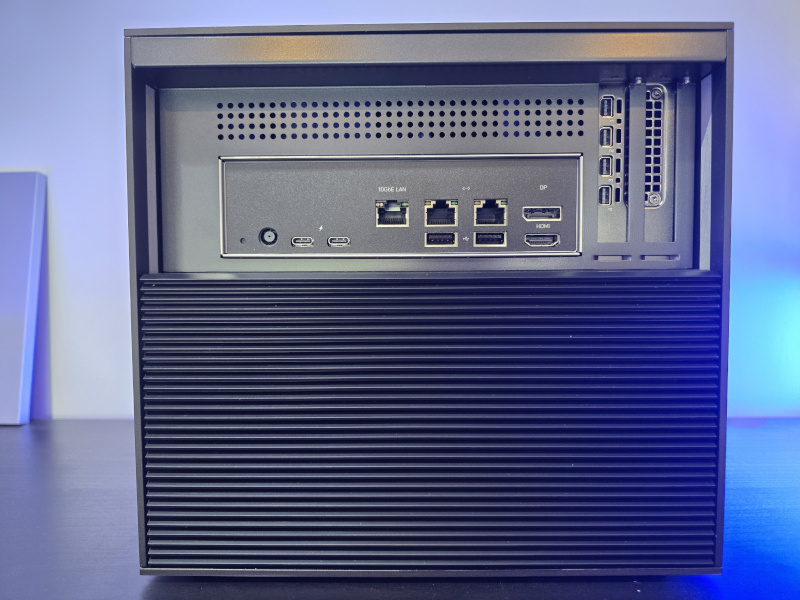
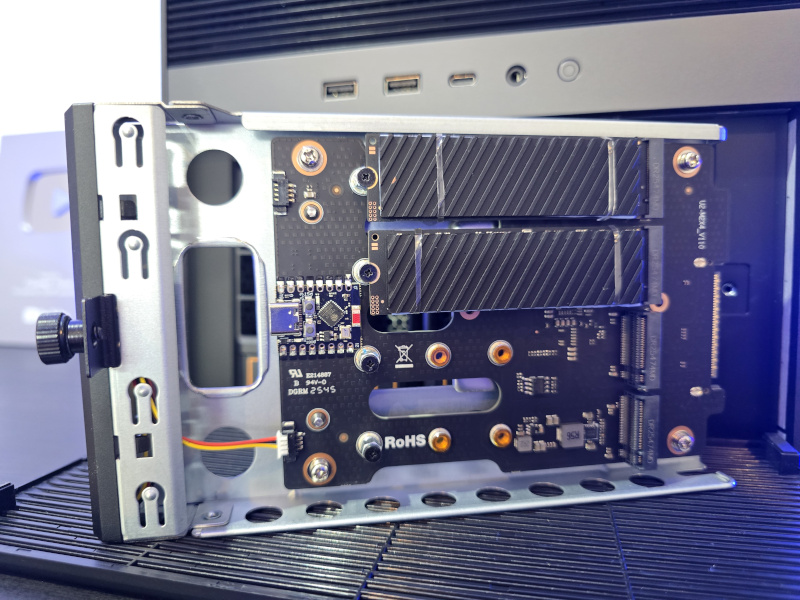
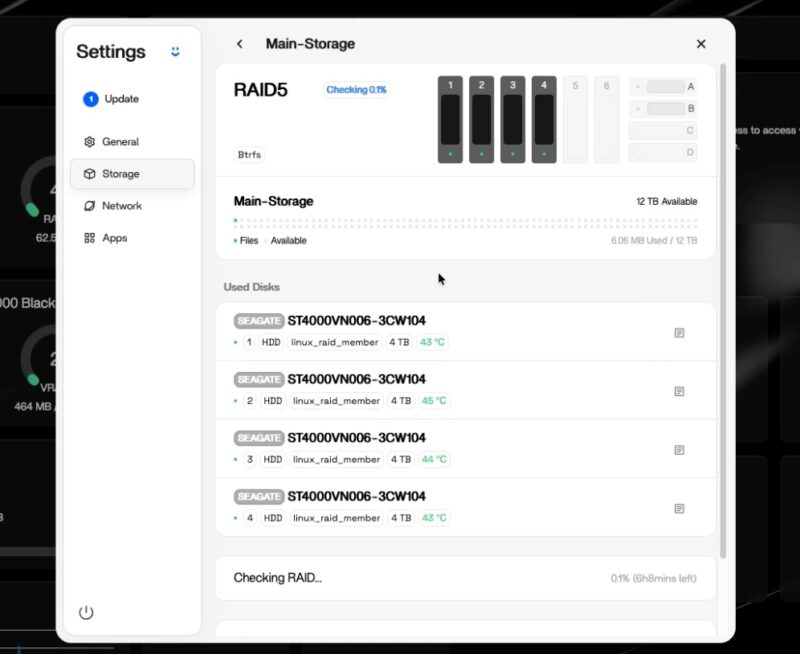
In terms of storage, it is scalable — I would even say generous — since the enclosure includes 6 SATA bays for hard drives or SSDs (3.5 or 2.5-inch format), hidden behind a magnetic front panel. In addition, a removable rack screwed directly to the front provides access to 4 M.2 NVMe SSD slots, avoiding the need to disassemble the device to reach them. In total, counting the built-in system SSD inside the enclosure, you can combine up to 11 drives in the ZimaCube 2.

ZimaOS: the simplicity of 1-Click and the power of Docker
By default, the device ships with ZimaOS, a Linux-based operating system that acts as a layer on top of the CasaOS ecosystem. While this system can be downloaded and installed on any X86/X64 enclosure, Icewhale offers a ZimaOS+ license priced at $29 as a one-time payment (single payment, lifetime license). Without this license, the free version limits the device to 4 usable drives (leaving two SATA bays unused) and a maximum of 3 users. However, the Pro and Creator versions come with ZimaOS out of the box.
Functionally, there is no limitation: ZimaOS and ZimaOS+ offer the same features.
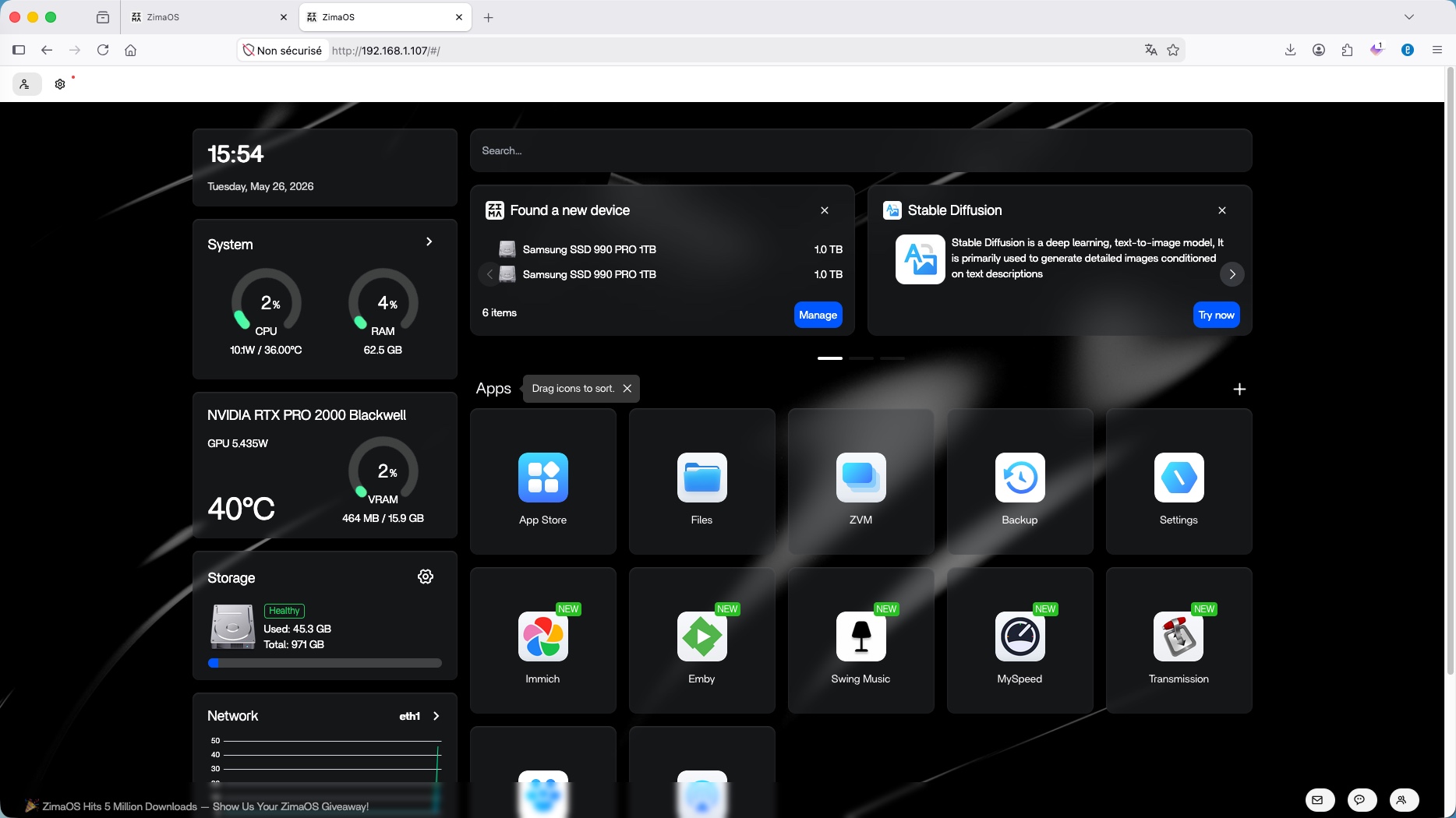
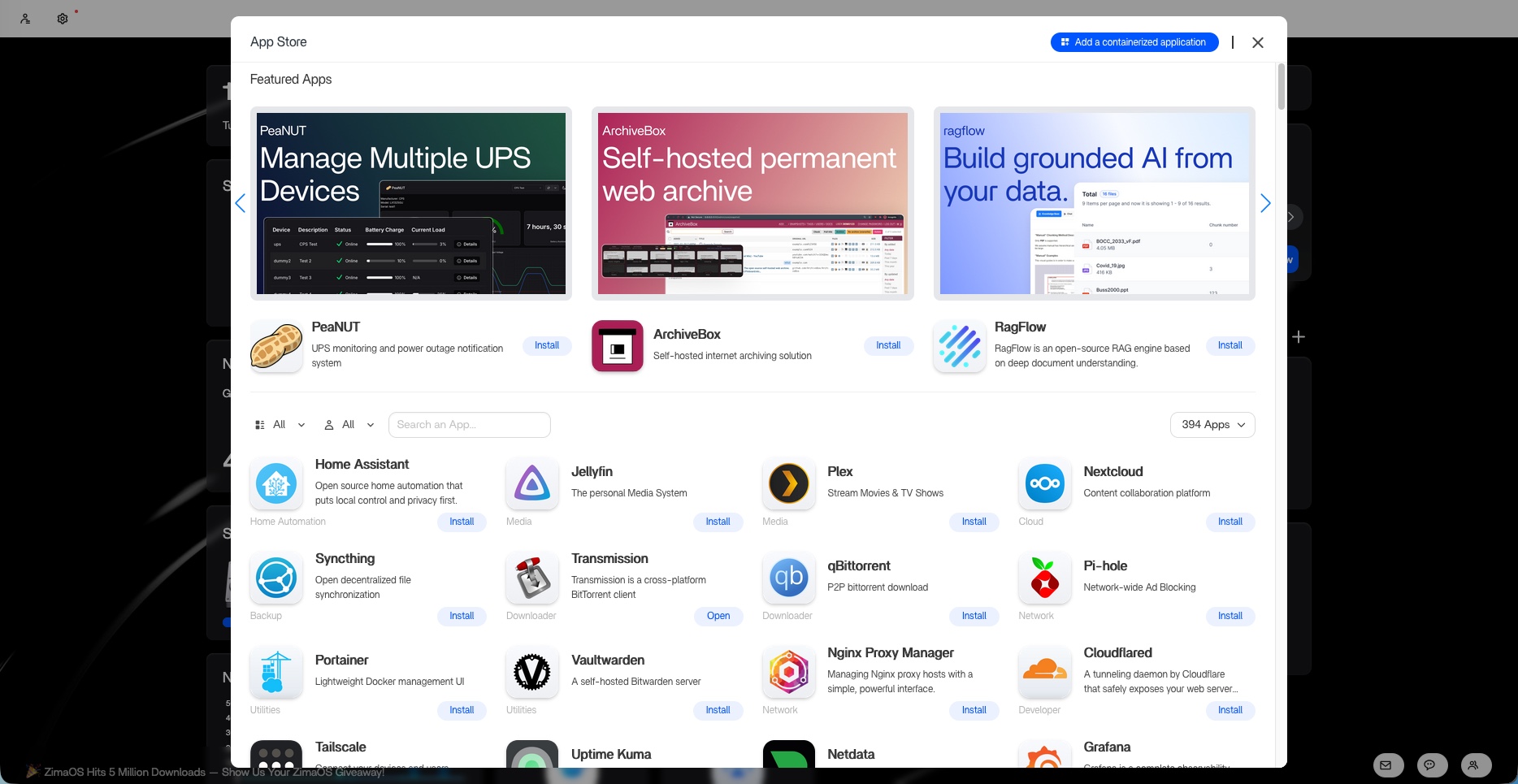
The ZimaOS web interface is elegant, showing resource monitoring widgets on the left (CPU, RAM, GPU, network, storage) and applications as tiles on the right. The strength of the system lies in its App Store, which offers nearly 400 ready-to-use packages that can be installed with a single click thanks to optimized packages and the use of the Docker engine in the background.
Among the preinstalled applications or those available in the App Store, you will find:
- Tools such as Pi-hole, Uptime Kuma, and the password manager Vaultwarden.
- Cloud and multimedia solutions such as Immich (an alternative to Google Photos), Emby (an alternative to Jellyfin/Plex), or Swing Music (a sort of Spotify with local data).
- Utilities such as Portainer, n8n, MySpeed, or Transmission.
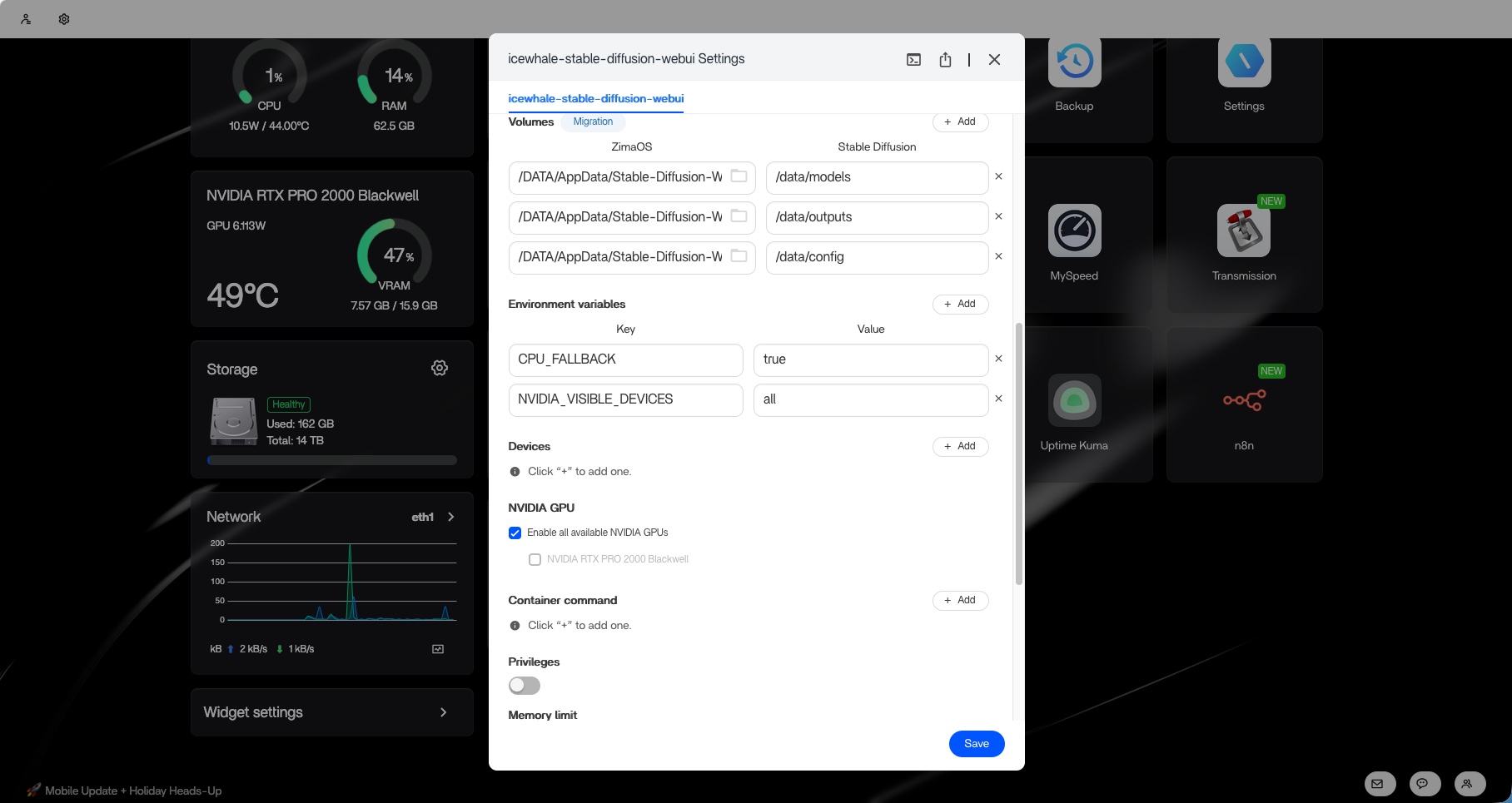
For technical users, ZimaOS includes a tool for deploying your own containers through a web interface with a wizard that lets you build a Docker Compose graphically. You can directly import YAML files, customize environment variables, change ports, map volumes to the main storage, or assign the Nvidia GPU to a specific container for AI or transcoding.
Native features, virtualization, and areas for improvement
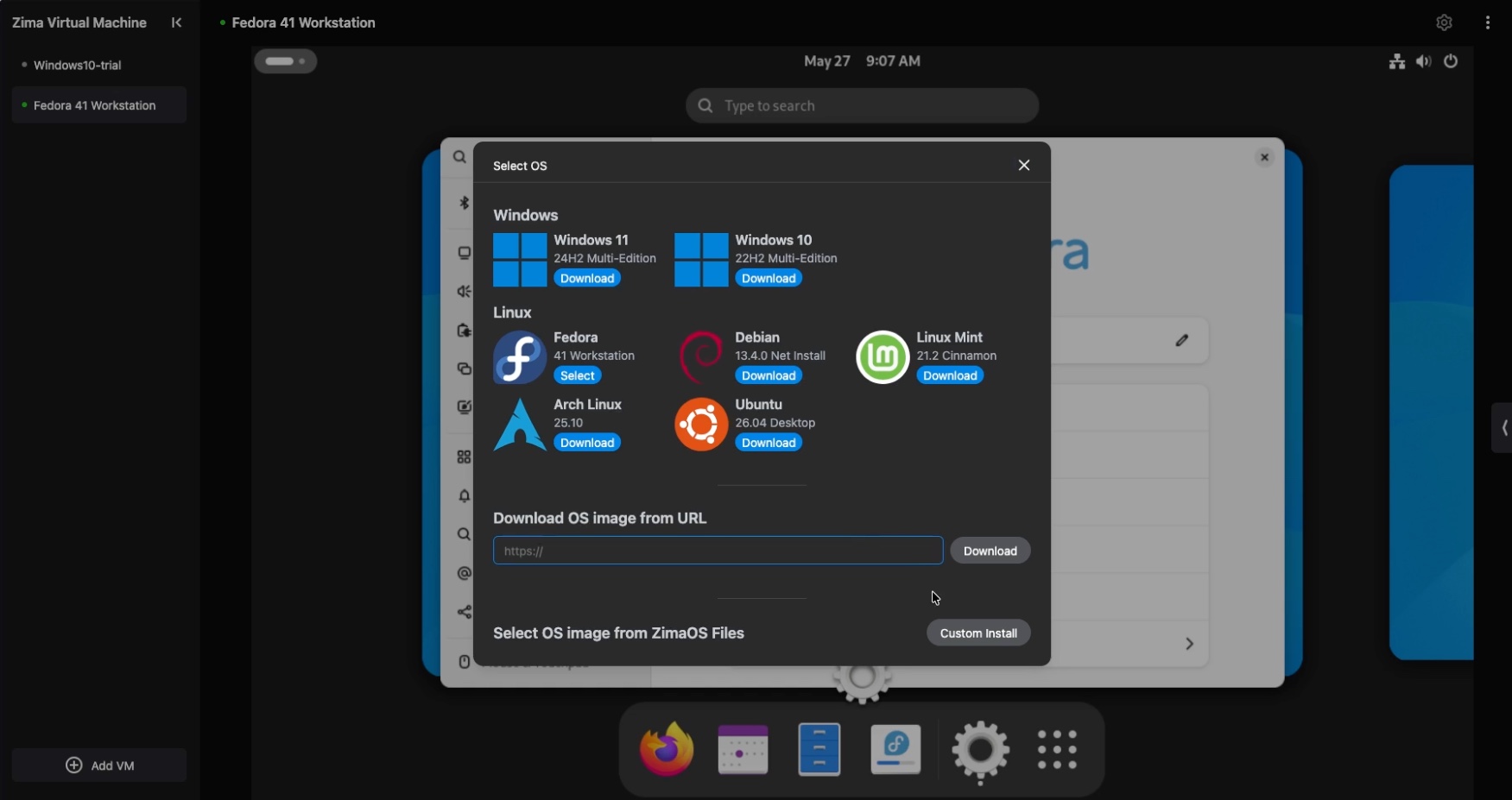
ZimaOS is not limited to containers and also includes "ZVM" (Zima Virtual Machine), a hypervisor that lets you create virtual machines on the fly directly from your browser. The system comes with a Windows 10 template and allows you to download ISO images (such as Fedora) with a single click to launch a custom installation while assigning the desired resources (such as RAM, storage on the SSD storage pool, etc.).
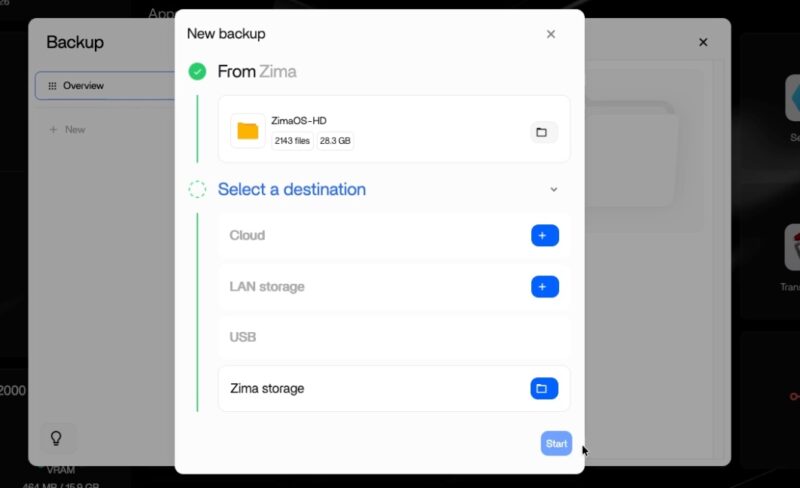
The ecosystem also includes a backup application inspired by the 3-2-1 strategy, supporting destinations such as USB, SMB shares, or public clouds (OneDrive, Dropbox, Google Drive). It offers few options, but it will be enough for basic needs.
For remote access, the Zima Client application lets you access your files anywhere in the world via a unique identifier (Remote ID), and includes useful extensions such as local synchronization for the Obsidian notes app. It is also worth noting the "PeerDrop" feature for easily exchanging files between machines via the ZimaCube.
A developer mode also enables full SSH access and a web terminal, along with features such as DLNA, SMB, and "Zima Search" for AI-based file indexing.
Despite these strengths, the system still has a few limitations. Network management remains too basic and skips options such as VLAN tagging or NIC teaming (bonding). In addition, it is not yet possible to use NVMe SSDs as a cache for the SATA drive pool, and ZimaOS lacks a built-in native firewall (requiring community projects as a workaround).
Still, the complete separation between the hardware and the software part remains a strong advantage. If ZimaOS turns out to be too limited, nothing prevents you from formatting the system SSD to install another solution: Proxmox VE, TrueNAS, or something else. The enclosure is truly excellent and highly expandable.
ZimaCube 2: the YouTube video
Discover my full video on YouTube:
As part of this collaboration with Icewhale, use a promo code to get $50 off: it-ion_50. Here is my link to access this offer: