www.it-connect.fr

Coreutils Comes to Windows: Bring Your Favorite Linux Commands to the Command Line
At Build 2026, Microsoft unveiled a new open source project: Coreutils for Windows. It lets you run Linux utilities natively from the command line thanks to a Rust-based implementation.
Are you used to running a command on Linux, only to realize, to your frustration, that it is not available on Windows? Take grep, for example. Well, that is now a thing of the past! Microsoft wants to make it easier to move from one platform to another and save you from workarounds when a command is missing.
To address this issue, the Coreutils for Windows project was developed by Microsoft teams. This open source project is based on the open source uutils project, which is itself a cross-platform reimplementation of GNU Coreutils written in Rust.
Linux Commands Available Natively on Windows
With Coreutils, you can use command-line utilities similar to those on Linux, but designed to run fully natively on Windows. In other words, if you use both Windows and Linux, you can keep the same habits across your machines. In general, this is also a plus if you move between Windows, WSL (Windows Subsystem for Linux), or even macOS.
Concretely, Coreutils adds commands such as cat, cp, date, find, kill, more, pwd, uptime, and even grep to Windows. The issue is that some of these names are already used by CMD or PowerShell aliases, which could create conflicts...
Microsoft also mentions this in the project's GitHub repository, and it is not exactly reassuring. "Several commands share the same name as built-in CMD and PowerShell commands. Whether the Coreutils version runs depends on the shell, path order (PATH), and, in the case of PowerShell, the alias table.", we can read.
The video below shows Coreutils in action with the famous command grep used on Windows.
How to Install Coreutils on Windows
The project is already available on GitHub at the following address: https://github.com/microsoft/coreutils. You can download Coreutils as an executable for x64 and ARM64.
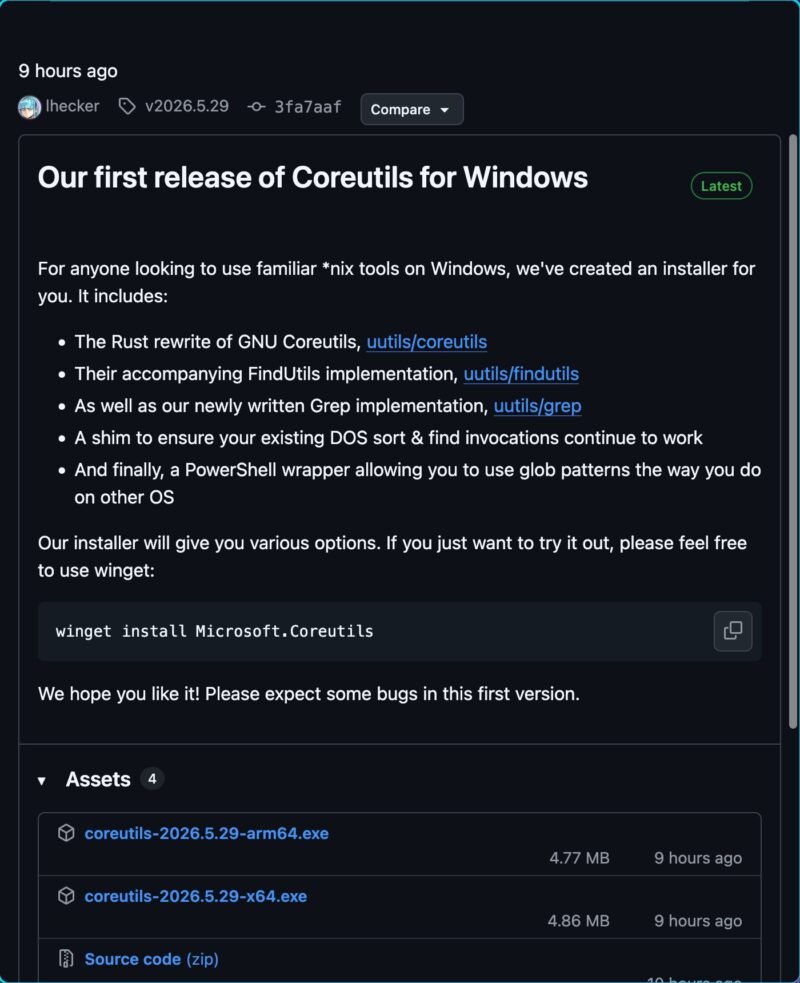
Otherwise, open WinGet on Windows and run this command:
winget install Microsoft.CoreutilsIt remains to be seen whether this package will end up being included natively in Windows or whether users will still need to install it themselves. Also, during Build 2026, Microsoft unveiled another open source tool: Intelligent Terminal.
What do you think?