www.it-connect.fr

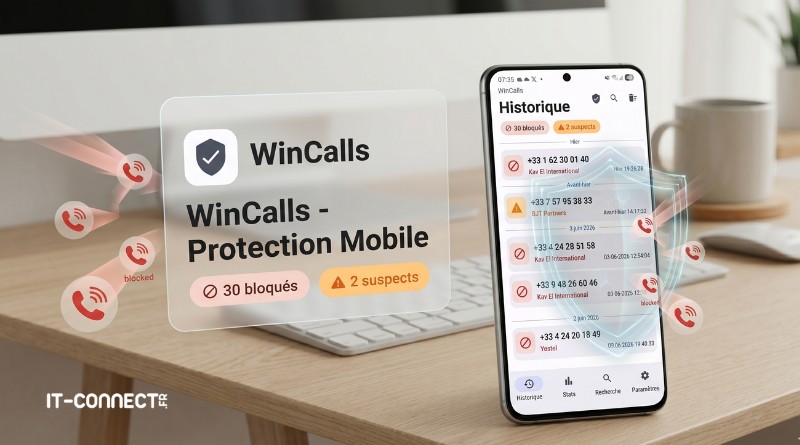
WinCalls: The Android App That Blocks Spam Callers for You
If you’re tired of relentless telemarketing calls disrupting your day and making your smartphone vibrate for no reason, you’re not alone. Between CPF scams, fake energy advisors, and ad bots, our phone numbers have become real targets on a daily basis.
For the past 3 weeks, I’ve had the WinCalls app installed on my smartphone. And I have to admit it’s a formidable solution! Since I installed it, I’ve finally had some peace and quiet! Even though spam-type incoming calls still reach my smartphone, WinCalls takes care of identifying and blocking them without bothering me (it’s transparent to the user).
What is the WinCalls app?
Behind the WinCalls project is Centho, an expert you may already have seen on TV or online. His day-to-day work consists of tracking down illegal call centers and, more generally, hunting scammers.
Over time, he learned how to identify unwanted calls directly from the number. Today, the WinCalls app is in a way the result of his experience and expertise in this field.
"WinCalls is not a commercial app made to make money. It’s the tool I created to protect my own loved ones, and that I’m now sharing with you for free.", he explains on the official WinCalls website.
Available for smartphones running Android (there is no iPhone version yet), WinCalls offers three advantages I wanted to highlight:
- Absolute silence: the phone doesn’t even ring. The app automatically detects and hangs up on telemarketing calls (whether they’re about CPF, renovations, refunds, or comparison services) before they even get your attention.
- Privacy: WinCalls does not collect any information about the user. Your data never leaves your device because all processing is performed locally.
- A free model: no ads and no hidden subscription. The app is free and runs solely thanks to donations from satisfied users who choose to support the project. The donation system is even integrated into the mobile app.
Is WinCalls actually effective?
I’ve already more or less given you the answer to that question in the first part of this article. It’s a resounding yes. Honestly, since the app has been installed on my smartphone:
- I haven’t had to deal with a single unwanted call. I kept receiving them several times a day, but WinCalls handled everything automatically in the background.
- I haven’t missed any important or legitimate calls, so the filtering seems well targeted.
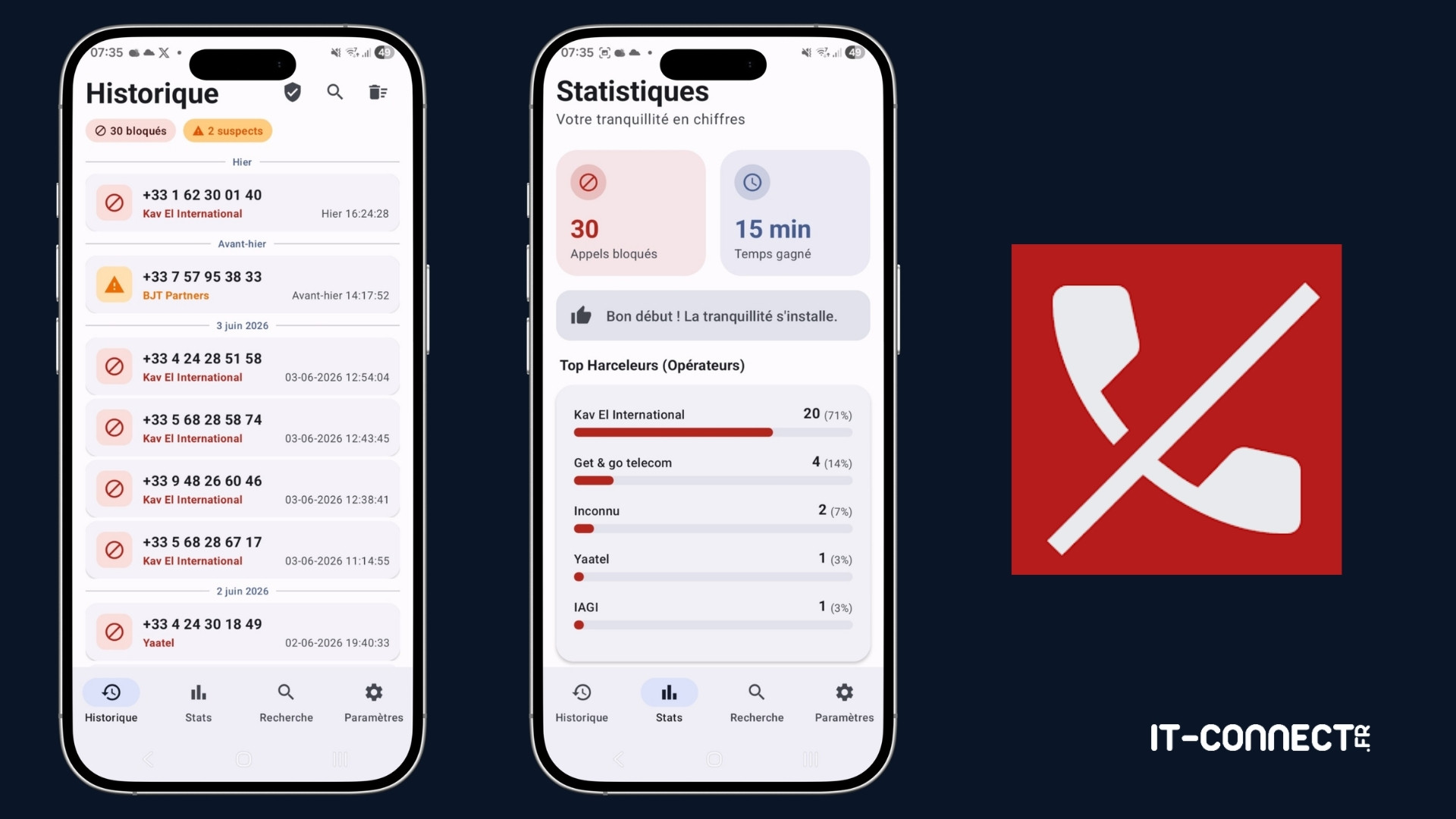
As you can see in the images below, it blocked 30 incoming calls in about 3 weeks. You also get statistics on the carriers associated with the most unwanted calls. A search function is also available to get details on any number.
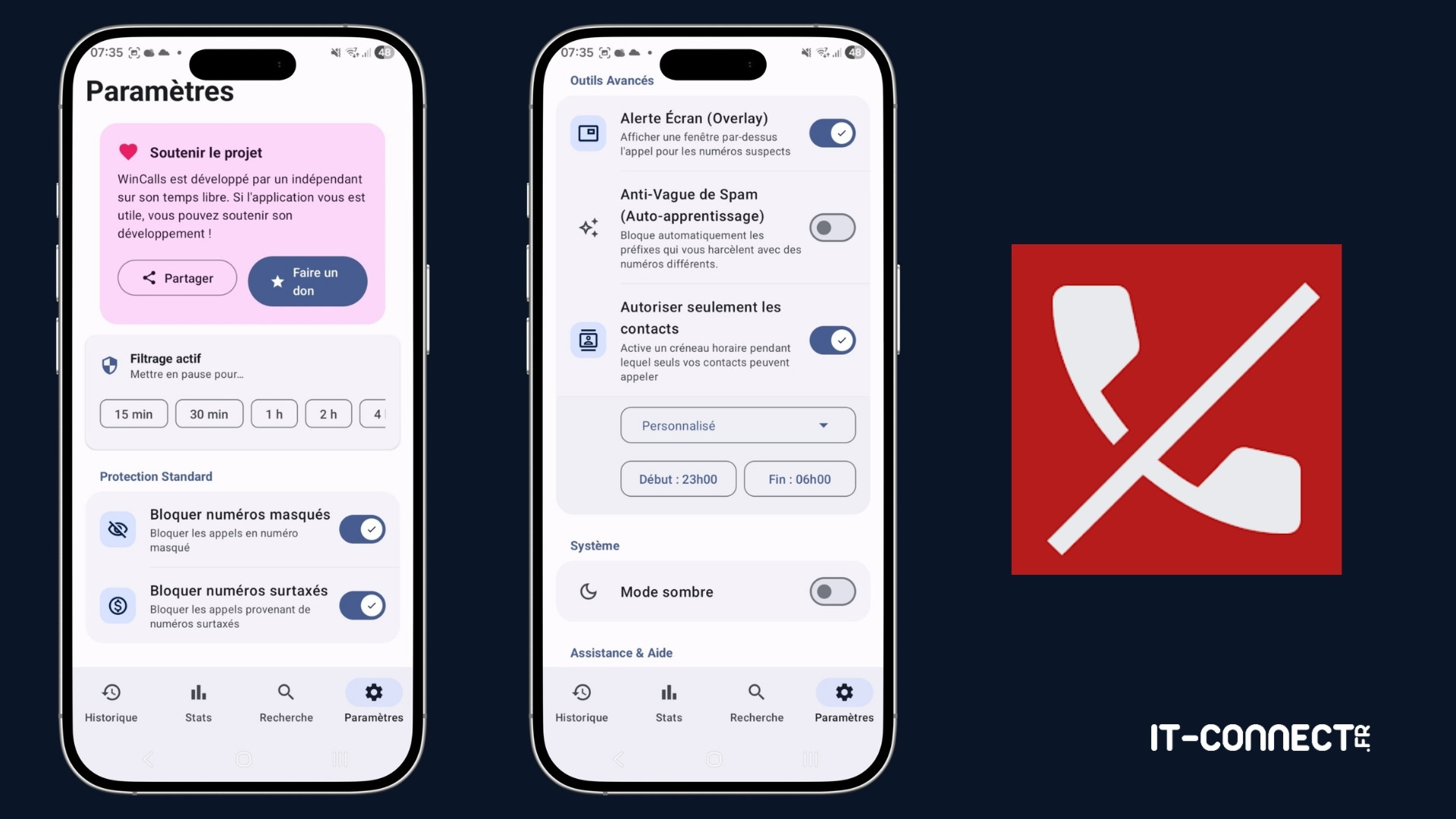
WinCalls is a configurable app with a range of options, including:
- Pause filtering: you can disable filtering for a set period of time (15 minutes, 30 minutes, 1 hour, etc.).
- Adjust filtering : you can choose to allow or block certain types of numbers, such as premium-rate numbers, hidden numbers, and more. This lets you tailor the configuration to your needs.
- Allow contacts only : this feature allows only your contacts to call you during a specific time slot. This can be useful at night, for example. That way, your loved ones can reach you, while any number not saved in your contacts will be blocked.
Simple protection to set up
After reading this article, you’re probably eager to install WinCalls. Know that it’s very easy and within everyone’s reach. That’s the idea, in fact: to allow even the least tech-savvy people to install it. Plus, there’s no account required to use WinCalls.
Getting started comes down to three steps:
- Download: install the WinCalls app on your Android smartphone via the Google Play Store.
- Enable: open the app and activate protection in five minutes (there is a wizard to guide you through setup).
- Breathe: the app now filters calls silently.
In the face of the growing number of fraudulent calls, this initiative provides a practical solution to finally regain peace and quiet on our smartphones.
Did you know about WinCalls? Or do you use an alternative? I look forward to your feedback in the comments!