www.it-connect.fr

AppControl: The All-in-One Task Manager for Windows
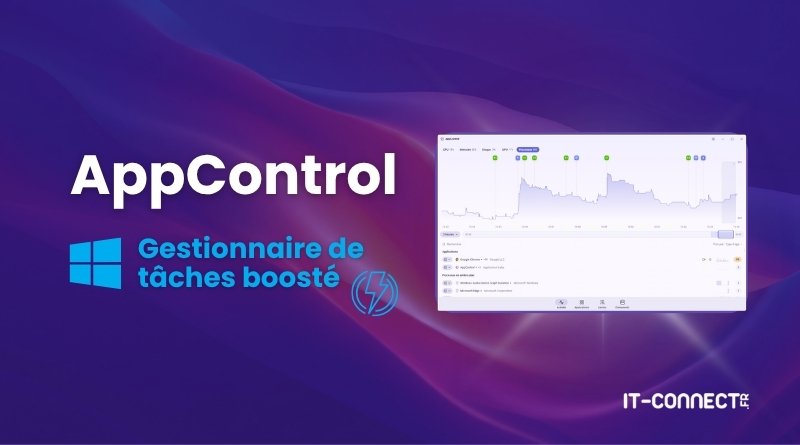
AppControl is a free Windows app designed to replace the native Task Manager. It adds extra features such as 3-day performance history, event management, and an alert system.
Whether you want to identify the cause of a sudden slowdown or assess the impact of an application, having a history of a computer’s activity is invaluable. AppControl delivers exactly that: it stores activity history (processes, RAM, CPU, etc.) for up to 3 days. On top of that, it can monitor machine activity in real time and alert you when certain events occur.
AppControl is a lightweight application developed to monitor, measure, and log hardware activity and the software running on Windows machines. The project was born from a simple observation: it is difficult, if not impossible, to see what really happened on a system a few minutes after an issue occurs. The goal is therefore to provide a utility capable of preserving a retrospective view of workstation activity.
AppControl is a completely free solution, and it does not require any prior registration. It is officially recognized as a member of the Intel Partner Alliance program. At this time, and although that may change in the future, there is no paid version with premium features.
The graphical interface is modern and comfortable to use. You can easily switch between tabs dedicated to CPU analysis, RAM analysis, or the activity of running applications.
Note : do not confuse this tool with the AppControl security feature available on Windows.
Main features of AppControl
AppControl stands out thanks to several features for local diagnostics on a Windows machine:
- 72-hour activity history : AppControl records hardware resource usage and process behavior (events) to the second. All this information is stored locally on the machine for three days. This gives you a comfortable window to analyze the timeline of an incident.
- Hardware monitoring : beyond simply tracking memory, CPU, or GPU usage, AppControl continuously records thermal sensor temperatures, especially for the processor. This type of metric can be useful for spotting performance drops caused by poor hardware cooling (thermal throttling).
- An analysis-oriented interface : the graphs visually highlight unusual usage spikes. Above all, you can dynamically adjust the graph and, by clicking on it, see what really happened at a specific t.
- Task tracking : the application helps quickly identify executables that consume network bandwidth or heavily access disk input/output in the background. AppControl’s interface makes this information accessible without having to rely on other built-in Windows tools, such as Performance Monitor.
Beyond these features, it is also worth noting other monitoring capabilities, including notifications when certain events occur (for example, when a process is launched on the computer for the first time). It is also possible to integrate AppControl with AI through an MCP server.
Getting started with AppControl
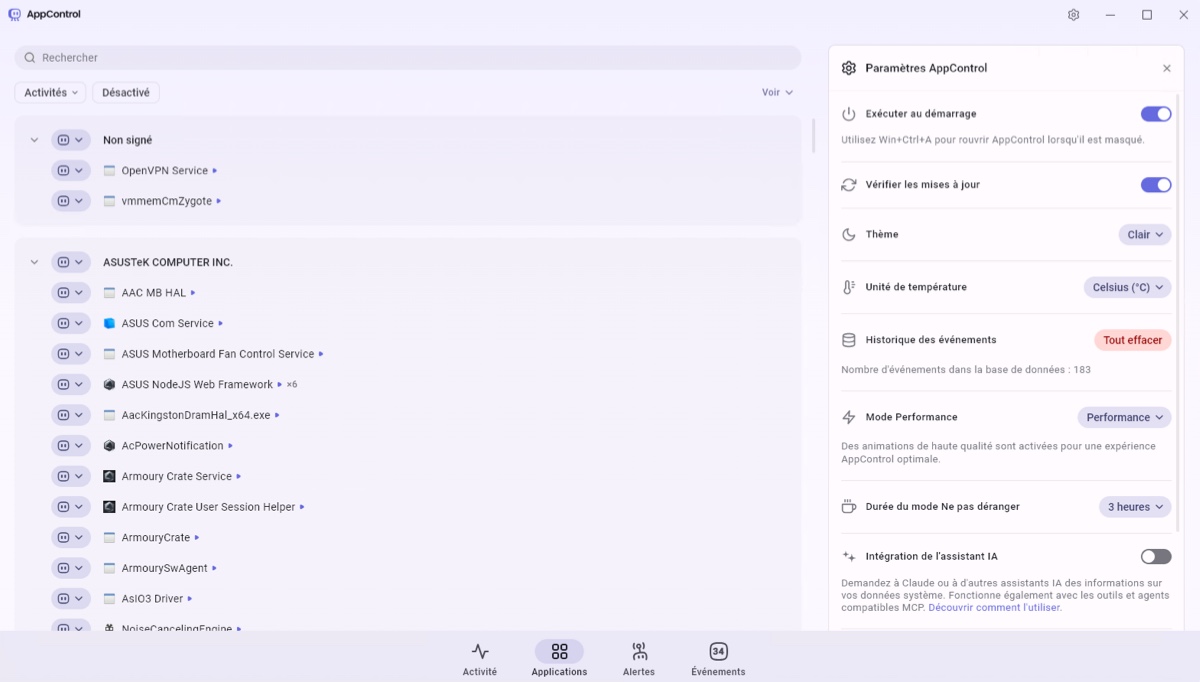
Download is easy from the official website, namely appcontrol.com. Installation is straightforward too; just follow the prompts. The application is lightweight and available in several languages (you can choose the language in the settings).
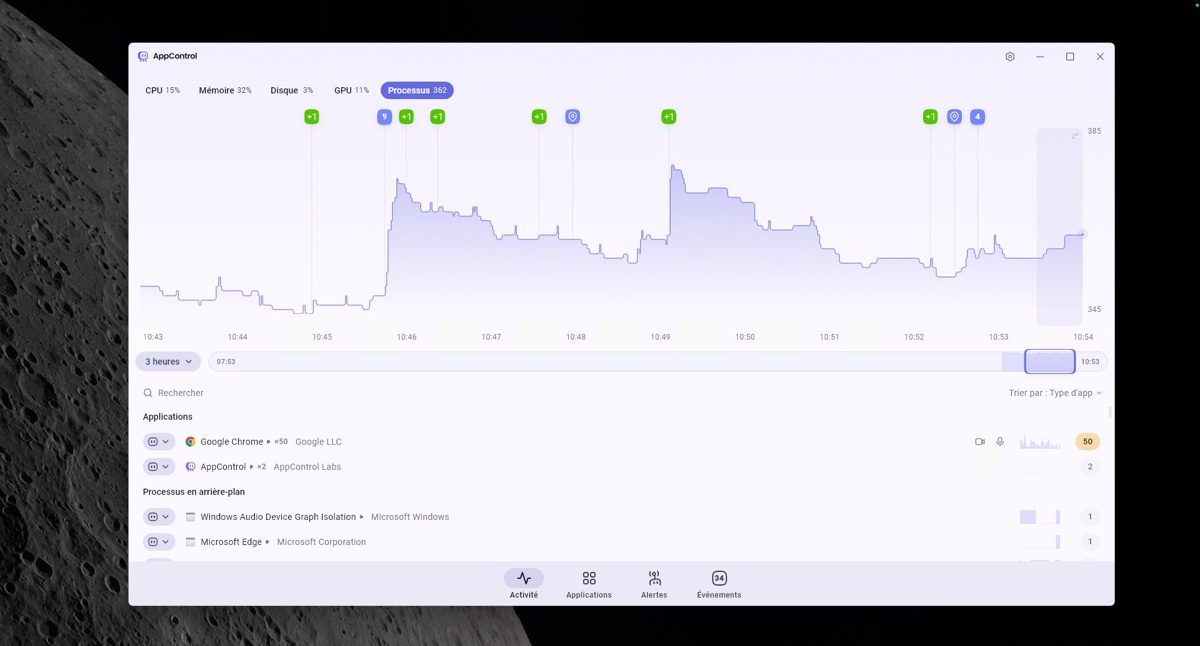
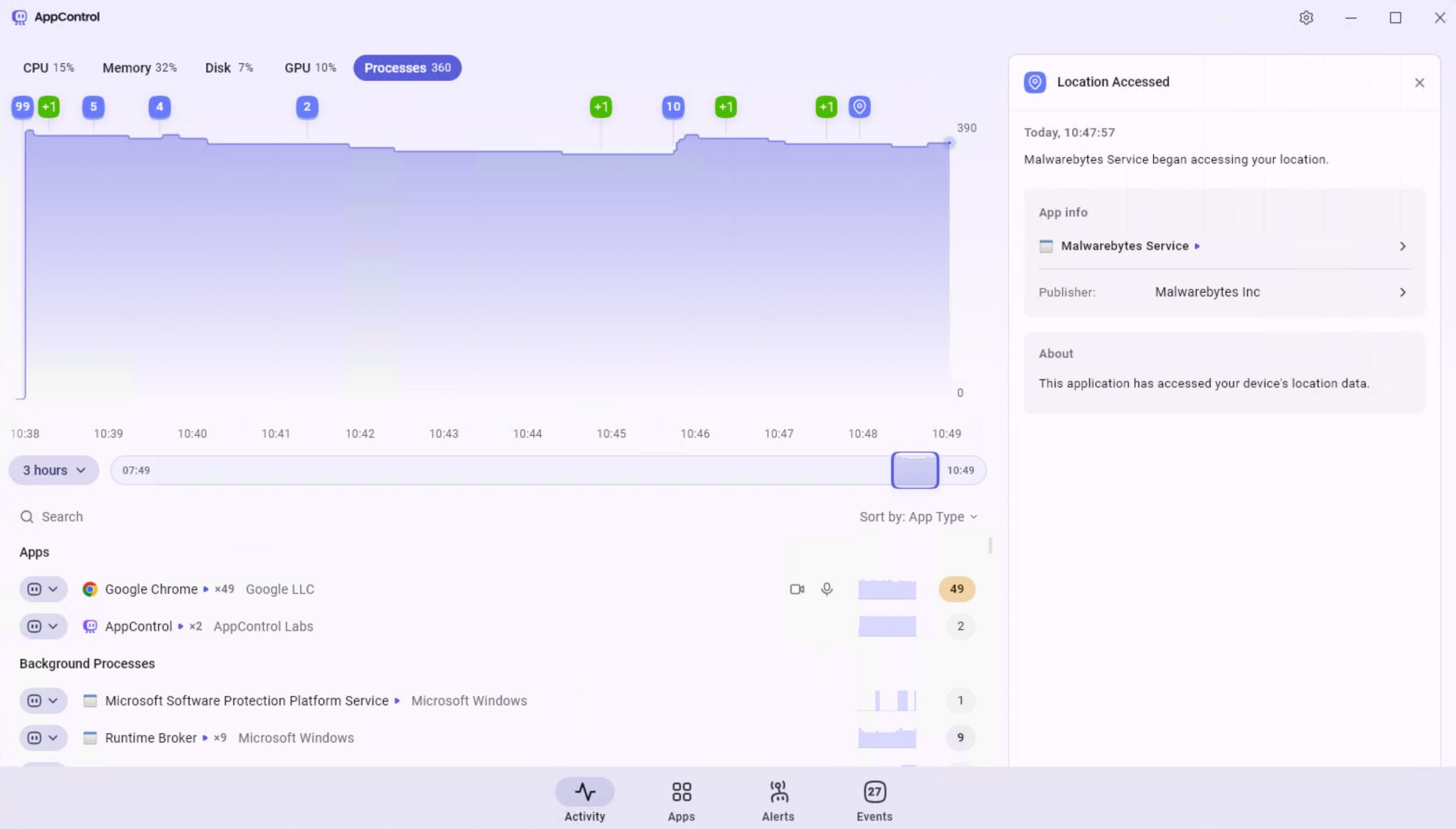
The first tab, called "Activity", lets you view the machine’s real-time activity. A graph shows CPU, RAM, disk, GPU, or per-process load depending on the selected view. What is particularly useful is being able to adjust the time range (3 hours in the example below).
You can then move along the timeline to see activity at a specific moment. When you select a particular point in time, you will see the state of the machine at that moment, whether in terms of resource consumption or the state of the running processes.
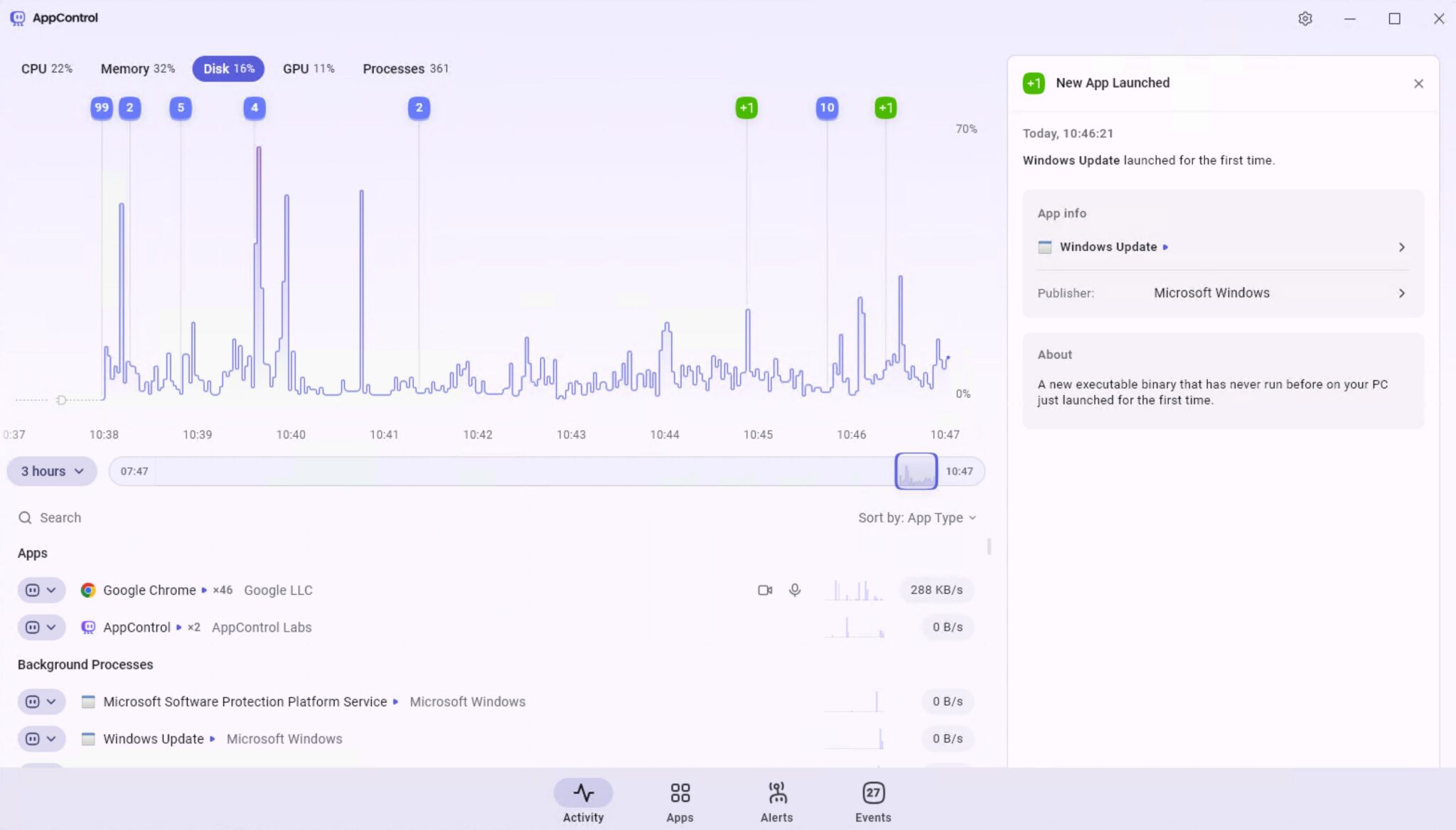
The small blue and green indicators above the graph highlight key events. These may include an application that accessed your camera or an application that was launched for the first time on your PC. When you click the bubble, the associated events are displayed.
The "Applications" tab lists all applications and processes detected on your machine. Several filters are available, including one for showing those that have already accessed your camera or microphone. From this interface, you can also disable a service or an application: the targeted item will then be impossible to run. You can disable a specific application or an entire publisher, and therefore all services signed by that publisher.
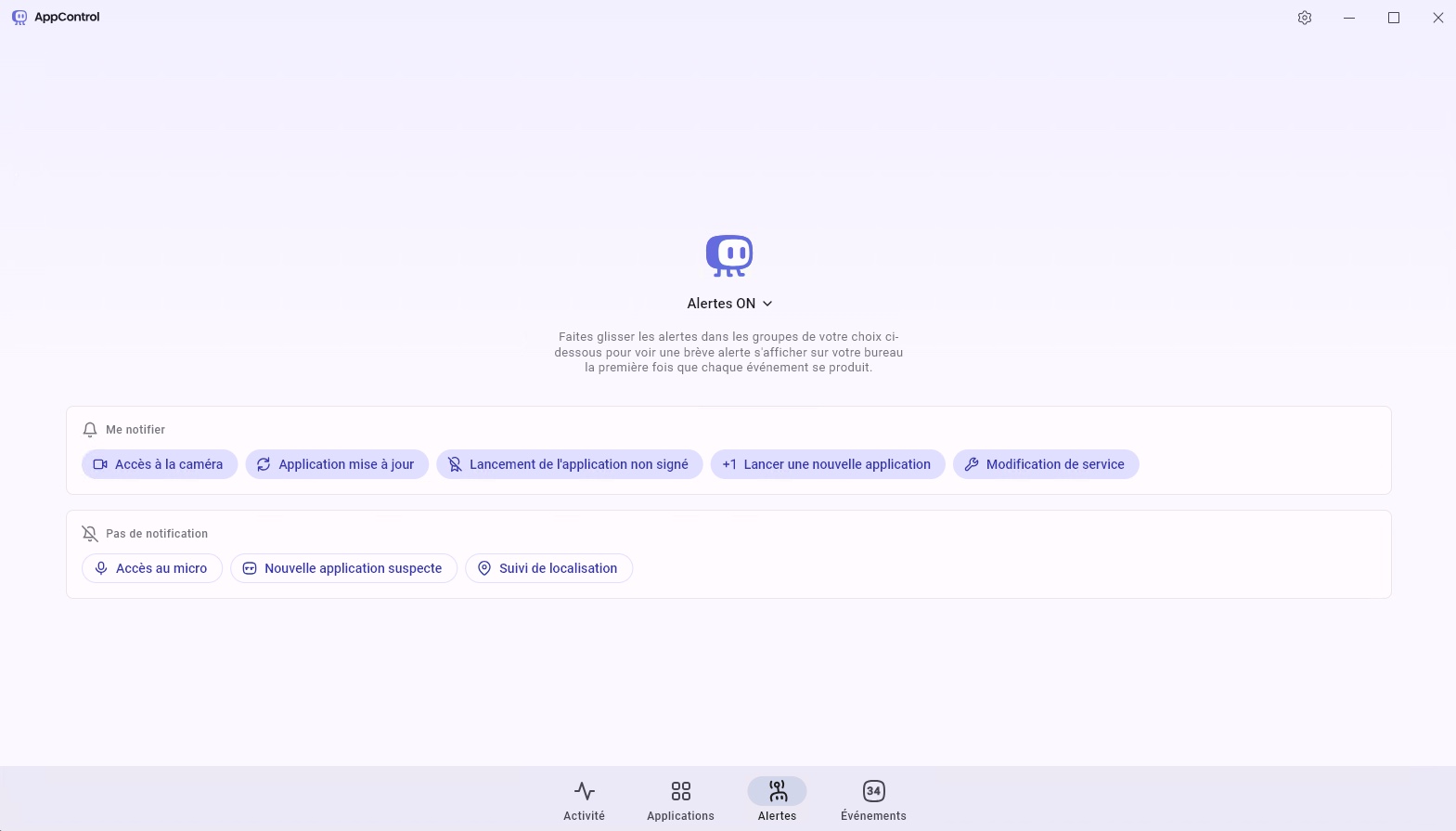
The "Alerts" section is used to select the types of events for which you want a Windows desktop alert. For example, when an application accesses your camera, when an application updates itself, or when an application is launched for the first time. It can be useful to receive a notification when a new process, previously unknown, is executed on the host.
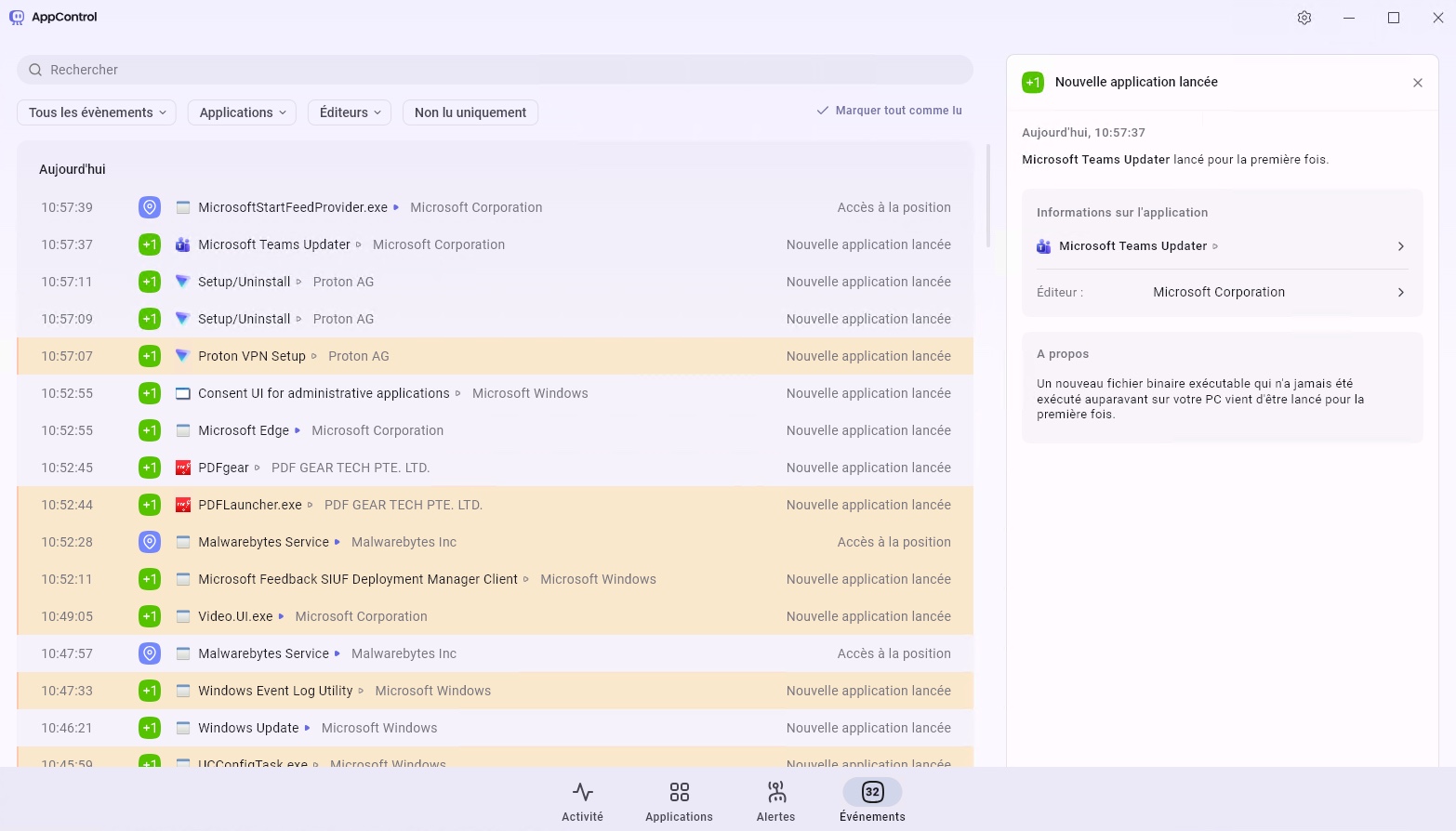
The "Events" section contains all activity related to the processes running on your PC. Not everything is kept, but sensitive and potentially suspicious actions are logged, similar to what you find in alerts.
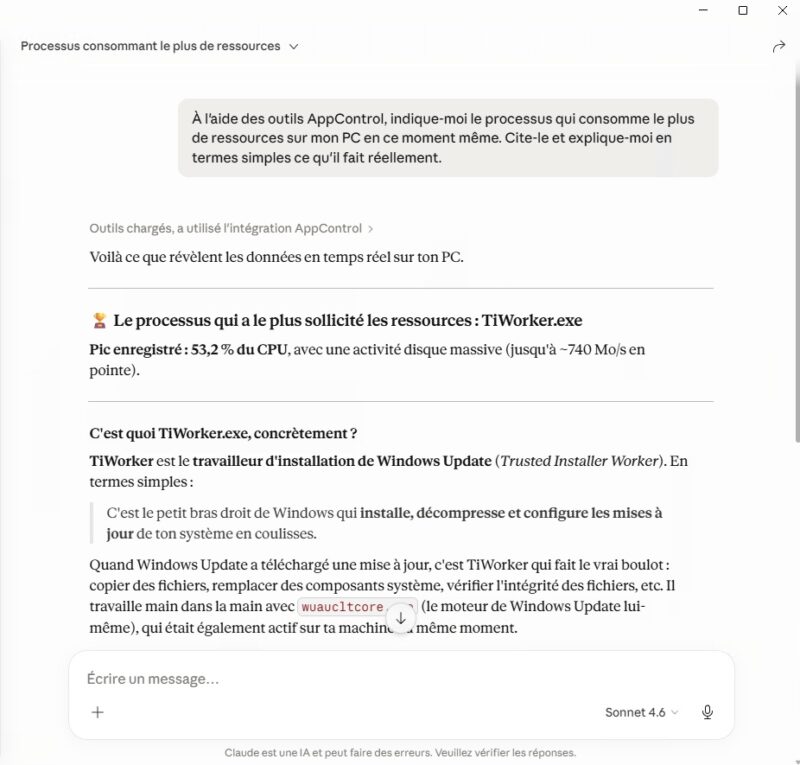
Finally, AppControl can be used through AI, notably via Claude Desktop. Simply enable the "AI assistant integration" option in the AppControl settings and add the extension to Claude (an AppControl MCP server is available on GitHub). You can then use AppControl tools through AI and ask various questions, such as: "Using the AppControl tools, tell me which process is consuming the most resources on my PC right now. Name it and explain in simple terms what it actually does". Another example is asking for the history of applications that accessed the camera or microphone.
Conclusion
While Microsoft’s Task Manager can sometimes be enough to analyze the behavior of applications and services, the lack of history makes it ineffective in certain scenarios. AppControl addresses that need, especially with its 3-day archiving feature and its pleasant interface, which makes it easy to navigate through that history.
What do you think?