www.it-connect.fr

Windows 11 Updates May Force Your PC to Restart Multiple Times This Month
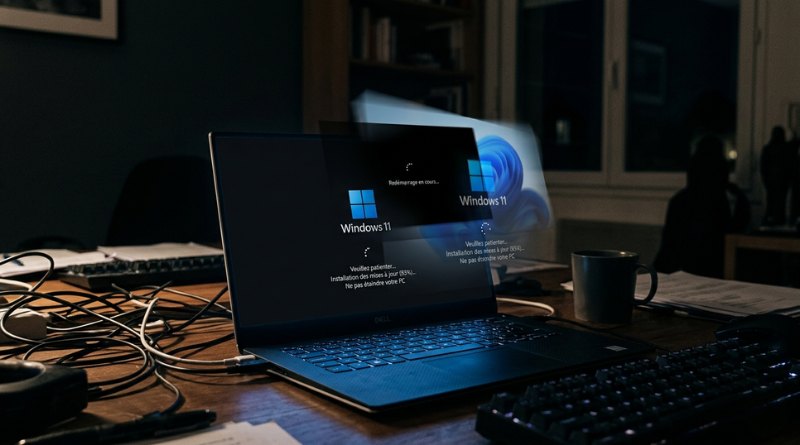
If your Windows 11 PC restarts several times in a row after installing the latest updates, don’t panic: this is normal. Microsoft has confirmed that this behavior is directly tied to the rollout of the new Secure Boot certificates.
Why is Windows 11 restarting multiple times?
In theory, installing updates, whether mandatory ones (Patch Tuesday) or optional updates, only requires a single restart. While multiple restarts can happen, especially during an upgrade, it is rather uncommon.
However, following the installation of the April 2026 Patch Tuesday update (as well as the new optional update released on April 30: KB5083631), many users have seen their machine restart two or even three times. Beyond the number of restarts, what stands out is how long the process takes: at least 20 minutes, according to WindowsLatest.
Still, this is a normal and expected behavior, at least according to Microsoft. These successive restarts are needed to deploy the new Secure Boot certificates issued in 2023. As a reminder, they are intended to replace the older certificates issued in 2011, which are set to expire in June 2026.
On its website, the Redmond-based company explains: "Due to recent and upcoming Windows updates over the next few months, a limited number of consumer and business devices may experience an additional restart during installation. This one-time restart occurs after a Secure Boot certificate update is applied as part of the Secure Boot update process."
This also means that this behavior could appear with future updates on machines that still need to receive these new Secure Boot certificates.
How can you check your Secure Boot status?
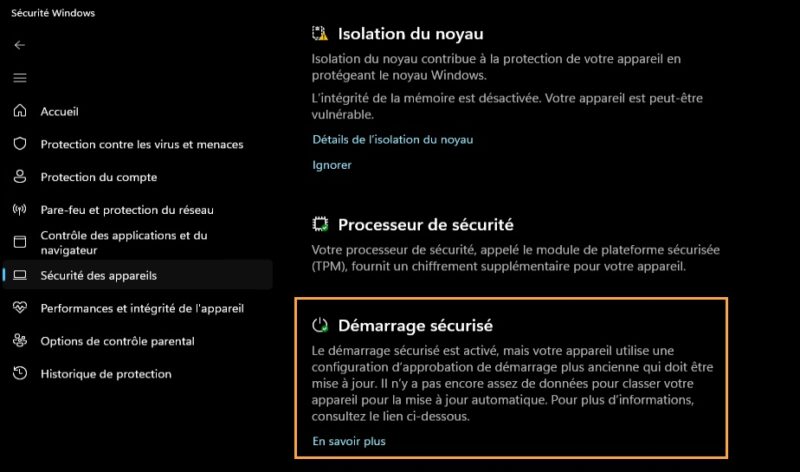
As a reminder, Microsoft recently introduced a new indicator in the "Windows Security" app to check the status of your Secure Boot. The information is available under the "Device security" tab in the section called "Secure boot".
- Green badge: your PC is in good condition.
- Yellow badge ("Not yet updated"): Windows is still using the old configuration (old certificates). Windows Update should apply the new certificate automatically during a future cycle.
- Red badge ("Action required"): This is the most problematic case. Windows needs your attention because it cannot install the new certificates.
On one of my virtual machines, the status is green even though the state would normally correspond to the yellow badge. Strange.
Have you noticed these unusual restarts on your side?