www.it-connect.fr

OpenRGB 1.0: The Open Source Tool That Controls RGB Devices on Windows, Linux, and macOS
After several years of waiting, OpenRGB has reached version 1.0. This open source software was created with a single goal: to control your PC's RGB lighting without relying on vendor applications.
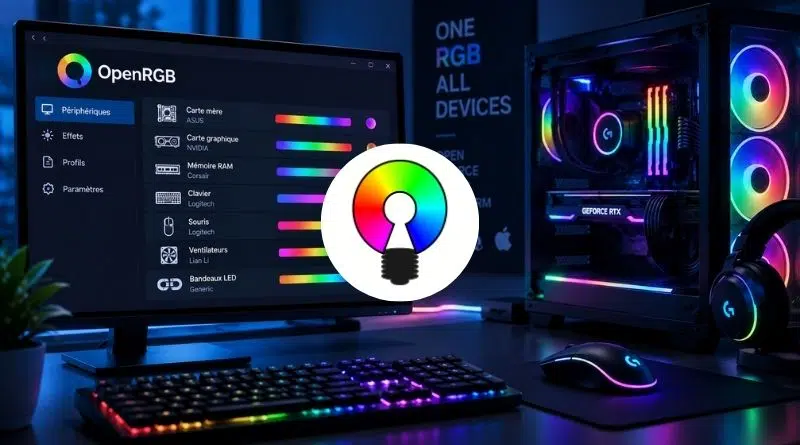
As a reminder, OpenRGB solves a problem every gaming PC owner knows: each manufacturer imposes its own software to manage LEDs. An ASUS motherboard, Corsair memory, a Logitech keyboard, and suddenly you end up with three proprietary applications, Windows-only, competing for resources in the background.
OpenRGB is presented as a single open source application available on Windows, Linux and macOS, capable of detecting and controlling the RGB lighting on your devices. It targets motherboards, RAM sticks, graphics cards, keyboards, mice, fans, and LED strips alike, regardless of brand. Here are some of its features:
- Control colors and built-in effects regardless of the manufacturer, without installing the official software.
- Save and load profiles, with a graphical view of each device's LEDs so you can create your own patterns.
- Run in standalone or client/server mode without a GUI, with the ability to link multiple instances to synchronize lighting across several PCs.
- Accept plugins to extend the application's capabilities.
Even so, the development of this tool seemed long. Maybe even too long: version 0.1 dates back to March 2020, and 0.9 to July 2023. Then nothing for three years, apart from release candidates.
Why version 1.0 took so long
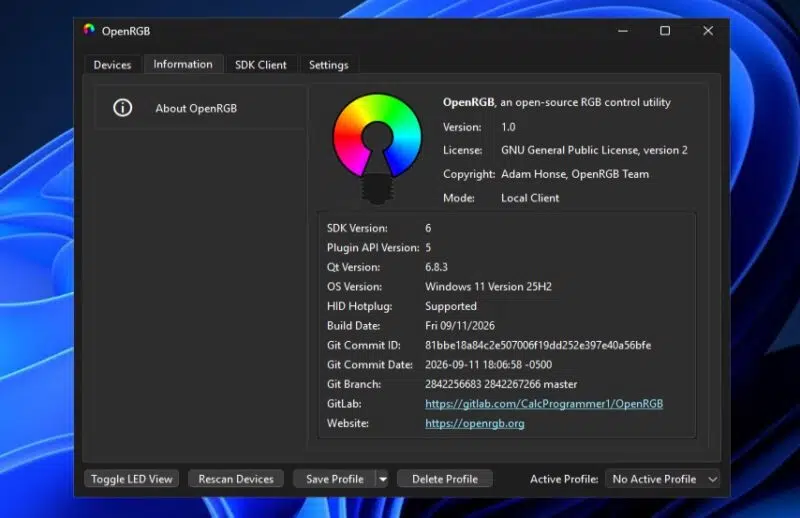
Version 1.0 changes the versioning logic: the major number will now only change when the plugin API changes, while minor versions will be used to add hardware support without breaking anything. With this 1.0 release, the development team has therefore delivered a stable version with a stabilized API, refined as the Release Candidate builds were released.
There was notably an issue with hot-plug detection for HID devices. Until now, OpenRGB assumed that the device list did not change while it was running. To fix this, the developers had to create their own fork of the hidapi library, called hidapi-hotplug, and redesign its SDK protocol: each controller is now identified by a unique ID, rather than by its position in a list.
Then, OpenRGB for Windows ran into some trouble with a vulnerable driver. To access the SMBus and control the lighting of RAM or certain motherboards, OpenRGB relied on the WinRing0 kernel driver. This driver, used by many tools (HWiNFO, MSI Afterburner, Libre Hardware Monitor, etc.), is known to be vulnerable (CVE-2020-14979). In 2025, Microsoft Defender started quarantining it under the name VulnerableDriver:WinNT/Winring0, associating OpenRGB among the affected applications.
This kind of security issue should not be taken lightly. In practice, a vulnerable kernel driver is what makes Bring Your Own Vulnerable Driver attacks possible. It's better to avoid them. That is what the OpenRGB team did: replace this driver with PawnIO. This signed driver only executes signed binary modules for each SMBus controller.
The downside is that you have to perform the installation yourself: "On Windows, you will need to install https://pawnio.eu to allow OpenRGB to access RAM, legacy motherboards, and some other devices. You will also need to run PawnIO as administrator or install it with the background service option so that PawnIO can access these devices.", can we read on Codeberg.
Other new features at a glance
Here are the other changes brought by the stable OpenRGB 1.0 release:
- Background service. OpenRGB can run without an open window. On Linux, a systemd service is provided.
- Redesigned profiles. They switch to JSON format, can store plugin state, and can be triggered by an event: startup, shutdown, sleep, resume.
- Qt 6. All major builds (AppImage, Debian and Fedora packages, Windows, MSI installer, macOS) drop Qt 5. On Linux, the Flatpak package becomes an official distribution channel.
- Hardware. OpenRGB announces "tons" of new supported devices, without giving an exact number. The list can be found on the device compatibility page for version 1.0.
Do you use this software?