www.it-connect.fr

OneDrive and SharePoint to Block Screenshots of Sensitive PDFs
Microsoft is taking on screenshots: starting in August 2026, the web PDF reader in OneDrive and SharePoint will block screenshots of documents marked with a restrictive confidentiality label. It’s a welcome move for compliance teams, but with one major catch: it will only work in Microsoft Edge. Here’s what we know.
A built-in safeguard against screenshots, right in the browser
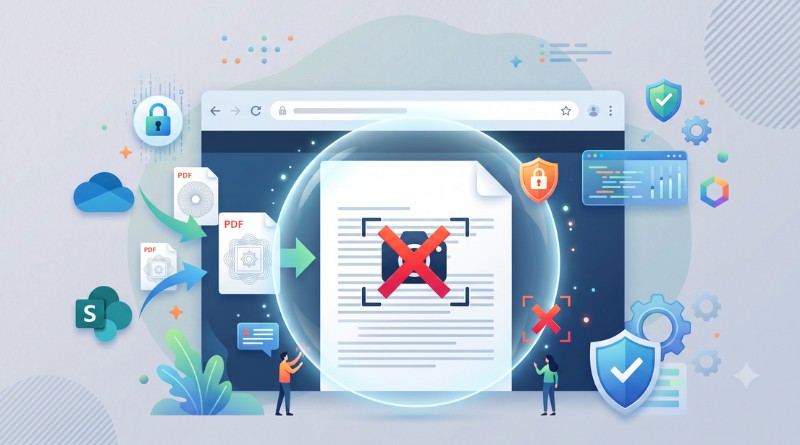
The principle is simple. When a PDF is protected by a Microsoft Purview Information Protection (MIP) confidentiality label that includes the restriction "Do not allow screen capture", the OneDrive and SharePoint web PDF reader will refuse any screenshot of that document. Technically, a screenshot would still be taken, but it would result in a blank or black image.
Until now, this restriction was only enforced in desktop applications. A document opened in the browser could therefore be captured on screen, even if its label prohibited it. Microsoft intends to close that loophole.
This feature was announced in the Microsoft 365 admin center (MC1409303) on June 29, 2026, and updated on July 15, 2026. Microsoft notes that this improvement closes a known gap where PDFs displayed in the browser did not apply this MIP control. This will bring the web experience in line with the behavior of desktop apps. The goal is clear: strengthen enterprise data protection, including when content is accessed by people outside the organization.
What about downloading the document? One might think that simply downloading the PDF would let users read it locally and capture it without restrictions. In reality, administrators can also prevent the document from being downloaded locally. On the user side, a document marked as both non-capturable and non-downloadable would then remain confined to the web reader in Edge.
Protection limited to Edge, with no new toggle to enable
That is the main limitation of this feature. The block will only apply in Microsoft Edge. Other browsers and mobile web will not be supported at launch, and Microsoft warns that users viewing a protected PDF outside Edge may not get consistent enforcement of the restriction. In other words, it can be bypassed in 30 seconds.
Microsoft explains that enforcement relies on the existing confidentiality label configuration, and it is enabled by default when the required conditions are met. No additional action is required for unlabeled PDFs. Support will roll out naturally in Microsoft Edge.
This feature will begin rolling out in mid-August, and global deployment will be complete by the end of August 2026. So, as you can imagine, it is coming very soon. In the meantime, the Redmond company recommends that admins prepare for the change by taking several actions:
- Review labels that include the "Do not allow screen capture" permission,
- Update internal documentation and support information to explain why some screenshots fail,
- Communicate with affected users,
- Consider conditional access strategies or browser management to guide employees toward Edge. There you go, yet another way for Microsoft to push us toward Microsoft Edge.
Let’s hope support is extended to other web browsers... Starting with Chromium-based ones (Chrome and Brave, for example), since they share the same foundation as Microsoft Edge.