www.it-connect.fr

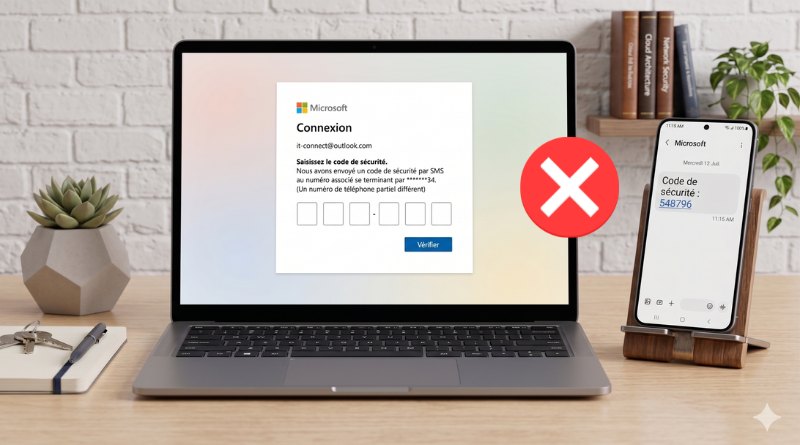
Microsoft to End SMS Codes for Personal Account Sign-Ins
Microsoft wants to phase out the use of validation codes sent by SMS for signing in to Microsoft accounts. Instead, the Redmond company wants to push passkeys hard, which are considered a more reliable and modern authentication method.
Why is Microsoft moving away from SMS?
For Microsoft, the future of authentication must be passwordless, in other words, passwordless. One very specific validation method is now in the company's crosshairs: validation based on a code received by SMS.
As we have known for a long time, SMS is not the most robust authentication factor for either multi-factor authentication or recovery procedures. It is not considered phishing-resistant, unlike other methods. In fact, this legacy method has proven vulnerable to phishing attacks as well as SIM swapping (SIM card hijacking).
By abandoning SMS, Microsoft therefore hopes to reduce user exposure through the use of a more secure authentication method, without making things more complicated in practice. That answer has a name: the passkey.
Microsoft determined to push passkeys
A Microsoft support document explains that, to replace SMS verification, users will be guided to add a verified email address and set up a passkey. This setup step will need to be completed when signing in to a personal Microsoft account. The last word in that sentence is important: in its document, Microsoft is referring only to personal accounts.
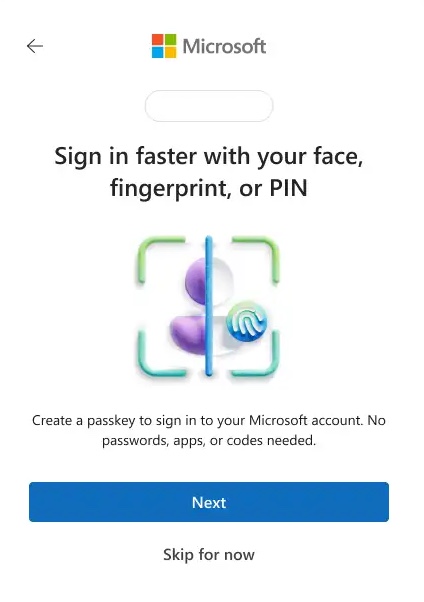
Compared with SMS codes, here are the advantages of passkeys:
- Stronger security: passkeys are inherently phishing-resistant, which eliminates the risk of account compromise through phishing.
- Faster sign-in: there is no need to wait for an SMS code to arrive. Access is instant via the device's built-in features (such as Face ID, fingerprint, or a PIN code) or through one-click sign-in options leveraging Apple and Google accounts.
- Reduced risk: moving away from SMS reduces the risk of account compromise, since this vector is heavily used by cybercriminals.
- Improved recovery process: using a verified email address together with a passkey ensures the user can regain access to the account, even if the device is lost or the phone number changes. In fact, email matters because the passkey is tied to a device.
Even if this decision is probably heading in the right direction, end users will likely run into a few issues. SMS codes are universally understood, whereas passkeys, even though they are simple, may confuse everyday users.