www.it-connect.fr

MalExt: Open-Source Database Lists Nearly 7,000 Malicious Chrome Extensions
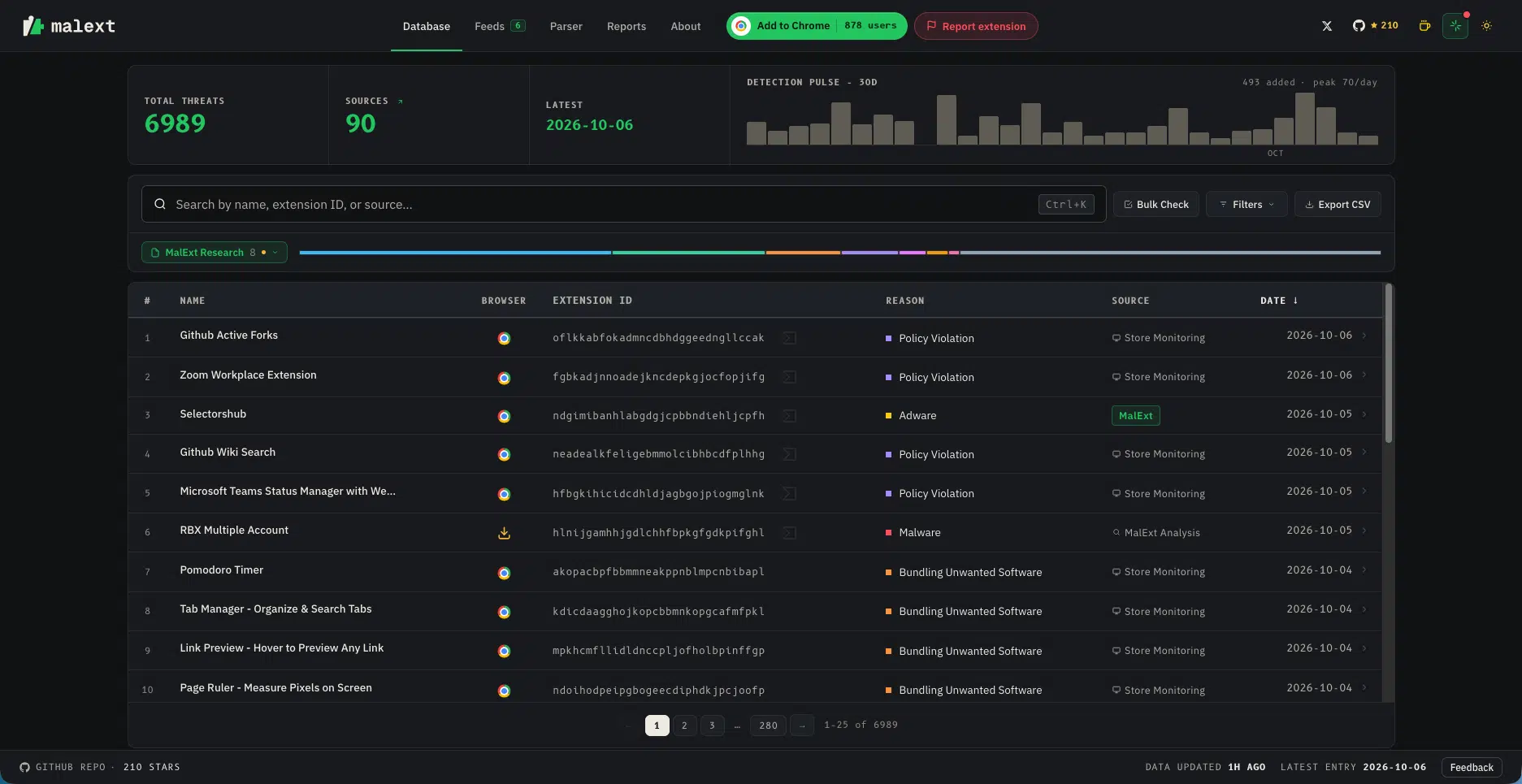
Nearly 7,000 Google Chrome and Microsoft Edge extensions known to contain malware, adware, or to have violated store rules: that is what MalExt Sentry, an open-source database, catalogs. The bonus: there is an extension to protect your browser.
Browser extensions are a threat vector in their own right: security reports frequently refer to campaigns involving malicious extensions. Without looking very far, this summer I published an article about StegoAd, a malware hidden in 119 Microsoft Edge extensions. A few months earlier, I published another article about the ShadyPanda campaign, which trapped more than 4.3 million Chrome and Edge users.
MalExt Sentry is an open-source project (MIT license) designed to provide an up-to-date list of malicious Chrome extensions. In fact, the lack of a public list of this kind is what prompted the project’s author to create one.
As a reminder, Chrome can already warn you. Since version 117, its Safety Check flags extensions removed from the Chrome Web Store, whether they were unpublished by their developer, taken down for policy violations, or identified as malicious. Google announced this on the Chrome for Developers blog. The difference is that this alert remains limited to each browser, whereas MalExt Sentry makes its list available to everyone.
Nearly 7,000 extensions listed
As of October 6, 2026, the extensions file available in the GitHub repository contains 6,989 extensions. The vast majority are for Chrome, and 303 come from the Microsoft Edge store. And the main reasons these extensions were removed show why it is better to avoid them:
- Malware : 1,799 extensions
- Adware : 1,658 extensions
- Store policy violations : 1,652 extensions
- Bundled unwanted software : 590 extensions
- Spyware : 544 extensions
- Search hijacking : 334 extensions
In this list, each entry specifies the extension ID, its name, the removal reason, the source, and the date it was added. What makes it interesting is that this list is built from multiple sources: monitoring of the Chrome Web Store, researcher publications (Socket, Koi, LayerX, etc.), Microsoft reports, and even user contributions (since you can report a suspicious extension). I think that’s a good way to get a more exhaustive list and something more relevant than relying solely on the Chrome Web Store. It also includes 103 extensions associated with the StegoAd campaign and 92 linked to ShadyPanda.
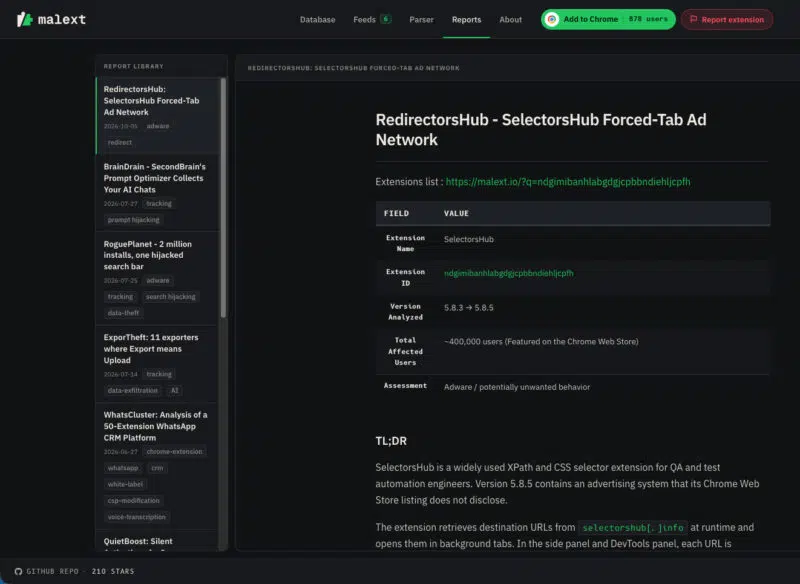
On the MalExt Sentry website, there is also a section dedicated to publishing reports related to malicious extensions. The latest example dates from October 5, 2026, with a post about SelectorsHub, an extension said to have around 400,000 users. It reportedly opens background tabs to remotely controlled advertising URLs.
Malicious extensions: how do you check your browser?
Beyond its website and the GitHub project where the extension list is available, MalExt also provides several tools to the community:
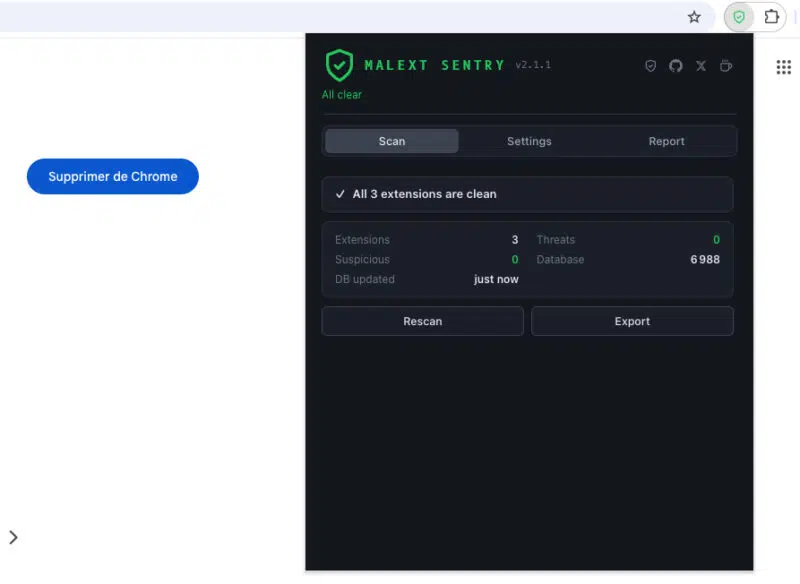
- The MalExt Sentry extension : available on the Chrome Web Store, it compares installed extensions against the malicious extension database locally, with a fresh scan every 6 hours. It can also display a warning before a known extension is installed and detect permission changes.
- The Python script
malext.py: it runs on Windows, macOS, and Linux, and scans Chrome, Edge, Chromium, Brave, Vivaldi, and Opera profiles. - The malext.io website : search, category filters, bulk checking of a list of IDs, and a .crx, .zip, or manifest.json file analyzer.
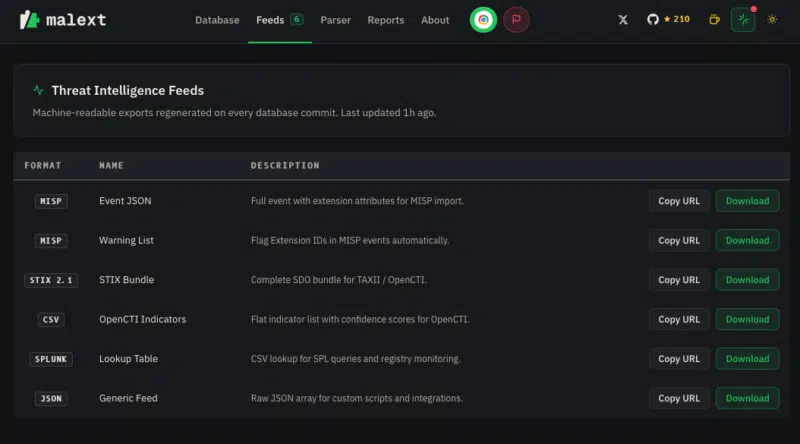
For security teams, this project is also useful because the latest version of the database is available in several formats. These include: MISP feeds, STIX 2.1 (for TAXII or OpenCTI), CSV for OpenCTI and Splunk, as well as JSON.
Finally, detection does not replace prevention. In business environments, the best option is still to block all extensions and allow only approved ones, as I explain in my tutorial on securing Chrome, Edge, and Firefox via GPO to counter infostealers. In any case, MalExt addresses a real problem.