www.it-connect.fr

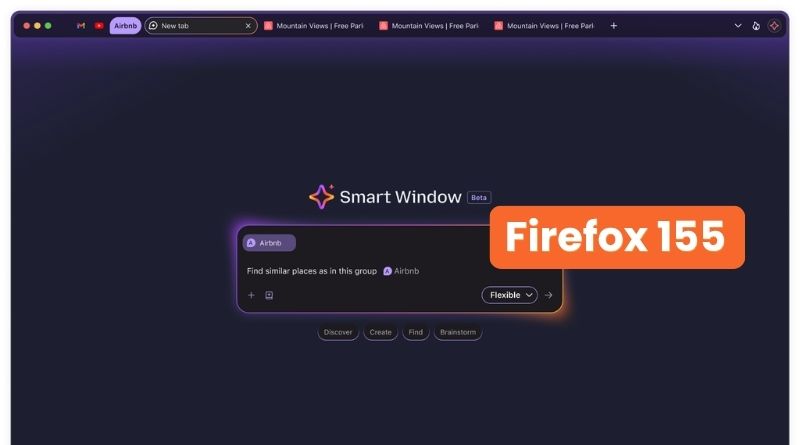
Firefox 155 Rolls Out Smart Window AI in France
Firefox 155 has been available since September 1, 2026. On the menu: the arrival of Smart Window, including in France, two updates to network connection management, and more. Here’s what you need to know.
As a reminder, I published an article in July about Firefox’s move to a two-week release cycle, with Firefox 155 as the starting point. Here we are. On the vulnerability side, the previous version, Firefox 154, had fixed 58 flaws. This time, Mozilla says it has patched 29 security issues in this new Firefox release. Among them were two sandbox escapes in the DOM component (CVE-2026-84119 and CVE-2026-84121).
In the rest of this article, we’ll focus on what’s new in Firefox 155.
Happy Eyeballs v3 and QUIC v2: less waiting before a page appears
Network connectivity has been improved in this release. Even if this is mostly internal plumbing, it is still worth noting these changes. The first update concerns how Firefox chooses its network path when accessing a website.
- Happy Eyeballs v3. Firefox now races IPv6 and IPv4 addresses for the same site so connection setup is not delayed by an unreachable address family. In short, instead of committing to a single option and waiting for it to fail, the browser tries several connections in parallel and keeps the first one that responds. This mechanism is based on an IETF draft that is still being written. Mozilla says support is currently limited to certain platforms, without saying which ones.
- QUIC version 2. Firefox 155 supports QUIC v2, standardized in RFC 9369, for HTTP/3 connections. When a compatible server selects this version through compatible version negotiation (RFC 9368), the browser uses it without an extra round trip.
On paper, all of this is heading in the right direction. But there is a catch.
Mozilla mentions an unresolved issue where some sites may load slowly, or not at all, on networks that block UDP. This could happen on some enterprise networks where a proxy is in place, or when the firewall filters traffic. If your users rely on Firefox and mention this kind of issue, keep it in mind.
For now, the workaround is to set the network.http.happy_eyeballs_enabled preference to false through the browser preferences. A fix is planned in Firefox 155.0.1, expected no later than September 8, 2026. The good news, however, is that the ESR release is unaffected.
Smart Window: Firefox’s AI window arrives for French users
For end users, the big news is the arrival of Smart Window for all users located in the United States, Canada, and France. Until now, this feature had been limited to a small group of users.
What is Smart Window? It is neither a standard window nor a private browsing window; it is something else entirely. This new window type includes an AI assistant that can see your open tabs, your browsing history, and the current page. As explained in Mozilla’s documentation, users can choose the model powering the assistant (Gemini, Mistral, etc.), can enable or disable memory, and can find all settings in Firefox preferences. The feature remains optional and requires signing in with a Mozilla account.
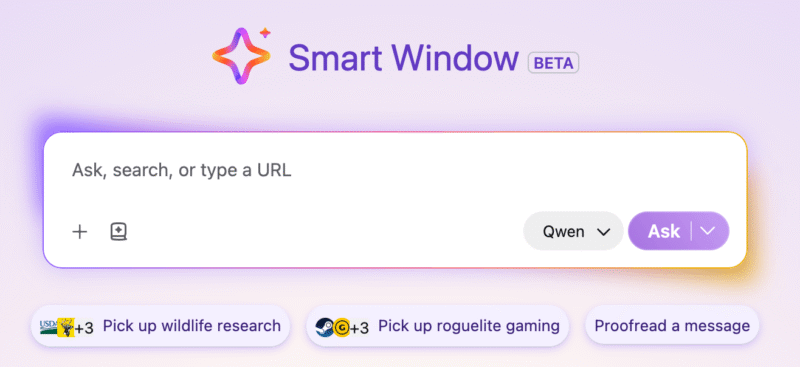
With Firefox 155, Mozilla is also enhancing this smart window with three improvements:
- Suggestions to resume a conversation. The new tab offers personalized prompts to quickly pick up an ongoing topic.
- Faster answers, with sources. The assistant relies on citations from the Exa search engine, a partner announced by Mozilla in August.
- Better tab grouping. The tab organization feature now suggests more relevant groups and gives them clearer names.
Here, this is clearly about AI in your browser. To reassure users, Mozilla emphasizes a "privacy-first" approach: in its August 18, 2026 blog post, it states that conversation transcripts are not retained, nor are they used to train AI models.
Admins, take note: what you need to know
For administration and Mozilla Firefox use in the enterprise, several changes built into Firefox 155 deserve your attention:
- New domain for captive portal detection. Firefox now uses
firefox-portal-detection.cominstead ofdetectportal.firefox.comto check network connectivity. Allow lists and proxy rules that reference the old domain must be updated. - Two new policy settings. The
DisableLaunchOnLoginpolicy prevents Firefox from starting automatically at logon (Windows only for now, and not on ESR). TheSitePoliciespolicy now includes a new option calledHttpsOnlyintended to block certain sites from loading over HTTP. - Mailto links. A web page can no longer open the default mail client without an explicit user action. A small detail, but one that helps fight phishing.
- Tracker counter. The address bar now shows the number of trackers blocked on the current page. It can be hidden in settings without disabling protection.
The Firefox 155 release notes are available on this page.
What do you think?