www.it-connect.fr

Broken Printing and PDF Export on Windows: August 2026 .NET Updates Are to Blame
A new side effect linked to Microsoft’s August 2026 updates has emerged in recent days. The symptom: line-of-business applications refuse to print and export PDF files on Windows. Microsoft has identified the culprit: the August 11 cumulative .NET Framework update, which breaks font subsetting in WPF applications. Here’s what we know.
KB5120708. Behind this identifier is the August 11, 2026 cumulative update for .NET Framework 3.5 and 4.8.1 for Windows 11. It is in the support document dedicated to this update that Microsoft disclosed the existence of an issue.
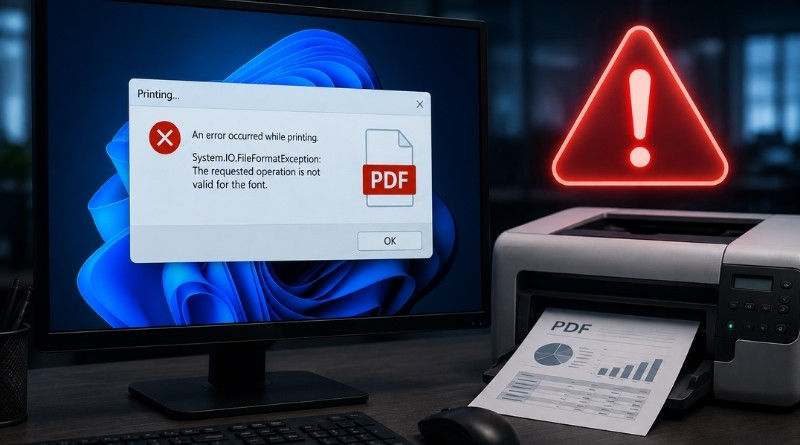
Here is what we can read: "After installing the August 2026 .NET Framework cumulative update, some WPF applications may fail with a System.IO.FileFormatException exception when printing or generating PDF/XPS content using certain fonts, including Calibri."
In other words, the application works properly, but the trouble starts when it comes to printing or exporting data to PDF. This appears to affect Windows 11, but also Windows 10 and recent versions of Windows Server.
Crystal Reports, accounting, healthcare: reported cases
A web search turns up several discussion threads about this issue, including the thread opened on August 13 on Microsoft Q&A. Among the cases mentioned and encountered by users, we find in particular:
- Applications based on SAP Crystal Reports. One user says that updating Crystal Reports did not change anything and that only uninstalling the update fixed the issue.
- A hospital management application, blocked by the Cambria font.
- Accounting software from the CCH range, according to a note published by Trichromic, a UK-based IT provider, for its clients.
In reality, any WPF application that generates a document may encounter this bug, regardless of the reporting component used. For the record, WPF (Windows Presentation Foundation) is Microsoft’s open-source graphical subsystem used to build Windows desktop application interfaces, and it is very common in line-of-business software developed in .NET. This bug can therefore be particularly impactful for businesses.
A workaround proposed by Microsoft
Microsoft offers a workaround while waiting for a permanent fix to be released. This solution consists of enabling an AppContext switch in the application’s configuration file. Here is the code as it appears in Microsoft’s documentation.
<configuration>
  <runtime>
    <AppContextSwitchOverrides
      value="Switch.MS.Internal.TtfDelta.DisableCmapAndSbitOverflowProtection=true"/>
  </runtime>
</configuration>
Redmond also warns that this switch disables security protections introduced by the August 2026 update and may increase exposure to the vulnerabilities it fixes. Indeed, this update fixes 6 security flaws in .NET Framework, including CVE-2026-62886 and CVE-2026-62897, two remote code execution vulnerabilities.
If you plan to make this kind of change, be sure to back up your application’s original file before editing it. If you would rather uninstall KB5120708 directly, my guides on the different ways to uninstall an update on Windows 11 and on uninstalling a Windows update through GPO will save you time.
Have you run into this issue on your side?