www.it-connect.fr

Windows 11: Microsoft Blocks the Driver That’s Crashing Games
It’s not the Windows updates from August 2026 that are crashing games, but a third-party driver named inpoutx64.sys. It is installed on Windows by RGB lighting management tools. Microsoft has made a decision: block this driver on affected machines. Here’s what we know.
A block deployed since August 26 by Microsoft
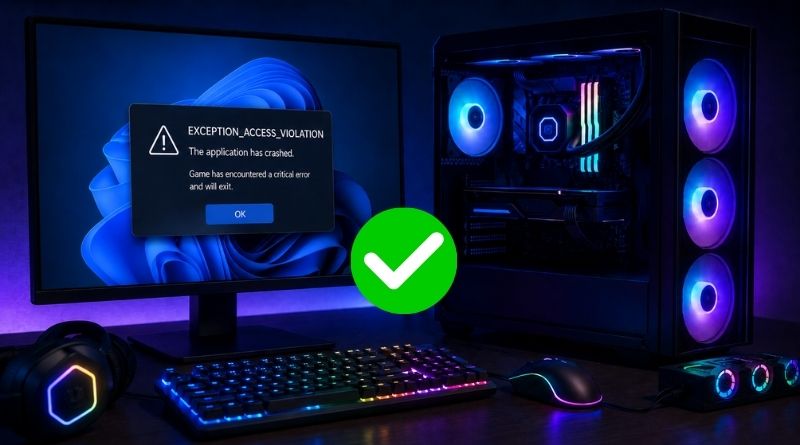
For several days, users have been reporting issues with games on Windows after installing the August 2026 updates: games freezing, abrupt shutdowns, EXCEPTION_ACCESS_VIOLATION errors, random restarts.... Life is hard for some Windows 11 machines. At first, the Embark studio pointed to a third-party driver as the cause of these issues. That lead has now been confirmed by Microsoft.
On its dashboard, Microsoft states: "This issue is resolved by a block that prevents the inpoutx64 driver from loading." Microsoft has therefore decided to block the driver, which is rather drastic. However, it will not be blocked on every machine. This block "targets devices on which this specific driver is enabled and on which the ARC Raiders game is installed."
The file in question is inpoutx64.sys, and it has nothing to do with games themselves. It is a kernel-mode driver designed for direct access to hardware ports, bundled with manufacturer utilities, especially those that control RGB lighting on peripherals. Microsoft had already officialized the RGB lead before naming this driver.
For now, the block applies only to machines where a specific game is installed: ARC Raiders. However, it is not the only title involved in this case. Microsoft plans to apply the same approach on machines where the game MARVEL Tōkon: Fighting Souls is installed. For THE FINALS, according to Microsoft, the issue has been fixed directly by Embark Studios.
How do you get the fix?
There is no update to install. The new optional update deployed by Microsoft (KB5120998) has nothing to do with this fix. Microsoft has already started rolling out the fix automatically: a simple reboot of your PC may be enough to receive it.
"The driver block will also be included in the Windows security updates for September 2026 and later releases.", Microsoft specifies.
You can also configure this manually to block the driver. This is done in the Windows registry, by changing the Start value of the following key:
HKEY_LOCAL_MACHINE\SYSTEM\CurrentControlSet\Services\inpoutx64Simply set this value to 4 (driver disabled), then restart the machine. Microsoft obviously recommends backing up the registry beforehand.