www.it-connect.fr

PowerToys 0.100 Adds a Command Palette Extension Gallery and Smarter Shortcuts
Were you waiting for PowerToys 1.0? You’ll have to wait a little longer! The free and open source toolbox for Windows has moved to version 0.100. What’s new? Here’s what you need to know.
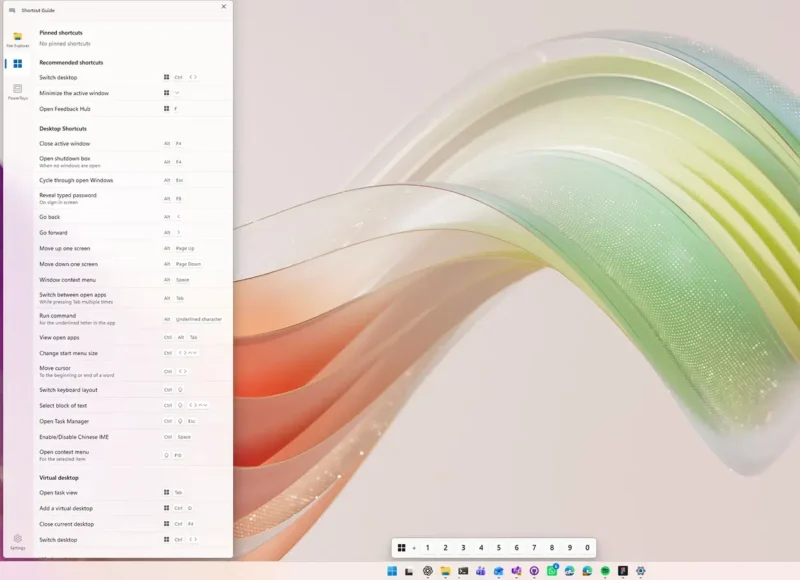
A new Shortcut Guide, finally context-aware
This is probably the most visible new feature in version 0.100: Shortcut Guide, or the shortcuts guide in French, has been completely rebuilt. Gone is the screen that covered the desktop, replaced by a side panel that appears along the edge of the display. More discreet, and that’s a good thing. Most importantly, the tool now automatically detects the active application when you invoke it, so it only shows the shortcuts that are actually relevant to your context.
Shortcut Guide provides shortcuts for:
- The current application,
- Windows,
- PowerToys tools that are enabled on your PC.
"If you would like to add support for another application, we would be delighted to have your help! Feel free to submit a pull request or open an issue with a link to the application's shortcut documentation.", Microsoft explains.
Command Palette: extension gallery and multi-monitor Dock
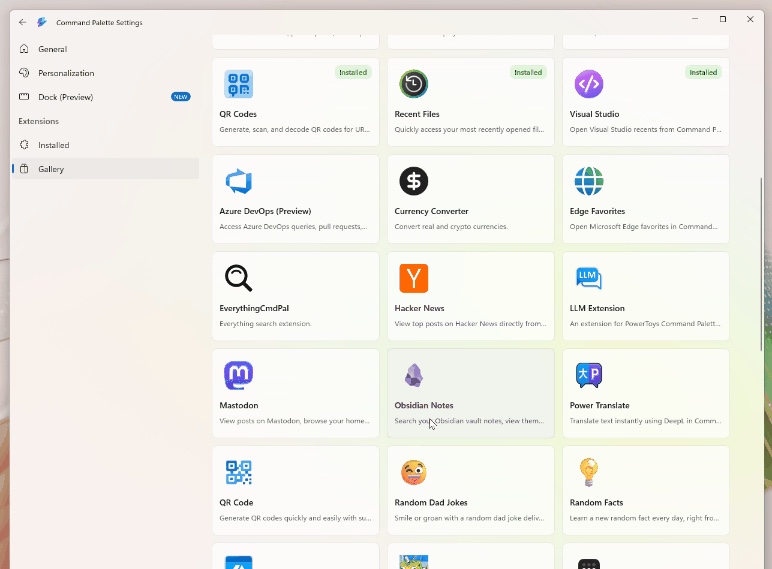
Command Palette, designed from the start to be extensible, takes a major step forward with PowerToys 0.100. Microsoft has added the Extension Gallery, which is accessible directly from the Command Palette settings. This gallery lets you browse, discover, install, update, and remove extensions for Command Palette without ever leaving the tool. Finding an extension is now much more convenient!
The Dock also gets an improvement with multi-monitor support. Each display can now have its own independent Dock configuration. Several additions come with this feature:
- The ability to choose, from the settings, which screens should display a Dock,
- An improved "Pin to Dock" feature that lets you precisely select the location of a pinned command,
- The Performance Monitor extension now includes a new Battery widget (charge level, charging status, estimated battery life),
- Individual pinning of metrics such as CPU, memory, GPU, network, or battery.
Under-the-hood optimizations
This new version of PowerToys also means a migration to .NET 10, in order to keep pace with platform updates. Another optimization: the installer footprint has been reduced by 15%, making it lighter.
The automatic update mechanism is also more reliable: PowerToys now restarts properly after an update, shows clearer success notifications, and automatically backs up configuration files before each operation, so settings can be restored if corruption is detected.
Finally, ZoomIt gets a notable upgrade with the addition of a webcam overlay during recording and the ability to combine multiple clips with transitions.
Find all the new features in this release on the official Microsoft blog.