 www.it-connect.fr

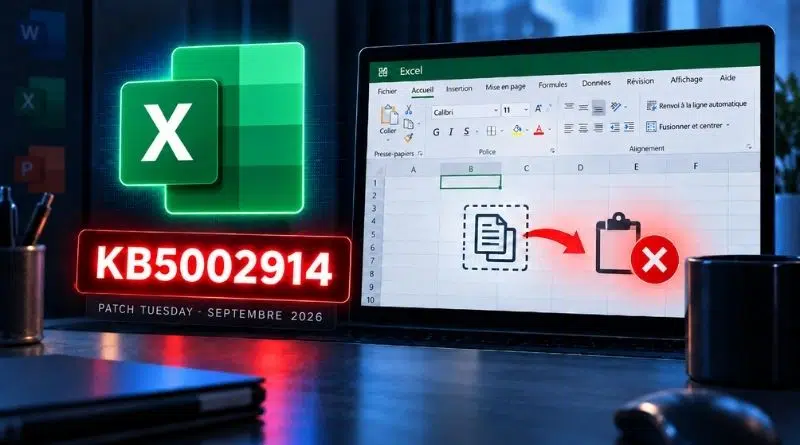
Excel KB5002914 Update Breaks Copy and Paste in September 2026
Have you deployed this week’s Office updates from Patch Tuesday? If your users are reporting that copy and paste no longer works in Excel, KB5002914 is likely to blame. Microsoft has also acknowledged the issue. Here’s what we know.
On Tuesday, September 8, 2026, Microsoft released a new wave of monthly patches as part of its September 2026 Patch Tuesday (which patches 973 vulnerabilities, including two already exploited zero-day flaws). Among the updates released was KB5002914, a security update for Microsoft Excel 2016. It fixes several vulnerabilities, including remote code execution flaws in Microsoft’s spreadsheet application.
The very next day, reports began piling up on Reddit and in the Microsoft Q&A forums. The symptom users are seeing is always the same: the Ctrl+C and Ctrl+V shortcuts no longer work, and AutoFill is not responding either. For the second point, I’m referring to dragging the small square at the bottom-right of a cell to copy a formula or a series of values to neighboring cells.
"It looks like security update KB5002914 broke AutoFill and copy/paste in Excel 2016," summed up one Reddit user. Another explained that their entire team is blocked, as most employees have already installed the update.
Existing file or new Excel workbook, nothing helps. The bug is there. Copy and paste with Ctrl + V appears to be broken, while another user reports that it still works with a right-click. That’s something... but not everyone seems to agree.
Excel 2016, but not only
You might say: Excel 2016? Who still uses that? Apparently, a lot of companies still do. And more importantly, the issue does not seem to be limited to that version. Other users are reporting the same problem on newer versions, but the behavior is not always identical. In reality, MSI installations as well as Click-to-Run installations appear to be affected, across versions ranging from Office 2016 to Office 2024.
So what does Microsoft say about this? On September 10, 2026, the company added this bug to the known issues list on the KB5002914 support page. It states that "in Microsoft Excel 2024, 2021, 2019, and 2016, the paste operation may fail silently. Although users attempt to paste content, the source remains selected and the destination is not changed", Microsoft explains, before adding that its teams are investigating the issue.
No fix or release date has been announced yet. For now, we have to wait.
How do you get copy and paste working again?
While waiting for a fix, the workarounds reported by users depend on the installation type. Between MSI package and Click-to-Run, the solution is not the same. Two avenues to explore:
- MSI installation. Uninstalling KB5002914 is enough to restore copy and paste. You can run this command in an elevated Command Prompt. It was shared by a user in a Microsoft Q&A thread and removes only this update without reinstalling Office. Note that this command will work only for Office 2016.
msiexec.exe /package "{90160000-0012-0000-1000-0000000FF1CE}" /uninstall "{27882596-A8ED-4382-9C71-6CD2DD19F732}" /qn /norestart- Click-to-Run installation. It is not possible to remove an isolated update. You must roll back to the previous Office version, using an XML configuration file for the Office Deployment Tool or a Group Policy.
If you have not deployed the update yet, wait a few days... Otherwise, your users may come looking for you. Still, it is somewhat surprising to see a security update for Excel 2016: this version has not been supported since October 2025. Even so, Microsoft continues to ship updates.












OMG I was so desperate and tried so many things without success. Lost so much time and nerves.
How good that I finally found this article, now I know that it is not the fault of my good old PC and I can wait (and hope) to get a solution from MS (or I will uninstall KB5002914).
Many thanks for this great information, Florian – hope a lot of people will find it.
Hi, I found a fix that works (uninstalling the KB002914 update)—maybe not just for Office 2016, but also for Windows 11.
You need to run the Command Prompt as an administrator (CMD) and enter this text:
“C:\Program Files\Common Files\Microsoft Shared\OFFICE16\Oarpmany.exe” /removereleaseinpatch “{90160000-0012-0000-1000-0000000FF1CE}” “{27882596-A8ED-4382-9C71-6CD2DD19F732}” ‘1033’ “0”
Then just hit Enter and wait. You don’t even need to restart 🙂
You just need to disable Office updates in Windows 11—that didn’t help—or in Office itself. I decided to disable all Windows 11 updates instead. If this works for you, please share it on forums and similar platforms. I have my own opinion about Microsoft 🙁
Mario from Slovakia
CMD-
msiexec.exe /package “{90160000-0012-0000-1000-0000000FF1CE}” /uninstall “{27882596-A8ED-4382-9C71-6CD2DD19F732}” /qn /norestart
This cmd remove the bug just for few hours only after that problems of copy and paste occurred .
It didn’t work for me for Office 2024. What do I do?! Wait for a new update to fix this one?
As if I had nothing better to do on my Saturday morning than solve stuff that worked perfectly fine before those imbeciles broke it. I didn’t ask anyone for any updates, everything was working fine! What a bunch of morons!
**Microsoft Excel Issue Summary**
I work at **Pou Chen Group**, specifically at **PCN Nike – PT. Nikomas Gemilang, Serang**.
I am currently using **Microsoft Office 2016**, which is considered one of the highest versions available in our company, as most users are still using **Office 2010 or 2013**.
Below is a summary of the issue I am experiencing in **Microsoft Excel**. The problem only affects **text/cell data when copying and pasting**. Copying and pasting **images or other objects still works normally**.
**Current Excel Copy/Paste Status:**
* Copy → Paste Values ✅
* Copy → Paste Formula ✅
* Copy → Paste Link ✅
* Cut → Paste ✅
* **CTRL+C → CTRL+V ❌**
* **Drag/Copy Cells (e.g., Ctrl + Drag / Fill Handle) ❌**
**Summary:**
The issue appears to be specifically related to the **standard copy function (CTRL+C) and cell dragging/copying**. Other paste functions, as well as copying and pasting images or objects, are still working normally.
**Abdul**
**TPM Engineering**
This command line works (“C:\Program Files\Common Files\Microsoft Shared\OFFICE16\Oarpmany.exe” /removereleaseinpatch “{90160000-0012-0000-1000-0000000FF1CE}” “{27882596-A8ED-4382-9C71-6CD2DD19F732}” ‘1033’ “0”) , but there is a manual action required to initiate the uninstallation, so it is not possible to automate it via an SCCM script, for example.
For us this worked (reboot not required)
msiexec.exe /I “{90160000-0011-0000-0000-0000000FF1CE}” /qn /norestart MSIPATCHREMOVE=”{9C029E7A-4A4A-409D-B5C6-F40BAA71A090}”