www.it-connect.fr

Plex2Shell: QNAP Warns of Compromised NAS Devices, Patch Now
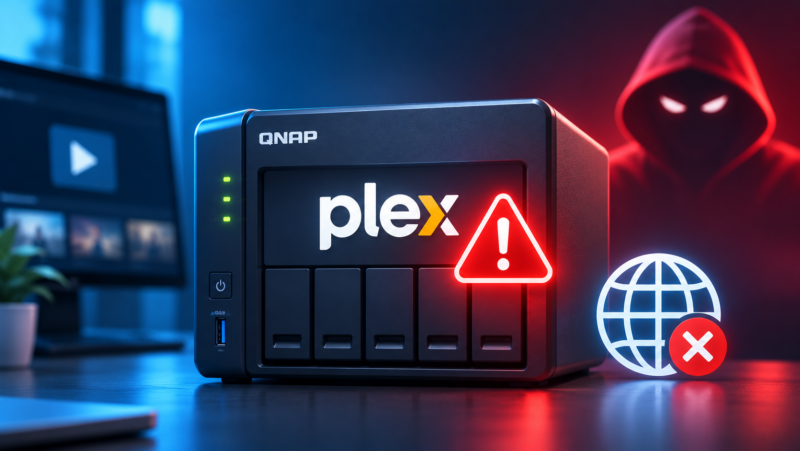
Have you installed Plex Media Server on a QNAP NAS that is accessible from the Internet? QNAP is now asking you to treat it as potentially compromised, even after updating it. Here’s what you need to know and how to check your device.
On November 6, 2026, QNAP published a security notice dedicated to Plex2Shell, a set of four vulnerabilities affecting Plex Media Server 1.43.2 (and earlier versions). QNAP says its support team is currently assisting users whose Plex server appears to have been compromised. In other words, QTS and QuTS hero systems are not directly compromised, but the attacker gets in through the Plex server installed on the NAS.
These attacks only confirm what was feared. Indeed, in early September, I published an article about Plex’s alert urging users to move to version 1.43.3, with no technical details at the time. The details arrived on October 19, 2026, on the official Plex forum, and the bad news was clear: the flaws have been actively and widely exploited since a proof of concept (PoC) was published on October 16, 2026. QNAP is now confirming this, but the threat is global for Plex users.
To be more precise, here are the 4 flaws grouped under the Plex2Shell name:
- CVE-2026-96652 : an unauthenticated SSRF in the player timeline endpoint.
- CVE-2026-96654 : access to internal agent functions via the localhost interface.
- CVE-2026-96655 : disclosure of the server owner’s admin token.
- CVE-2026-96656 : arbitrary file writing in the Codecs folder via transcoder preferences.
Exploited together, these flaws allow a remote unauthenticated attacker to execute code with the privileges of the Plex Media Server process. According to Plex, compromised servers have been used to run cryptocurrency miners and turn machines into proxies (they relay other people’s traffic through the victim’s Internet connection).
Updating Is Not Enough If Plex Was Exposed
The top priority if you use Plex is to update it. You may already have done so if you regularly keep up with updates. Make sure you are running at least version 1.43.3.10861.
But if the damage is already done, the patch alone will not be enough: "the update alone will not remove anything an attacker may have installed", QNAP warns. Your NAS is potentially compromised if any of the following applied while Plex was running version 1.43.2 or earlier:
- Remote Access : the Remote Access option was enabled in Plex Web.
- Port forwarding : your router forwarded port 32400 to the NAS.
- UPnP : UPnP was enabled on the router with Remote Access, which opens the port automatically.
- myQNAPcloud : Plex was exposed through myQNAPcloud’s automatic router configuration, or by any other means.
The number of NAS devices and Plex servers hacked through these flaws is unknown, but exploitation is massive.
How to Check Your QNAP NAS
A QNAP NAS exposed to the web and running a vulnerable version of Plex is not necessarily compromised. You may have been lucky so far... But it is still worth checking your device. According to Plex and QNAP, the indicators of compromise to look for are the following:
- Unknown processes : launched by Plex, such as
myawesomeproxy,mylovelyminerorx12345. - Suspicious files : unusual
.soor.dllfiles in the Codecs folder. - Outbound traffic : connections to the
proxystream.stdomain. - CPU activity : sustained high load on your NAS with no playback in progress.
- Malware Remover : a detection, for example with code MR2104.
If your NAS is compromised, it is recommended that you perform a full reset and start again from a clean baseline. QNAP has published an article that provides additional information on this topic.