www.it-connect.fr

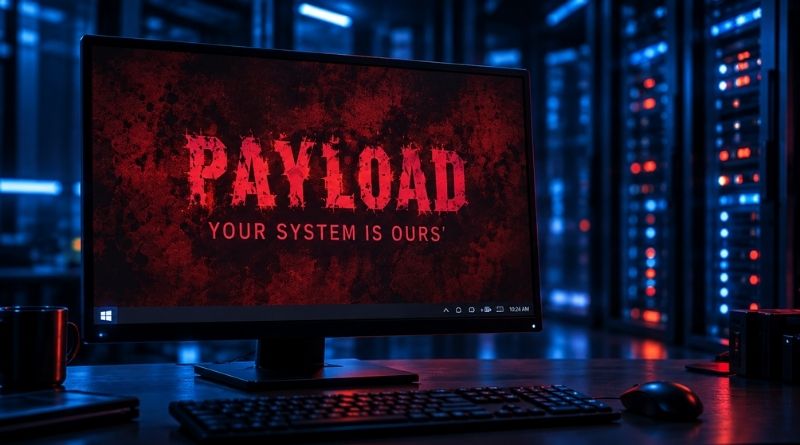
PAYLOAD Ransomware: How Attackers Crippled a Company with Two GPOs, Without Encrypting a Single File
No executable, no encryption, no persistence on workstations: just two Group Policies tied to the root of the Active Directory domain. That is how the operators of the PAYLOAD ransomware brought a company to a standstill. Here is what we know.
The information comes from Kaspersky’s GERT (Global Emergency Response Team), which on September 21, 2026 published a detailed technical analysis of this GPO-based incident. Group Policy is usually used by admins to deploy configuration settings across a set of servers or Windows machines (or Linux). This time, that mechanism was abused to target a company in the industrial sector located in the Middle East (the name was not disclosed).
It all began on April 11, 2026, when the attacker authenticated to the company’s FortiGate SSL VPN using a valid but compromised domain account. Whether it was password spraying, phishing, or a purchase from an Initial Access Broker remains unconfirmed.
Two days later, the attacker had privileges equivalent to those of a domain administrator. On that same day, data was exfiltrated from file servers and other systems. It was later published on the dark web. So, then, the GPOs?
Two GPOs, and a reboot to trigger everything
When reading an article about a ransomware attack, you usually expect to be told that all files were encrypted. That was not the case here. Instead of deploying a tool designed to encrypt data, the attacker created a GPO named “PAYLOAD” and linked it to the root of the domain. The direct consequence: it applied to all domain computers and users (except where specific configuration rules prevented it, but we won’t get into the details).
Here is what this Group Policy configured:
- Ransom note: the hello.txt file, placed in the SYSVOL share on the domain controller, is copied to the desktop and to the root of the C: and D: drives, read-only, under the name README-payload.txt.
- Logon banner: the
legalnoticecaptionandlegalnoticetextregistry values are changed: the title displays “Welcome to Payload!” and the message contains the ransom demand. - Wallpaper and lock screen: both are replaced by the payload.jpg image, also hosted in SYSVOL. The images appear regardless of which user logs in
- Local Administrator account. The built-in Administrator account is disabled on the workstations through the GPO security settings.
A second GPO, named “win Firewall Off”, disables the Windows Firewall for the domain, private, and public profiles. Enough to keep the attacker’s hands free for what comes next. Open bar = On.
According to the Group Policy History registry keys analyzed by Kaspersky, the GPOs reached the machines as early as April 13. But their effects only became visible on April 14, when employees rebooted their computers. That day, ransom wallpapers appeared across the board and business operations were disrupted. This delay gave the attacker a quiet window, and it blurred the link between cause (the GPO creation) and effect, making the timeline harder to reconstruct.
On Windows machines, Kaspersky found no encrypted files, no malicious binaries, no persistence, and no suspicious processes. The only ransomware sample recovered was an ESXi-specific variant of PAYLOAD, present on Linux servers. "An organization whose detection strategy relies on intercepting a ransomware executable would have seen nothing until the first workstation rebooted and the ransom wallpaper appeared," the researchers wrote. In reality, the entire attack lived inside Active Directory.
That said, abusing GPOs is nothing new: Ryuk, BlackCat, and LockBit have already done so. In 2021, I also published an article about LockBit 2.0, which created a GPO to disable Microsoft Defender and launch the ransomware on every machine in the domain. With PAYLOAD, the GPO is not the delivery vector, it is the weapon itself. The confusion created by this GPO disrupted the targeted company’s operations.
How can this type of attack be detected?
This cyberattack is a reminder of the importance of centralizing logs and analyzing them, especially in relation to certain events.
- Audit directory changes: events 5136, 5137, and 5141 should be forwarded to a SIEM. A change to the
gPLinkattribute at the root of the domain by an unusual account is the clearest indicator. My tutorial Active Directory: the complete guide to configuring an advanced audit policy explains this configuration in detail. - Monitor SYSVOL: any unexpected image, text file, or script should trigger an alert.
- Separate GPO creation and linking: these two rights should be reserved for a dedicated and audited admin role, as explained in this article on delegating Group Policy management in Active Directory.
- Protect remote access and privileged accounts: phishing-resistant MFA on the VPN, Windows LAPS, a tiered administration model, and dedicated admin workstations.
Kaspersky also suggests deploying a “canary” GPO (in the same spirit as canary tokens), whose application on a workstation would signal that an attacker has obtained write access to GPOs.
One question remains: why no encryption? Kaspersky leans, with moderate confidence, either toward a deliberate choice (keeping an encryption phase in reserve to increase pressure) or toward an operation that was interrupted before it could be completed.