www.it-connect.fr

ONLYOFFICE Docs 9.4 Drops the 20-Connection Limit and Updates Its Open Source License
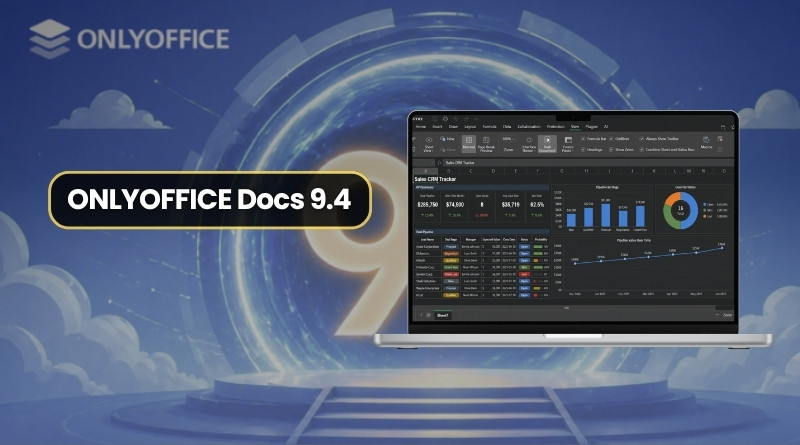
ONLYOFFICE Docs 9.4 is here! With the permanent removal of the 20 simultaneous connection limit in Community Edition and an updated open source license, this is a noteworthy release. Here’s what you need to know.
Community Edition: ONLYOFFICE Removes a Limitation
Until now, the open source Community Edition of ONLYOFFICE Docs imposed a restriction of 20 simultaneous connections. With version 9.4, that limit is completely removed and no longer exists at all. This change was clearly made in the application code, as shown by this commit on GitHub.
The ONLYOFFICE team has also made changes to the application architecture, which changes the game for self-hosting. From now on, the application architecture is based on a single process. Code minification has been removed, as have dependencies on RabbitMQ and the database. As a result, the application is now lighter.
Open Source License Updated
On the legal side, the licensing terms for the ONLYOFFICE suite have also evolved.
As it has since 2016, ONLYOFFICE Docs remains released under the GNU AGPL v3.0 (AGPLv3) license, but additional terms have been added. If ONLYOFFICE is making these changes, it is no coincidence. There is currently a conflict between ONLYOFFICE and the players behind Euro-Office, such as Nextcloud, notably because they copied the code without crediting ONLYOFFICE.
For the record - at the end of March 2026, the European consortium launched Euro-Office, a “fork” based on ONLYOFFICE’s open source code. To position Euro-Office as a 100% sovereign office suite, the consortium removed all visual traces of ONLYOFFICE’s brand and logo from the interface.
Any derived or modified version (such as Euro-Office) must include an easily accessible “About” section (or equivalent) in its interface. This page must clearly state that ONLYOFFICE is the original developer of the software.
"These conditions emphasize correct source attribution, copyright notices, and clear marking of modified versions. While the license allows modifications, it does not grant the right to use ONLYOFFICE’s trademarks, which are subject to a trademark policy.", can be read in ONLYOFFICE's article.
Moreover, as I mentioned earlier, the distributed code is no longer minified. Beyond making security auditing and third-party contributions easier, this mainly allows ONLYOFFICE and the community to track the source code and immediately verify whether Euro-Office (or another player) reintegrates its developments without respecting attribution terms.
New Features Across All Editors
The user experience across the suite’s various tools (documents, spreadsheets, presentations, fillable forms, PDF, and diagrams) benefits from welcome improvements:
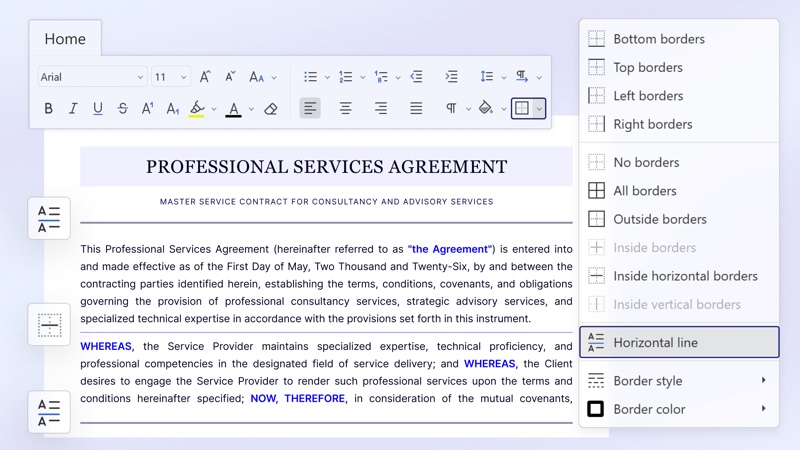
- Document editor: it is now possible to insert horizontal lines to better structure documents, an option available from the Home tab via the Borders button.
- Forms: forms now include a native recipient assignment feature and fill-status tracking directly within the editors.
- Spreadsheet editor: a “Dark Sheet” mode is now available. When the overall dark theme is enabled, users can switch the spreadsheet background to black from the View tab.
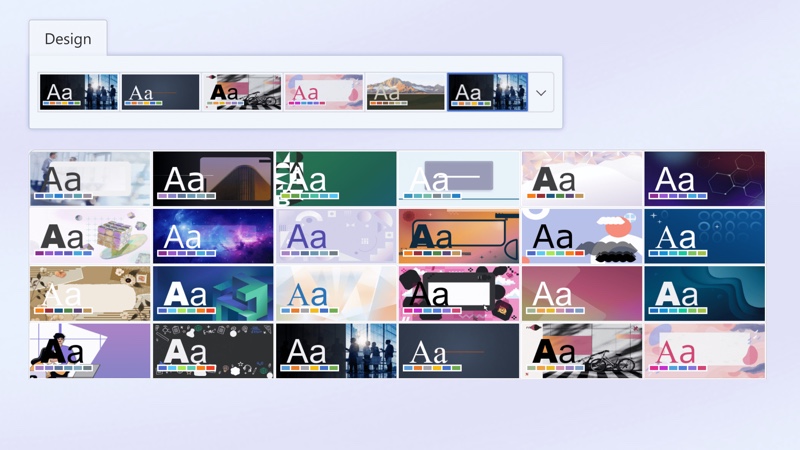
- Presentation editor: it now includes 25 new themes available in the Design tab, as well as 20 new slide transitions grouped under the Transitions tab.
- Web editors: a tab fully dedicated to chart design is also making its way into the web editors.
I’ll leave you with the presentation video published by the ONLYOFFICE team.
What do you think?