www.it-connect.fr

Geekom A5 2027 Edition Review: A Mini PC Upgrades to Ryzen 7 7730U
With the 2027 edition of its A5 mini PC, Geekom swaps the Ryzen 5 7430U for an 8-core Ryzen 7 7730U, while keeping the compact chassis and full connectivity of this entry-level model.
The Geekom A5 2027 Edition is aimed at the same use cases as its predecessor: a discreet office workstation for an SMB or a remote worker, a family PC that disappears under a monitor, or even a small server for a homelab (Proxmox VE installs without any issue). In this article, I’ll take you through this Geekom mini PC in detail: specs, design, case opening, and upgradeability. Then we’ll see what it can do through several benchmarks, before comparing it with the Geekom A5 2025 Edition I reviewed in the summer of 2025.
Geekom is a mini PC manufacturer founded in 2003, with R&D based in Taiwan. The brand is becoming increasingly familiar to IT-Connect readers, as I’ve had the opportunity to test many of its models, including the Geekom A7 2026 Edition, the Geekom A9 Max 2026 Edition, the Geekom A5 Pro, and the Geekom A6.
Announced on September 7, 2026, the Geekom A5 2027 Edition is the new generation of the A5 model. On paper, the main new feature is the processor: an AMD Ryzen 7 7730U (8 cores, 16 threads) replaces the Ryzen 5 7430U (6 cores, 12 threads) from the 2025 edition. The manufacturer also highlights a revised cooling system called IceBlast 3.0.
The unit I received comes with 16 GB of DDR4 RAM and a 512 GB NVMe SSD. On Geekom’s official store, the Geekom A5 2027 Edition is offered with 16 GB of RAM and a 256 GB or 512 GB SSD, for a price ranging from 499 euros to 579 euros depending on the configuration. The Ryzen 7 7730U version with 16 GB of RAM and a 512 GB SSD is listed at 579 euros, or 503.73 euros with the promo code reserved for IT-Connect readers (see the end of the article).
Geekom A5 2027 Edition specifications
Here are the main specifications of the Geekom A5 2027 Edition in the tested configuration:
- Processor: AMD Ryzen 7 7730U (Zen 3 architecture, 8 cores / 16 threads, 2.0 GHz base, up to 4.5 GHz boost, 16 MB L3 cache, 15 W TDP)
- Graphics: Integrated AMD Radeon Graphics (8 GPU cores, up to 2,000 MHz)
- NPU: None
- Memory: 16 GB DDR4-3200 dual-channel (2 x 8 GB SO-DIMM), expandable up to 64 GB
- Storage: 512 GB M.2 2280 NVMe SSD (PCIe 3.0 x4 interface), up to 4 TB
- Additional storage: one M.2 2242 SATA slot (up to 1 TB) and one 2.5-inch SATA bay 7 mm (up to 2 TB)
- Connectivity: 3 x USB 3.2 Gen 2 Type-A (10 Gb/s), 2 x USB 3.2 Gen 2 Type-C, 1 x USB 2.0 Type-A, 2 x HDMI 2.0b, 1 x RJ45 2.5 GbE (Realtek RTL8125), 1 x 3.5 mm jack, 1 x SD card reader, 1 x Kensington lock slot
- Display: up to 4 x 4K displays (via the 2 HDMI ports and the 2 USB-C ports)
- Wireless: Wi-Fi 6 (Realtek 8852BE) and Bluetooth 5.4
- Cooling: IceBlast 3.0
- Power supply: external 65 W adapter (19 V / 3.42 A)
- Dimensions: 117 x 112 x 49.2 mm
- Weight: 652 g
- Operating system: Windows 11 Pro
- Warranty: 3 years
The Ryzen 7 7730U belongs to the Ryzen 7000 U-series family launched in early 2023, but it is based on Zen 3 architecture, built on 7 nm. You can view its datasheet on the official AMD website. We’ll come back to this point in the comparison section.
Package and design
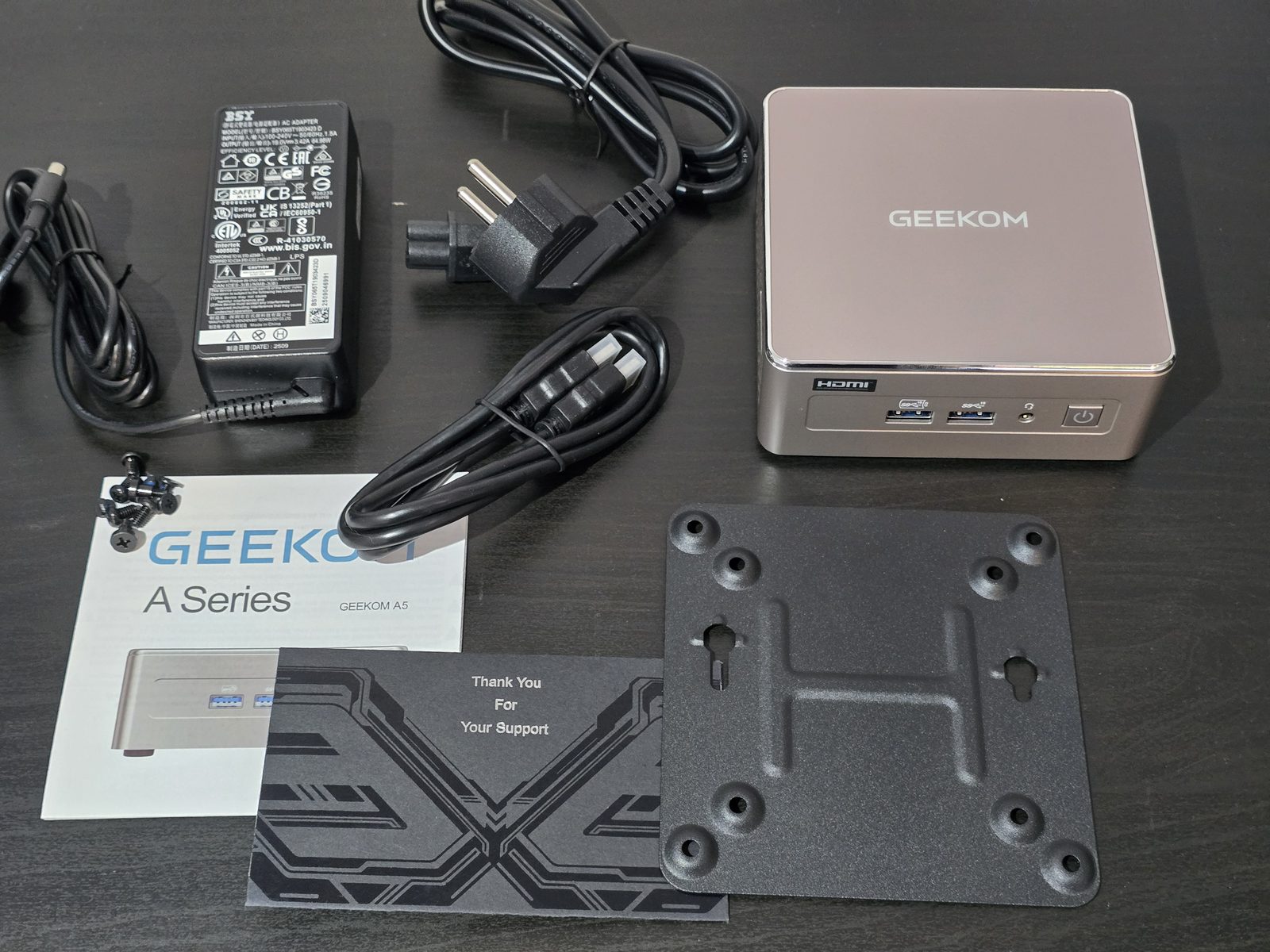
The Geekom A5 2027 Edition ships in a black box, wrapped in a blister pack, giving you a preview of the mini PC. The contents are typical for Geekom:
- The Geekom A5 2027 Edition mini PC
- The 65 W external power adapter and its AC cable
- An HDMI cable
- A VESA mounting plate and screws, to attach the mini PC to the back of a monitor
- A user guide
- A thank-you card
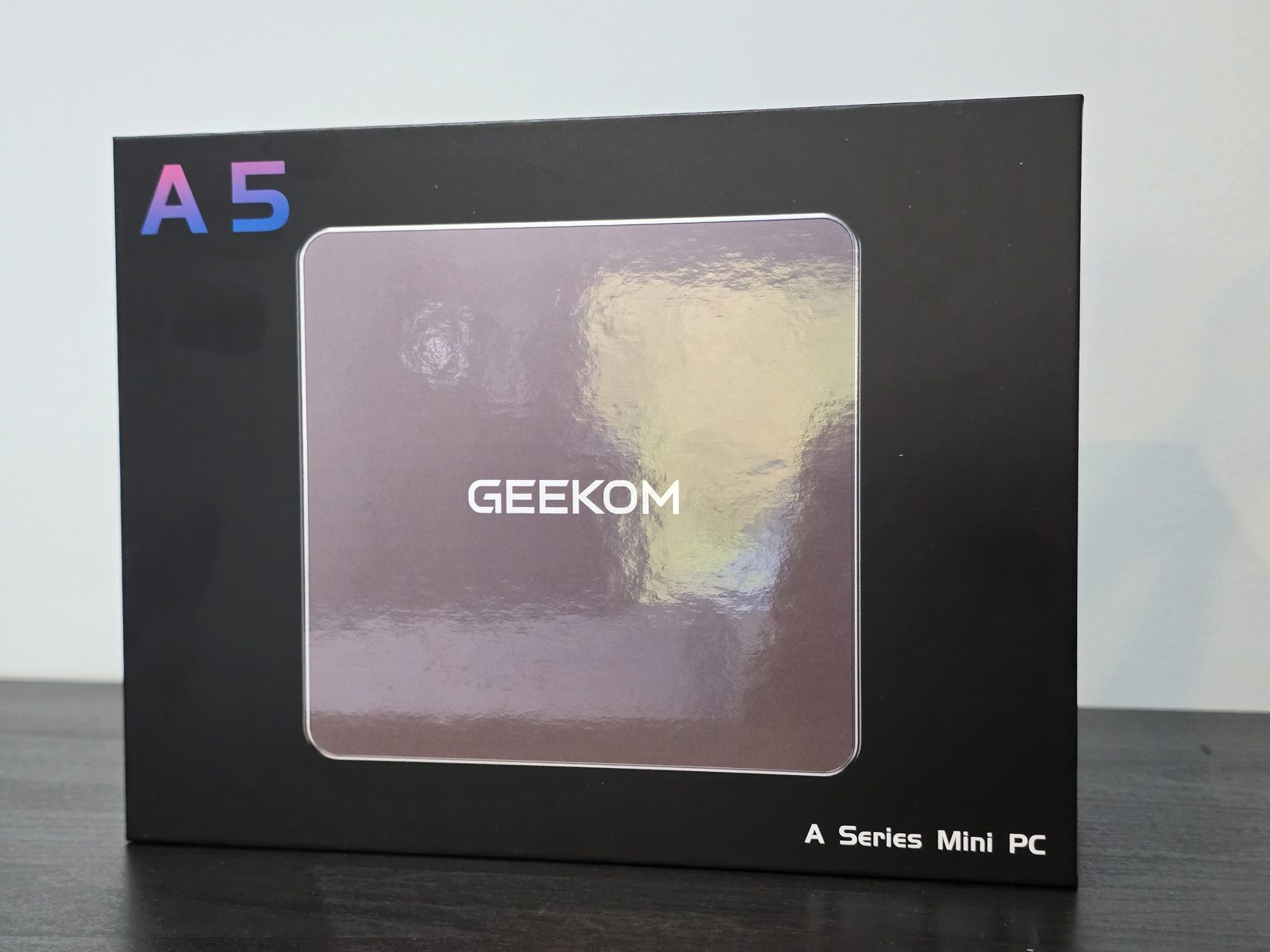
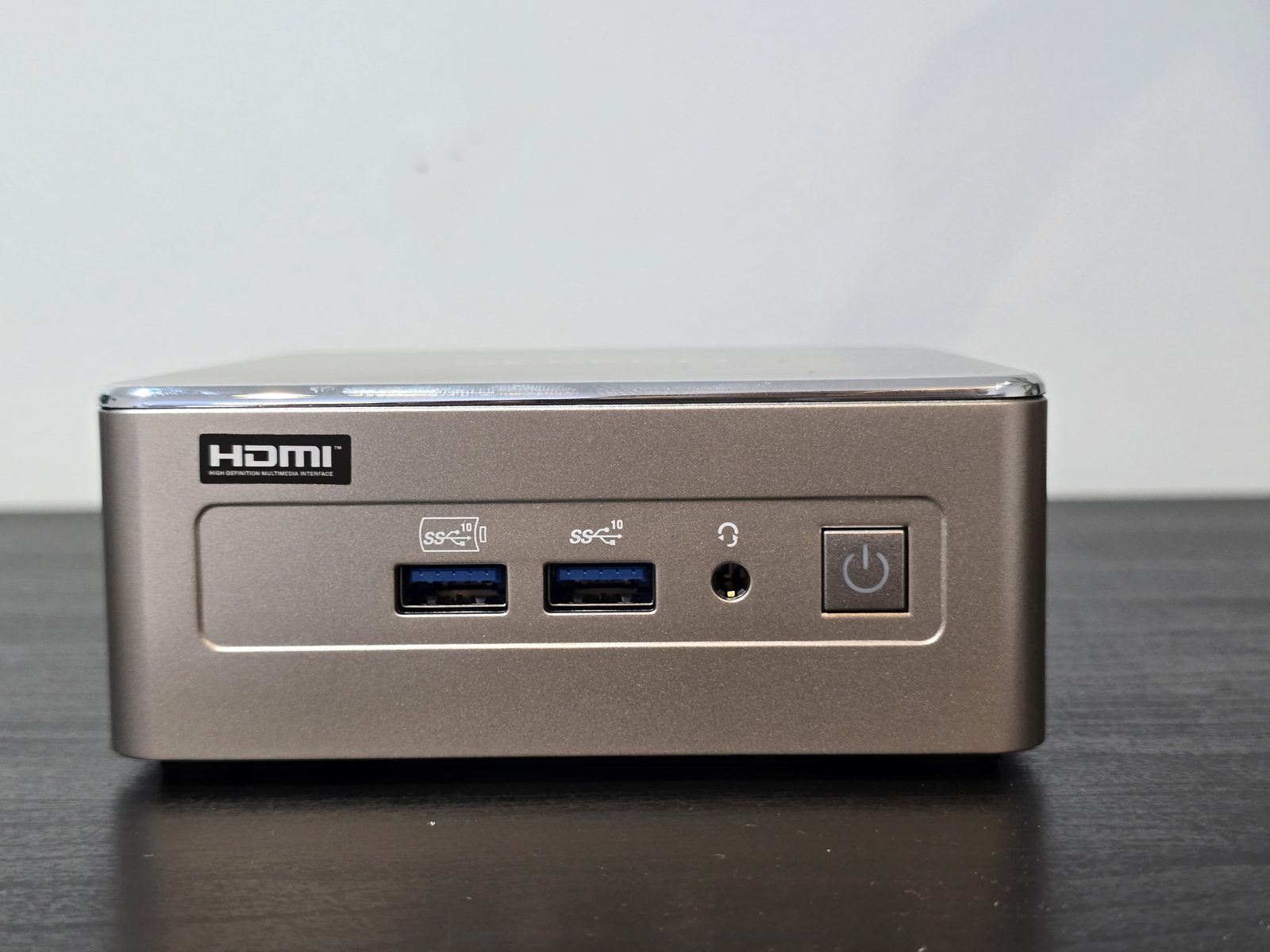
In terms of design, no surprises: Geekom reuses the 2025 edition chassis, with its rose gold finish. The glossy top cover is framed by a chrome trim that gives it a more premium touch. The case remains compact and will easily fit on a desk or behind a monitor thanks to the VESA plate. This is very much a mini PC.
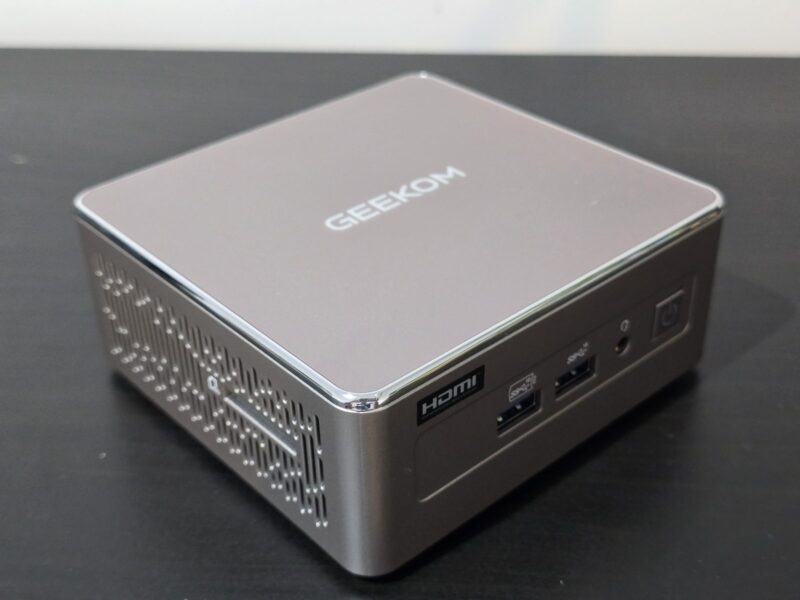
On the front, we find two 10 Gb/s USB 3.2 Gen 2 Type-A ports, a 3.5 mm headphone jack, and the power button.
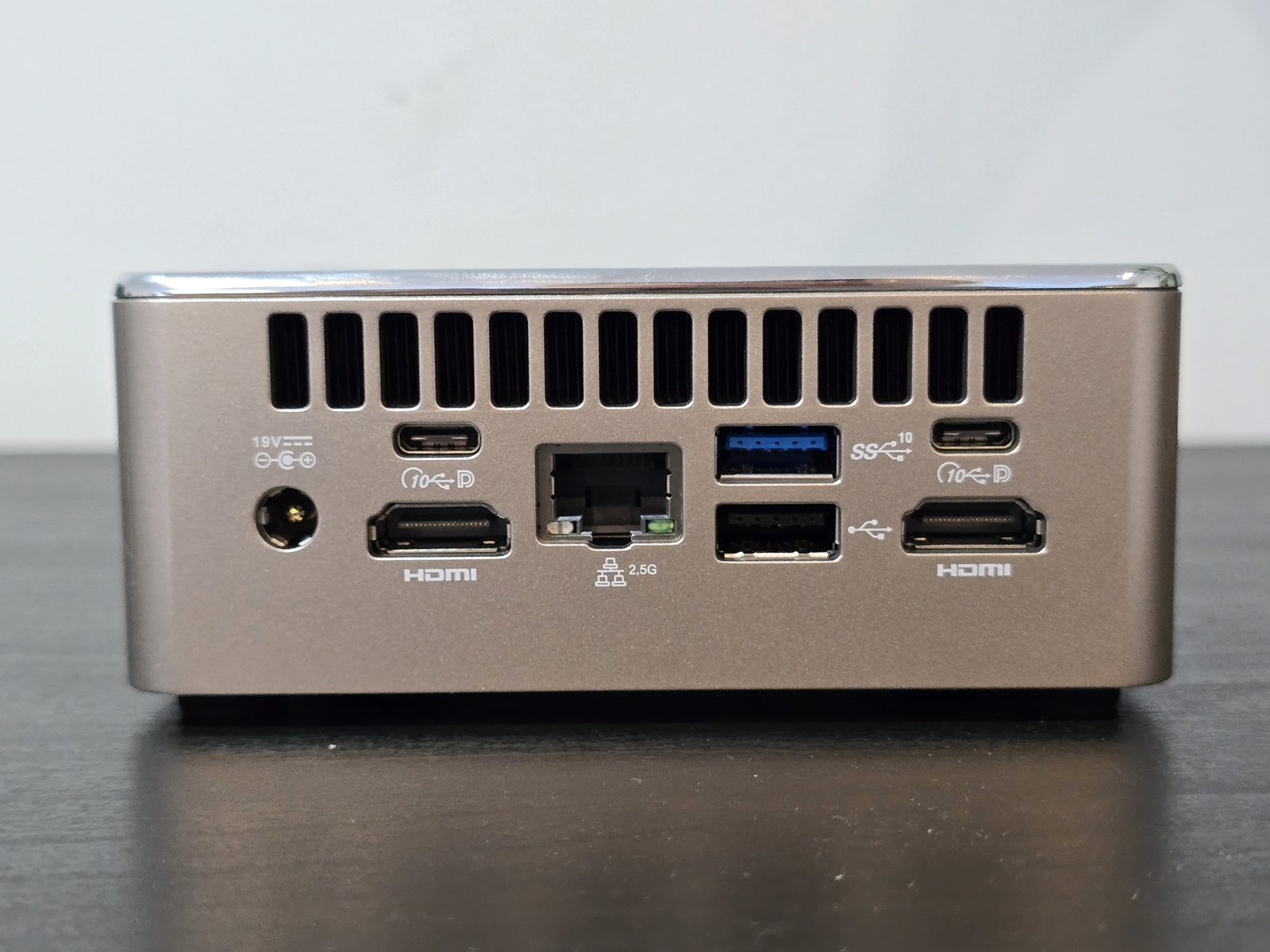
Most of the connectivity is located on the rear: the 19 V power input, two HDMI outputs, two 10 Gb/s USB-C ports with the DisplayPort logo, the 2.5 GbE RJ45 network port, one USB 3.2 Gen 2 Type-A port, and one USB 2.0 port. With the two HDMI ports and the two USB-C ports, up to four displays can be connected. As with the 2025 edition, there is no USB4 or Thunderbolt.
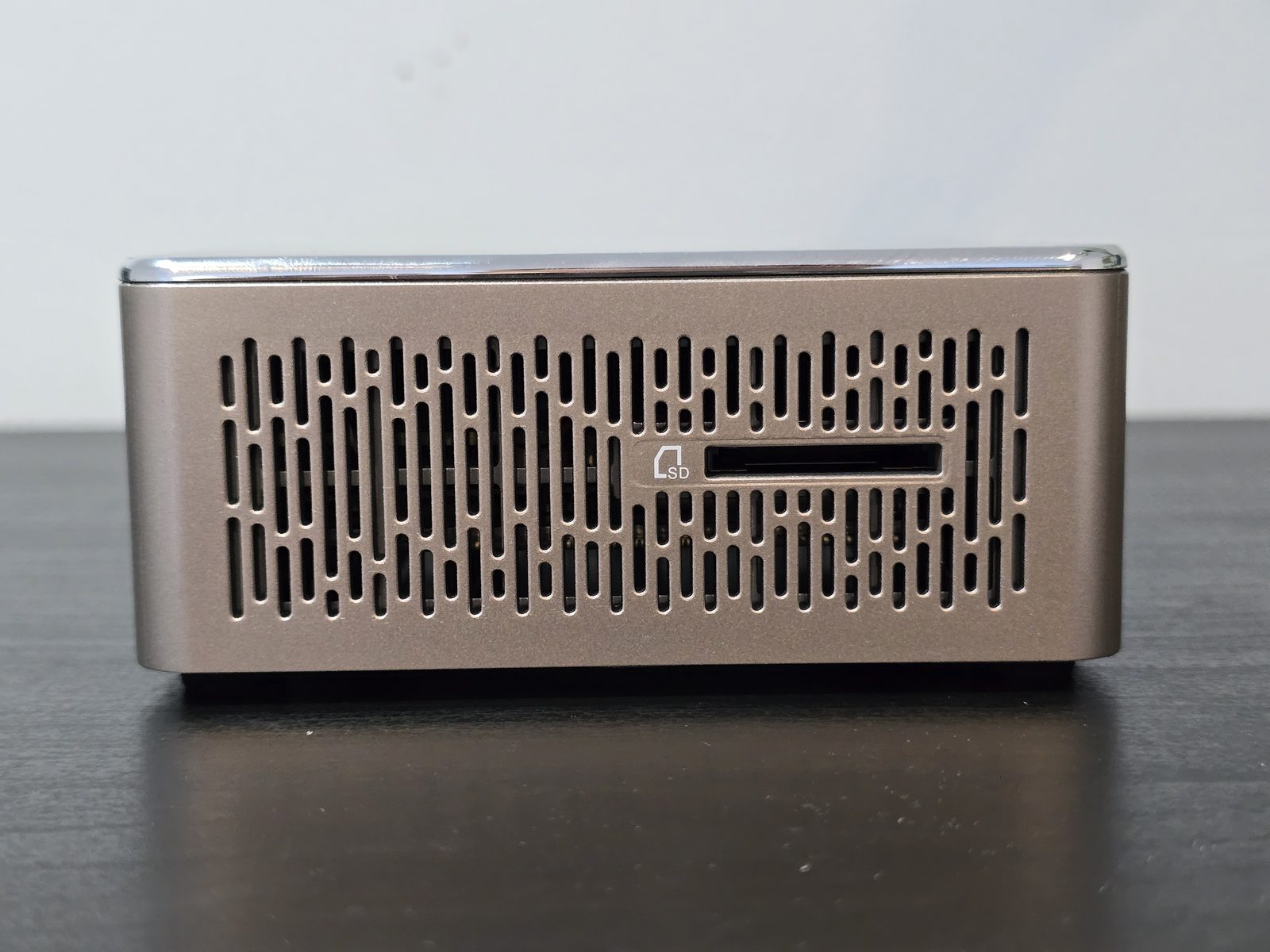
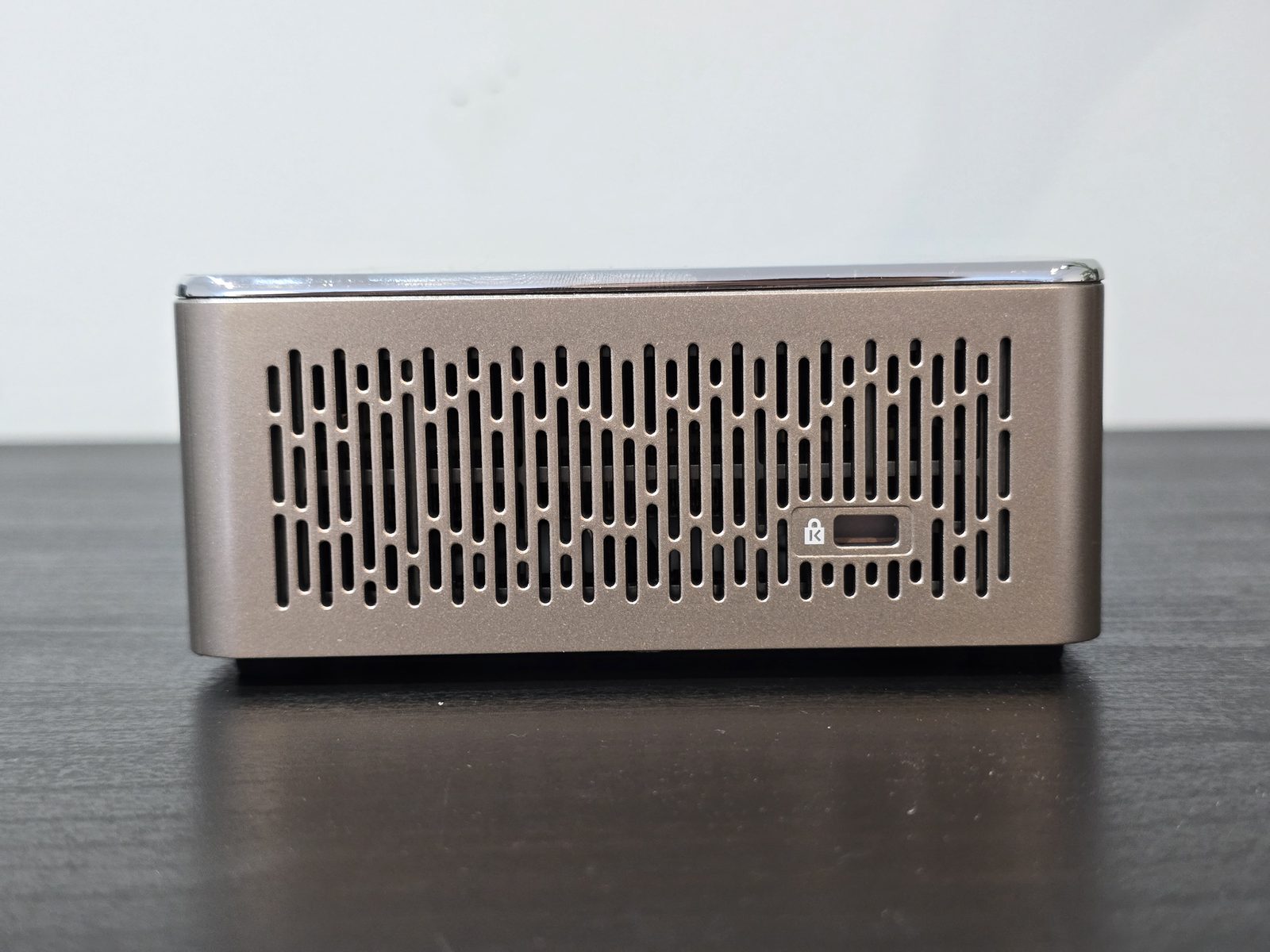
On the sides, we find an SD card reader on one side and a Kensington lock slot on the other for securing the mini PC with an anti-theft cable. Both side panels are largely ventilated for airflow.
Case opening
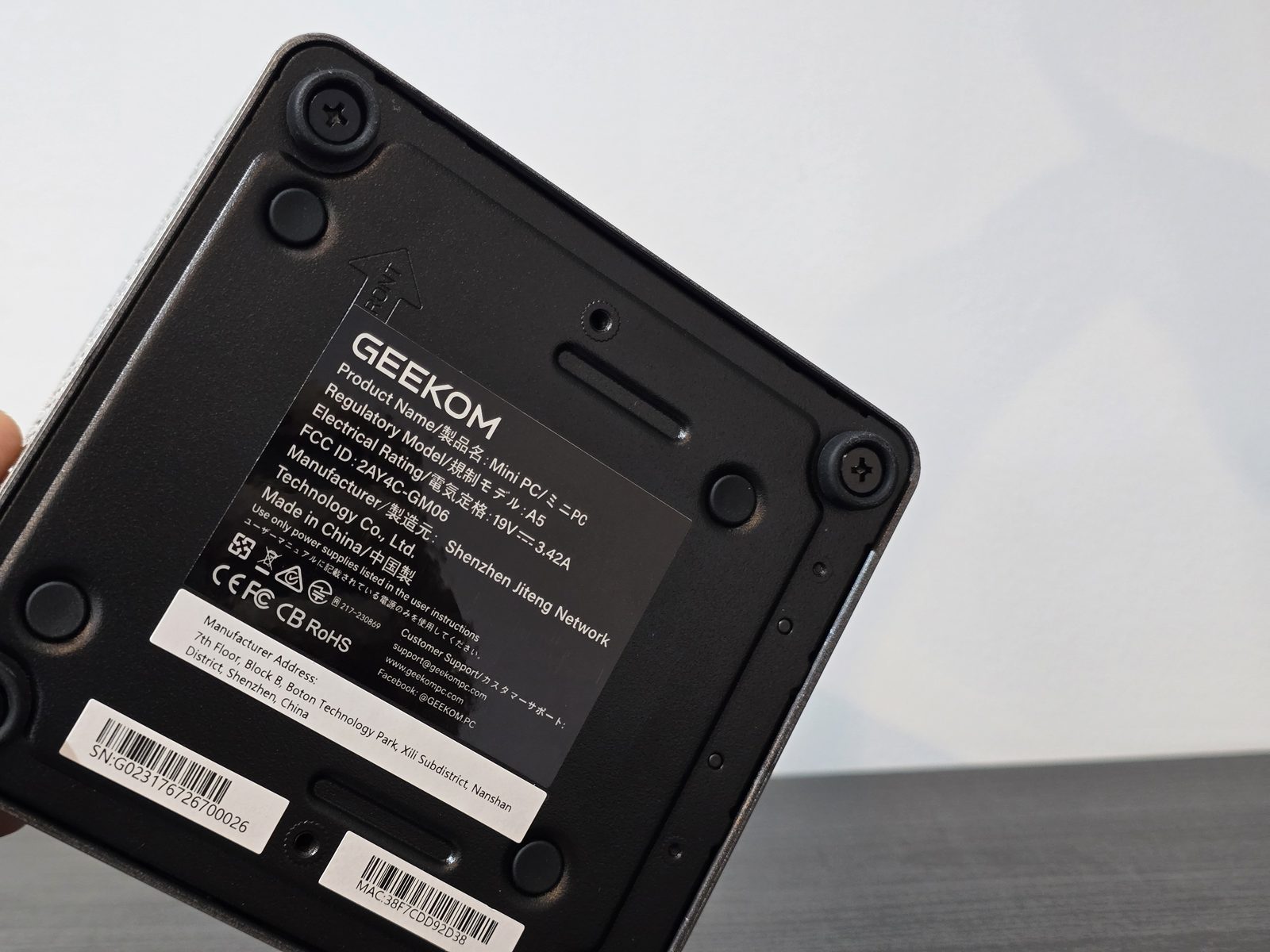
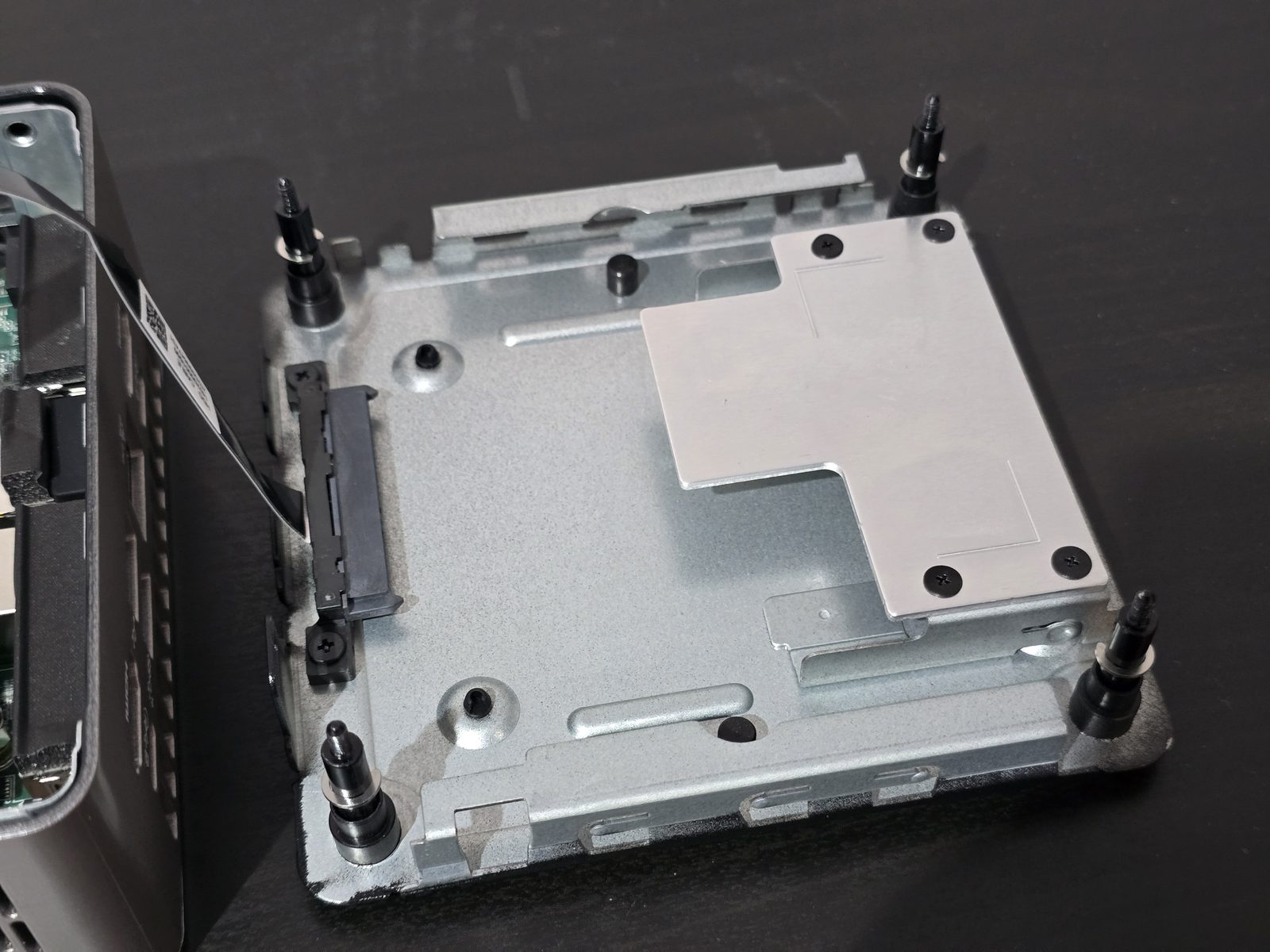
Opening the Geekom A5 2027 Edition is easy: just remove the four screws located under the rubber feet. These screws remain attached to the bottom plate, so you won’t lose them. The bottom plate holds the 2.5-inch bay, connected to the motherboard via a SATA cable. As with the 2025 edition, be careful when opening it so you don’t damage the cable or its connector. Otherwise, the case is very easy to open, unlike some other models (because there are no Wi-Fi antennas in the upper part of the chassis).
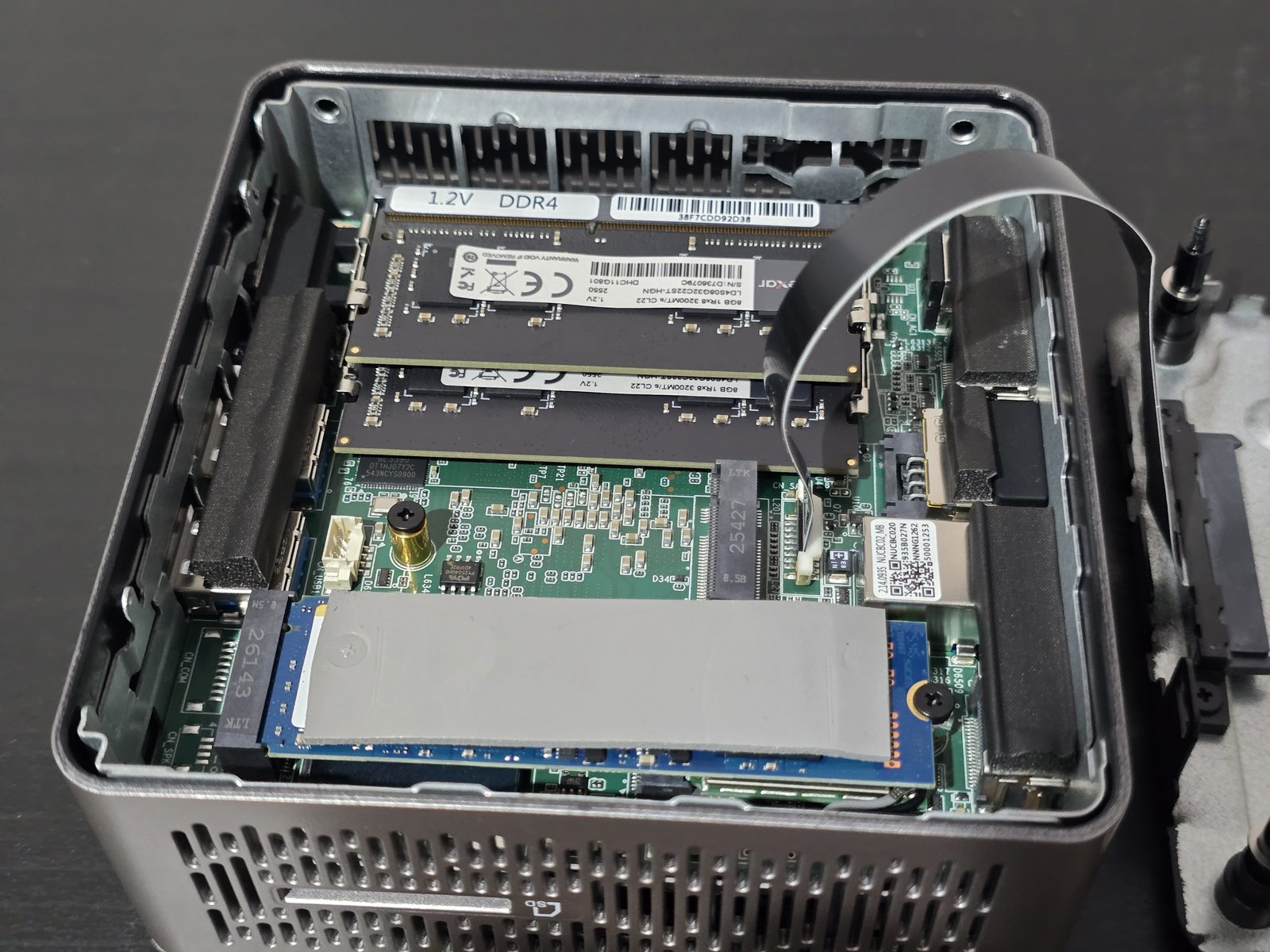
Once the case is open, we can access the main components:
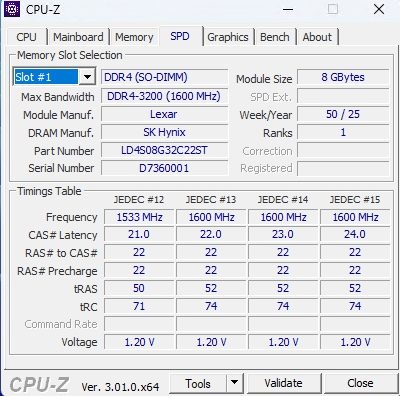
- Memory: Two Lexar 8 GB DDR4-3200 CL22 modules (part number LD4S08G32C22ST). Both SO-DIMM slots are occupied, so the modules must be replaced to move up to 32 GB or 64 GB.
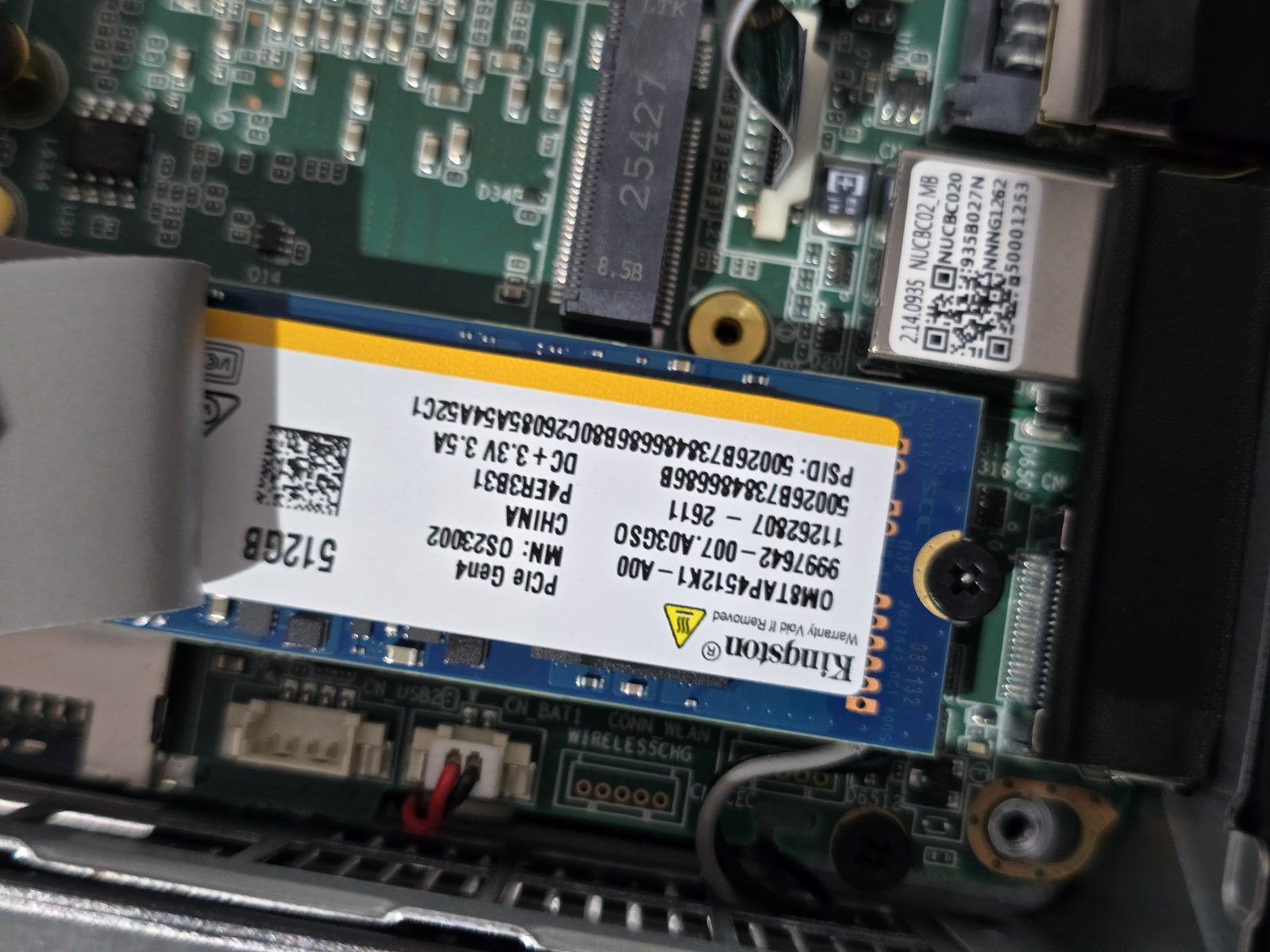
- SSD: A 512 GB Kingston OM8TAP4512K1 NVMe SSD in M.2 2280 format, covered by a thermal pad. This SSD is a PCIe 4.0 model, but it runs here at PCIe 3.0 x4 (more on that in the performance section). It uses QLC memory, with an endurance rating announced by Kingston at 160 TB written (TBW).
- M.2 2242 slot: Free, it accepts a SATA SSD to add storage.
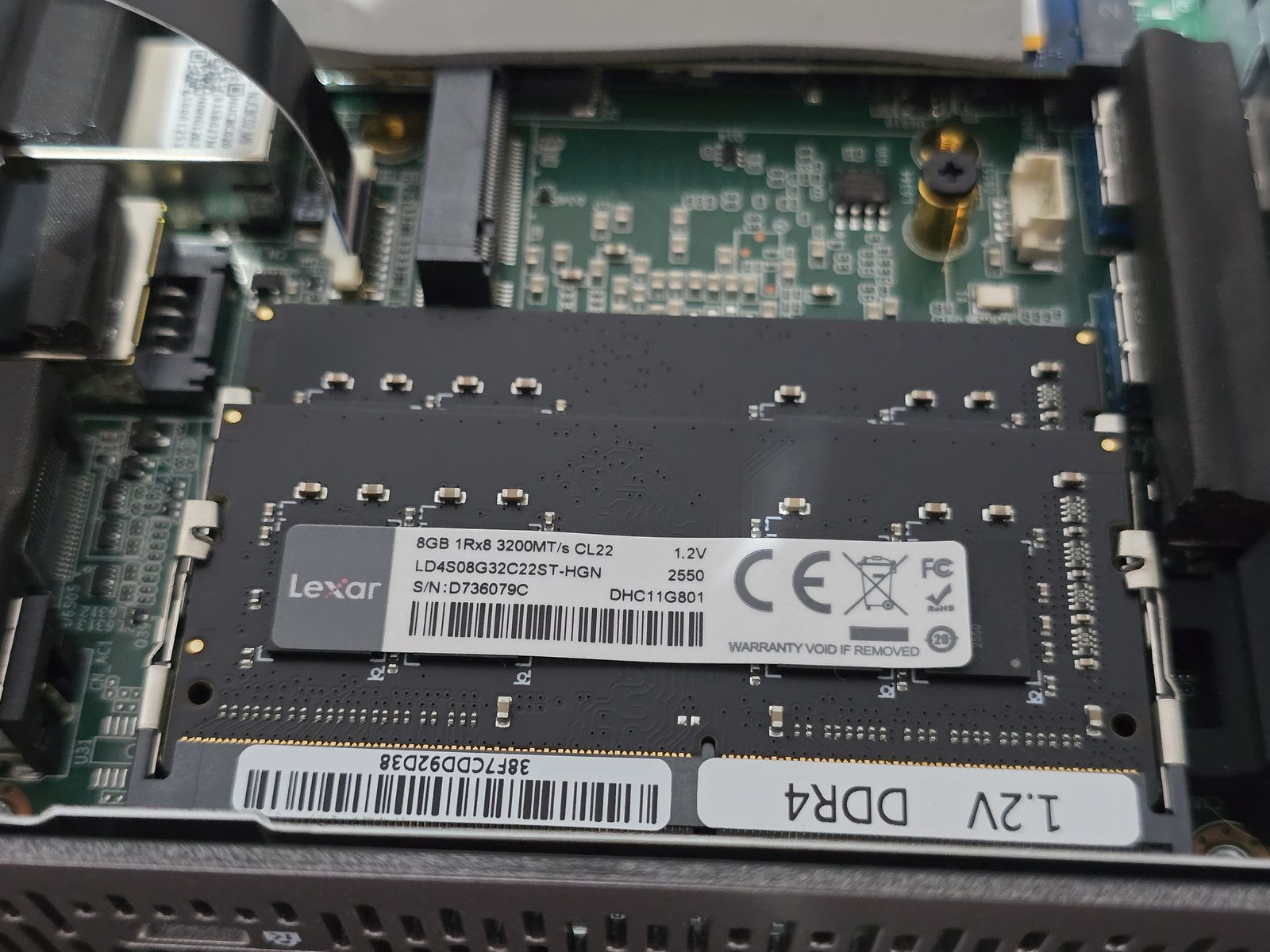
Overall, the Geekom A5 2027 Edition offers three storage slots (M.2 2280 NVMe, M.2 2242 SATA, and 2.5-inch SATA), for a maximum advertised capacity of 7 TB. That’s a good point for a mini PC of this size.
Upgradeability and performance
Setup and upgradeability
The Geekom A5 2027 Edition comes with Windows 11 Pro preinstalled and activated (license included). During the initial setup, it is possible to use a local account. Geekom also recommends starting the PC without connecting it to the network at first.
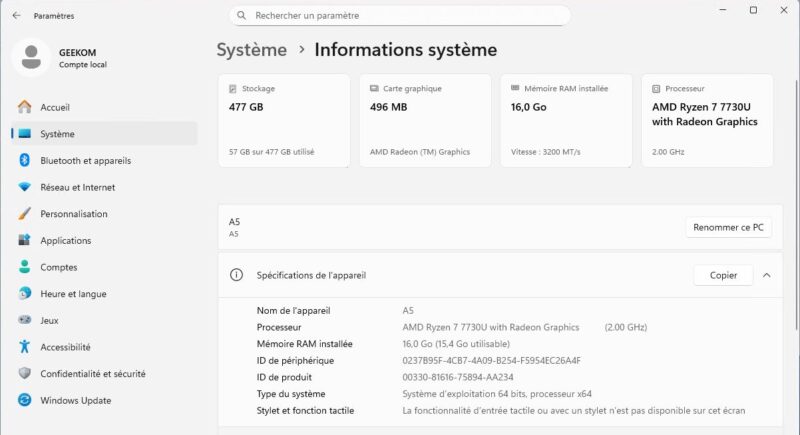
In Windows settings, the “System information” section confirms the configuration: AMD Ryzen 7 7730U processor, 16 GB of RAM at 3,200 MT/s (15.4 GB usable, with the rest reserved for the graphics chip) and an SSD with 477 GB usable.
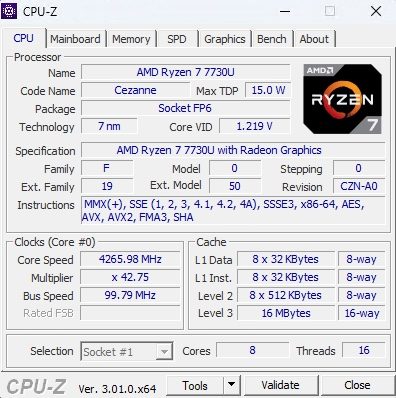
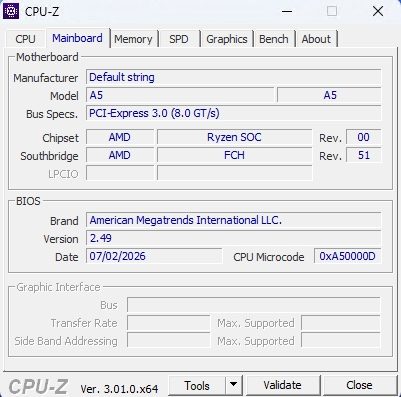
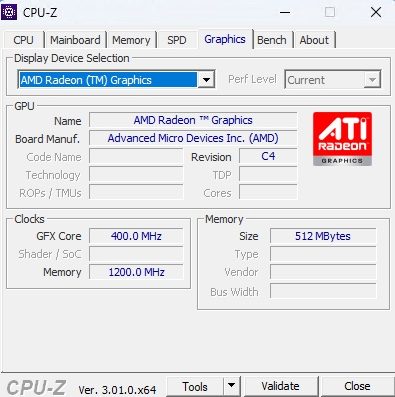
The CPU-Z tool gives us more details about the processor: codename Cezanne, 7 nm process, FP6 socket, maximum 15 W TDP, 8 cores and 16 threads, with 16 MB of L3 cache. The “Mainboard” tab shows an American Megatrends BIOS version 2.49 (which you’ll get a preview of later), while the “SPD” tab confirms the presence of Lexar DDR4-3200 modules (manufactured by SK Hynix). On the graphics side, the AMD Radeon Graphics chip has 512 MB of shared memory borrowed from system RAM.
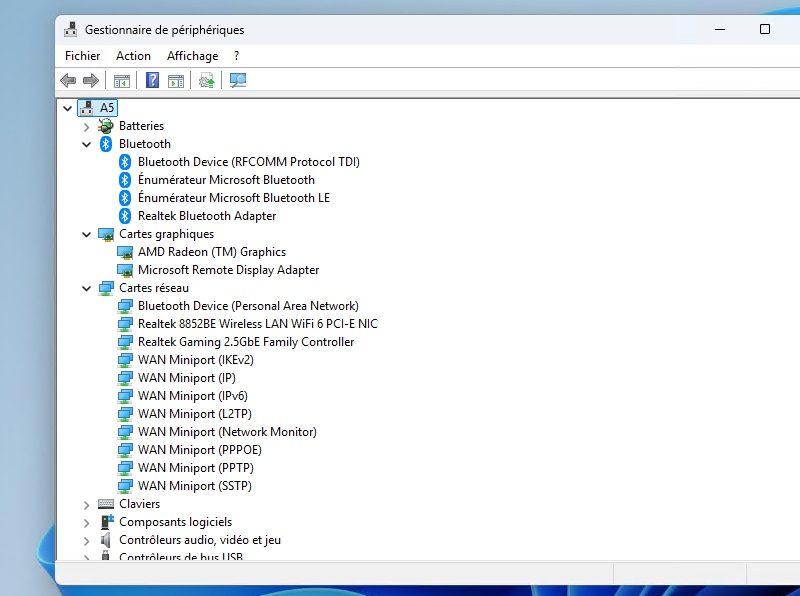
Finally, Device Manager lets us identify the network controllers: a Realtek 8852BE Wi-Fi 6 card, a Realtek Gaming 2.5GbE Family Controller Ethernet controller (RTL8125 chip), and a Realtek Bluetooth adapter.
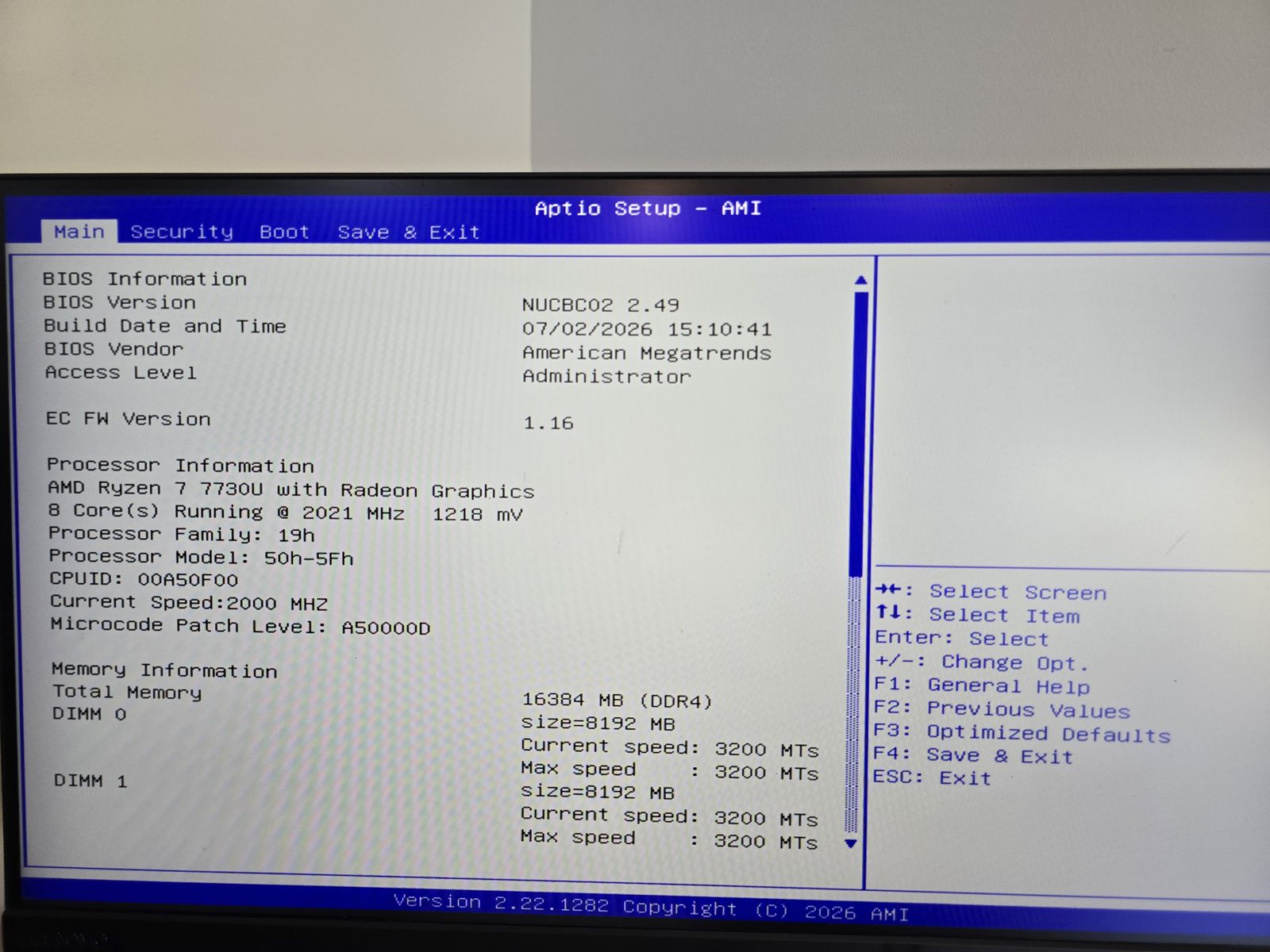
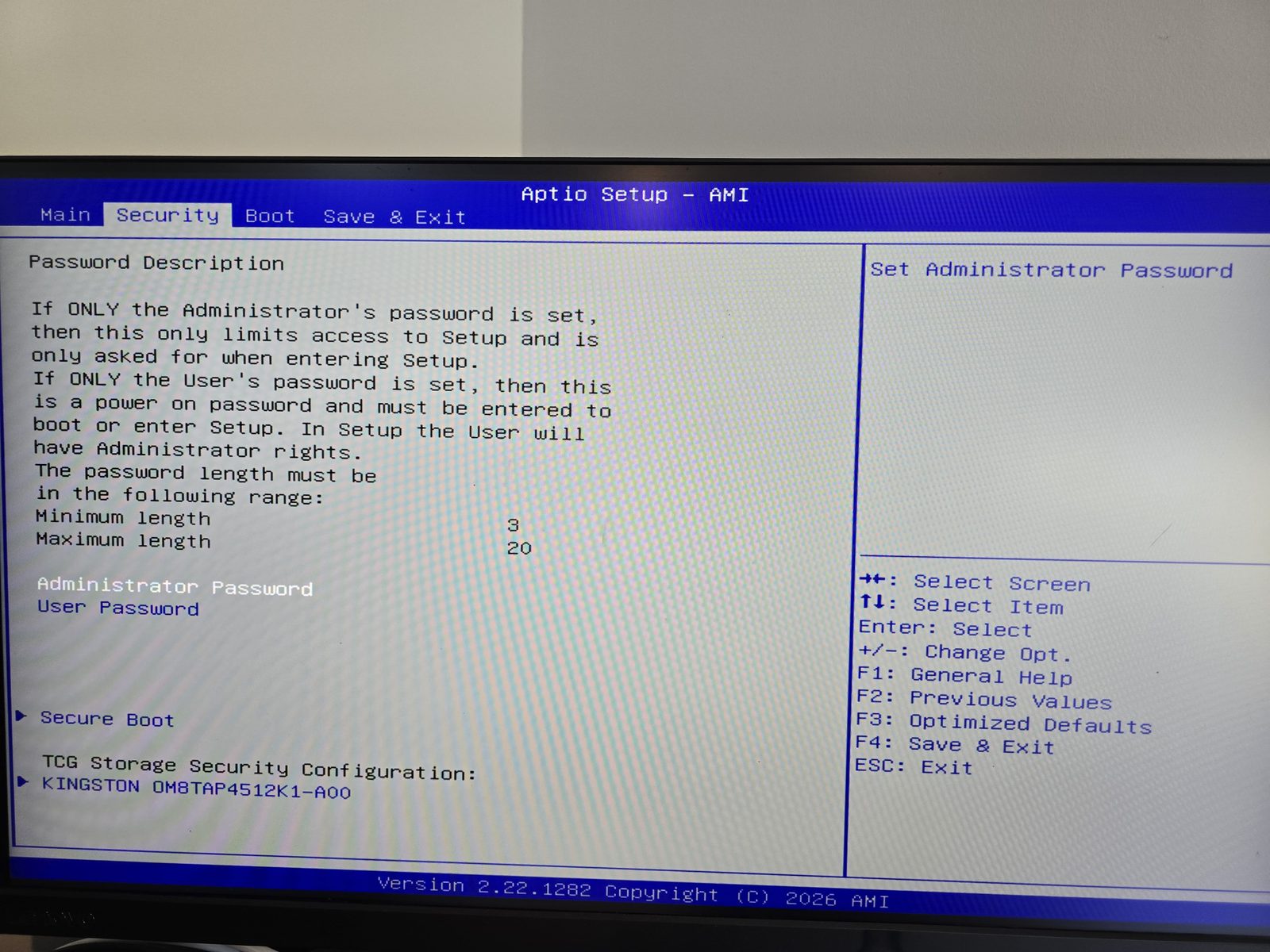
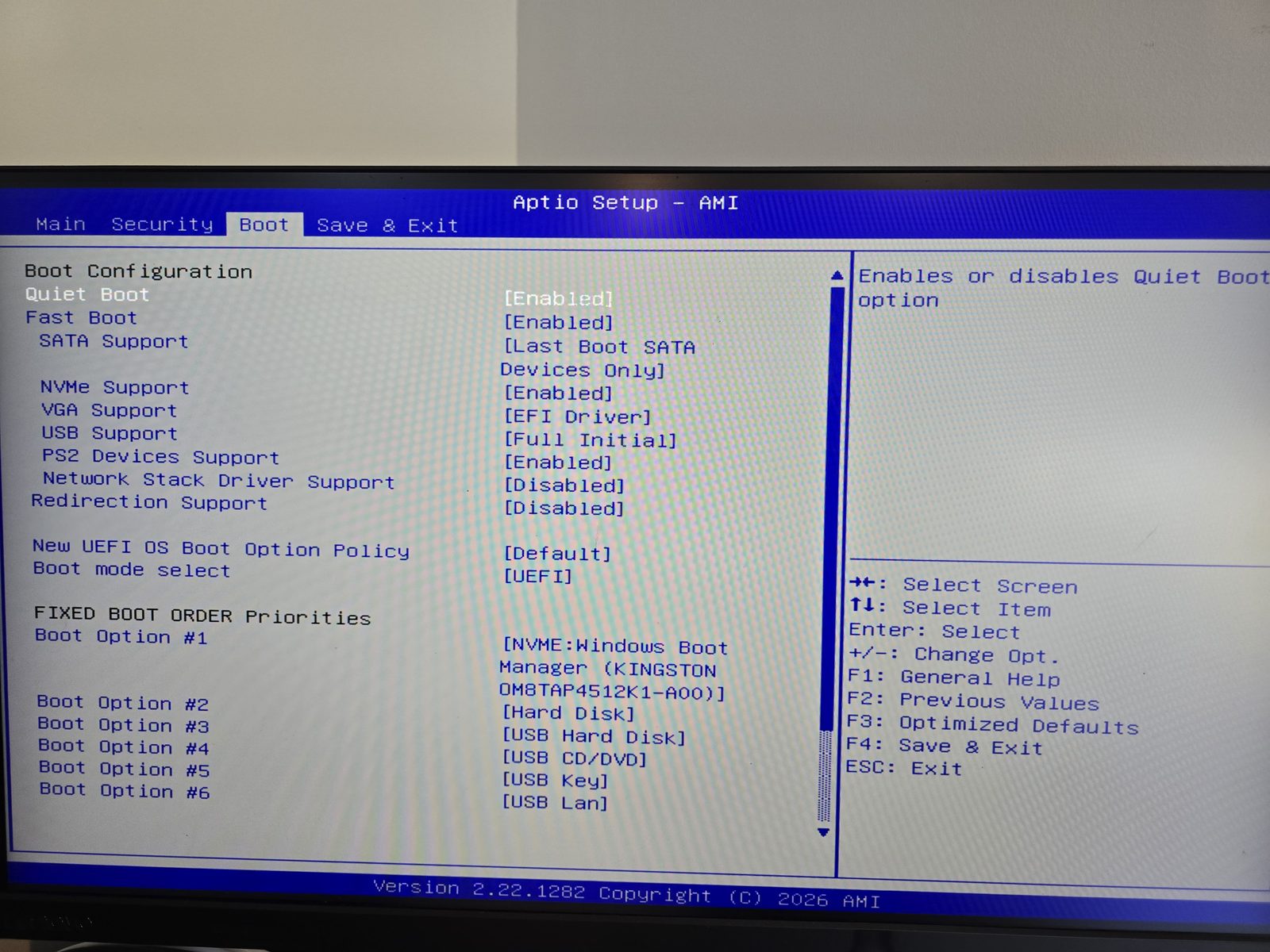
Let’s also take a look at the BIOS. It’s a fairly stripped-down American Megatrends Aptio BIOS, organized into four tabs: Main, Security, Boot, and Save & Exit.
- Main: summarizes the BIOS version, processor, and installed memory.
- Security: lets you set an administrator password and a user password, manage Secure Boot, and access the Kingston SSD’s TCG Storage Security configuration.
- Boot: lets you choose the boot order, enable or disable Fast Boot and Quiet Boot, and manage the UEFI network stack. It is disabled by default ("Network Stack Driver Support" option), so you’ll need to enable it to boot via PXE.
However, there is no “Advanced” tab: these menus do not allow you to change the memory allocated to the graphics chip, the processor power limit, or fan behavior. So this is a BIOS with only the bare minimum in terms of options.
Performance
SSD performance
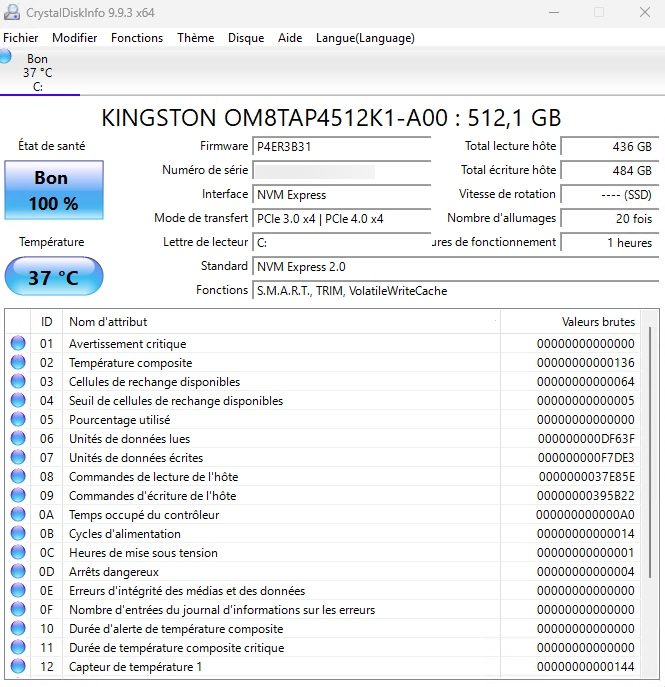
Let’s start with storage. CrystalDiskInfo identifies the Kingston OM8TAP4512K1 SSD with an NVMe 2.0 interface and a transfer mode of "PCIe 3.0 x4 | PCIe 4.0 x4". In other words, the SSD supports PCIe 4.0, but it runs here in PCIe 3.0 x4. This is not a Geekom-specific limitation: the Ryzen 7 7730U only supports PCIe 3.0.
Here are the results obtained with CrystalDiskMark (5 passes, 1 GB test file):
| Test | Read (MB/s) | Write (MB/s) |
|---|---|---|
| SEQ1M Q8T1 | 3,726.91 | 3,178.62 |
| SEQ1M Q1T1 | 3,099.44 | 2,719.81 |
| RND4K Q32T1 | 447.22 | 280.88 |
| RND4K Q1T1 | 52.20 | 106.47 |
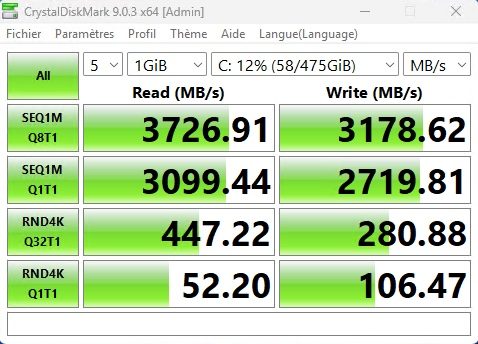
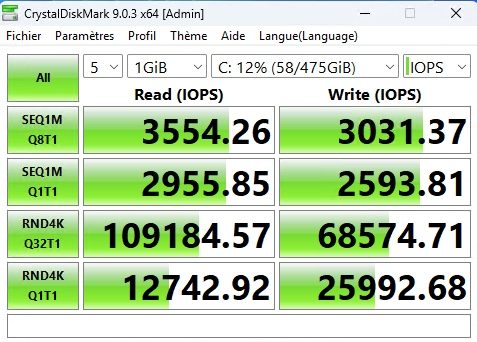
With more than 3.7 GB/s in sequential read, the SSD almost fully saturates the bandwidth of a PCIe 3.0 x4 link (around 3.9 GB/s theoretically). That’s a good result, but it also means that installing a faster PCIe 4.0 SSD would not improve sequential throughput on this mini PC.
CPU and GPU performance
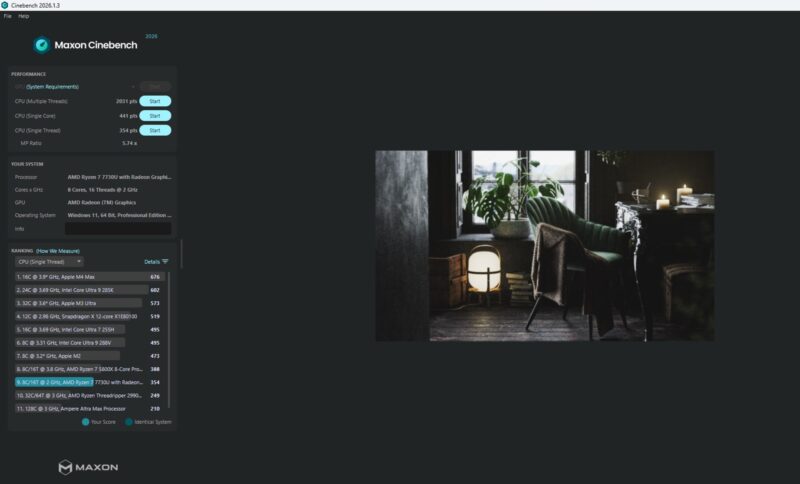
To assess processor performance, I used Cinebench 2026 (version 2026.1.3). The Ryzen 7 7730U scores 2,031 points in multi-thread, 441 points in Single Core, and 354 points in Single Thread, for a multi-core ratio of 5.74.
In Cinebench’s built-in ranking, this Single Thread score is about 9% behind that of a Ryzen 7 5800X (388 points), a desktop processor from the same Zen 3 generation, even though the Ryzen 7 7730U sticks to a 15 W TDP. On the other hand, Cinebench 2026’s GPU test is not available on this mini PC: the integrated graphics chip is not among the supported GPUs.
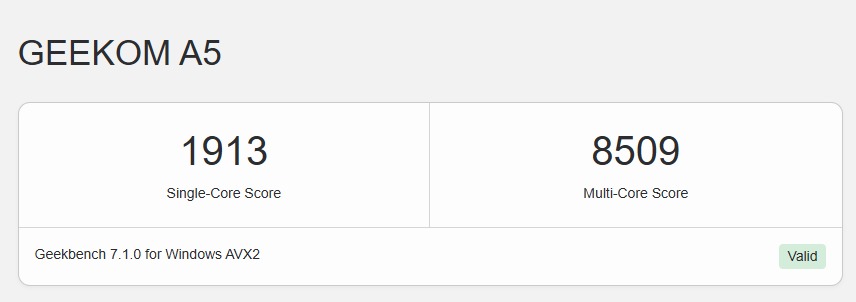
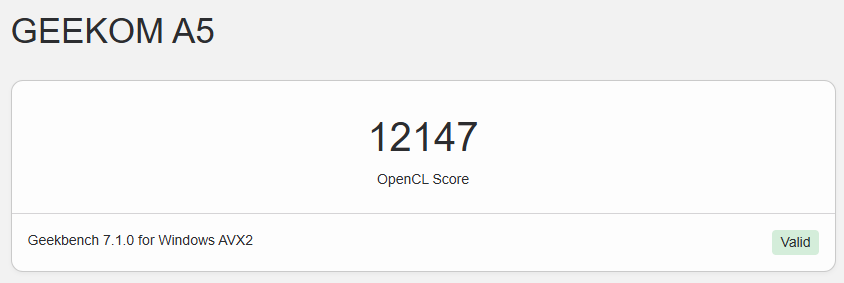
I also ran Geekbench 7. The Geekom A5 2027 Edition scores 1,913 points in single-core and 8,509 points in multi-core, as well as 12,147 points in OpenCL for the graphics section. The results can be viewed on Geekbench’s website: CPU result and GPU result.
Video games
The integrated graphics chip is not built for gaming, but it can still run lightweight titles at 1080p with modest settings.
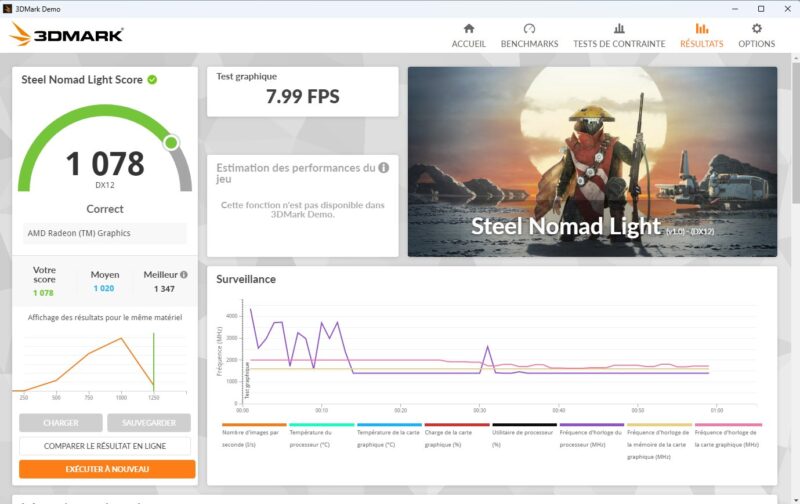
To measure its capabilities, I ran the 3DMark Steel Nomad Light benchmark (DirectX 12). The Geekom A5 2027 Edition scores 1,078 points, with an average of 7.99 frames per second in the graphics test. For context, 3DMark shows an average score of 1,020 points for machines with the same hardware, with the best result reaching 1,347 points. The Geekom A5 2027 Edition therefore sits slightly above average.
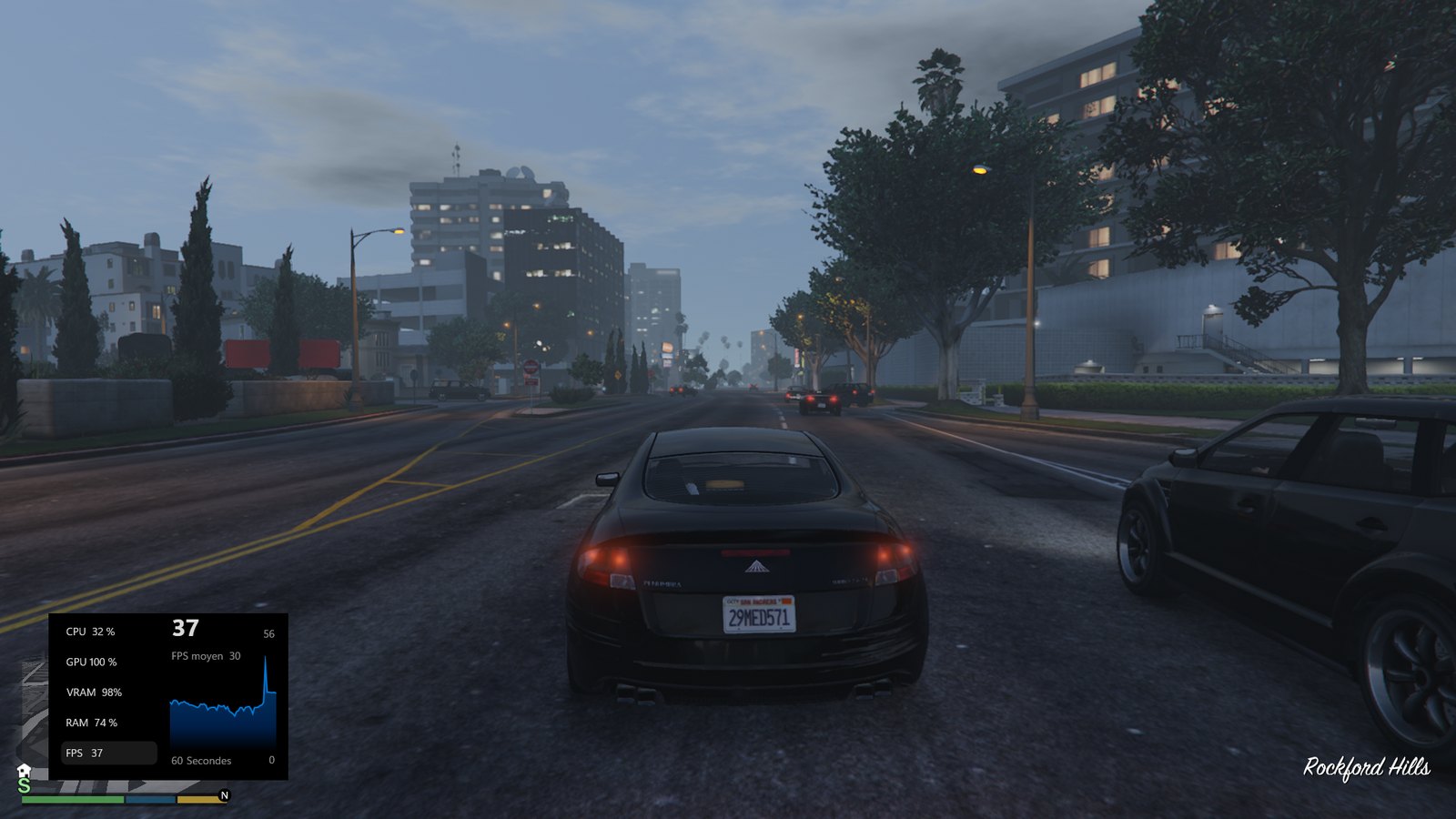
I also tested GTA V at 1920 x 1080 with the Minimum graphics preset (ray tracing disabled). While driving in the city, I get around 30 frames per second on average according to the Xbox Game Bar counter, with peaks around 37 frames per second. The graphics chip is then running at 100%. The game remains fully playable, but don’t expect to increase the graphics settings. Still, you can genuinely play this game without slowdowns.


Homelab usage with Proxmox VE
I did not install Proxmox VE on this 2027 edition, but I do have some real-world feedback to share: I have been using the Geekom A5 2025 Edition as a Proxmox VE server since I reviewed it in the summer of 2025, and it works very well. The Geekom A5 2027 Edition is based on the same platform (Zen 3 architecture, DDR4 memory, same chassis), with two additional cores: it is perfectly capable of fulfilling that role.
For homelab use, the Ryzen 7 7730U’s 8 cores and 16 threads are an advantage for running multiple virtual machines or containers. As with the 2025 edition, RAM will be the first component to upgrade: 16 GB gets limiting quickly as soon as you multiply the VMs. But for running applications inside LXC containers, it’s a solid choice: a discreet machine with low power consumption.
Cooling, noise, and power consumption
The Geekom A5 2027 Edition debuts the IceBlast 3.0 cooling system, whereas the 2025 edition used IceBlast 2.0 with two copper heat pipes. Geekom claims a 42% increase in cooling efficiency and up to 35% greater airflow compared with the previous generation. The manufacturer also states that core temperatures stay below 72°C after one hour of heavy load (with ambient temperature above 30°C), alongside a noise level of around 28 dB at idle and 32 dB at full load. It also advertises power consumption of about 0.48 kWh per day during continuous operation.
From my side, I can confirm that the Geekom A5 2027 Edition is really quiet in everyday use, and its fan stays discreet even under full load. At idle or under light use, HWiNFO reports a processor temperature of around 45°C and CPU-only power draw of 3 to 5 W.
Geekom A5 2027 vs A5 2025: what changed?
If you’re hesitating between the two generations, or if you already own a Geekom A5 2025 Edition, this section is for you. As a reminder, the 2025 edition model I tested was equipped with an AMD Ryzen 5 7430U (you can re-read the full Geekom A5 2025 Edition review).
Specification comparison table
| Specification | Geekom A5 2025 Edition (tested) | Geekom A5 2027 Edition (tested) |
|---|---|---|
| Processor | AMD Ryzen 5 7430U | AMD Ryzen 7 7730U |
| Architecture | Zen 3 | Zen 3 |
| Cores / threads | 6 / 12 | 8 / 16 |
| Base / boost frequency | 2.3 GHz / 4.3 GHz | 2.0 GHz / 4.5 GHz |
| Graphics | Radeon Graphics, 7 cores (1,800 MHz) | Radeon Graphics, 8 cores (2,000 MHz) |
| RAM | 16 GB DDR4-3200 (2 x 8 GB), 64 GB max | 16 GB DDR4-3200 (2 x 8 GB Lexar), 64 GB max |
| SSD | 512 GB Wooposit NVMe (PCIe 3.0 x4) | 512 GB Kingston NVMe (PCIe 4.0, limited to PCIe 3.0 x4) |
| Additional storage | M.2 2242 SATA + 2.5-inch bay | M.2 2242 SATA + 2.5-inch bay |
| Networking | 2.5 GbE, Wi-Fi 6, Bluetooth 5.2 | 2.5 GbE, Wi-Fi 6, Bluetooth 5.4 |
| Connectivity | Identical | Identical |
| Cooling | IceBlast 2.0 | IceBlast 3.0 |
| Power supply | 19 V / 3.42 A | 19 V / 3.42 A |
| Dimensions | 117 x 112 x 49.2 mm | 117 x 112 x 49.2 mm |
| Price at the time of review | 349 euros | 579 euros (503.73 euros with our promo code) |
What really changed
The main change is the jump from 6 to 8 cores (and from 12 to 16 threads). Combined with a slightly higher boost frequency and a graphics chip with one extra core, this should mainly translate into gains in multithreaded workloads.
The SSD supplier also changes: Wooposit gives way to Kingston. The gain is clear in sequential reads and writes (up to +38% in write speed), but 4K random access results are close, or even lower in writes (around -17%), which is consistent with this SSD’s QLC memory. The table below details the comparison. Finally, the cooling system moves to IceBlast 3.0.
That said, one thing must be made clear: the “2027” label does not correspond to a technological leap. The Ryzen 7 7730U is still based on Zen 3 architecture, just like the Ryzen 5 7430U, and it shares the same characteristics as the Ryzen 7 5825U. The platform remains identical: DDR4, PCIe 3.0, no NPU, no USB4. The chassis and connectivity don’t change either. On the one hand, this shows real consistency and continuity with the previous generation.
SSD performance comparison
Here is the CrystalDiskMark comparison, carried out with a 1 GB test file:
| CrystalDiskMark (MB/s) | Geekom A5 2025 Edition (Wooposit SSD) | Geekom A5 2027 Edition (Kingston SSD) | Gap |
|---|---|---|---|
| SEQ1M Q8T1 (read) | 3,204.54 | 3,726.91 | +16% |
| SEQ1M Q8T1 (write) | 2,304.64 | 3,178.62 | +38% |
| SEQ1M Q1T1 (read) | 1,679.45 | 3,099.44 | +85% |
| SEQ1M Q1T1 (write) | 2,319.87 | 2,719.81 | +17% |
| RND4K Q32T1 (read) | 465.29 | 447.22 | -4% |
| RND4K Q32T1 (write) | 339.55 | 280.88 | -17% |
| RND4K Q1T1 (read) | 48.78 | 52.20 | +7% |
| RND4K Q1T1 (write) | 128.69 | 106.47 | -17% |
Conclusion
The Geekom A5 2027 Edition keeps the formula of its predecessor while adding a more capable processor: with its 8-core Ryzen 7 7730U, it is comfortable for office work, multitasking, media playback, and can serve as a small homelab server. It retains the strengths of the 2025 edition: a compact, well-finished chassis, full connectivity with support for four displays, a 2.5 GbE network port, and good upgradeability thanks to its two SO-DIMM slots and three storage options. On the noise front, the IceBlast 3.0 cooling system stays out of the way: the machine is quiet in daily use and remains discreet under load, which is a plus.
It’s a shame the platform doesn’t move forward more: Zen 3, DDR4, and PCIe 3.0 are starting to show their age, and the lack of USB4 may bother some users. That leaves the price: at 579 euros (503.73 euros with our promo code), the Geekom A5 2027 Edition is significantly more expensive than the 2025 edition, which I tested at 349 euros with a Ryzen 5 7430U. In the meantime, component prices have risen too, and Geekom has to adapt to market realities.
Special offer on the Geekom A5 2027 Edition
Get a discount on Amazon.fr or on the official Geekom store, thanks to the links and code below reserved for IT-Connect readers.
Enter promo code "ITCOA527" in your cart to get 10% off. The Geekom A5 2027 Edition then drops from 579 euros to 521.10 euros.
Click this link to access the offer.
Enter promo code "ITCOA527" in your cart to get 13% off. The Geekom A5 2027 Edition (Ryzen 7 7730U, 16 GB RAM, 512 GB SSD) then drops from 579 euros to 503.73 euros.
Click this link to access the offer.
Geekom provided me with the Geekom A5 2027 Edition for this review.