www.it-connect.fr

Microsoft Turns Windows into an AI Agent Platform with MXC, Local Models, and RTX Spark PCs
An AI agent trapped by a web page, blocked by Microsoft Defender, and a user who keeps working as if nothing happened. That demonstration alone sums up the Windows event Microsoft held on October 7, 2026, in San Francisco. Here’s what you need to know.
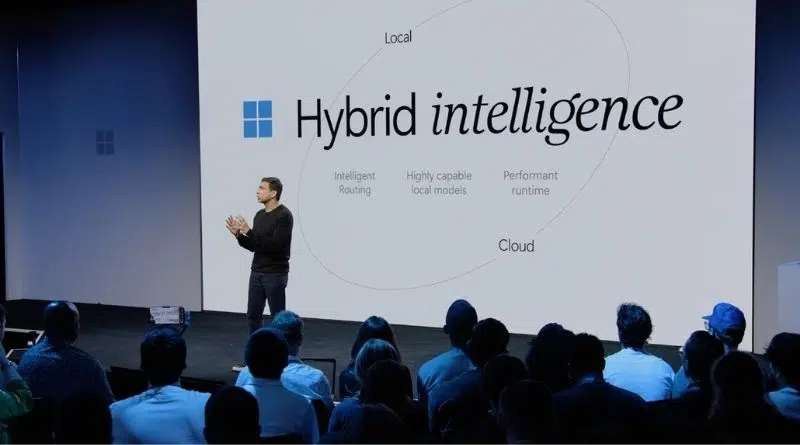
A few hours ago, Satya Nadella, Pavan Davuluri, head of Windows and devices, and Jensen Huang, CEO of NVIDIA, shared the stage during a keynote streamed live on YouTube. The common thread of the event was hybrid intelligence. Behind that term lies the goal of delivering AI agents that run locally when it makes sense, and call on the cloud when it is needed.
No new version of Windows was announced. Windows 11 will remain the foundation as a platform for agents, with the goal of striking a balance and making token budgets last longer.
MXC: isolated agents with their own identity
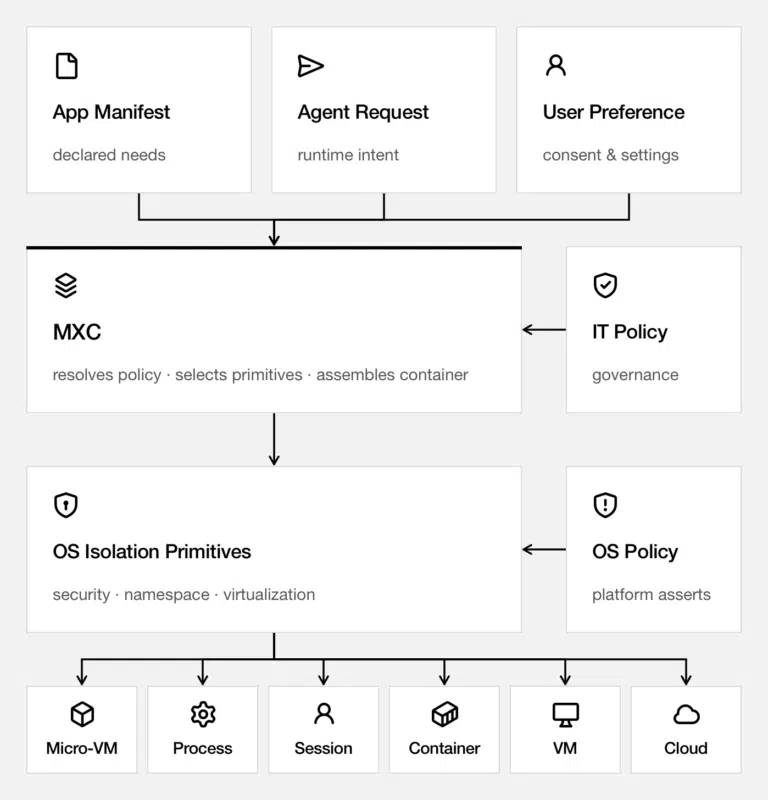
For businesses, the main announcement is Microsoft Execution Containers (MXC). This is an open source execution sandbox, previously in preview, now generally available on Windows 11. Organizations define the files and networks an agent can access, and Windows applies those rules at runtime. The level of isolation is adjustable: process, session, WSL containers unveiled at Build 2026 with WSL 3 (a video on that will be released tonight), virtual machines, or Windows 365 for Agents.
"Agents do not work like traditional applications", Microsoft reminds us. That is why identity is the second pillar. Windows assigns every action to the agent, not to the user. At this event, Microsoft showed a GitHub Copilot agent following malicious instructions hidden in a web page. Defender protection blocked the action, then the agent’s access to SharePoint was cut off, without affecting the user’s access. This example shows that there are indeed two distinct identities: the user’s and the agent’s.
The GitHub Copilot case illustrates well what MXC does, and what it does not do. Without a sandbox, a command launched by the agent has the same privileges as you do. With MXC, it is locked inside a bubble, with no virtual machine to boot and no container image to download. MXC relies on the isolation mechanisms native to each system: ProcessContainer on Windows, Seatbelt on macOS, and bubblewrap on Linux, the tool that already isolates Flatpak apps.
The sandbox is enabled with the /sandbox command in Copilot CLI, or project by project in the GitHub Copilot app. By default, the agent can then write to the project folder, while the rest of the system is largely read-only, or even inaccessible. Shell commands, local MCP servers, and language servers remain isolated. Two elements, however, are outside the sandbox:
- Built-in file tools: they run inside Copilot itself, and their requests are filtered by the agent, without OS-enforced isolation.
- Remote MCP servers: they remain outside the local sandbox.
For IT departments, AI agents are managed with the current tools: Intune and Agent 365, Microsoft’s console dedicated to agents. It remains to be seen what the future licensing constraints will be... In addition, MXC is not limited to Microsoft tools. OpenAI’s Codex, OpenClaw, LM Studio, and NVIDIA’s OpenShell already support it, along with GitHub Copilot. Anthropic’s Claude Code and Perplexity are next.
Local models to save tokens
Microsoft wants to bet on a hybrid operating model, which means the PC must take back part of the work normally handed off to the cloud and process it locally. This goal led to several announcements:
- MAI Code 1.1 Flash: Microsoft’s code model (137 billion parameters, including 6.8 billion active) now runs locally, quantized to about 3.3 bits per weight. It weighs 53 GB, nearly 80% less than the cloud version, with a 256,000-token context window.
- GitHub Copilot: GitHub’s routing system (HydraFusion), which chooses the right model for each task, will be able to rely on local models. A preview is also planned for the end of October in the GitHub Copilot app, GitHub Copilot CLI, and Visual Studio Code. It will be possible to let Auto mode split the work between local and cloud, or to force a local model.
- Windows ML: Microsoft’s runtime supports llama.cpp, making it possible to use more open source models.
- Copilot: on Copilot+ PCs, the new Copilot organized around Home, Code, and Autopilot will be able to use files on the PC, act on the system, and use local models, with the user’s approval. Rollout is set to begin in the coming months.
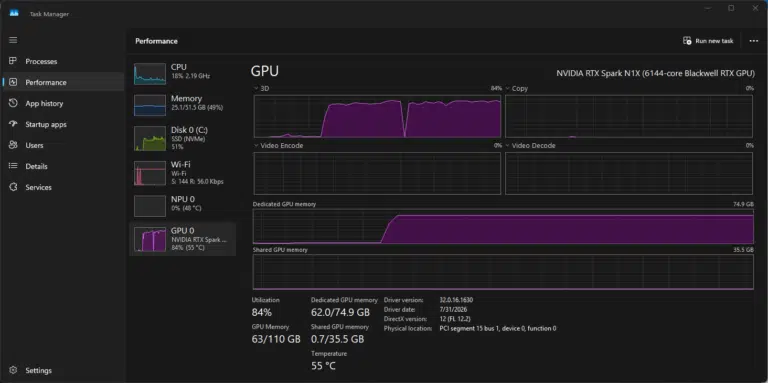
Local comes at a cost: memory. And a lot of it is needed to run Microsoft’s model. On a Surface Laptop Ultra, MAI Code 1.1 Flash reaches a peak of 75.5 GB with a 256,000-token context. RTX Spark PCs with 64 GB will therefore most likely have to settle for a shorter context. According to Microsoft, here are some results obtained with the local version:
- 70.8% on SWE-Bench Verified (vs. 72.6% for the cloud version),
- 66.29% on Terminal-Bench 2.1 (vs. 62.9%).
Surface Laptop Ultra and RTX Spark PCs: preorders are open
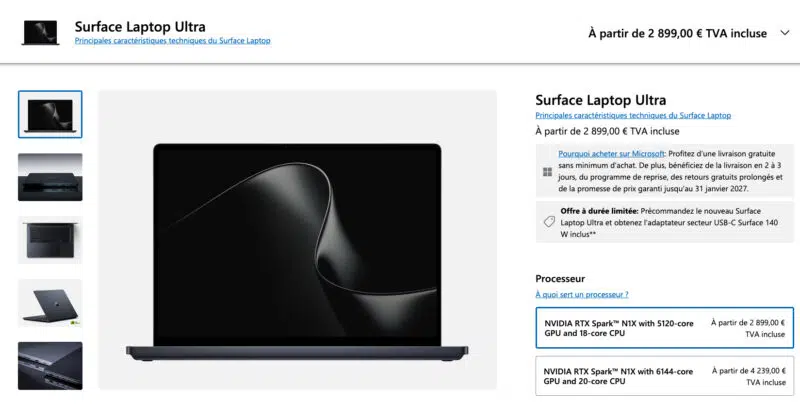
On the hardware side, the Surface Laptop Ultra, which I introduced to you last June, is finally available for preorder. It includes the NVIDIA RTX Spark chip, up to 128 GB of unified memory, and a 15-inch touchscreen. Microsoft says deliveries will begin on October 16, and the starting price is a bit steep: from 2,899 euros. At that price, you get the version with 24 GB of unified memory.
Finally, the DGX Station for Windows (GB300 chip) will arrive by the end of the year at Dell and HP, to run 32 or more agents simultaneously. AI agents on Windows are quietly taking shape... If you want to explore the topic further, here are some useful links:
- Windows Experience Blog: Building Windows for hybrid intelligence
- Microsoft Command Line: Bringing local models and sandboxed tools to Windows and GitHub Copilot
- Windows keynote from October 7, 2026 (YouTube)