www.it-connect.fr

Microsoft Intune Updates: Linux SSO, Richer Windows App Inventory, and Apple Device Management Enhancements
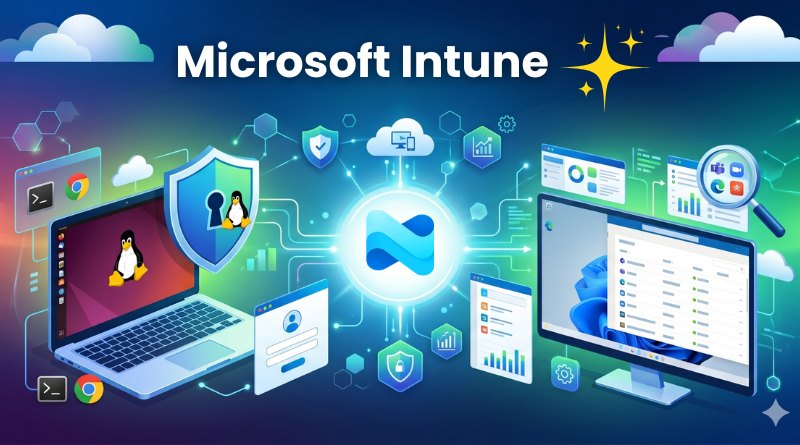
On April 30, 2026, Microsoft revisited the enhancements added to Intune in April 2026. They cover three areas: improved Windows application inventory, single sign-on (SSO) for Linux, and new features for Apple devices. Here’s what you need to know!
A more complete Windows device app inventory
Microsoft Intune has been able for some time now to identify the applications present on Windows workstations through the Discovered apps feature. However, this feature had a few shortcomings, such as a refresh every 7 days, limited information, and applications appearing or disappearing depending on the signed-in user.
Now, the app inventory is synchronized several times a day and is based on all users who have accessed the device. As a result, the inventory remains comprehensive and makes it possible to identify all installed applications. The information available for each application in the Intune portal for administrators is expanding and now includes:
- The installation path
- The installation date
- The architecture (x86 or x64)
- Application size
- Uninstall commands
- Store app information (app ID and languages)
To take advantage of this, you need to deploy a device configuration policy to Windows 11 devices owned by the organization and joined to Entra ID.
Single sign-on (SSO) is now available on Linux
Single sign-on is now available on Linux for Microsoft and web apps such as Azure CLI, Edge, or Teams. It also provides better integration with Entra ID by supporting Linux workstation enrollment.
Previously, Microsoft enterprise account authentication relied on a Java identity broker, which was aging and cumbersome. This introduced limitations, including the lack of a Primary Refresh Token (PRT), poor MFA support, and partial SSO.
Now, it is possible to enroll Linux workstations in Entra ID (Entra ID Join). Microsoft has added support for device-bound authentication and conditional access policies on Linux environments, through Intune in particular.
Finally, in a context where strong authentication is a strategic concern for organizations seeking to secure their environment, it is possible to authenticate using certificates, smart cards, FIDO2 keys, or device-based authentication. As a result, Entra ID authentication on Linux now aligns with that on Windows and Apple.
What’s new for Apple
visionOS and tvOS device enrollment via ADE is now available
Intune Plan 2 now allows automatic enrollment of Apple visionOS and tvOS devices through ADE (Apple Automated Device Enrollment). Once these devices are enrolled, administrators can wipe them, retire them, restart them, rename them, or sync them centrally from Intune. Configuration management is, of course, also supported.
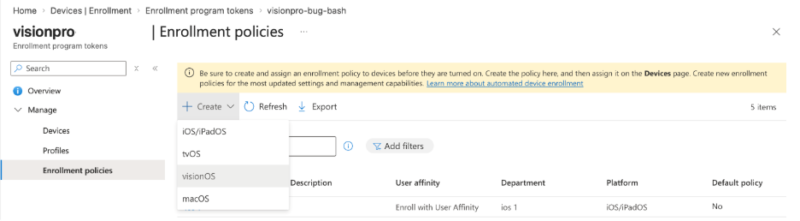
Finally, much like Windows Autopilot can provision workstations in a "Zero-Touch" mode, this will make it possible to provision all configuration policies, scripts, and applications on the device from its very first boot.
Controlling the use of managed Apple accounts
The last update for April concerns managed Apple accounts. It is now possible to choose whether these accounts can be used on any Apple device, or only on devices owned by the organization to which the account belongs.
By syncing your managed Apple identities with your Entra ID tenant, you can better control the use of these Apple accounts as well as their business data.
Find the article published by Microsoft about these announcements on this page.