www.it-connect.fr

Microsoft Authenticator Flaw Let Attackers Steal Microsoft 365 Tokens
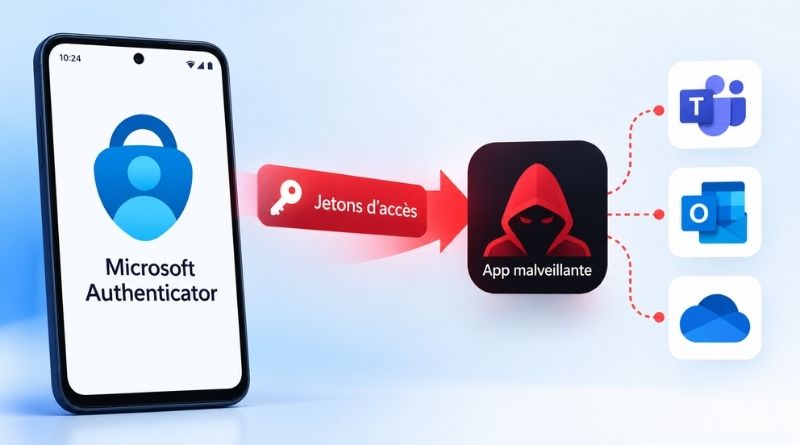
An Android app installed on your smartphone, without any permission, impersonating Teams and walking away with your work account tokens. That is the scenario researchers demonstrated against Microsoft Authenticator. The flaw has now been fixed. Here is what you need to know.
On Android, Microsoft Authenticator does more than display six-digit codes. The app also acts as an authentication "broker": when Teams, Outlook, or another Microsoft app needs to sign in a user, it asks Authenticator, which returns a token. That token is a digital pass that proves the user is properly signed in. Because the broker controls access to the entire account, it has every reason to carefully check which app it is handing a token to.
And yet, a security flaw was identified in this mechanism. That led to the vulnerability tracked as CVE-2026-80097. It allowed a malicious app to impersonate a trusted Microsoft app and obtain, in its place, an access token for the work account signed in on the device. Microsoft fixed it in Microsoft Authenticator for Android version 6.2606.4246, a patch included in the September 8, 2026 Patch Tuesday. So if you regularly update your Android apps (or if that happens automatically), you are already protected.
If this flaw is making headlines now, it is because it was disclosed in detail in a report by Ofek Levin, the Enclave researcher behind the discovery. Microsoft considers this security issue, nicknamed AuthMask, to be important, with a CVSS score of 8.6 out of 10.
A flaw in Authenticator's design
On Android, an app can expose some of its screens to other apps on the phone so they can open them directly. Microsoft Authenticator had done exactly that with its account selection screen, technically an "activity" called AccountChooserActivity. As a result, any app on the device could launch it without any special permission.
Once that activity was started, Authenticator built its token request using values supplied by the calling app. Among those values was the app name. If the app claimed to be Teams, the broker function took it at face value. A surprising mistake.
A signature check was supposed to block this kind of spoofing, but it effectively checked itself. The mechanism retrieved the signature of the spoofed app, rebuilt the redirect URI that the app was supposed to use, and compared it with the one sent in the request. In practice, because Teams was actually installed on the device, its real signature was there and readable by anyone. The malicious app only had to read it through PackageManager, rebuild the same URI, and insert it into its request. In this way, the request impersonated Microsoft Teams.
The problem is that Authenticator knew perfectly well which app was actually calling it: it should therefore have realized that it was not really Teams, and refused to issue the token. In other words, Microsoft Authenticator trusted what the caller claimed to be rather than the identity of the real caller.
Full access to Microsoft 365 email
In tests conducted by Enclave, impersonating Teams while requesting Microsoft Graph tokens returned a set of permissions. These included the following:
- Read and send mail,
- Read and write files,
- Read and write calendars
In other words, the AuthMask flaw can provide full delegated access to the email, files, and calendar of the signed-in work account. The tokens (access token, refresh token, and identity token) were returned in clear text, ready to be used by the calling app. The researcher’s report also suggests that it was possible to create and delete passkeys.
There is still one point where Enclave and Microsoft do not fully agree. Enclave says its PoC retrieved the tokens without any user interaction beyond having an already signed-in account present. Microsoft, however, states in its bulletin that exploitation requires installing a malicious app on the device and convincing the user to approve an authentication step in Authenticator.
"An attacker who successfully exploited this vulnerability could potentially authenticate to a remote host using the current user's credentials," Microsoft says.
To protect yourself, the fix is simple: update Microsoft Authenticator for Android to version 6.2606.4246 or later.