www.it-connect.fr

Logitech Options+ Flaw Lets Any Windows User Gain SYSTEM Privileges
It is just a simple piece of software designed to configure a mouse or keyboard, and yet Logitech Options+ contains a security flaw that makes it possible to obtain SYSTEM privileges on Windows. Here is what we know about this security issue.
Logitech Options+ is the software Logitech provides to configure the brand's peripherals: mice, keyboards, and other devices. As a result, it is installed on many Windows machines (probably millions) and, unfortunately, it is affected by a major security flaw.
This vulnerability, tracked as CVE-2026-12518, was discovered in February 2026 by researcher Jake Bolam of AmberWolf. Identified in the Logitech Options+ application on Windows 11, it allows a local attacker to elevate privileges to SYSTEM on Windows. This means the machine must already be compromised, or the attacker must be able to run a program that can take advantage of this vulnerability.
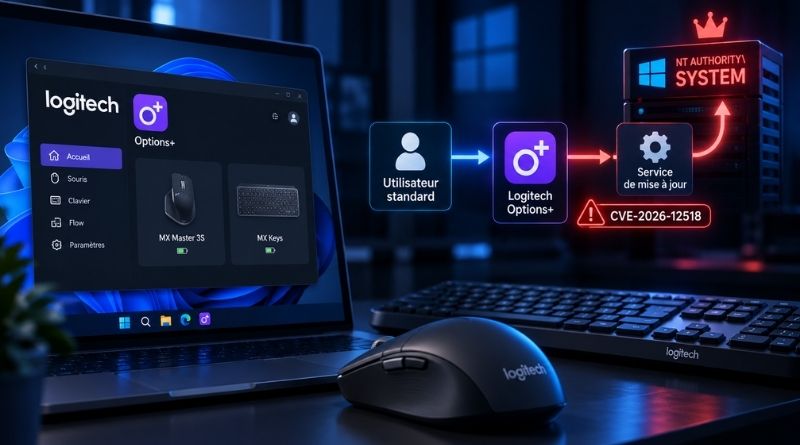
Here, the main application and the background agent run with the rights of the logged-in user, while the update service runs as NT AUTHORITY\SYSTEM. It is this highly privileged service that is targeted by the flaw.

The update service exposes a communication channel (a named pipe) that is accessible to any local user. To protect itself, it checks which process connects and only accepts requests coming from Logitech's official agent. That seems reasonable, but is it enough? No. In fact, this agent runs with the rights of the logged-in user. A standard user can therefore manipulate their own instance of this process and use it to relay commands to the service that has maximum privileges. As Jake Bolam writes in his analysis, the service does not really authenticate Logitech's agent. It authenticates a process that the user can control.
The researcher then explains how he managed to elevate his privileges and also execute a file with SYSTEM privileges on the Windows machine. First, once this process call was hijacked, the attacker was able to ask the service to fetch installation files from somewhere other than Logitech's official folder. Then, he found a security issue in the installation mechanism: it does not even verify file signatures, it blindly trusts what it is given.
As a result, his executable was launched on the machine. This allows him to install tools, modify protected files, or even disable a security solution present on the machine.
How can you protect yourself against CVE-2026-12518?
This security flaw was publicly disclosed on September 14, 2026, but Logitech's fix is slightly older. In fact, it was released on August 19, 2026. Even so, Logitech took a long time to patch this vulnerability, since it was reported on March 11, 2026.
Windows users of Logitech Options+ should now install the latest available version, namely builds 2.7.954611 and 2.7.961922, published on August 19, 2026 according to Logitech's official release notes. You can find AmberWolf's report on this page.