www.it-connect.fr

Docky Reinvents the macOS Dock: Free, Open Source, and Packed With Features
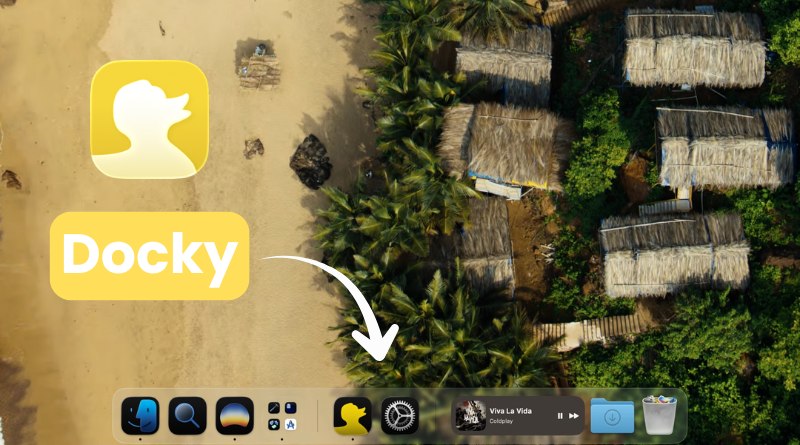
The macOS Dock has barely changed in twenty years. Docky, on the other hand, has just taken a 180-degree turn. This app designed to replace the macOS Dock, previously paid with a Pro tier and a lifetime license, is now going free and open source. Since version 0.7.0 released on June 25, 2026, its developer has opened up the entire codebase under the GPLv3 license. Widgets in the Dock, a built-in Launchpad, a window switcher with live previews, custom icons: this tool supercharges your Mac's Dock.
From a paid app to open source: what version 0.7.0 changes
The full changelog is not available, but version 0.0.6 dates back to late April 2026. Since then, Docky has continued to evolve and has gone through around twenty intermediate releases. But until June 25, it was proprietary paid software built around a Pro tier, a lifetime license, and a free trial. Not surprising on paper: on Mac, many apps are paid.
Version 0.7.0 changes everything. The developer announced that Docky is now free and open source, and that all features previously reserved for the Pro tier are now available to everyone. The full code is published on GitHub under the GPLv3 license, and development would now be funded through GitHub Sponsors donations.
According to this Reddit discussion, the developer made this decision for two reasons: he wants to build a community around Docky, and he is not managing to sell enough of the paid version.
Docky comes as a DMG file, compatible with Apple Silicon and Intel, and supports macOS 14 (Sonoma) and later. For now, this project developed by Jose Quintero remains in beta.
A Dock you build yourself: widgets, Launchpad, and window previews
The main idea behind Docky is to turn the simple row of Dock icons into a customizable workspace. Users can drag and arrange whatever they want there (apps, folders, separators, widgets) using drag and drop or by clicking on app tiles.
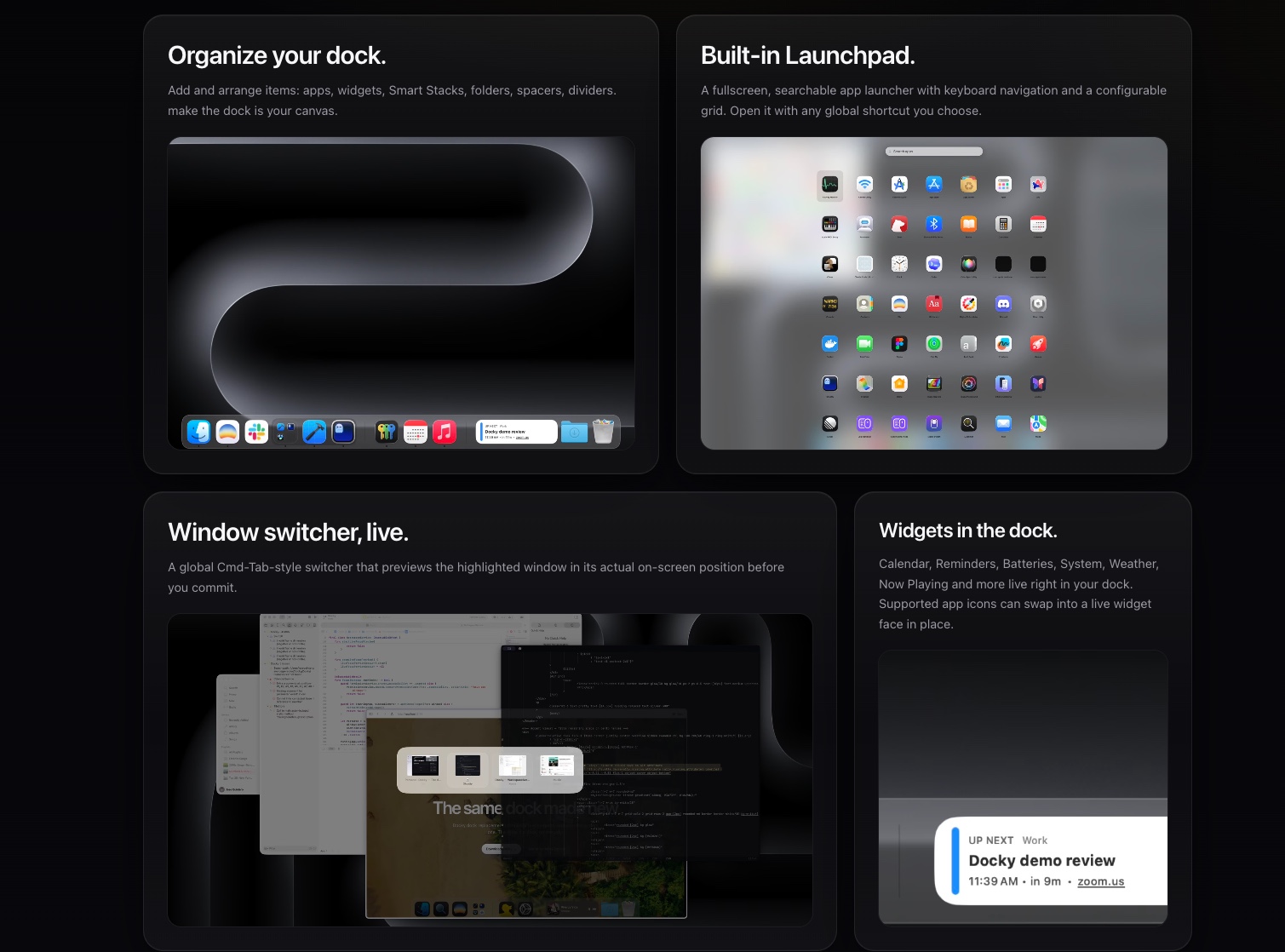
Among the features highlighted on the official website and GitHub repository:
- Widgets built into the Dock: Calendar, Reminders, Batteries, System, Weather, and Now Playing. Community bundles in the
.dockywidgetformat can be added through a widget store (which still needs to grow). - Smart Stacks, which stack multiple widgets into a single tile so they can be browsed in the same spot.
- Enhanced application folders, with nested navigation, Quick Look, and drag and drop, capable of showing running applications.
- A built-in Launchpad: a full-screen launcher with keyboard search and a configurable grid, opened via a customizable global shortcut.
- A
Cmd-Tab-style window switcher that live-previews the highlighted window at its actual position on screen. - Custom app icons and scripted actions (AppleScript and menu-click sequences).
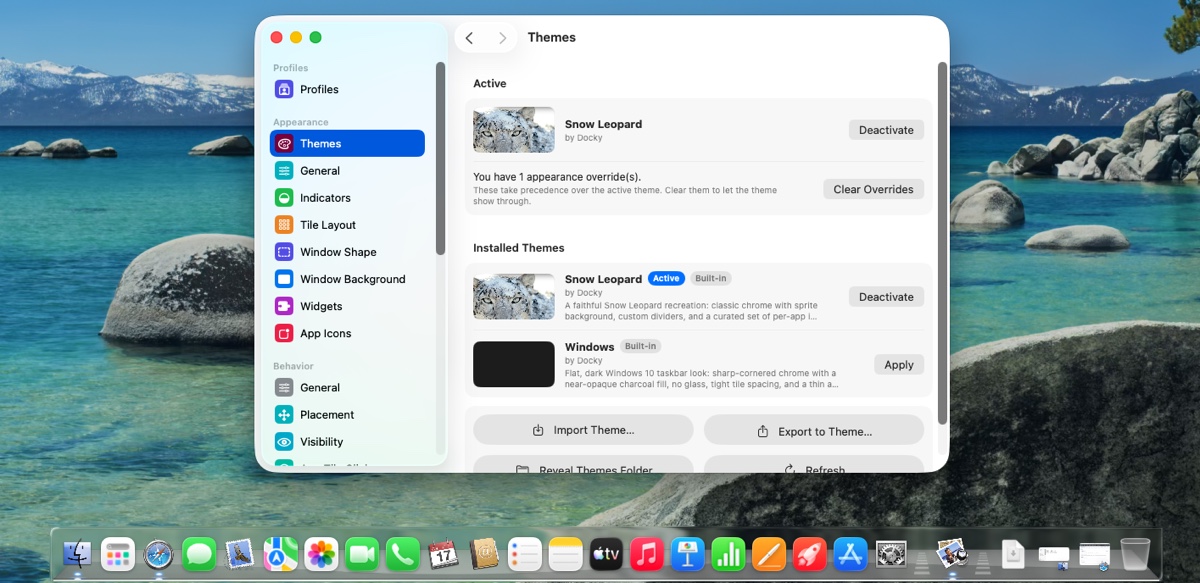
A configuration interface lets you customize Docky, both visually and in terms of content. Below is an example with the Snow Leopard theme, for anyone who wants to bring back an older-generation macOS look and feel.
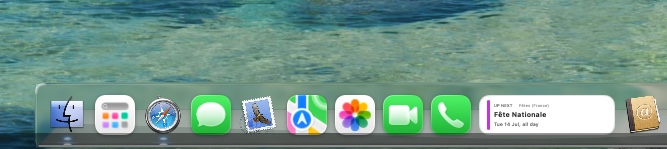
Docky can host widgets directly between app tiles. For example, you can display Now Playing if you are listening to music, or the next upcoming event in your calendar.
Why Docky stays outside the Mac App Store
To control the system Dock, position windows, and capture previews, Docky relies on Apple's private APIs: the SkyLight / CoreGraphics services as well as accessibility SPIs, meaning undocumented interfaces that are not publicly supported. According to the developer, this is exactly why it cannot be distributed through the Mac App Store: these mechanisms fall outside the sandboxing model enforced by the app store.
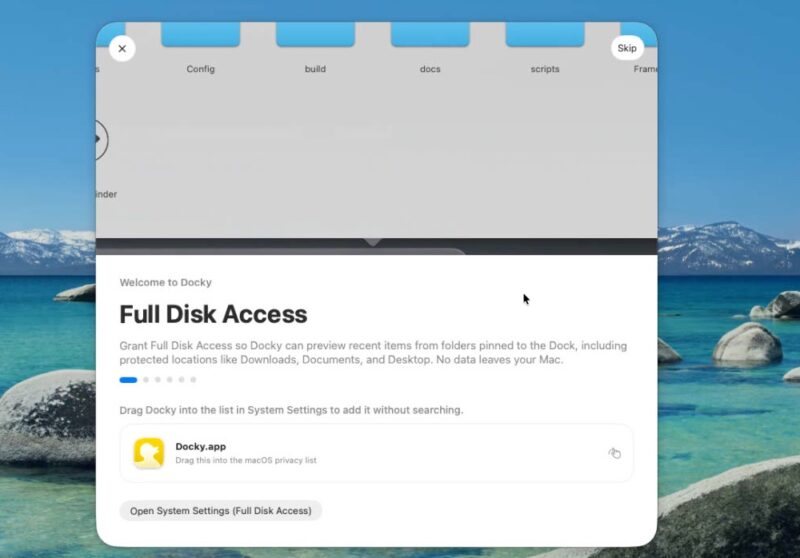
According to the README.md file in the GitHub repository, Docky requests Accessibility and Screen Recording permissions on first launch in order to manage windows and display previews. For its operation, Docky therefore needs a lot of permissions on the local machine. I can confirm that there are quite a few permissions to grant during the initial setup.
Two things are nevertheless reassuring:
- The code is now open (GPLv3) and therefore auditable, which makes it possible to verify the actual use of these permissions.
- The app is notarized by Apple, which suggests a malware review was performed ahead of time.
If you want to try it or simply learn more, here are two useful links: